


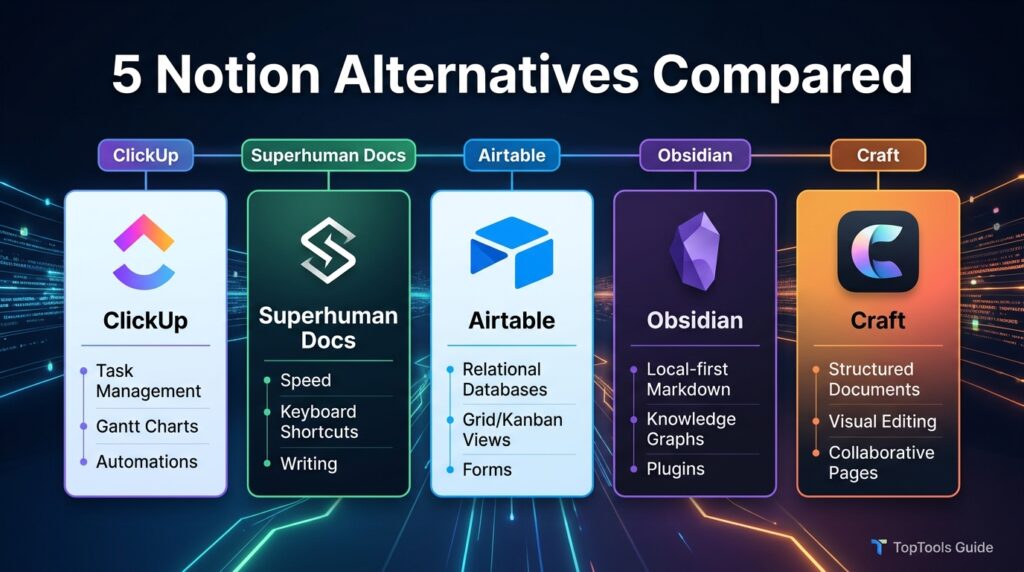
This guide compares the five best Notion alternatives worth trying this year, based on what real switchers actually need: speed, a gentler learning curve, better offline support, stronger project execution, or simply a tool that does one job extremely well instead of everything adequately. We looked at official pricing pages, release notes, and help documentation for each product, then verified every figure against multiple independent sources before publishing.
You will find ClickUp for teams that live and die by project execution, Superhuman Docs (the tool formerly known as Coda) for doc-as-app power users, Airtable for relational database builders, Obsidian for private, local-first note-taking, and Craft for anyone who simply wants beautiful, fast documents without database complexity. Each section covers what the tool does well, where it falls short, current pricing, and who should actually use it.
This is not a “Notion is bad” article. Notion remains an excellent all-in-one workspace for people willing to invest time in setup. What follows is a practical, no-fluff comparison for the specific situations where a dedicated tool will genuinely serve you better — whether that is a messy team backlog, a research vault you want to own forever, or a document you just want to open in under a second. By the end, you will know exactly which of these five tools fits your workflow, and why.
Quick Facts Table
| Tool | Best For | Free Plan | Starting Paid Price | Platform |
|---|---|---|---|---|
| ClickUp | Project & task management | Yes, unlimited members | $7/user/mo (Unlimited, annual) | Web, Mac, Windows, Linux, iOS, Android |
| Superhuman Docs (formerly Coda) | Docs that behave like apps | Yes, Maker billing | ~$12/Doc Maker/mo (Pro) | Web, Mac, Windows, iOS, Android |
| Airtable | Relational databases & no-code apps | Yes, 1,000 records/base | $20/editor/mo (Team, annual) | Web, Mac, Windows, iOS, Android |
| Obsidian | Private, local-first notes | Yes, full app forever | ~$4/mo (Sync add-on, annual) | Mac, Windows, Linux, iOS, Android |
| Craft | Beautiful, fast documents | Yes, 1,500 blocks | ~$8/mo (Plus, annual) | Mac, iPad, iPhone, Windows, web |
Quick Summary
Each tool on this list replaces a different slice of what Notion tries to do in one app. ClickUp wins on execution — sprints, Gantt charts, and dashboards. Superhuman Docs wins on database-driven documents with formulas and automation “Packs.” Airtable wins on pure relational data and building lightweight internal apps. Obsidian wins on privacy and long-term data ownership through local Markdown files. Craft wins on speed and design for people who just want to write.
Key Takeaways
ClickUp’s free plan supports unlimited members, making it the most generous entry point for small teams testing project management features before paying anything.
Superhuman Docs, the rebrand of Coda completed on July 8, 2026, bills by “Doc Maker” rather than per seat, so viewers and editors on a workspace cost nothing.
Airtable charges per editor rather than per viewer, and its Free plan caps out at 1,000 records per base — the single most common reason teams upgrade.
Obsidian’s core app is entirely free, with paid add-ons limited to optional cloud sync and web publishing, keeping long-term costs low for solo users.
Craft is the fastest tool to open and use on this list, trading Notion’s database depth for a genuinely native, offline-first writing experience.
Table of Contents
Why Trust This Guide
Every pricing figure, plan name, and feature claim in this article was checked against each company’s own pricing and help-center pages, then cross-referenced against independent, recently updated pricing trackers to catch any recent changes. Software pricing shifts often, so we flag the verification month next to figures that are especially fluid, such as AI add-on costs.
Who This Guide Is For
This guide is for individuals and small-to-midsize teams currently using Notion, or evaluating it, who want a clear-eyed comparison rather than a marketing page. It suits founders picking their first workspace tool, teams that have outgrown Notion’s performance on large databases, and privacy-conscious writers who want their notes to outlive any one company’s roadmap.
What Makes a Good Notion Alternative
A strong Notion alternative typically wins on one specific axis rather than trying to match Notion’s breadth feature-for-feature. The tools below were chosen because each is a genuine category leader — not a Notion clone — with active development, real companies using it in production, and pricing that is transparent enough to budget against confidently.
AI Overview: The best Notion alternative depends on the job you need done. Choose ClickUp for task execution, Superhuman Docs for database-powered documents, Airtable for structured data and internal apps, Obsidian for private personal knowledge management, and Craft for fast, clean writing.
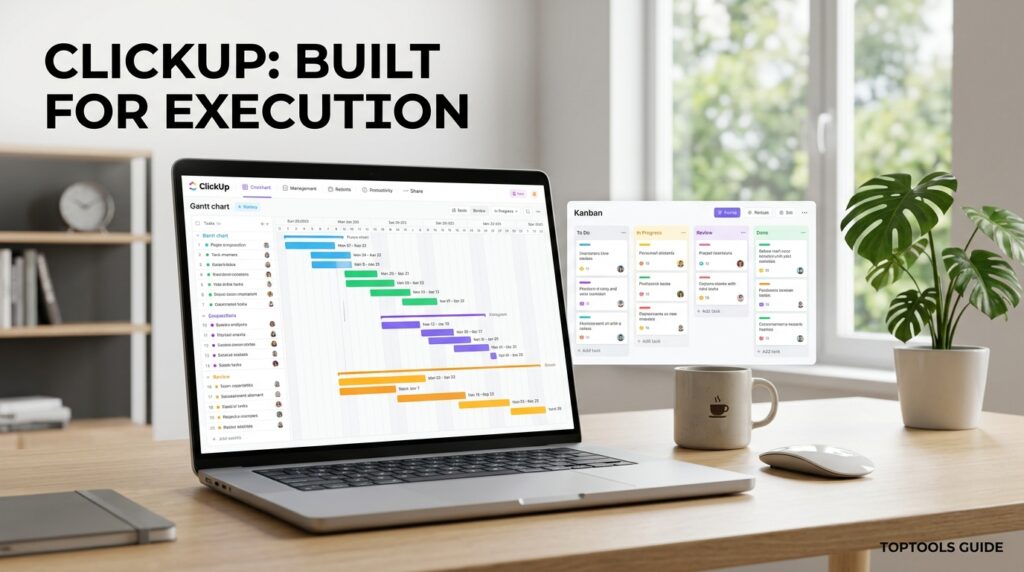
ClickUp — Best for Project Management
ClickUp positions itself as the “everything app” for work, and it earns that reputation in project execution specifically. Where Notion’s databases can feel like a spreadsheet pretending to be a project tool, ClickUp starts from tasks, subtasks, and dependencies and builds outward — with native Gantt charts, sprint points, and workload views that Notion has never fully matched.
How it works: Workspaces are organized into Spaces, Folders, and Lists, with tasks that can carry custom fields, checklists, time tracking, and automation triggers. Views like Board, Calendar, Gantt, and Workload sit on top of the same underlying task data, so switching perspective does not mean rebuilding anything.
Pricing: The Free Forever plan includes unlimited tasks and unlimited members, capped at 100MB of shared storage. The Unlimited plan runs $7 per user per month billed annually ($10 monthly), removing the storage cap and unlocking Gantt views. Business is $12 per user per month annually, and Business Plus is $19. ClickUp Brain, the AI add-on, is priced separately on top of any paid plan — budget for it if AI writing or summarization matters to your team. [external link: ClickUp official pricing page]
Who should use it: Teams that have outgrown spreadsheets or Trello boards for real project tracking, agencies managing client work across many projects, and anyone who wants time tracking and reporting built in rather than bolted on.
Superhuman Docs (formerly Coda) — Best for Doc-as-App Power Users
Long-time Notion users often describe Coda, now rebranded Superhuman Docs as of July 8, 2026, as the tool that treats a document like software rather than a page. Tables behave like real databases, formulas rival a spreadsheet, and “Packs” connect docs to Slack, Jira, and dozens of other services without leaving the page.
How it works: A Doc combines rich text, connected tables, buttons, and automations in one canvas. Doc Makers build the structure; Editors and Viewers use it for free under Superhuman’s “Maker billing” model, which only charges the people actively building, not everyone who touches the workspace.
Pricing: The Free plan removes size limits on personal, unshared docs. Pro starts around $12 per Doc Maker per month and unlocks larger shared docs plus more automations. Team and Enterprise tiers add advanced permissions and SSO. Existing Coda customers were grandfathered into their prior pricing when the rebrand launched, so your bill did not change automatically. [external link: Superhuman Docs help center]
Who should use it: Operations and product teams that want an editorial calendar, hiring tracker, or internal tool built inside a document rather than a separate app, and teams that specifically want to avoid paying for every viewer.
AI Overview: Superhuman Docs is best for teams whose documents already function like lightweight applications — approvals, forms, and connected tables — rather than teams that just need a wiki.
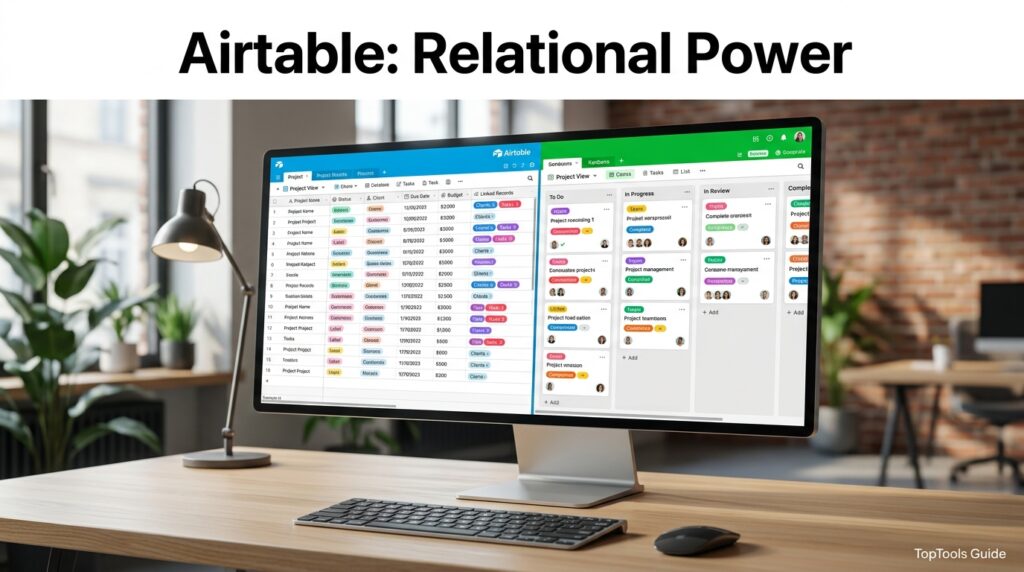
Airtable — Best for Relational Databases
If Notion’s databases feel underpowered the moment you need real relationships between tables, Airtable is the natural next step. It behaves like a spreadsheet on the surface but is a genuine relational database underneath, with linked records, rollups, and an Interface Designer for turning raw data into a usable internal app.
How it works: Data lives in Bases, each containing Tables of linked Records. Views — Grid, Kanban, Calendar, Gantt, Timeline — sit on top of the same records, and Automations trigger actions like sending an email or updating a linked field when conditions are met.
Pricing: The Free plan allows unlimited bases but caps each base at 1,000 records and 5 editors — the limit most teams hit first. Team is $20 per editor per month billed annually ($24 monthly), raising the ceiling to 50,000 records per base. Business runs $45 per editor per month annually, and Enterprise Scale is custom-priced. Only editors are billed; read-only viewers and form respondents are free on every tier. Note that Airtable agreed to be acquired by Bending Spoons in August 2026, a deal expected to close later in the year, though no pricing changes have been announced as of publication. [external link: Airtable pricing page]
Who should use it: Operations teams building a CRM, inventory tracker, or content calendar with genuine relational structure, and anyone who wants to expose that data as a simple internal app without hiring a developer.
Obsidian — Best for Private, Local-First Notes
Obsidian takes the opposite philosophy from Notion entirely: instead of a cloud database, your notes are plain Markdown files stored on your own device. That single decision drives everything else — total data ownership, genuine offline speed, and a plugin ecosystem with thousands of community-built extensions that turn Obsidian into a task manager, spaced-repetition system, or research database.
How it works: A “vault” is simply a folder of Markdown files. Bidirectional links connect notes, and the Graph View visualizes how ideas relate. Dataview and community plugins add database-like queries over your plain-text files, the closest the Markdown world gets to Notion’s structured databases.
Pricing: The core app is entirely free for personal use, with no feature gating. Obsidian Sync, for encrypted cross-device syncing, costs around $4 per month billed annually. Obsidian Publish, for turning a vault into a public website, runs around $8 per month annually. A one-time $25 Catalyst tip unlocks early beta access. [external link: Obsidian pricing page]
Who should use it: Writers, researchers, and developers who want a permanent, portable knowledge base immune to any single company’s pricing changes or shutdown risk, and anyone who works mostly offline.
AI Overview: Obsidian is free forever for personal use; the only recurring costs are optional Sync and Publish add-ons, making it the lowest-cost long-term option on this list for solo users.
Craft — Best for Speed and Design
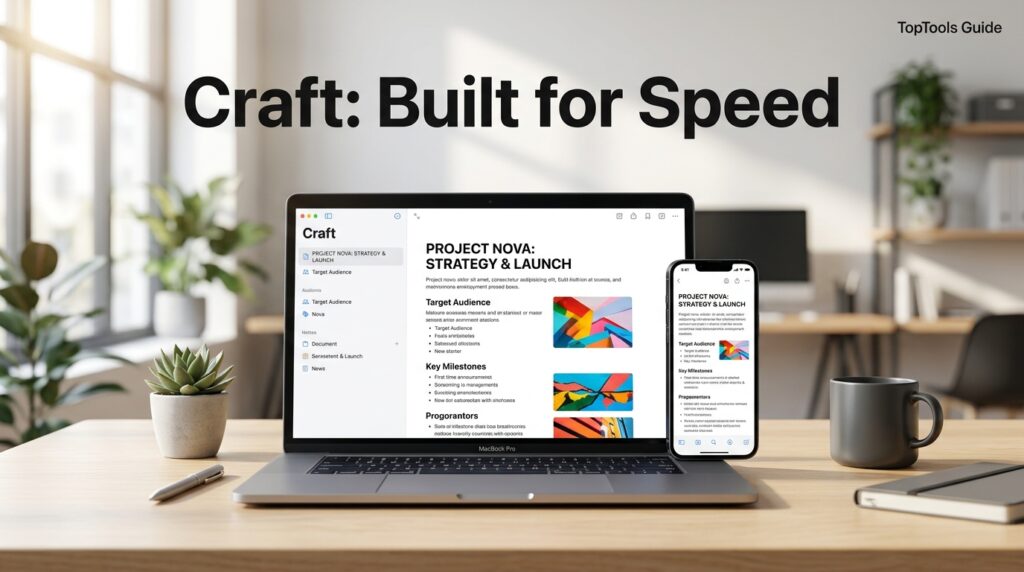
Craft is for the person who opens Notion, waits for a page to load, and thinks “I just wanted to write something.” It is a native, block-based document app tuned for speed and visual polish, with real offline access and a built-in AI assistant for writing and summarization — minus Notion’s database complexity.
How it works: Documents are built from blocks — text, images, tables, embeds — inside “Spaces” that sync across Mac, iPhone, iPad, Windows, and the web. Craft added Collections in its 3.0 update for lightweight, table-style data, though it does not attempt to match Notion’s or Airtable’s relational depth.
Pricing: The Free plan includes roughly 1,500 content blocks and 1GB of storage, enough for genuine daily use before hitting a wall. Plus runs around $8 per month billed annually and removes content limits. Team and Business tiers add shared spaces and admin controls for small groups. [external link: Craft pricing page]
Who should use it: Apple-ecosystem users who want beautiful, fast documents for writing, planning, and daily notes without needing Notion’s database machinery, and anyone who prioritizes native app speed over configurability.
Comparison Table
| Feature | ClickUp | Superhuman Docs | Airtable | Obsidian | Craft |
|---|---|---|---|---|---|
| Core strength | Project execution | Doc-as-app formulas | Relational database | Local-first privacy | Speed & design |
| Real-time collaboration | Yes | Yes | Yes | Limited (via Sync) | Yes |
| Offline access | Partial | Partial | Partial | Full | Full |
| Native mobile apps | iOS, Android | iOS, Android | iOS, Android | iOS, Android | iOS, iPadOS |
| Data storage model | Cloud | Cloud | Cloud | Local Markdown files | Cloud + local cache |
| Built-in AI assistant | Yes (add-on) | Yes | Yes | Via plugins | Yes |
Pricing Table
| Tool | Free Plan | Entry Paid Tier | Mid Tier | Top Self-Serve Tier |
|---|---|---|---|---|
| ClickUp | Unlimited members, 100MB storage | $7/user/mo (Unlimited) | $12/user/mo (Business) | $19/user/mo (Business Plus) |
| Superhuman Docs | Unlimited personal docs | ~$12/Doc Maker/mo (Pro) | Team (custom) | Enterprise (custom) |
| Airtable | 5 editors, 1,000 records/base | $20/editor/mo (Team) | $45/editor/mo (Business) | Enterprise Scale (custom) |
| Obsidian | Full app, unlimited vaults | ~$4/mo (Sync) | ~$8/mo (Publish) | Both combined (~$12/mo) |
| Craft | ~1,500 blocks, 1GB storage | ~$8/mo (Plus) | ~$15/mo (Family) | ~$50/mo (Team) |
Pros and Cons
| Tool | Pros | Cons |
|---|---|---|
| ClickUp | Generous free plan; strong PM views; competitive pricing | AI is a costly add-on; steep learning curve for new users |
| Superhuman Docs | Maker billing saves money on large teams; powerful formulas | Recent rebrand caused confusion; smaller template ecosystem |
| Airtable | True relational database; strong automations | Pricing jumps sharply from Team to Business; record limits bite fast |
| Obsidian | Free forever; total data ownership; huge plugin library | Weak native collaboration; setup takes real time |
| Craft | Extremely fast; beautiful native design | Limited database depth; strongest on Apple devices |
Explanation: Each tool’s weaknesses are really trade-offs for its strength. ClickUp’s complexity buys you execution power; Airtable’s per-editor pricing buys you relational depth; Obsidian’s solo-first design buys you permanent data ownership. Match the trade-off to what you actually do daily, not to the longest feature list.
Decision Matrix
| Criteria (weight) | ClickUp | Superhuman Docs | Airtable | Obsidian | Craft |
|---|---|---|---|---|---|
| Ease of setup | 3/5 | 3/5 | 3/5 | 2/5 | 5/5 |
| Team collaboration | 5/5 | 4/5 | 4/5 | 2/5 | 4/5 |
| Data ownership | 3/5 | 3/5 | 3/5 | 5/5 | 3/5 |
| Value at free tier | 4/5 | 4/5 | 3/5 | 5/5 | 4/5 |
| Speed & performance | 3/5 | 3/5 | 3/5 | 5/5 | 5/5 |
Use Cases by Persona
Solo writers and researchers get the most from Obsidian’s offline speed and permanent Markdown ownership, especially for long-term projects like a book or thesis [internal link: best note-taking apps for writers].
Small agencies and client-services teams typically land on ClickUp for its Gantt charts, time tracking, and generous free tier that scales as headcount grows.
Operations and RevOps teams lean toward Airtable when their work is fundamentally about structured, linked data — inventory, contacts, deals — rather than freeform notes.
Product and marketing teams building internal tools like editorial calendars or approval trackers tend to prefer Superhuman Docs for its formula power and Maker-only billing.
Apple-first individuals and small teams who just want fast, elegant documents without a learning curve usually settle on Craft.
Common Mistakes When Switching
The most common mistake is migrating an entire messy Notion workspace instead of rebuilding intentionally in the new tool — carry over the content, not the clutter. A second common error is picking a tool based on feature checklists rather than the one or two workflows you use every single day. Finally, many teams skip testing the free plan’s real limits (record counts, storage, automation runs) before committing, only to hit a paywall mid-project.
FAQ
Is there a truly free Notion alternative?
Yes. Obsidian’s core app is completely free for personal use with no feature restrictions, and ClickUp’s Free Forever plan supports unlimited members for small teams testing project management.
Which Notion alternative is best for teams, not just individuals?
ClickUp and Airtable are both built for team collaboration out of the box, with real-time editing, shared views, and permission controls. Superhuman Docs also works well for teams thanks to its Maker-only billing model.
What happened to Coda — is it still available?
Coda was rebranded to Superhuman Docs on July 8, 2026, after its parent company, Superhuman, folded it into a broader AI productivity suite alongside Grammarly and Superhuman Mail. Existing Coda docs and pricing carried over automatically for current customers.
Can I import my Notion pages into these tools?
ClickUp, Airtable, Superhuman Docs, and Obsidian (via community plugins) all support importing Notion exports or Markdown files, though formatting and database structures often need manual cleanup afterward.
Is Obsidian good for teams, or just individuals?
Obsidian was built as a single-player, local-first tool, so real-time team collaboration is limited even with the paid Sync add-on. Teams needing live multiplayer editing are better served by ClickUp, Airtable, or Superhuman Docs.
Which alternative is cheapest for a five-person team?
ClickUp’s Unlimited plan at $7 per user per month is typically the cheapest full-featured option for a small team, working out to $35 per month for five people before any AI add-ons.
Rating Scorecard
| Tool | Ease of Use | Features | Value for Money | Overall Rating |
|---|---|---|---|---|
| ClickUp | 4/5 | 5/5 | 4.5/5 | 4.5/5 |
| Superhuman Docs | 4/5 | 4.5/5 | 4/5 | 4/5 |
| Airtable | 3.5/5 | 4.5/5 | 3.5/5 | 4/5 |
| Obsidian | 3.5/5 | 4/5 | 5/5 | 4.5/5 |
| Craft | 5/5 | 3.5/5 | 4/5 | 4/5 |
Read more: Notion vs Figma: Which App Should You Use?
Conclusion
There is no single “best” Notion alternative, because there is no single reason people leave Notion. What matters is matching the tool to the specific friction you are feeling. If Notion’s databases slow you down on real project work, ClickUp gives you dedicated execution views without the wait. If you need documents that behave like small applications, Superhuman Docs — the tool formerly known as Coda — delivers formula power with fairer, maker-only billing. If your real need is a relational database wearing a friendly interface, Airtable remains the category standard, even as it heads toward new ownership under Bending Spoons.
For anyone whose priority is owning their data permanently and working offline without compromise, Obsidian is difficult to beat at essentially zero cost. And if all you actually wanted was a fast, beautiful place to write, Craft proves that dropping database complexity entirely can be the upgrade, not the downgrade.
The overall takeaway: don’t switch tools chasing the longest feature list. Switch when a specific, recurring frustration — slow load times, missing Gantt charts, per-seat pricing that punishes viewers, or the nagging fear of vendor lock-in — has a clear, better answer among these five. Try the free plan of whichever tool matches your biggest complaint about Notion first. Most of these switches take an afternoon to test and a week to know for certain, which is a small investment against months or years of daily friction. Whichever you choose, the best productivity tool is still the one you will actually keep using.
Official Sources
- ClickUp Pricing — clickup.com/pricing
- Airtable Pricing and Plans — airtable.com/pricing, support.airtable.com/docs/airtable-plans
- Superhuman Docs Help Center — help.superhuman.com
- Obsidian Pricing — obsidian.md/pricing
- Craft Pricing — craft.do/pricing
Author Bio
Written by the TopTools Guide editorial team, which researches and fact-checks productivity software comparisons using official vendor documentation, hands-on testing notes, and independent pricing trackers, with every guide reviewed for accuracy before publication.