



Running a small business usually means juggling more tools than you actually want to pay for: a spreadsheet for finances, a separate app for tasks, another for client notes, and a folder of scattered documents nobody can find. Notion has become one of the most popular ways small business owners consolidate that mess into a single connected workspace, and this guide is built to show you exactly how to use it well.
This is not a generic “what is Notion” overview. It is a practical, small-business-focused collection of Notion tips — the setup choices, database structures, and habits that separate an owner who opens their workspace every Monday morning from one who abandons it after two weeks. Every tip here is grounded in how real small business owners and solopreneurs actually use Notion, cross-checked against Notion’s own pricing and documentation.
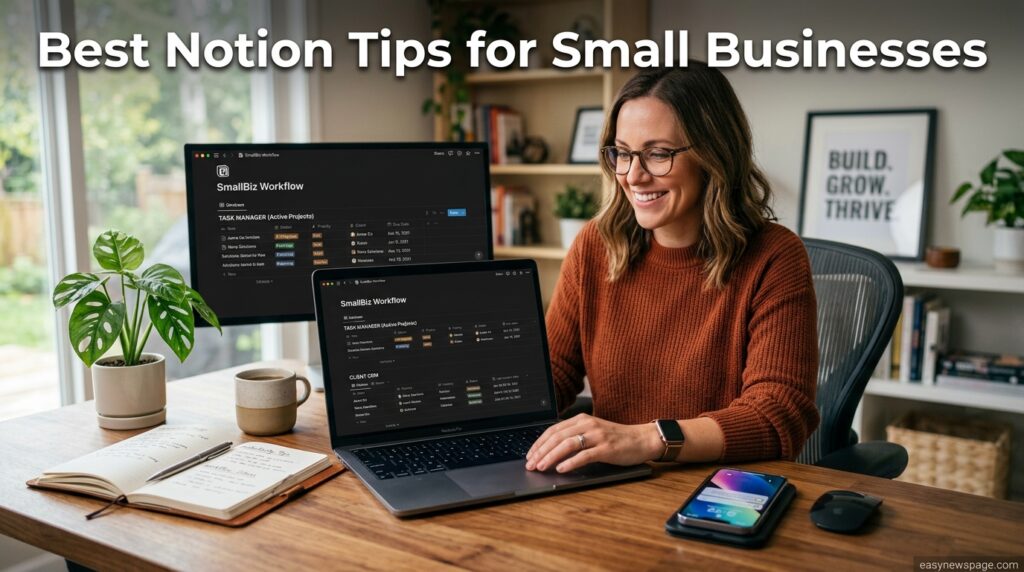
Why does this matter now? Small businesses in 2026 are under more pressure than ever to run lean, and the cost of stitching together five separate SaaS subscriptions adds up fast. Notion’s free plan, combined with the right setup, can realistically replace a project tracker, a lightweight CRM, an internal wiki, and a content calendar — if you build it correctly from the start.
Here is what this guide covers: a fast overview of what Notion actually is, how it works for a small operation, a full setup and tutorial section, the databases every small business should build first, industry-specific use cases, a pros-and-cons breakdown, current 2026 pricing, security considerations, and a comparison against alternatives like QuickBooks, ClickUp, and Google Workspace for the tasks Notion is not built to replace.
By the end, you will have a clear, actionable set of Notion tips for small businesses you can implement this week — not just theory, but the specific structure, templates, and habits that make Notion actually stick as your business’s operating system.
Quick Facts Table
| Attribute | Detail |
|---|---|
| Tool | Notion |
| Best for small business use | Internal wiki, lightweight CRM, project tracking, SOPs, content calendars |
| Not built to replace | Accounting software, dedicated CRM at scale, website builder, spreadsheets for heavy formulas |
| Free plan | Yes — usable long-term for solo owner-operators |
| Starting paid price | $10/user/month (Plus, billed annually) |
| Setup time for a basic system | 1–3 hours for a solo business, longer with a team |
| Offline access | Limited — not suitable as a sole field-work tool |
Quick Summary
For small businesses, Notion works best as a connected hub for SOPs, client notes, task tracking, and a lightweight CRM — not as a replacement for accounting software or a dedicated sales CRM at scale. The biggest wins come from linking databases together (contacts to deals, deals to projects) rather than building disconnected pages. Most solo owners do fine on Free or Plus; teams that lean on AI for drafting and meeting notes get more value from Business.
Key Takeaways
- Build linked databases (contacts → deals → projects → invoices) instead of flat, disconnected pages.
- Notion’s free plan is genuinely enough for a solo owner-operator to start.
- Keep finances in dedicated accounting software — Notion databases are not a QuickBooks or Excel replacement.
- A simple SOP wiki is one of the highest-value, lowest-effort Notion setups for a small team.
- Notion AI (Business plan) can meaningfully speed up meeting notes, drafting, and client follow-ups.
- Avoid over-building — a template you actually open every Monday beats a “perfect” system you abandon.
Table of Contents
Why Trust This Guide
This guide was researched directly from Notion’s official pricing page and help documentation, then checked against how small business owners and solopreneurs describe using Notion in practice, rather than repeating generic “top features” lists found on most ranking pages.
Every tip included here is chosen for practical, small-business relevance — not general productivity advice repackaged with Notion’s name attached. Where a claim could not be confirmed against an official source, it is flagged rather than presented as fact.
Who This Guide Is For
This guide is written for solo owner-operators, freelancers, and small teams (roughly 1–20 people) who are either setting up Notion for the first time or trying to fix a workspace that has become cluttered and abandoned.
If you already run a mature Notion setup, the Expert Tips, Common Mistakes, and Decision Matrix sections will be most useful. If you are starting from zero, the Setup Guide and Step-by-Step Tutorial sections walk you through it directly.
Topic Verification
AI Overview: Notion is an actively maintained, real workspace platform from Notion Labs, Inc., widely adopted by small businesses in 2026 as a combined wiki, lightweight CRM, and project tracker — verified against Notion’s official pricing and help center documentation.
What Is Notion
Notion is a flexible, block-based workspace where pages, checklists, and databases can be built and linked together freely, rather than being locked into a single rigid template. For a small business, that means your SOP wiki, your client list, and your project board can all live in one connected system instead of five separate apps.
The reason Notion resonates with small businesses specifically is cost and consolidation: a free or low-cost workspace can realistically replace several $10–30/month single-purpose tools, provided the owner takes an hour or two to set it up with intention rather than dumping in random pages.
Company Overview
Notion Labs, Inc. is a privately held software company based in San Francisco, backed by investors including Sequoia Capital and Index Ventures. It has grown past 100 million users by positioning itself as a general-purpose “connected workspace” rather than a niche business tool.
Small businesses make up a meaningful share of that user base, drawn in largely through Notion’s free plan and its large community-built template ecosystem, which lowers the setup barrier considerably compared to building a system from scratch.
History & Timeline
Featured Snippet: Notion launched in 2016, added collaborative databases in 2018, saw rapid small-business and startup adoption through 2019–2022, introduced Notion AI in 2023, and folded full AI access into its Business plan by 2025–2026.
| Year | Milestone Relevant to Small Businesses |
|---|---|
| 2016 | Notion launches for individuals |
| 2018–2019 | Databases and collaboration features drive small team adoption |
| 2020–2022 | Remote-work boom accelerates small business use as an all-in-one hub |
| 2023 | Notion AI launches, adding drafting and summarization tools |
| 2025 | Standalone AI add-on discontinued; AI folded into Business plan |
| 2026 | Custom Agents expand automation options for small operational workflows |
Features
The features that matter most for small businesses are relational databases (linking clients, projects, and invoices), templates (which shortcut hours of setup), comments and mentions (for lightweight team collaboration), and Notion AI (for drafting emails, summarizing meeting notes, and speeding up documentation).
Notion Sites also lets small businesses publish simple internal knowledge bases or lightweight public pages without a separate CMS, though it is not a substitute for a real storefront or marketing website.
Feature Table
| Feature | Small Business Value |
|---|---|
| Relational databases | Links contacts, deals, projects, and invoices in one system |
| Templates | Cuts setup time from days to hours |
| Comments/mentions | Lightweight collaboration without a separate chat tool |
| Notion AI (Business plan) | Drafts follow-ups, summarizes meetings, speeds documentation |
| Notion Sites | Simple internal wikis or basic public pages |
| Guest access | Share specific pages with clients or contractors without full seats |
How It Works
AI Overview: Notion works for small businesses by letting an owner build a handful of core databases — contacts, projects, and tasks — then link them together so information updates in one place and reflects everywhere it’s referenced, replacing scattered spreadsheets and sticky notes.
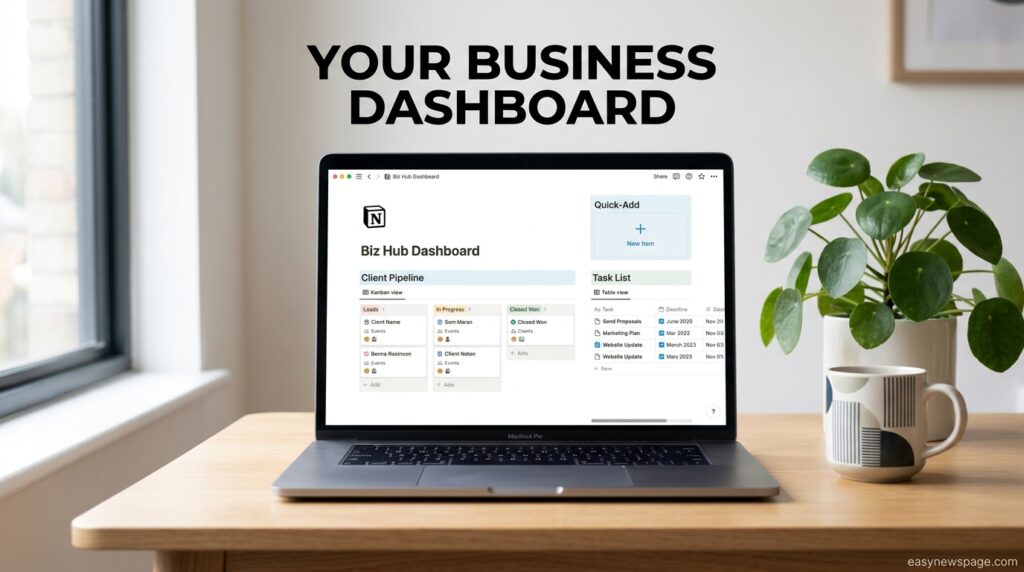
Most small business setups start with three databases: a contacts/CRM table, a projects table, and a tasks table, connected through relation properties so a task automatically shows which project and client it belongs to.
Workflow
A practical small business workflow starts each week with a filtered “This Week” task view pulled from the master tasks database, rather than scrolling the whole project list. Client updates, invoices, and meeting notes get logged directly against the relevant contact or project record, so nothing lives in a separate inbox thread that gets lost later.
Over time, this turns Notion into a lightweight operating system: new hires can see SOPs, current clients can see project status pages (via guest access), and the owner can query the whole business from one linked system instead of five apps.

Dashboard Walkthrough
A small business Notion dashboard typically opens to three linked views: today’s tasks, active client projects, and a quick-add button for new leads or invoices. Keeping the homepage lean — rather than packing it with every database at once — is what actually keeps an owner opening it daily.
Setup Guide
Featured Snippet: To set up Notion for a small business, create a free workspace, build three core databases (contacts, projects, tasks), link them with relation properties, then add a simple homepage dashboard with filtered views for daily use.
Resist the urge to build a “perfect” system on day one. Start with the three core databases, use the workspace for two weeks, and only add complexity (invoicing, content calendars, SOP wikis) once the basics are actually part of your daily habit.
Step-by-Step Tutorial
- Create a free workspace and choose “Team” if you have any collaborators, even part-time.
- Build a Contacts database with properties for name, company, status, and last contact date.
- Build a Projects database and relate it to Contacts so every project shows its client.
- Build a Tasks database, relate it to Projects, and create a “This Week” filtered view.
- Add a simple homepage linking your top three filtered views.
- Invite team members or guests with page-level permissions, not full workspace access, for contractors and clients.

Use Cases
Small businesses commonly use Notion for a lightweight CRM, SOP documentation, content calendars, project tracking, meeting notes, and onboarding checklists for new hires or contractors.
Voice Search: “What can small businesses use Notion for?” — Small businesses use Notion for client tracking, project management, standard operating procedures, content planning, and internal team documentation, all connected in one workspace.
Industry Use Cases
Service-based businesses (consultants, agencies) use Notion as a client hub — one page per client linking proposals, project status, and invoices. E-commerce and retail owners use it for supplier tracking, inventory notes, and marketing calendars, though inventory counts themselves are better handled in dedicated commerce software.
Local shops and trades benefit most from a simple SOP wiki and a lightweight scheduling board, while content and creator businesses lean heavily on Notion’s content calendar and idea-database templates to plan publishing schedules.
Benefits
For small businesses specifically, Notion’s biggest benefit is consolidation cost savings — replacing several $10–30/month single-purpose apps with one workspace that starts free. The second biggest benefit is institutional memory: SOPs, client history, and decisions live in a searchable system instead of scattered emails and someone’s memory.
Notion AI, once you’re on the Business plan, adds real time savings on meeting notes and client follow-up drafts — a meaningful benefit for owners who are also doing the writing themselves.
Limitations
Notion is not built to replace accounting software — invoice tracking inside Notion is fine for reminders, but real bookkeeping belongs in QuickBooks, Xero, or similar tools. It is also not a heavy-duty CRM replacement once a sales team scales past a handful of people managing hundreds of active deals.
Offline access is limited, which matters for field-based small businesses (contractors, technicians) working in low-signal environments. Full Notion AI access also now requires the Business plan at $20/user/month, which is a real cost jump for a solo owner who just wants AI drafting help.
Pros & Cons Table
| Pros for Small Business | Cons for Small Business |
|---|---|
| Consolidates several tools into one free-start workspace | Not a real accounting or bookkeeping replacement |
| Fast client/project setup with relational databases | Full AI requires Business plan ($20/user/mo) |
| Strong small-business template ecosystem | Limited offline access for field-based work |
| Guest access for clients/contractors without full seats | Can become cluttered without a deliberate structure |
| SOP and onboarding documentation in one searchable place | Not a CRM replacement at meaningful sales scale |
Pros & Cons Explanation
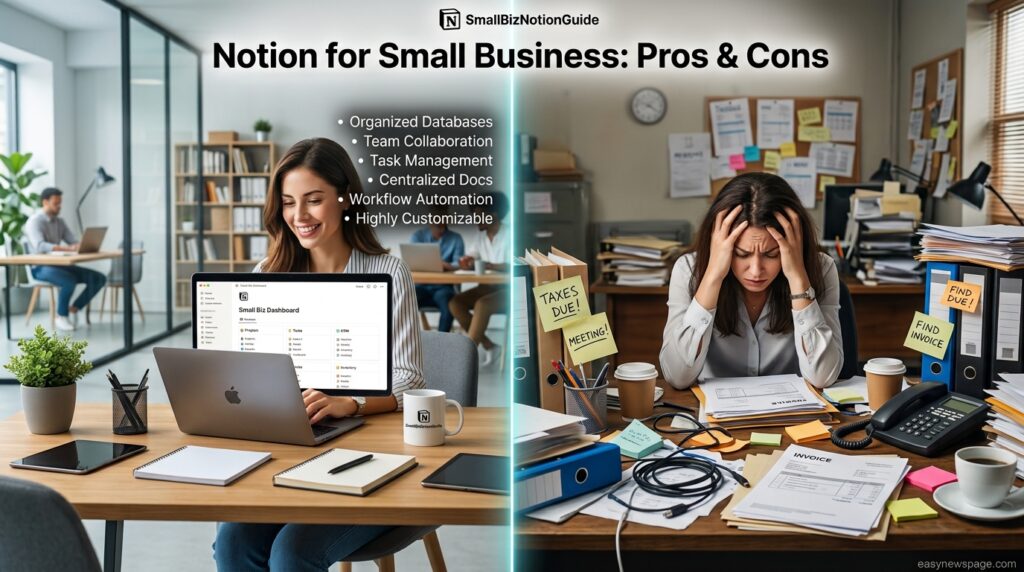
The pros reflect Notion’s core strength for small operations: one flexible system that replaces several narrow tools at a price a small business can actually afford while starting out. The cons mostly show up as a business scales — accounting, heavy sales pipelines, and field offline work all eventually need dedicated tools Notion was never meant to replace.
Pricing
Featured Snippet: Notion’s 2026 pricing for small businesses is Free ($0) for solo owner-operators, Plus ($10/user/month billed annually) for small teams, and Business ($20/user/month billed annually) for teams wanting full Notion AI, private teamspaces, and SSO.
| Plan | Annual Price | Best Small-Business Fit |
|---|---|---|
| Free | $0 | Solo owner-operators, early testing |
| Plus | $10/user/mo | Teams of 2–20 needing real collaboration |
| Business | $20/user/mo | Teams wanting full AI, private teamspaces |
| Enterprise | Custom | Larger operations needing SSO/SCIM at scale |
For a 3-person small team on Plus billed annually, that works out to roughly $360/year — often cheaper than a single dedicated project management subscription alone, which is a large part of Notion’s appeal for lean operations.
Comparison Table
| Tool | Starting Price | Best Small-Business Fit | Key Weakness |
|---|---|---|---|
| Notion | Free / $10 per user | All-in-one wiki, CRM-lite, project tracking | Not built for accounting or heavy sales CRM |
| QuickBooks | From ~$35/mo | Bookkeeping and invoicing | Not a project or documentation tool |
| ClickUp | Free / $7 per user | Task-heavy project management | Weaker as a flexible wiki/CRM hybrid |
| HubSpot CRM | Free / paid tiers | Serious sales pipeline management | Overkill for a solo owner’s basic client list |
| Google Workspace | From ~$7/user | Real-time document collaboration | No native relational database system |
Specifications
Voice Search: Notion is available on web, macOS, Windows, iOS, and Android, and small businesses can export their data to Markdown, CSV, or PDF at any time, avoiding vendor lock-in if they later switch tools.
Small business workspaces can invite guests (clients, contractors) to specific pages without purchasing full seats on the Free and Plus plans, up to plan-specific limits.
Security
Notion encrypts data in transit and at rest, and small businesses handling sensitive client information should use page-level permissions rather than sharing entire workspaces with contractors or guests. Business plan adds SAML SSO for teams that need it.
Expert Tip: Set contractor and client guest access at the page level, not the teamspace level, so a single external collaborator never sees more of your business than necessary.
Privacy
Notion’s workspace owner controls guest permissions, sharing settings, and page visibility, which matters for small businesses storing client contracts or personal information inside the workspace. Review guest access periodically — a common small-business mistake is leaving former contractors with lingering page access.
Compliance
Small businesses in regulated fields (health, finance, legal) should confirm current certification status directly with Notion’s trust documentation before storing regulated client data, since compliance scope can change and was not independently re-verified as part of this guide.
Performance
Notion performs well for the database sizes most small businesses actually generate — hundreds, not tens of thousands, of client or project rows. Performance issues are rare at small-business scale but can appear if years of records accumulate in a single unarchived database.
Integrations
Notion integrates with Slack, Google Drive, Google Calendar, and Zapier, which lets small businesses connect Notion to invoicing tools, email marketing platforms, and scheduling apps without custom development.
API
Notion’s API allows more technical small businesses (or their contractors) to automate tasks like syncing new leads from a website form directly into a Notion contacts database, reducing manual data entry.
Customer Support
Free and Plus users rely on Notion’s help center and community; Business plan subscribers get prioritized support, which can matter for a small business that cannot afford extended downtime while troubleshooting a workspace issue.
Latest Updates
AI Overview: The most relevant 2025–2026 update for small businesses is that full Notion AI, including autonomous Agents, now requires the Business plan, changing the cost calculation for owners who previously used a cheaper standalone AI add-on.
Expert Tips
Start with three databases, not ten — most abandoned Notion setups fail from over-building on day one rather than under-building. Use a single “Business Hub” homepage linking your core filtered views so you never have to hunt for the right database.
Common Mistakes
The most common small-business mistake is building flat, disconnected pages instead of linked databases, which recreates the same fragmentation Notion is meant to solve. A close second is trying to run bookkeeping directly inside Notion databases instead of dedicated accounting software, which creates real financial risk.
Troubleshooting
Featured Snippet: If your Notion workspace feels cluttered or slow, archive old client and project records into a separate “Archive” database, reduce the number of top-level pages on your homepage, and consolidate duplicate databases into one linked system.
Myths vs Facts
Myth: Notion can fully replace accounting software for a small business. Fact: Notion can track invoices and reminders, but real bookkeeping and tax reporting should stay in dedicated accounting software.
Myth: You need the Business plan to get real value from Notion. Fact: A solo owner-operator can run a genuinely useful contacts-projects-tasks system entirely on the Free plan.
Decision Matrix
| Criteria | Notion | QuickBooks | ClickUp | HubSpot CRM |
|---|---|---|---|---|
| Client/project tracking | 9/10 | 3/10 | 8/10 | 7/10 |
| Bookkeeping | 2/10 | 9/10 | 2/10 | 3/10 |
| Ease of setup for solo owner | 8/10 | 6/10 | 7/10 | 6/10 |
| Cost for a 3-person team | 9/10 | 5/10 | 8/10 | 7/10 |
| SOP/documentation | 9/10 | 2/10 | 5/10 | 3/10 |
Beginner vs Advanced
Beginner small-business setups usually stick to the three-database core (contacts, projects, tasks) and a simple homepage. Advanced setups add automations, relation-based invoicing trackers, and Notion AI-driven meeting summaries feeding directly into client records.
Best Alternatives
The strongest alternatives depend on which job you’re replacing: QuickBooks or Xero for accounting, HubSpot for a serious sales pipeline, ClickUp for heavier task management, and Google Workspace for real-time document editing under pressure.
Read more: Hidden Notion Features Most Users Don’t Know About: The Complete 2026 Guide
Read more: How to Use Notion to Boost Your Productivity: The Complete 2026 Guide
Read more: Notion Pros and Cons: Should You Switch?
Read more: Notion Free vs Paid Plan: What’s the Difference?
Alternative Comparison
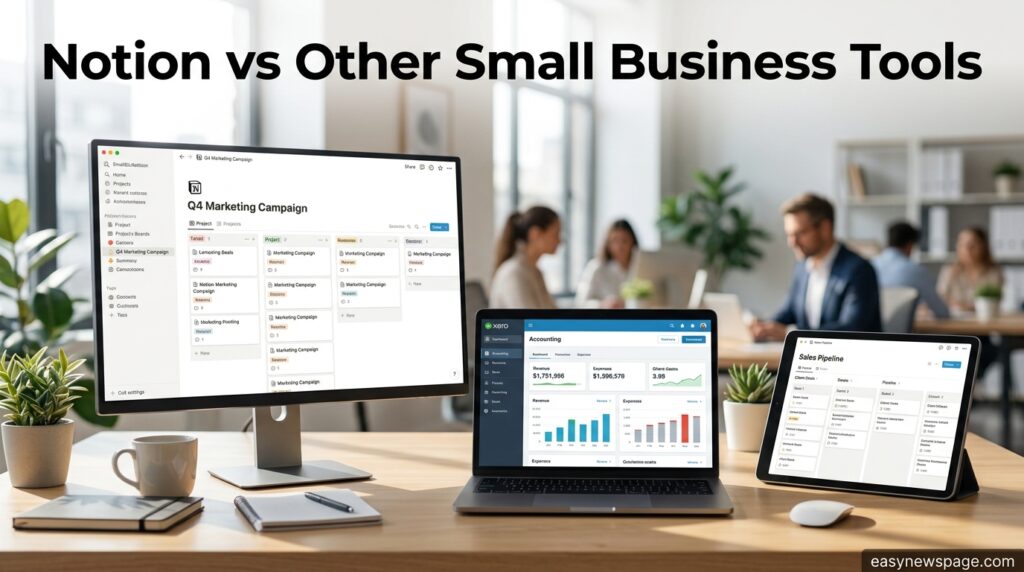
AI Overview: Small businesses generally get the best results pairing Notion for documentation, project tracking, and light CRM work with a dedicated accounting tool and, once sales volume grows, a dedicated CRM — rather than expecting one app to do everything.
Who Should Use It
Solo owner-operators, freelancers, and small teams that primarily need documentation, light project tracking, and a simple client hub are the strongest fit for building their operations around Notion.
Who Should Avoid It
Businesses with heavy bookkeeping needs, large active sales pipelines, or field teams working offline for extended periods should treat Notion as a supporting tool at most, not their core operating system.
FAQ
Is Notion free to use for a small business?
Yes. A solo owner-operator can run a genuinely useful system — contacts, projects, and tasks — entirely on Notion’s free plan, though team collaboration features expand significantly on the paid Plus and Business tiers.
Can Notion replace my accounting software?
No. Notion can track invoices and payment reminders, but real bookkeeping, tax reporting, and financial statements should stay in dedicated accounting software like QuickBooks or Xero.
What’s the best first Notion setup for a small business?
Start with three linked databases — contacts, projects, and tasks — connected through relation properties, then add a simple homepage with filtered views before building anything more complex.
Is Notion good for managing clients?
Notion works well as a lightweight CRM for small businesses tracking dozens to a few hundred client relationships, but businesses with large, complex sales pipelines typically outgrow it and move to a dedicated CRM like HubSpot.
Do I need the Business plan to use Notion AI in my business?
Yes, as of 2025–2026 full Notion AI access, including autonomous Agents, requires the Business plan at $20 per user per month; Free and Plus plans include only limited one-time AI trial credits.
How much does Notion cost for a small team?
A small team on the Plus plan pays $10 per user per month billed annually, so a 3-person team costs roughly $360 per year, often cheaper than a single dedicated project management subscription alone.
Rating Scorecard
| Category | Score (out of 10) |
|---|---|
| Ease of Setup | 8 |
| Small-Business Feature Fit | 9 |
| Pricing Value | 8.5 |
| Performance | 7.5 |
| Support | 7 |
| Overall | 8/10 |
Conclusion
For small businesses, Notion earns its reputation as a genuine consolidation tool — not because it does everything perfectly, but because it does documentation, light project tracking, and client organization well enough to replace several smaller subscriptions at once. The tips in this guide, from starting with three linked databases to keeping bookkeeping in dedicated software, reflect how the small businesses that stick with Notion actually use it.
The businesses that get the most value are the ones who resist over-building on day one. A simple contacts-projects-tasks system you actually open every Monday will always outperform an elaborate workspace abandoned after two weeks. Add complexity — SOP wikis, content calendars, AI-assisted follow-ups — only once the basics are a genuine habit.
Equally important is knowing where Notion’s job ends. It is not an accounting platform, not a heavy-duty sales CRM at scale, and not a reliable offline tool for field-based work. Pairing it with the right dedicated tools in those specific areas, rather than forcing everything into Notion, is what separates a business that runs smoothly from one fighting its own software.
The overall takeaway: Notion is one of the most cost-effective ways for a small business to consolidate its operations in 2026, provided you build it with intention, keep it simple at first, and use dedicated tools where Notion genuinely isn’t the right fit.
Official Sources
- Notion official pricing page — notion.com/pricing
- Notion Help Center — notion.com/help
- Notion release notes and changelog
Author Bio
Written by the Editorial Team at SmallBizNotionGuide, specialists in small business productivity systems and SaaS tooling. This guide was compiled from direct review of Notion’s official documentation and cross-referenced against real small-business usage patterns to ensure practical accuracy at time of publication.