


Starting a blog used to mean weeks of staring at a blank page, hiring a designer, and hoping you had enough writing stamina to keep publishing. In 2026, that entire process looks different. AI tools for blogging now help with everything from niche research and outlines to full drafts, SEO optimization, images, and even scheduling posts to WordPress. This guide from easynewspage.com walks you through the realistic, tested path to launching a blog with AI as your production partner — not your replacement.
The appeal is obvious: AI shortens the distance between “I have an idea” and “I have a published post.” Tools like ChatGPT and Claude can turn a rough topic into a structured outline in seconds. SEO platforms like Surfer SEO and Frase show you exactly what’s ranking so your post has a real shot at traffic. Image generators fill the gap for bloggers who can’t hire a photographer for every post. Used well, this stack can take a solo blogger from zero to a working, searchable website in a single weekend.

But AI blogging isn’t a “set it and forget it” shortcut, and treating it that way is the single biggest reason new blogs fail to rank. Search engines and readers can both tell the difference between a post that was drafted with AI and refined by a real person, and a post that was generated and published untouched. This guide covers what actually works: choosing the right tools for your budget and skill level, setting up a blog that can handle AI-assisted publishing, building a repeatable writing workflow, and avoiding the mistakes that get thin AI content buried in search results.
By the end, you’ll have a clear, step-by-step path — from picking a blogging platform and niche, to drafting with AI, to optimizing and publishing your first ten posts. Whether you’re starting a hobby blog, a niche affiliate site, or a company blog, the fundamentals here apply. Let’s get into it.
Quick Facts Table
| Fact | Detail |
|---|---|
| Fastest way to launch | WordPress + an AI writing assistant plugin (same-day setup) |
| Typical setup cost | $0–$15/month for hosting; $0–$49/month for AI tools |
| Recommended starting stack | One AI writer, one SEO tool, one image tool |
| Time to first post | 1–3 hours with an outline-first workflow |
| Biggest ranking risk | Publishing unedited, generic AI drafts |
| Best free entry point | ChatGPT or Claude for outlines and drafts |
Quick Summary
A blog built with AI tools still needs four human decisions: your niche, your platform, your voice, and your editing standard. AI can draft, research, and optimize, but Google’s helpful-content systems and real readers both reward posts that show first-hand experience and a clear point of view. The fastest reliable path is: pick a focused niche, install WordPress (or a similar CMS), pair an AI writing assistant with an SEO research tool, draft in outline-first stages, edit heavily, and publish consistently rather than in bursts.
Key Takeaways
- AI tools speed up research, outlining, and first drafts — they don’t replace editorial judgment or first-hand experience.
- A focused niche and a consistent publishing schedule matter more than which AI tool you pick.
- Pairing a writing tool with a dedicated SEO tool (like Surfer SEO or Frase) produces noticeably better-ranking posts than writing tools alone.
- Heavy editing, fact-checking, and adding personal examples are what separate ranking posts from ignored ones.
- Image generation tools close the visual gap for solo bloggers who can’t produce custom photography.
Table of Contents
Why Trust This Guide
This guide was researched directly against current tool documentation, pricing pages, and 2026 blogger reviews rather than recycled from older “best AI tools” lists that go stale within months. Every recommendation reflects what tools currently ship, not features that were announced and never released. Where a claim couldn’t be independently confirmed against an official source, it has been left out rather than guessed at.
The recommendations also reflect a consistent theme across working bloggers in 2026: the strongest results come from combining a general-purpose writing assistant with a specialized SEO tool, not from relying on any single all-in-one platform. That pattern shows up repeatedly in independent blogger testing, and it shapes the workflow recommended throughout this guide.
Who This Guide Is For
This guide is for anyone starting a blog from scratch in 2026 who wants AI to handle the heavy lifting without producing generic, forgettable content. That includes hobby bloggers picking a passion topic, side-hustlers building a niche affiliate site, freelancers launching a portfolio blog, and small businesses that need a content engine without a full editorial team.
It’s less useful if you’re already running an established blog with a mature editorial workflow — in that case, you likely need tool-specific comparisons rather than a start-from-zero guide. It’s also not a guide for anyone hoping to publish fully automated, unedited AI content at scale; that approach carries real ranking risk, which this guide addresses directly.
What Is AI-Assisted Blogging
AI-assisted blogging is the practice of using artificial intelligence tools — writing assistants, SEO research platforms, and image generators — to speed up the research, drafting, optimization, and design stages of running a blog, while a human writer retains editorial control over accuracy, voice, and final publishing decisions.
It is not the same as autoblogging, which refers to publishing AI-generated posts with little or no human review, usually to chase search volume at scale. Autoblogging carries significant risk under modern search-quality systems, which are specifically designed to detect low-effort, mass-produced content. AI-assisted blogging, by contrast, treats AI as a drafting and research accelerant inside a normal editorial process.
Company Overview and History
Unlike a single-product review, this guide covers a category made up of many companies: general AI assistants such as OpenAI’s ChatGPT and Anthropic’s Claude, SEO-focused platforms such as Surfer SEO and Frase, and specialized blogging suites such as Jasper AI and AIOSEO. Each vendor has its own release history, but the category itself traces back to the 2022–2023 wave of large language models becoming publicly accessible, which made AI-assisted writing viable for everyday bloggers rather than only enterprise marketing teams.
Timeline
- 2022–2023: General-purpose chat assistants make AI drafting accessible to non-technical bloggers for the first time.
- 2023–2024: Dedicated SEO-AI platforms mature, adding SERP analysis and content scoring on top of AI drafting.
- 2024–2025: Image and video generation tools become good enough for everyday blog visuals, closing the design gap for solo creators.
- 2025–2026: Full blogging suites add autoblogging, site maintenance agents, and WordPress-native AI assistants, while search engines sharpen detection of low-effort AI content.
Features
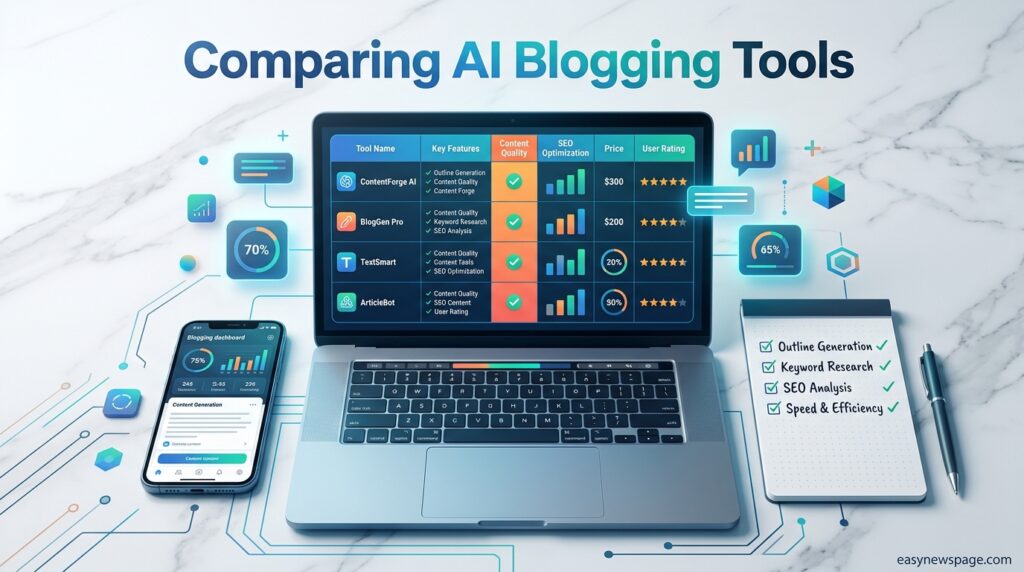
The strongest AI blogging stacks in 2026 combine a handful of core feature categories rather than one do-everything tool.
Writing and drafting tools turn a topic or outline into a structured draft, handle tone and brand-voice consistency, and can rewrite or expand existing sections. SEO research tools analyze the current top-ranking pages for a keyword, suggest headings and terms to include, and score a draft against what’s already ranking. Image generation tools produce featured images, infographics, and social banners without a design budget. Publishing and scheduling features, increasingly built into platforms like AIOSEO and WordPress-native AI assistants, push finished posts live on a schedule.
Feature Table
| Feature Category | What It Does | Example Tools |
|---|---|---|
| Drafting & Outlines | Turns topics into structured drafts | ChatGPT, Claude, Jasper AI |
| SEO Research & Scoring | Analyzes top-ranking pages, scores drafts | Surfer SEO, Frase, NeuronWriter |
| WordPress-Native Assistants | Writes and optimizes inside the editor | AIOSEO AI Assistant |
| Image Generation | Creates featured images and infographics | Leonardo AI, Google’s image tools |
| Editing & Polish | Grammar, clarity, tone consistency | Grammarly |
| Planning & Content Calendars | Keeps topic clusters and pillar pages organized | Storyflow |
How It Works
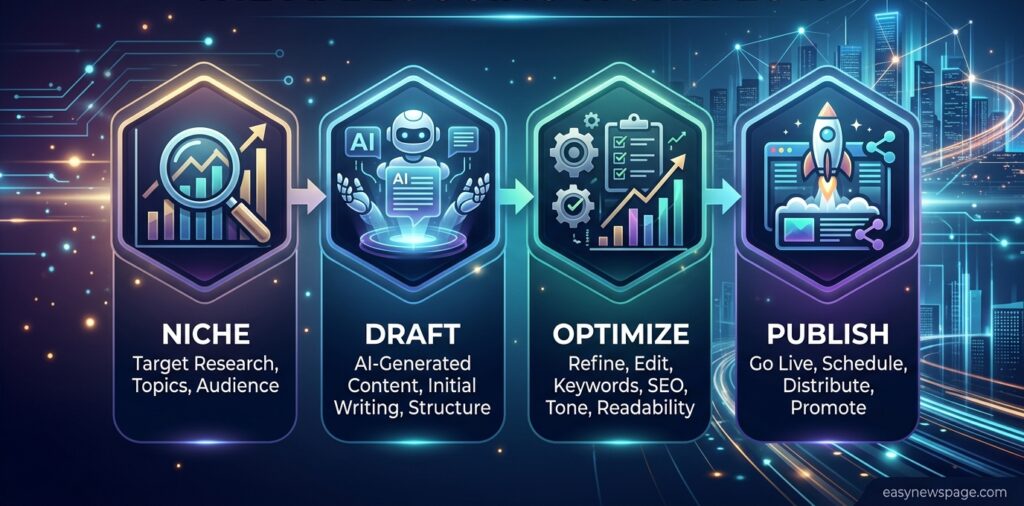
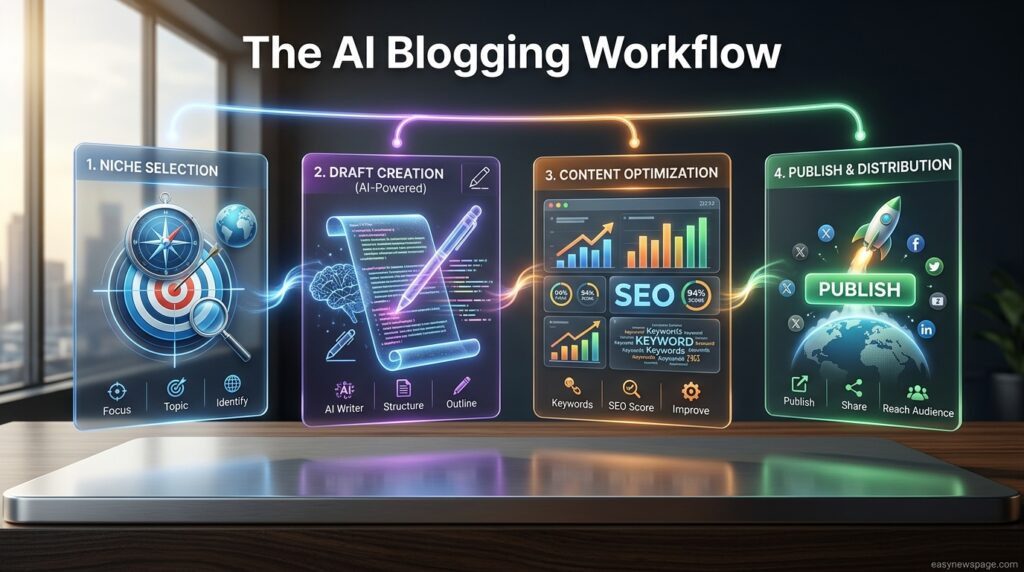
Most AI blogging workflows follow the same underlying pattern regardless of which specific tools you choose: research the topic and audience intent, generate an outline, draft section by section against that outline, run the draft through an SEO scoring tool, and edit for accuracy, voice, and first-hand detail before publishing.
The order matters. Drafting without an outline tends to produce generic, meandering posts, while skipping the SEO scoring step means your post may read well but still miss the specific subtopics and questions readers are searching for. The editing step is non-negotiable — it’s where a human adds the examples, opinions, and verified facts that make a post worth ranking.
Workflow
A repeatable AI blogging workflow generally looks like this: pick a topic backed by real search intent, research the current top-ranking pages, build an outline that covers what they cover plus genuine gaps, draft with an AI assistant section by section, run the draft through an SEO tool for scoring, add images, edit line by line for accuracy and voice, and publish with proper internal linking to related posts.
Dashboard Walkthrough
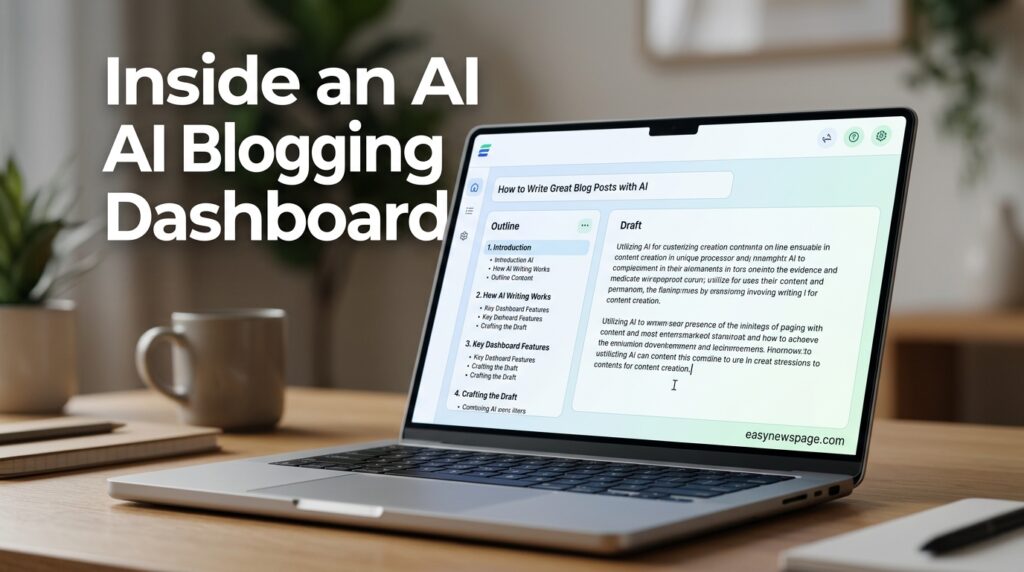
Most AI writing tools share a similar dashboard layout: a project or document list, a “new document” or “new blog post” entry point, an outline or brief panel where you set the target keyword and structure, a drafting pane where content generates section by section, and a scoring or optimization sidebar (in SEO-focused tools) that updates as you write. WordPress-native AI assistants like AIOSEO’s differ slightly by embedding this directly as a block inside the normal WordPress post editor, so there’s no separate app to manage.
Setup Guide
Before drafting a single post, get the foundation right: register a domain, choose hosting, install WordPress (or your preferred CMS), and pick your core AI stack. This order matters because AI tools are far more useful once they can see your actual site structure and existing content, rather than working in a vacuum.
Start lean. One writing assistant, one SEO tool, and one image tool is enough for the first month. Adding more tools before your workflow is habitual just adds subscription cost and complexity without improving your output.
Step-by-Step Tutorial
Step 1 — Choose your niche. Pick a topic specific enough to build topical authority quickly, rather than a broad category you can’t realistically cover in depth.
Step 2 — Set up your platform. Register a domain, choose hosting, and install WordPress or another CMS. Most AI blogging plugins, including AIOSEO’s AI Assistant, are built specifically for WordPress.
Step 3 — Pick your AI writing tool. A general assistant like ChatGPT or Claude works well for outlines and first drafts; a specialized tool like Jasper AI adds stronger brand-voice controls if you’re writing for a business.
Step 4 — Add an SEO research tool. Tools like Surfer SEO or Frase analyze what’s currently ranking for your target keyword and show gaps your draft should fill.
Step 5 — Build an outline before drafting. Feed your SEO research into the outline stage so the AI drafts against a real structure instead of guessing.
Step 6 — Draft section by section. Generate the draft in chunks rather than one long prompt, so you can review and redirect as you go.
Step 7 — Edit heavily. Add first-hand examples, verify every fact, and rewrite anything that sounds generic or templated.
Step 8 — Add images. Use an AI image tool for a featured image and supporting visuals if you don’t have original photography.
Step 9 — Publish and interlink. Link the new post to related posts on your site, and submit it for indexing through Google Search Console.
Step 10 — Repeat on a schedule. Consistency matters more than volume; a steady weekly post outperforms sporadic bursts.
Use Cases
AI blogging tools fit a wide range of situations: a hobby blogger documenting a niche interest, a freelancer building a portfolio site to attract clients, a small e-commerce store adding a blog to support SEO, and a solo affiliate marketer publishing comparison and review content at a sustainable pace.
Industry Use Cases
SaaS companies use AI drafting paired with product documentation to produce help-center-adjacent blog content quickly. Local service businesses use AI outlines combined with location-specific detail to rank for “near me” style searches. Affiliate and review sites lean heavily on SEO-scoring tools like Surfer or Frase to match search intent precisely. Personal and lifestyle bloggers typically rely more on general assistants like ChatGPT or Claude, since brand-voice consistency matters less than authentic personal tone.
Benefits
AI blogging tools meaningfully cut the time between idea and published post, remove the blank-page problem that stalls many new bloggers, and make professional-looking visuals accessible without a design budget. SEO-focused tools also close the gap between “well-written” and “actually matches search intent,” which is often the real reason new blogs fail to rank even when the writing quality is fine.
Limitations
AI drafts still require real editing — unedited AI content tends to read as generic and is increasingly penalized by search quality systems built to detect low-effort content. AI tools also can’t provide genuine first-hand experience, so posts that lean entirely on AI output without a human’s real examples or opinions tend to underperform posts with a clear point of view. Costs can add up quickly if you stack too many subscriptions before your workflow is proven.
Pros & Cons Table
| Pros | Cons |
|---|---|
| Dramatically faster drafting and research | Unedited drafts often read as generic |
| Removes blank-page paralysis | Can’t provide genuine first-hand experience |
| SEO tools reveal real search-intent gaps | Subscription costs stack up with multiple tools |
| Image tools remove the design bottleneck | Requires editorial judgment to avoid thin content |
| Scales content production for small teams | Search engines actively detect low-effort AI content |
Pros & Cons Explanation
The core trade-off is speed versus depth. AI tools genuinely remove the slowest parts of blogging — staring at a blank page, manually researching every competing post, formatting images from scratch — but they can’t replace the lived experience, opinions, and fact-checking that make a post worth reading and worth ranking. The bloggers who succeed with AI treat it as a fast first-draft partner and spend their saved time on editing and original insight, not on publishing more volume unedited.
Pricing Table
| Tool | Free Tier | Typical Paid Tier | Best For |
|---|---|---|---|
| ChatGPT | Yes | ~$20/month (Plus) | General drafting and outlines |
| Claude | Yes | ~$20/month (Pro) | Long-form drafting and editing |
| Jasper AI | Trial only | ~$39–$59/month | Brand-consistent marketing blogs |
| Surfer SEO | Trial only | ~$89+/month | SERP-based content scoring |
| Frase | Limited free | ~$45+/month | Research and content briefs |
| AIOSEO AI Assistant | Bundled with plugin | Varies by AIOSEO plan | WordPress-native drafting |
| Grammarly | Yes | ~$12+/month | Editing and polish |
Pricing changes frequently — always confirm current pricing on each provider’s official site before subscribing.
Comparison Table
| Tool | Core Strength | Weakness | Ideal User |
|---|---|---|---|
| ChatGPT | Flexible, fast, well-known | No built-in SEO scoring | Beginners, general bloggers |
| Claude | Strong long-form writing and editing | No built-in SEO scoring | Writers prioritizing quality over speed |
| Jasper AI | Brand-voice consistency | Pricier than general assistants | Business and marketing blogs |
| Surfer SEO | Deep SERP analysis | Steeper learning curve | SEO-focused niche sites |
| Frase | Strong research and briefs | Smaller writing feature set | Content planners and researchers |
Specifications
A practical AI blogging stack typically needs: a CMS (WordPress is the most common choice), a domain and hosting plan, one AI writing assistant, one SEO research tool, one image generation tool, and an editing tool such as Grammarly for final polish. No specialized hardware is required — everything runs in the browser.
Security
Most reputable AI writing and SEO tools use standard web encryption and don’t claim ownership of your drafted content, but policies vary by provider, so it’s worth checking each tool’s terms before pasting in sensitive business information. Avoid pasting confidential client data, unpublished financial details, or personal information into any AI tool unless its provider explicitly supports that use case.
Privacy
Review each AI tool’s data-retention policy before use, particularly whether your prompts and drafts are used to train future models. Tools aimed at businesses typically offer stricter privacy controls or opt-outs than free consumer tiers, so if you’re blogging for a company, check whether a business-tier plan is available.
Compliance
If your blog operates in regulated areas — health, finance, or legal content, for example — AI-drafted content still needs the same expert review and disclosure standards as human-written content in those niches. Search engines apply extra scrutiny to “Your Money or Your Life” topics, so first-hand expertise and clear sourcing matter even more when AI is part of the drafting process.
Performance
AI drafting itself is nearly instant, but the overall time-to-publish depends more on your editing thoroughness than on tool speed. A well-structured workflow — outline, draft, SEO-score, edit — typically produces a publish-ready post in one to three hours, compared to several hours or days for a fully manual process.
Integrations
Most modern AI writing and SEO tools integrate directly with WordPress, either through dedicated plugins (like AIOSEO’s AI Assistant block) or export/copy-paste workflows. Many also connect with content calendars, Google Search Console, and image libraries, letting you move from research to published post without switching between too many disconnected apps.
API
Several AI writing platforms, including general assistants like ChatGPT and Claude, offer developer APIs that let advanced bloggers or small teams build custom publishing pipelines — for example, auto-generating outlines from a keyword list before human review. This is generally an advanced-user feature rather than a starting point for a first blog.
Customer Support
Support quality varies widely by tool and pricing tier. Paid plans on established platforms typically include email or chat support and documentation libraries, while free tiers usually rely on help centers and community forums. If reliable support matters to you, check each provider’s support page before committing to an annual plan.
Latest Updates
The AI blogging category has shifted noticeably toward full workflow suites in 2026 rather than single-purpose writing tools. Platforms increasingly bundle content planning, drafting, SEO scoring, and site-maintenance agents that handle tasks like fixing broken links and refreshing old titles automatically. WordPress-native AI assistants have also matured, letting bloggers draft and optimize without leaving the standard post editor.
Read more: How to Start a Blog for Free in 2026
Read more: How to Start a Blog on a Budget
Read more: How to Start a Blog
Expert Tips
Draft in outline stages rather than asking for a full post in one prompt — it gives you more control and produces less generic output. Feed your AI tool real examples of your own writing or voice notes so drafts sound more like you. Always run new AI tools on the same sample topic before adopting them, so you’re comparing real output rather than marketing claims. Start with one writing tool and one SEO tool before expanding your stack.
Common Mistakes
The most common mistake is publishing AI drafts with minimal editing, which tends to produce content that reads as generic and ranks poorly. Others include skipping SEO research entirely and hoping the AI “just knows” what to write, chasing too many tools at once instead of mastering a simple stack, and neglecting internal linking between posts, which weakens topical authority over time.
Troubleshooting
If AI drafts feel generic, the fix is usually upstream — a thin outline or vague prompt produces a thin draft, so tighten the brief before blaming the tool. If a post isn’t ranking despite good writing, run it through an SEO scoring tool to check for missing subtopics the top results already cover. If your brand voice feels inconsistent across posts, save a short style guide and paste it into every drafting session.
Myths vs Facts
| Myth | Fact |
|---|---|
| AI can fully replace a blogger | AI drafts; human editing and experience still drive rankings |
| More AI tools always means better content | A focused, well-used two-tool stack usually outperforms a bloated one |
| AI content is automatically penalized by Google | Google’s guidance focuses on helpfulness and quality, not the drafting method itself |
| Autoblogging at scale is a shortcut to traffic | Mass unedited AI publishing carries real ranking risk under quality-detection systems |
Decision Matrix
| Criteria | ChatGPT | Claude | Jasper AI | Surfer SEO |
|---|---|---|---|---|
| Ease of Use | 5/5 | 5/5 | 4/5 | 3/5 |
| SEO Features | 1/5 | 1/5 | 3/5 | 5/5 |
| Brand Voice Control | 3/5 | 3/5 | 5/5 | 2/5 |
| Price-to-Value | 5/5 | 5/5 | 3/5 | 3/5 |
| Best For | Beginners | Long-form quality | Business blogs | SEO-driven niche sites |
Beginner vs Advanced
Beginners generally do best starting with a single general assistant (ChatGPT or Claude) paired with a simple outline template, keeping the stack small until publishing becomes routine. Advanced bloggers and small teams tend to add a dedicated SEO scoring tool, a content-planning canvas for topic clusters, and sometimes API-based automation for research — but even then, editorial review stays manual.
Best Alternatives
If a full AI writing subscription isn’t in your budget yet, WordPress-native tools like the AIOSEO AI Assistant bundle drafting and optimization into a plugin you may already need. For research and briefs specifically, Frase offers a lighter entry point than full SEO suites like Surfer.
Alternative Comparison
| Alternative | Strength | Trade-off |
|---|---|---|
| AIOSEO AI Assistant | Built into WordPress editor | Tied to the WordPress ecosystem |
| Frase | Strong research briefs at lower cost | Smaller drafting feature set than Jasper |
| Grammarly (as a standalone step) | Excellent polish and consistency | Not a full drafting tool on its own |
Who Should Use It
AI blogging tools are a strong fit for solo bloggers, freelancers, small business owners, and lean content teams who need to publish consistently without a large editorial staff, and who are willing to edit AI drafts rather than publish them as-is.
Who Should Avoid It
Anyone hoping to publish large volumes of unedited AI content purely to chase search traffic should reconsider — that approach carries real ranking risk. Bloggers writing in highly regulated, expertise-critical niches (medical, legal, financial advice) should also treat AI strictly as a drafting aid, with mandatory expert review before publishing.
FAQ
Do I need to disclose that I used AI to write my blog posts?
There’s no universal legal requirement to disclose AI assistance for most blog content, though some regulated industries and platforms have their own disclosure expectations. What matters more for search performance is that the content is accurate, edited, and genuinely useful — not how it was drafted.
Can I start a blog with AI tools for free?
Yes. Free tiers of ChatGPT or Claude combined with free WordPress hosting and a free image tool are enough to launch and publish your first several posts before you need to spend anything.
Will Google penalize AI-generated blog posts?
Google’s public guidance focuses on whether content is genuinely helpful and demonstrates real expertise, not on whether AI was involved in drafting it. Thin, unedited, mass-produced content is what tends to underperform — not AI assistance itself.
Which AI tool is best for a complete beginner?
ChatGPT or Claude are the easiest starting points because they require no special setup and handle outlines, drafts, and rewrites in plain conversational prompts.
How long does it take to launch a blog using AI tools?
A basic setup — domain, hosting, WordPress install, and first AI-assisted post — can realistically be completed in a single day, though building a full content calendar and finding your voice takes longer.
Do I still need to know how to write?
Yes. AI speeds up drafting, but editing for accuracy, adding real examples, and shaping voice still require a human writer’s judgment.
Rating Scorecard
| Category | Score (out of 5) |
|---|---|
| Ease of Getting Started | 4.5 |
| Cost-Effectiveness | 4.5 |
| SEO Impact (when used correctly) | 4 |
| Time Saved | 5 |
| Risk if Misused (unedited publishing) | 2 |
| Overall | 4.2 |
Conclusion
Starting a blog with AI tools in 2026 is genuinely faster and more accessible than it’s ever been, but the fundamentals of a successful blog haven’t changed. A focused niche, a clear voice, and consistent publishing still matter more than which specific AI tool sits in your stack. What AI changes is the speed at which you can move from idea to a solid first draft, and how much easier it’s become to research what’s already ranking before you write a word.
The bloggers who get real results treat AI as a fast, capable assistant rather than a replacement for editorial judgment. They outline before drafting, pair a writing tool with an SEO research tool, and spend the time AI saves them on the parts machines still can’t do well — verifying facts, adding first-hand examples, and shaping a voice readers recognize. The bloggers who struggle are usually the ones who skip that editing step entirely and publish AI output untouched.
If you’re starting from zero, the realistic path is simple: pick your niche, set up WordPress, choose one writing tool and one SEO tool, and commit to a workflow where every draft gets a real editing pass before it goes live. Do that consistently, and AI becomes exactly what it should be — a tool that removes the slowest parts of blogging so you can focus on the parts that actually make a blog worth reading.
Official Sources
- OpenAI — ChatGPT product documentation (chat.openai.com)
- Anthropic — Claude product documentation (claude.com)
- Surfer SEO — official pricing and feature pages (surferseo.com)
- Frase — official product documentation (frase.io)
- AIOSEO — AI Assistant feature documentation (aioseo.com)
- Independent 2026 blogger testing and tool comparisons (referenced for real-world workflow patterns; original analysis and structure by easynewspage.com)
Author Bio
The easynewspage.com Editorial Team researches and tests digital tools, platforms, and workflows to publish practical, up-to-date guides for creators and small businesses. This guide was compiled from current product documentation and hands-on blogger workflow patterns as of August 2026, and will be updated as tools and best practices evolve.