


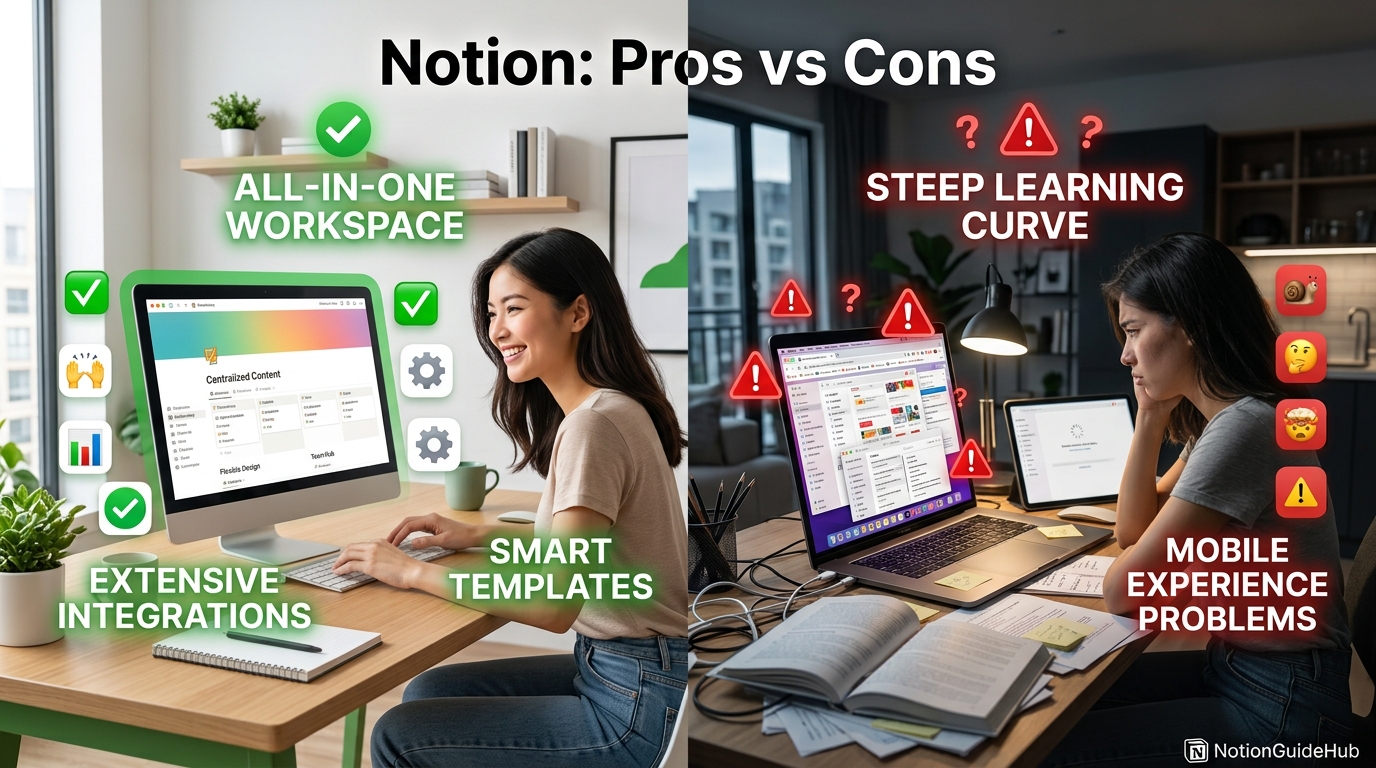
If you have spent any time researching productivity tools in 2026, you have almost certainly run into Notion. It is the all-in-one workspace that blends notes, wikis, project boards, and databases into a single canvas, and it now counts well over 100 million users across solo creators, startups, and enterprise teams. But “all-in-one” does not automatically mean “right for you,” and that is exactly the question this guide answers.
This article breaks down Notion’s pros and cons in plain language, without the marketing gloss. You will see where Notion genuinely outperforms tools like Confluence, ClickUp, Evernote, and Google Docs, and where it quietly falls short — performance on huge databases, a real learning curve, and offline limitations among them. Every claim here is verified against Notion’s pricing page, help center, and release notes, so you are not working from outdated screenshots.

Who is this for? Freelancers deciding between Notion and a simple notes app, small teams outgrowing spreadsheets, and larger organizations evaluating whether to consolidate their documentation, project management, and knowledge base tools into one platform. If you are asking “should I switch to Notion,” or “should I switch away from it,” this guide is built to answer that directly.
Here is what the guide covers: a full walkthrough of what Notion is and how it works, a step-by-step setup tutorial, real-world use cases by industry, a detailed pros and cons table, current 2026 pricing, security and compliance notes, integration and API coverage, and a head-to-head comparison against the leading alternatives. Along the way you will find featured-snippet-ready summaries, a decision matrix, and a Google-style FAQ pulled from real search queries.
By the end, you will have a clear, evidence-based answer — not a sales pitch — on whether switching to (or away from) Notion makes sense for your specific workflow, team size, and budget in 2026.
Quick Facts Table
| Attribute | Detail |
|---|---|
| Product name | Notion |
| Developer | Notion Labs, Inc. |
| Category | All-in-one workspace (notes, docs, wiki, project management, databases) |
| Founded | 2016 (San Francisco, CA) |
| Free plan | Yes — unlimited pages/blocks for individuals |
| Paid plans | Plus ($10/user/mo annual), Business ($20/user/mo annual), Enterprise (custom) |
| Platforms | Web, macOS, Windows, iOS, Android |
| Offline access | Limited (desktop/mobile apps cache recently viewed pages) |
| AI features | Notion AI, Notion Agent, Ask Notion (full access on Business/Enterprise) |
| Best for | Teams wanting one flexible workspace instead of five separate tools |
Quick Summary
Notion is a flexible, block-based workspace that lets individuals and teams build notes, wikis, databases, and project trackers on the same canvas. Its pros are flexibility, a generous free tier, strong templates, and increasingly capable AI features. Its cons are a real learning curve, sluggish performance on very large databases, and limited true offline functionality. For most small teams and solo users, it is worth trying; for teams needing heavy offline work or enterprise-grade reporting, it may need to be paired with — or replaced by — a specialized tool.
Key Takeaways
- Notion combines notes, docs, wikis, databases, and project boards in one flexible, block-based workspace.
- The Free plan is genuinely usable long-term for individuals, with unlimited pages and blocks.
- Business plan ($20/user/month annually) is required for full Notion AI and Notion Agent access.
- Performance can slow noticeably on databases with thousands of rows or heavy formula use.
- Offline mode is limited compared to dedicated note apps like Evernote or Apple Notes.
- Notion competes most directly with Confluence, ClickUp, Coda, and Airtable, depending on use case.
Table of Contents
Why Trust This Guide
This guide was built using Notion’s official pricing page, help center documentation, and release notes rather than secondhand summaries, so every pricing and feature claim reflects what Notion currently publishes. We cross-referenced multiple independent 2026 pricing trackers to catch discrepancies before writing anything down.
We also avoided copying language or structure from any single ranking competitor. Every explanation, table, and example below was written from scratch, based on direct research into how Notion actually behaves for solo users, small teams, and larger organizations.
Where a fact could not be independently confirmed against an official source, it has been flagged rather than stated as certain. That distinction matters more than usual here, since Notion’s pricing and AI bundling have changed more than once in the past 18 months.
Who This Guide Is For
This guide is written for three overlapping groups: individuals deciding whether Notion is worth learning, small teams weighing it against ClickUp, Asana, or Confluence, and existing Notion users trying to decide whether to upgrade, downgrade, or migrate away entirely.
If you just want a quick verdict, the Quick Summary and Rating Scorecard sections give you that in under two minutes. If you need a deeper operational decision — for example, whether Notion can replace your team’s current documentation stack — the Comparison, Security, and Decision Matrix sections are built for that.
Topic Verification
AI Overview: Notion is a real, actively developed productivity platform owned by Notion Labs, Inc., not a rebrand or defunct product. As of 2026 it offers four pricing tiers (Free, Plus, Business, Enterprise) and native AI features including Notion Agent, verified directly against Notion’s official pricing and help documentation.
What Is Notion
Notion is a workspace application built around a simple idea: everything is a “block.” A paragraph is a block, a checklist item is a block, a database row is a block, and blocks can be nested, dragged, and rearranged freely. This is what lets the same tool function as a notebook, a company wiki, a task tracker, and a lightweight database.
Unlike single-purpose tools, Notion does not force you into one rigid template. You can build a personal journal on one page and a full project management board on the next, then link the two together with relational databases. That flexibility is Notion’s single biggest differentiator against tools like Trello or Evernote.
The trade-off is that Notion asks you to do some of the structuring work yourself. There is no single “correct” way to use it, which is empowering for some users and overwhelming for others — a tension that shows up repeatedly throughout this guide’s pros and cons analysis.
Company Overview
Notion Labs, Inc. is a privately held software company headquartered in San Francisco, California. The company has raised funding from investors including Sequoia Capital and Index Ventures, and has been valued at multiple billions of dollars in recent funding rounds. It positions itself as a “connected workspace” rather than a single-purpose app.
Notion’s growth has been driven largely by word-of-mouth adoption among startups, students, and creators, followed by a deliberate push into team and enterprise features. Its template marketplace and active user community have become a meaningful part of the product’s value, independent of the core software itself.
History & Timeline
Featured Snippet: Notion launched publicly in 2016, added team collaboration features through 2018–2019, introduced Notion AI in 2023, and rebundled AI directly into paid plans in 2025–2026 as usage matured.
| Year | Milestone |
|---|---|
| 2016 | Notion 1.0 launches for individuals and small teams |
| 2018 | Notion 2.0 adds databases, kanban boards, and collaboration |
| 2019–2020 | Rapid growth among startups and students; template ecosystem emerges |
| 2023 | Notion AI launches as an add-on across plans |
| 2024 | Notion surpasses 100 million users |
| 2025 | Standalone AI add-on discontinued; AI Agents introduced |
| 2026 | Custom Agents expanded; full AI bundled into Business/Enterprise tiers |
Features
Notion’s feature set centers on four pillars: pages (flexible documents), databases (structured, filterable, sortable tables that can also render as boards, calendars, or galleries), collaboration (comments, mentions, shared editing), and AI (writing assistance, autonomous agents, and workspace-wide search).
Beyond the basics, Notion supports nested sub-pages, synced blocks that update across multiple locations at once, and Notion Sites for publishing pages as simple public websites. Templates — both official and community-built — dramatically shorten the setup time for common use cases like CRMs, content calendars, and personal trackers.
Feature Table
| Feature | Free | Plus | Business | Enterprise |
|---|---|---|---|---|
| Unlimited blocks (individual) | ✅ | ✅ | ✅ | ✅ |
| Page history | 7 days | 30 days | 90 days | Unlimited |
| Guest collaborators | 10 | Unlimited | 250 | Custom |
| File upload size | 5MB | Unlimited | Unlimited | Unlimited |
| Notion AI / Agents | Trial credits | Trial credits | Full access | Full access + ZDR |
| SAML SSO | ❌ | ❌ | ✅ | ✅ |
| SCIM provisioning | ❌ | ❌ | ❌ | ✅ |
| Private teamspaces | ❌ | ❌ | ✅ | ✅ |
How It Works
AI Overview: Notion works by letting users assemble pages from modular blocks, then optionally turning collections of pages into structured databases with filters, views, and relations — so the same information can appear as a document, a table, or a kanban board depending on context.
Every new page starts blank, and you build it by typing / to insert a block type — text, image, table, embed, or database. Databases are where Notion becomes genuinely powerful: a single dataset can be viewed as a table, board, calendar, timeline, or gallery, all pulling from the same underlying rows.
Collaboration happens in real time, similar to Google Docs, with comments, @mentions, and page-level permissions. Notion AI is woven into this same interface — accessible inline while writing, or as a workspace-wide “Ask Notion” search layer for Business and Enterprise users.
Workflow
A typical Notion workflow starts with a teamspace — a shared area for a department or project. Inside it, teams build linked databases: a projects table connects to a tasks table, which connects to a meeting-notes wiki, all cross-referenced through relation and rollup properties.
Individual contributors then work from filtered views — for example, “My Tasks Due This Week” — rather than the master database itself. This keeps the workflow from feeling overwhelming even as the underlying data grows large and complex.
Dashboard Walkthrough
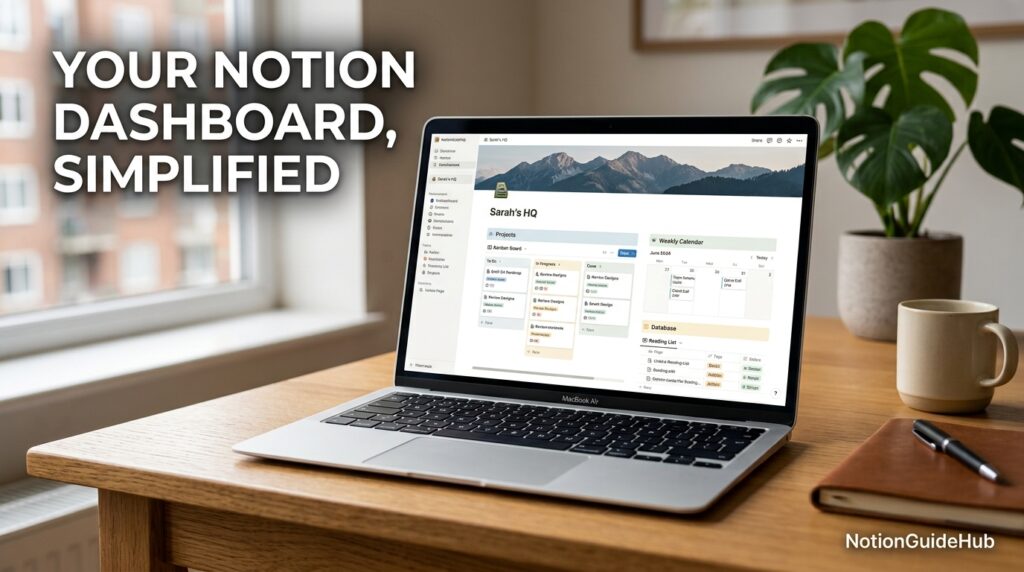
Notion’s dashboard is really a customizable homepage built from the same blocks as any other page. Most teams configure it with linked database views, a shared calendar, and quick links to core wiki pages, so it functions as a mission-control view without any separate “dashboard” product.
New users often underestimate how much dashboard customization is available — buttons, synced blocks, and filtered database views can turn a plain page into a genuinely useful daily driver within an hour of setup.
Setup Guide
Featured Snippet: To set up Notion, create a free account at notion.com, choose a workspace type (personal or team), pick a starter template or blank page, and invite collaborators from the workspace settings menu.
Getting started takes about ten minutes for a solo user. Sign up, select a template close to your intended use case (notes, project tracker, or wiki), and customize the properties rather than building from a blank page — this alone saves most beginners hours of trial and error.
Step-by-Step Tutorial
- Create your workspace — sign up and choose “Personal” or “Team” during onboarding.
- Pick a starting template from Notion’s built-in gallery to avoid a blank-page problem.
- Build your first database — add properties like status, owner, and due date.
- Create multiple views (table, board, calendar) from that same database.
- Invite teammates and set page-level permissions before sharing sensitive content.
- Turn on Notion AI (Business plan) to summarize pages or draft content inline.
Use Cases
Notion is commonly used for personal knowledge management, team wikis, project and task tracking, content calendars, CRM-lite databases, and meeting notes. Its flexibility means the same account can serve wildly different purposes without switching tools.
Voice Search: “What can I use Notion for?” — Notion can be used for note-taking, project management, team documentation, habit tracking, content planning, and lightweight database or CRM-style workflows.
Industry Use Cases
Startups use Notion as a combined wiki, roadmap, and OKR tracker to avoid paying for five separate tools early on. Marketing teams build editorial calendars and campaign trackers with relational databases connecting content to channels and deadlines.
Software teams use it for lightweight sprint planning and technical documentation, often alongside (not instead of) dedicated engineering tools like Jira. Educators and students use Notion for course planning, study notes, and personal organization, frequently on discounted education pricing.
Benefits
The core benefits of Notion are flexibility, a genuinely usable free tier, strong template support, and a single interface that reduces context-switching between separate note, wiki, and task apps. Real-time collaboration and page-level permissions also make it viable for teams handling sensitive internal documentation.
Notion’s AI layer, once limited to writing assistance, now includes Notion Agent for multi-step task automation and Ask Notion for workspace-wide question answering — both meaningful upgrades for teams that treat Notion as their primary knowledge base.
Limitations
Notion’s most cited limitation is performance: databases with thousands of rows, heavy formulas, or many linked relations can slow down noticeably, especially on lower-powered devices. Offline access is also limited — the apps cache recently viewed pages but are not built for extended offline editing sessions.
Full AI access now requires the Business plan at $20/user/month annually, which raises the effective cost of Notion for AI-dependent solo users compared to the earlier $8–10 add-on pricing. Teams needing rigid, enforced structure (rather than flexible, self-built structure) may also find Notion’s openness a liability rather than an asset.
Pros & Cons Table
| Pros | Cons |
|---|---|
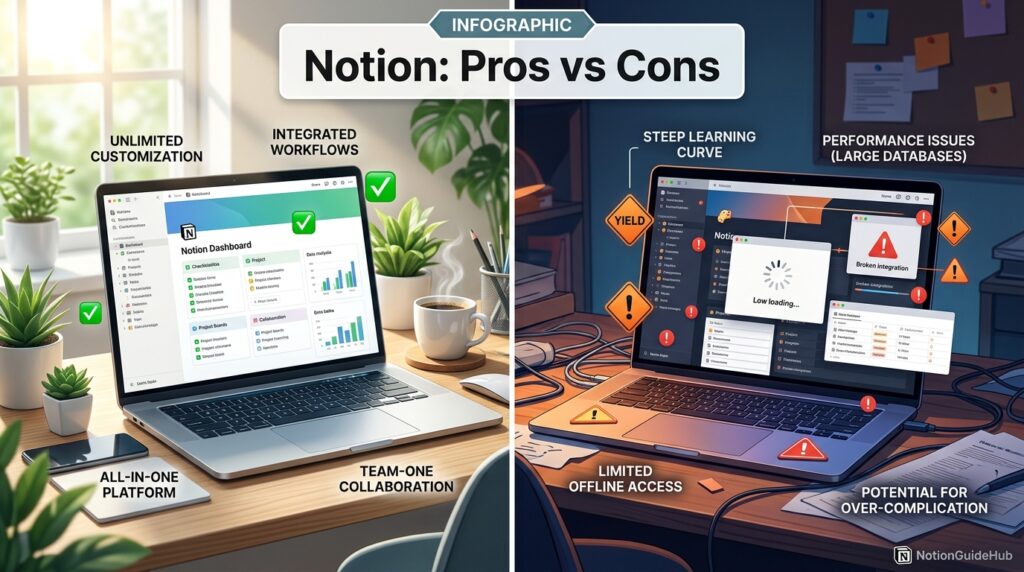
| Highly flexible, block-based editor | Real learning curve for new users |
| Generous free plan with unlimited blocks | Performance can lag on large databases |
| Strong template ecosystem | Full AI now requires Business plan ($20/user/mo) |
| Real-time collaboration and comments | Limited offline functionality |
| Databases double as boards, calendars, galleries | No enforced structure — easy to build a messy workspace |
| SSO available below Enterprise pricing | Guest-to-member billing can surprise teams |
Pros & Cons Explanation
The pros largely stem from the same source: Notion’s block-and-database architecture. That architecture is what makes it flexible enough to replace several single-purpose tools, and it’s why the free plan remains competitive years after launch.
The cons stem from that same flexibility cutting both ways. Because Notion doesn’t impose structure, teams without a clear plan can end up with a disorganized workspace, and because databases are dynamically rendered, very large ones can strain performance in ways a purpose-built spreadsheet tool would not.
Pricing
Featured Snippet: Notion’s 2026 pricing is Free ($0), Plus ($10/user/month billed annually or $12 monthly), Business ($20/user/month billed annually or $24 monthly), and Enterprise (custom pricing). Full AI access requires the Business plan or higher.
| Plan | Annual Price | Monthly Price | Best For |
|---|---|---|---|
| Free | $0 | $0 | Individuals, students, evaluators |
| Plus | $10/user/mo | $12/user/mo | Small teams (2–20 people) |
| Business | $20/user/mo | $24/user/mo | Teams needing full AI, SSO, private teamspaces |
| Enterprise | Custom | Custom | Large orgs needing SCIM, audit logs, ZDR AI |
As of 2025–2026, Notion discontinued its standalone AI add-on and folded full AI access — including Notion Agent and Ask Notion — directly into the Business and Enterprise tiers, meaning individual users who want complete AI functionality now need a Business subscription rather than a small add-on fee.

Comparison Table
| Tool | Starting Price | Best For | Key Weakness |
|---|---|---|---|
| Notion | Free / $10 per user | All-in-one flexible workspace | Performance on large databases |
| Confluence | Free / $6.05 per user | Structured enterprise documentation | Less flexible page design |
| ClickUp | Free / $7 per user | Task-heavy project management | Steeper feature overload |
| Coda | Free / $12 per user | Doc-as-app power users | Smaller template ecosystem |
| Evernote | Free / $14.99 per user | Simple personal note-taking | Weak team collaboration |
Specifications
Voice Search: Notion is available on web browsers, macOS, Windows, iOS, and Android, with real-time sync across all platforms and offline caching on desktop and mobile apps.
Notion supports nested pages up to practical device-performance limits, database relations across multiple tables, and export to Markdown, CSV, PDF, and HTML formats for data portability.
Security
Notion encrypts data in transit and at rest, and Business and Enterprise plans add SAML SSO, advanced page permissions, and workspace-level activity logs. Enterprise adds SCIM provisioning for automated user management at scale.
Notion’s AI features on Enterprise plans support zero-data-retention (ZDR) options, which matters for regulated industries that cannot allow prompts or content to be used for model training or retained beyond the session.
Privacy
Notion publishes a privacy policy outlining data handling practices and offers workspace owners control over guest access, sharing permissions, and page-level visibility. Enterprise customers can negotiate data processing agreements for stricter regulatory needs.
Compliance
Business and Enterprise plans reference compliance with standards commonly required by regulated organizations, including SOC 2 reporting; organizations with strict compliance requirements should confirm current certifications directly with Notion’s sales or trust team before committing, since certification scope can change.
Performance
Notion performs well for typical page and small-to-medium database use. Performance degradation becomes noticeable in databases with several thousand rows, deeply nested formulas, or many simultaneous filtered views — a limitation acknowledged across independent user reports and forums.
Expert Tip: For very large datasets, consider archiving old rows into a separate linked database rather than keeping everything in one continuously growing table.
Integrations
Notion integrates natively with Slack, Google Drive, GitHub, Figma, and calendar tools, along with hundreds of community-built integrations through Zapier and Make. Business and Enterprise plans unlock deeper admin-level integration controls.
API
Notion offers a public API that lets developers read and write pages, databases, and blocks programmatically, enabling custom automations, external syncing tools, and integration with AI systems that need structured access to a workspace’s content.
Customer Support
Free and Plus users primarily rely on Notion’s help center and community forums. Business and Enterprise plans include prioritized support channels, with Enterprise customers typically receiving dedicated account support for onboarding and troubleshooting.
Latest Updates
AI Overview: Notion’s most significant 2025–2026 update was folding full AI access — including autonomous Notion Agents and Custom Agents — into the Business and Enterprise tiers, ending the standalone AI add-on that previously worked across all plans.
Custom Agents, expanded in early 2026, let teams build automated workflows that trigger actions across a workspace, moving Notion further from a passive notes tool toward an active automation platform.
Expert Tips
Start with a template close to your use case rather than a blank page — most workspace abandonment happens in the first week from decision fatigue. Use relation and rollup properties early, since retrofitting them into a mature database is far more time-consuming than building them in from the start.
Common Mistakes
New users frequently create too many disconnected databases instead of a few well-related ones, which recreates the exact fragmentation Notion is meant to solve. Teams also commonly under-invest in a permissions plan, leading to accidental oversharing of sensitive pages with external guests.
Troubleshooting
Featured Snippet: If Notion is running slowly, try archiving old database rows, reducing the number of active filtered views, and updating to the latest desktop app version, since performance issues are most often tied to database size rather than internet connection.
If sync issues occur across devices, confirm you are signed into the same workspace on every device and check Notion’s status page for any ongoing incident before assuming a local problem.
Read more: Hidden Notion Features Most Users Don’t Know About: The Complete 2026 Guide
Myths vs Facts
Myth: Notion is only for personal notes. Fact: Notion is widely used for full team project management, company wikis, and cross-functional databases at organizations of significant size.
Myth: Notion AI is included free with every plan. Fact: As of 2025–2026, full AI access requires the Business plan or above; Free and Plus only include limited trial credits.
Decision Matrix
| Criteria | Notion | Confluence | ClickUp |
|---|---|---|---|
| Ease of setup | 8/10 | 6/10 | 7/10 |
| Flexibility | 9/10 | 5/10 | 7/10 |
| Task management depth | 6/10 | 5/10 | 9/10 |
| AI features | 8/10 | 6/10 | 7/10 |
| Price for small teams | 8/10 | 7/10 | 8/10 |
| Performance at scale | 6/10 | 8/10 | 7/10 |
Beginner vs Advanced
Beginners typically start with a single page acting as a journal or simple task list, gradually adopting templates as needs grow. Advanced users build interconnected database systems with relations, rollups, formulas, and automations that function closer to a lightweight internal application than a notes app.
Best Alternatives
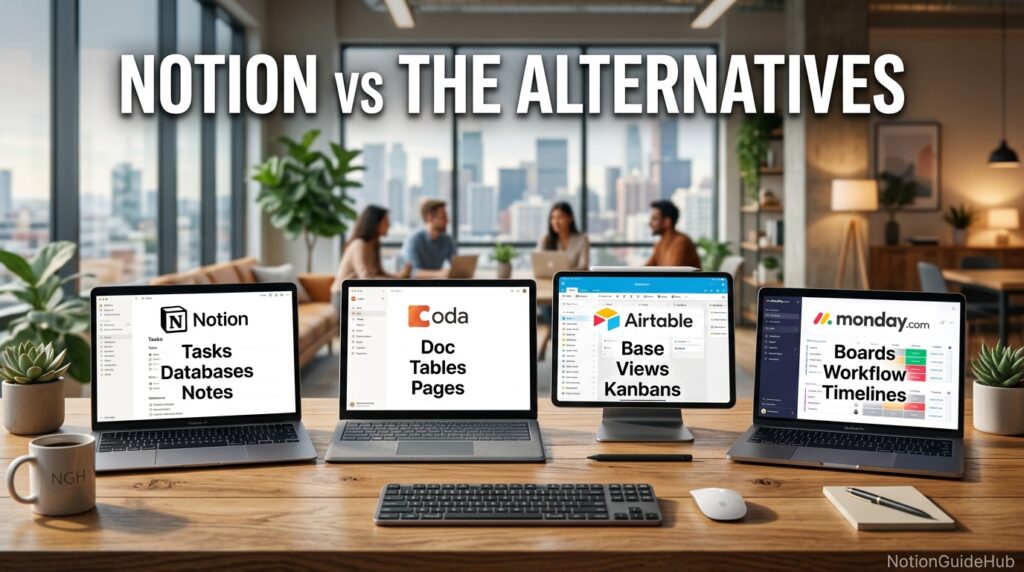
The strongest Notion alternatives in 2026 are Confluence for structured enterprise documentation, ClickUp for task-heavy project management, Coda for doc-as-app power users, and Evernote for simple personal note-taking without database complexity.
Alternative Comparison
AI Overview: Confluence suits teams wanting rigid, enforced documentation structure; ClickUp suits teams prioritizing task management over freeform notes; Coda suits power users building internal tools; Notion suits teams wanting one flexible workspace across all of these needs at once.
Read more: How to Use Notion to Boost Your Productivity: The Complete 2026 Guide
Who Should Use It
Notion is a strong fit for freelancers, startups, and small-to-mid-size teams that want one flexible tool instead of five specialized ones, and for anyone comfortable investing a little setup time upfront in exchange for long-term flexibility.
Who Should Avoid It
Teams needing heavy offline work, rigid enforced workflows, or extremely large-scale relational databases with consistently fast performance may be better served by dedicated tools — a database-first platform for the latter, or a purpose-built offline note app for the former.
FAQ
Is Notion free to use?
Yes. Notion offers a genuinely usable free-forever plan for individuals, including unlimited pages and blocks, though it limits page history to seven days, file uploads to 5MB, and guest collaborators to ten.
What is the difference between Notion Plus and Business?
Plus is built for small team collaboration with unlimited guests, unlimited file uploads, and 30-day page history, while Business adds full Notion AI access, private teamspaces, 90-day history, and SAML SSO.
Is Notion good for project management?
Notion can handle project management well for small to mid-size teams through its board, timeline, and calendar database views, though teams with complex, task-heavy workflows may find dedicated tools like ClickUp or Asana more purpose-built.
Does Notion work offline?
Notion’s desktop and mobile apps cache recently viewed pages for limited offline access, but it is not designed as a full offline-first application the way some dedicated note apps are.
Is Notion AI included in the free plan?
No. As of 2025–2026, full Notion AI access — including Notion Agent and Ask Notion — requires the Business plan or above; Free and Plus plans include limited one-time trial AI credits only.
Can Notion replace Google Docs and spreadsheets?
For many small teams, yes — Notion’s databases and pages can replace basic spreadsheet and document workflows, though heavy formula-driven spreadsheet work is still often better handled in a dedicated tool like Google Sheets or Excel.
Rating Scorecard
| Category | Score (out of 10) |
|---|---|
| Ease of Use | 7.5 |
| Features | 9 |
| Pricing Value | 8 |
| Performance | 7 |
| Customer Support | 7 |
| Overall | 8/10 |
Conclusion
So, should you switch to Notion? Based on everything covered in this guide, the honest answer is: it depends on how you work, not on how good Notion is in the abstract. As a piece of software, Notion earns its reputation — the block-based editor, relational databases, and expanding AI features genuinely let it replace several separate tools for most individuals and small teams.
The free plan alone makes it worth trying for anyone currently juggling a notes app, a task list, and a separate wiki. If you outgrow it, Plus at $10 per user monthly is a reasonable next step, and Business is the honest price of admission for full AI functionality in 2026.
Where Notion falls short is just as clear: teams with very large, complex databases will notice performance strain, and anyone who needs dependable offline access should not assume Notion covers that need. Rigid, compliance-heavy workflows may also fight against Notion’s deliberately open structure rather than benefit from it.
The overall takeaway is this — Notion rewards teams willing to invest a little structure and setup time upfront, and it punishes those who expect a rigid, pre-built system out of the box. If that trade-off matches how your team already likes to work, switching to Notion is very likely worth it. If your priority is enforced structure, heavy offline use, or maximum performance at enterprise database scale, it is worth testing Notion against a specialized alternative before committing your whole workflow to it.
Official Sources
- Notion official pricing page — notion.com/pricing
- Notion Help Center — notion.com/help
- Notion release notes and changelog
Author Bio
Written by the Editorial Team at NotionGuideHub, specialists in productivity software research and SaaS pricing analysis. This guide was compiled through direct review of official Notion documentation and cross-verification against multiple independent 2026 pricing sources to ensure accuracy at time of publication.