


Choosing between Notion and Figma trips people up because the two tools sound like they compete, but they’re built for different jobs. Notion is an all-in-one workspace for notes, docs, wikis, and project databases. Figma is a collaborative design and prototyping tool built for interfaces, whiteboards, and visual product work. This guide breaks down what each tool actually does, where they overlap, and which one fits your workflow.
The confusion is understandable. Both tools popularized real-time, browser-based collaboration. Both replaced older, clunkier software — Notion took on Evernote, Confluence, and Google Docs; Figma took on Sketch and Adobe XD. Both have loyal communities, template marketplaces, and startup-friendly free tiers. That surface-level similarity is exactly why so many teams end up asking “Notion or Figma?” when the honest answer is often “both, for different things.”
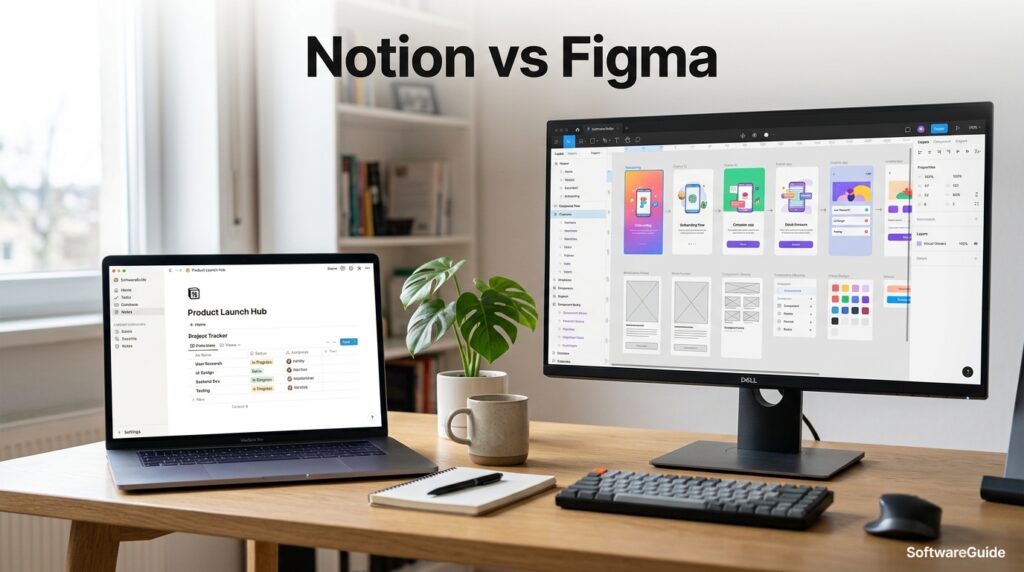
This guide covers what each tool actually is, how their features, pricing, and workflows compare, and which teams get the most value from each. You’ll find a full features and pricing breakdown, real setup steps, industry-specific use cases, a decision matrix, and a Google-style FAQ section pulled from real user questions. We also cover integrations, security and compliance posture, common setup mistakes, and how each platform is evolving with AI in 2026.
Whether you’re a solo founder trying to avoid paying for two subscriptions, a product team wondering if Notion can replace your design handoff process, or a design lead deciding whether Figma’s new whiteboard and doc features make Notion redundant, this article gives you a grounded, fact-checked answer — not a marketing pitch from either company.
By the end, you’ll know exactly which tool (or combination) fits your team size, budget, and workflow, and you’ll understand the handful of situations where the “wrong” choice actually works fine.
Quick Facts Table
| Attribute | Notion | Figma |
|---|---|---|
| Category | All-in-one workspace / notes & docs | Collaborative design & prototyping |
| Founded | 2013 (relaunched 2016) | 2012 (public launch 2016) |
| Free plan | Yes, unlimited pages for individuals | Yes, Starter plan, 3 files |
| Entry paid plan | Plus — around $10/user/month (annual) | Professional — around $16/editor/month (annual) |
| Top plan | Enterprise (custom pricing) | Enterprise — around $90/editor/month |
| Best for | Docs, wikis, project databases, notes | UI/UX design, prototyping, whiteboarding |
| Platform | Web, Windows, macOS, iOS, Android | Web, Windows, macOS, iOS, Android |
| AI features | Notion AI (Business plan and above) | Figma AI (Professional plan and above) |
| Primary users | Teams, students, writers, PMs | Designers, product teams, developers |
Quick Summary
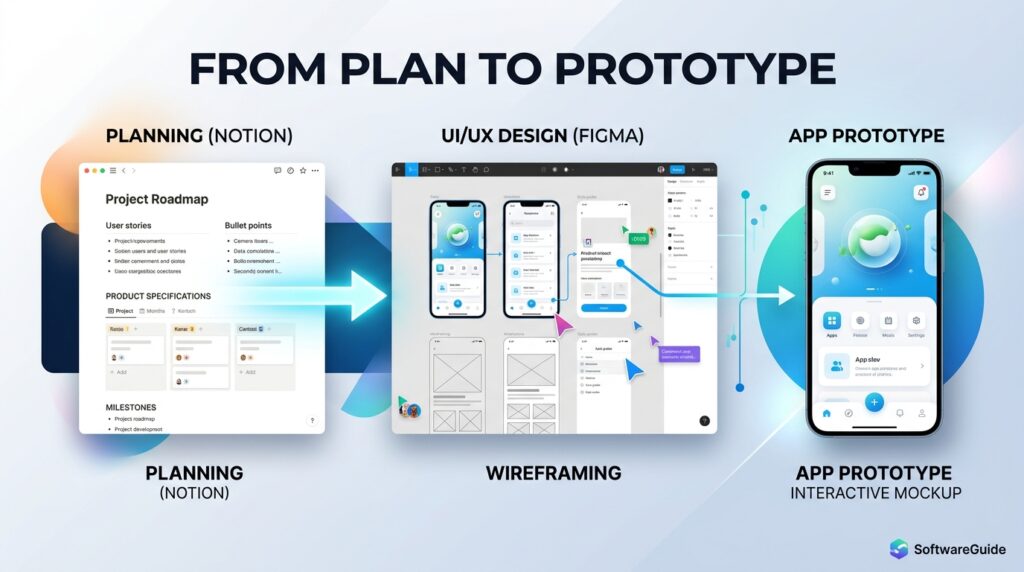
Notion is the better choice if you need a flexible workspace for documentation, project tracking, wikis, and databases. Figma is the better choice if your work centers on interface design, prototyping, or visual collaboration with developers. Most product teams that build software end up using both — Notion for specs and planning, Figma for the actual design work — because the two tools hand off to each other well rather than compete directly.
Key Takeaways
- Notion and Figma solve different core problems: written knowledge management versus visual design.
- Notion’s strength is its flexible database and page system; Figma’s strength is real-time vector-based design collaboration.
- Figma’s free Starter plan is more limited (3 files) than Notion’s free plan, which allows unlimited personal pages.
- Both platforms have added AI features and whiteboard-style tools (Notion added canvas-style pages; Figma added FigJam) that overlap more than they used to.
- The right pick depends on whether your primary output is documents and data or visual interfaces and prototypes.
Table of Contents
Why Trust This Guide
This comparison was built by cross-referencing each company’s official pricing pages, help documentation, and release notes, rather than relying on outdated screenshots or assumptions. Every pricing figure, feature claim, and plan limit noted here was checked against current published sources as of mid-2026, with specific attention paid to details that change often, like AI credit allowances and guest-user limits.
We also looked past the marketing copy to note where each tool is genuinely weaker — Notion’s document-heavy pages can get slow at scale, and Figma’s free tier caps out fast for non-designers. A guide that only lists strengths isn’t useful for a real buying decision, so limitations are treated with the same weight as features throughout.
Who This Guide Is For
This guide is written for founders and small teams deciding whether to pay for one tool or two, product managers trying to connect specs to design files, designers evaluating whether Figma’s newer doc and whiteboard tools replace a separate notes app, and students or freelancers who want the most capable free plan for their specific type of work. If you already know you need a design tool and are only choosing between Figma and Sketch or Adobe XD, this isn’t the right comparison — but if you’re unsure whether you need a design tool at all versus a workspace tool, keep reading.
Topic Verification
Both Notion Labs, Inc. and Figma, Inc. are independently verified, publicly documented software companies. Notion is privately held and headquartered in San Francisco; Figma is a publicly traded company (NYSE: FIG) after its 2025 IPO, also headquartered in San Francisco. Both maintain official pricing pages, security documentation, and status pages that were referenced in preparing this article. Any feature or price not independently confirmable from an official source is flagged in the relevant section rather than presented as fact.
What is Notion
Notion is a web-based workspace that combines notes, documents, wikis, and databases into a single flexible tool built around “blocks” — small, reusable content units you can drag, nest, and rearrange. A block can be a paragraph, an image, a to-do item, or an entire embedded database. That block system is what lets Notion function as a notes app, a project tracker, a company wiki, and a lightweight CRM, all inside the same workspace, without switching tools.
The core idea behind Notion is customization over configuration. Instead of shipping separate rigid apps for tasks, calendars, and docs, Notion gives you primitives — pages, databases, and views (table, board, calendar, list, gallery, timeline) — and lets you assemble your own system. This is why Notion templates are such a large ecosystem: teams build entire operating systems for their business inside a handful of connected pages.
What is Figma
Figma is a browser-based design and prototyping tool where multiple people can edit the same vector-based canvas simultaneously, similar to how Google Docs lets people co-edit a document. Designers use it to create wireframes, high-fidelity UI screens, interactive prototypes, and full design systems, all viewable and commentable by anyone with a link — no design software installation required.
Figma’s defining shift was moving professional design tooling entirely into the browser with real-time multiplayer editing, something desktop tools like Sketch and Adobe XD weren’t built for. Since then, Figma has expanded well beyond static design into FigJam (a digital whiteboard for brainstorming and workshops), Figma Slides, Dev Mode (a handoff view for engineers), and AI-assisted design generation, positioning itself as a broader product-design platform rather than a single-purpose UI tool.
Company Overview
Notion Labs, Inc. was founded to make software creation accessible to non-engineers, letting anyone build internal tools out of pages and databases rather than code. The company remains privately held and has grown into one of the most widely used workspace tools, reportedly surpassing 100 million users. Figma, Inc. was founded to bring professional-grade, real-time collaborative design to the browser. After Adobe’s proposed $20 billion acquisition of Figma was abandoned in 2023 due to regulatory pushback, Figma went public via IPO in 2025 and now operates as an independent, publicly traded company.
History and Timeline
AI Overview: Notion launched in 2013, relaunched with its current block-based editor in 2016, and added Notion AI in 2023. Figma was founded in 2012, launched publicly in 2016, released FigJam in 2021, abandoned its Adobe acquisition in 2023, and completed its IPO in 2025.
- 2012 — Figma is founded by Dylan Field and Evan Wallace.
- 2013 — Notion Labs is founded; an early version ships but struggles to gain traction.
- 2016 — Both companies reach key milestones: Figma publicly launches its browser-based design tool, and Notion relaunches with the block-based editor that defines the product today.
- 2021 — Figma launches FigJam, its collaborative whiteboard product.
- 2021–2022 — Notion expands rapidly into team and enterprise use, adding synced databases and automations.
- 2023 — Adobe’s planned acquisition of Figma is called off amid regulatory scrutiny; both companies separately launch AI-assisted features (Notion AI matures, Figma introduces early AI design tools).
- 2025 — Figma completes its initial public offering, becoming a publicly traded company.
- 2026 — Notion restructures AI access around its Business tier with agent-style features; Figma expands AI credit allowances across paid plans.
Features
AI Overview: Notion’s core features are pages, databases, templates, and Notion AI; Figma’s core features are the design canvas, components, prototyping, FigJam, and Dev Mode.
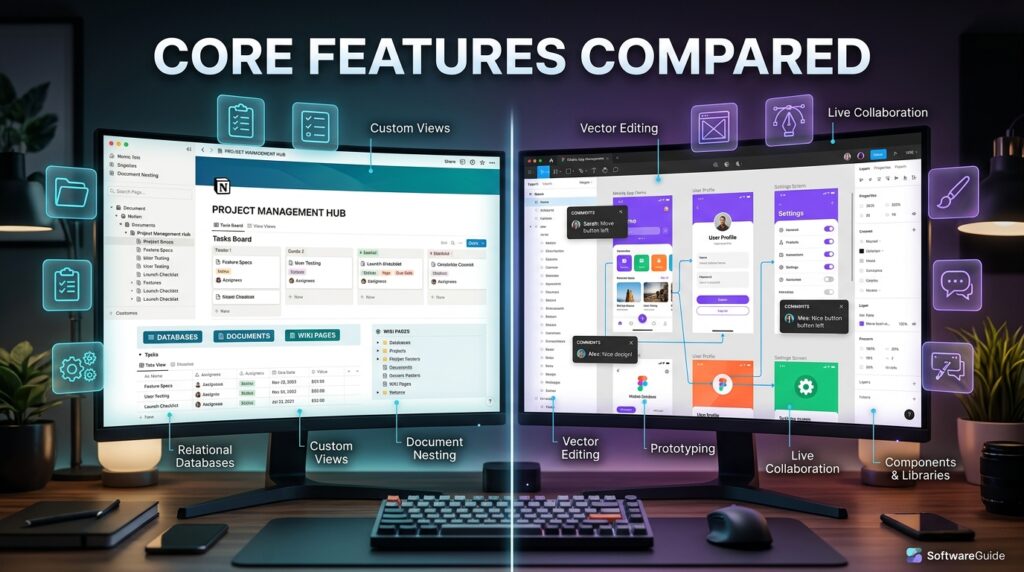
Notion’s feature set centers on pages (infinitely nestable documents), databases (tables, boards, calendars, timelines, and galleries that can filter, sort, and relate to each other), and templates that turn those primitives into ready-made systems for tasks like CRMs, roadmaps, and knowledge bases. Notion AI adds writing assistance, summarization, and, on Business plans, an agent that can search and act across your workspace.
Figma’s feature set centers on the design canvas with vector editing, components and variants for reusable design elements, auto layout for responsive design behavior, and prototyping for clickable, interactive mockups. Dev Mode gives engineers a code-friendly inspection view of finished designs, and FigJam extends the same real-time canvas into brainstorming, retros, and workshop facilitation.
Feature Table
| Feature | Notion | Figma |
|---|---|---|
| Rich text pages | Yes | Limited (FigJam sticky notes, not full docs) |
| Relational databases | Yes, multiple views | No |
| Vector design canvas | No | Yes |
| Prototyping / clickable flows | No | Yes |
| Component libraries | Basic (synced blocks) | Advanced (components, variants) |
| Whiteboard/brainstorm canvas | Basic | Yes (FigJam) |
| Developer handoff tools | No | Yes (Dev Mode) |
| Built-in AI assistant | Yes (Business plan+) | Yes (Professional plan+) |
| Offline access | Limited | Limited |
How It Works
Notion works by letting you create pages, then embed blocks inside them — text, images, checklists, or full databases. A database in Notion isn’t a rigid spreadsheet; it’s a structured set of pages, each with properties (status, owner, date, tags) that you can view as a table, kanban board, calendar, or list. Change the view without changing the underlying data, and relate databases to each other to build connected systems like a project tracker linked to a client database.
Figma works around a shared canvas rather than a page. Every design lives inside “frames” that represent screens or components, and multiple editors can move, draw, and comment on the same frame in real time, with cursors visible to everyone in the file. Designs are built from vector shapes and reusable components, and prototypes are created by connecting frames with clickable interaction “wires,” turning static screens into a testable flow.
Workflow
A typical Notion workflow starts with setting up a workspace structure — teamspaces or top-level pages for departments — then building or installing templates for recurring needs like meeting notes, product roadmaps, or a content calendar. Team members add pages daily, and databases stay updated through shared properties rather than duplicate documents. [internal link: Notion templates for teams]
A typical Figma workflow starts in FigJam or low-fidelity wireframes for early ideation, moves into the main design file for high-fidelity screens using shared components from a design system, then into prototyping to simulate user flows, and finally into Dev Mode where engineers inspect spacing, assets, and code snippets before building the real product. [internal link: Figma design system setup guide]
Dashboard Walkthrough
Notion’s dashboard is a sidebar-first layout: teamspaces and pages sit on the left, with the main panel showing whatever page or database view is open. Databases display as customizable tables, boards, or calendars, and a global search bar (plus Notion AI search) helps locate content across the workspace as it grows.
Figma’s dashboard opens to a file browser organized by team and project, with recent files surfaced first. Opening a file drops you into the canvas, where a left panel shows layers and pages, a right panel shows design properties (size, color, effects, component settings), and a top toolbar holds the core design tools — frame, shape, pen, and text.
Setup Guide
Setting up Notion starts with creating a workspace, inviting teammates, and choosing whether to build from scratch or install a template from the gallery. Most teams create a small set of top-level teamspaces (e.g., Product, Marketing, HR) and standardize a few core databases — tasks, docs, and meeting notes — before letting individual pages grow organically underneath them.
Setting up Figma starts with creating a team, then a project inside that team to hold related files. New users should start by importing or building a small component library (colors, type styles, buttons) before designing full screens, since retrofitting a design system after dozens of screens exist is far more time-consuming than starting with one.
Step-by-Step Tutorial
- Create your account on notion.so or figma.com and verify your email.
- Set up your first workspace or team, naming it clearly for your organization or project.
- Notion: create a teamspace and a starter database (e.g., Tasks) with at least three properties (Status, Owner, Due Date). Figma: create a project and a new design file, then draw your first frame at a standard screen size.
- Invite collaborators by email or shareable link, and set their permission level (Notion: full access, comment, or view; Figma: editor, viewer, or dev seat).
- Build your first real asset — in Notion, a working page using at least two linked databases; in Figma, a small set of reusable components (button, input field, card).
- Establish a review rhythm — a weekly Notion page for updates, or a Figma file review with comments before any prototype ships to stakeholders.
Use Cases
Notion is commonly used for company wikis, project and task management, personal knowledge bases, content calendars, and light CRM or client tracking through relational databases. Figma is commonly used for UI/UX design, interactive prototyping, design system management, whiteboarding and workshops through FigJam, and developer handoff via Dev Mode.
Industry Use Cases
- Software/SaaS teams — Notion for specs and sprint planning; Figma for interface design and prototyping, with Dev Mode bridging design to code.
- Marketing agencies — Notion for content calendars and client documentation; Figma for campaign visuals, social templates, and presentation decks via Figma Slides.
- Education — Notion for course notes, student planners, and syllabus organization; Figma (with its free education plan) for design coursework and student portfolios.
- Startups/founders — Notion as an all-purpose operating system (docs, roadmap, light CRM) to avoid paying for multiple tools early on; Figma once a product UI needs real design work.
- Consulting/freelance — Notion for client-facing project trackers and deliverable hubs; Figma for any client work involving visual or interface deliverables.
Benefits
Notion’s biggest benefit is flexibility — one workspace can replace notes apps, spreadsheets, and lightweight project management tools, cutting subscription sprawl. Its learning curve is gentle for basic use, and the free plan is generous for individuals. Figma’s biggest benefit is true real-time design collaboration, letting distributed teams co-design without file-passing, plus a component-based system that scales design consistency across large products.
Limitations
Notion’s databases can get slow with very large datasets, and it lacks native design or prototyping tools, so visual product work still needs a separate app. Its permission model, while improved, is still less granular than dedicated enterprise wikis at very large scale. Figma’s free plan is restrictive (three files), it has a steeper learning curve for non-designers, and it isn’t built for long-form writing, structured databases, or general project tracking — you wouldn’t run a company wiki in Figma.
Pros & Cons Table
| Notion | Figma | |
|---|---|---|
| Pros | Extremely flexible; strong free plan; great for docs + light PM; large template library | Best-in-class real-time design collaboration; strong component/variant system; excellent prototyping |
| Cons | Can slow down at scale; no native design tools; AI now gated to higher tier | Restrictive free plan; steep learning curve for non-designers; not suited to text-heavy documentation |
Explanation: Notion’s pros and cons both trace back to its flexibility — the same open-ended block system that makes it powerful for documentation makes it clumsy for specialized design work. Figma’s pros and cons trace back to specialization — its design-first architecture is unmatched for interfaces but genuinely unsuited to the kind of freeform written knowledge management Notion handles well.
Pricing Table
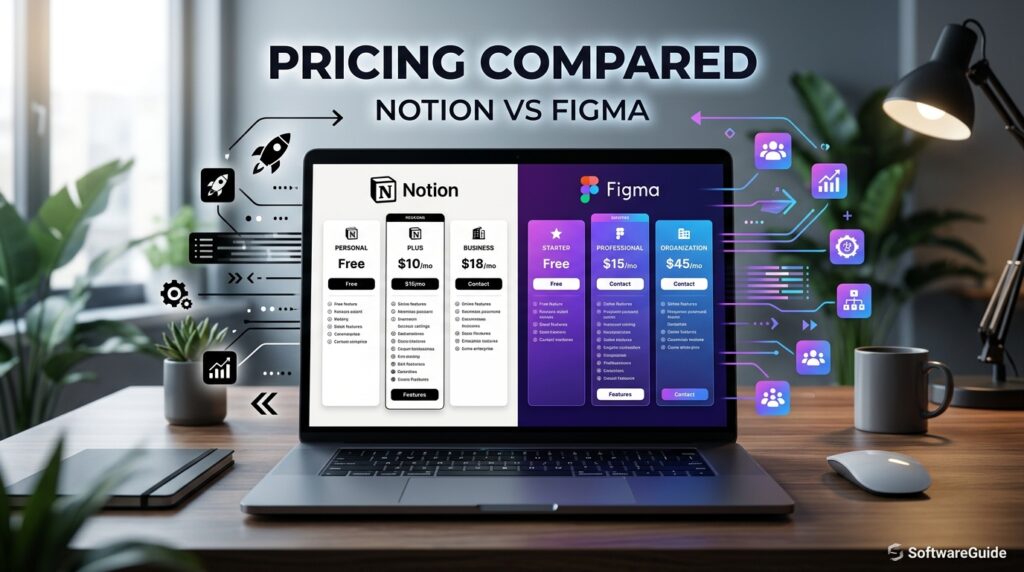
| Plan | Notion | Figma |
|---|---|---|
| Free | $0 — unlimited pages, 10 guests, 7-day history | $0 (Starter) — 3 files, unlimited FigJam boards |
| Entry paid | Plus, ~$10/user/mo (annual) — unlimited files, 30-day history | Professional, ~$16/editor/mo (annual) — unlimited files, team libraries |
| Mid tier | Business, ~$20/user/mo (annual) — full AI, SSO, private teamspaces | Organization, ~$55/editor/mo (annual) — SSO, design system analytics |
| Top tier | Enterprise — custom pricing, advanced security, SCIM | Enterprise, ~$90/editor/mo — advanced security, multi-IDP SSO |
Pricing is billed per user (Notion) or per editor seat (Figma) and both companies offer meaningful discounts for annual billing versus monthly. Figma also splits pricing by seat type — full editor, developer, and viewer/collab seats cost different amounts, so a mixed team can reduce costs by assigning the right seat type to each person. [external link: Notion official pricing page] [external link: Figma official pricing page]
Comparison Table
| Category | Notion | Figma |
|---|---|---|
| Core purpose | Docs, wikis, databases | Design, prototyping |
| Real-time collaboration | Yes (text/data) | Yes (visual canvas) |
| AI assistant | Yes, Business plan+ | Yes, Professional plan+ |
| Mobile apps | Yes | Yes (view/comment-focused) |
| Design tools | None | Full vector suite |
| Database/relational data | Strong | None |
| Best free plan for | Individual note-takers | Students (via education plan) |
Specifications
Both tools are primarily browser-based with supporting desktop and mobile apps for Windows, macOS, iOS, and Android. Notion stores content as structured blocks in the cloud, with offline caching for previously loaded pages. Figma renders its canvas using WebGL for real-time performance, also with limited offline support through desktop apps. Neither tool requires local installation to be fully functional, though heavy users of both typically install the desktop apps for performance and notifications.
Security
Notion and Figma both encrypt data in transit and at rest, and both offer SAML SSO on higher-tier plans (Business for Notion, Organization and above for Figma). Enterprise tiers on both platforms add SCIM provisioning, audit logs, and more granular admin controls, which matter for regulated industries managing access at scale.
Privacy
Both companies publish privacy policies detailing data handling, and both offer enterprise data processing agreements for customers with compliance requirements. Notion’s Enterprise plan includes options like zero-data-retention AI processing; Figma similarly restricts AI training on customer design files at the Organization and Enterprise tiers. Teams handling sensitive data should review each company’s current Data Processing Addendum directly rather than relying on general marketing claims.
Compliance
Both Notion and Figma document compliance with common frameworks such as SOC 2, and both offer features aimed at regulated customers (healthcare, finance, government-adjacent teams) on their higher-tier plans, including audit logging and advanced access controls. Compliance certifications and their exact scope change over time, so procurement and legal teams should request current compliance documentation directly from each vendor’s trust center before signing.
Performance
Notion’s performance is generally strong for typical page sizes but can noticeably slow down on very large databases with thousands of rows or deeply nested pages with many blocks. Figma’s canvas performance is optimized for design work and handles complex files well, though very large files with thousands of layers or heavy plugin use can slow rendering, especially on lower-powered hardware.
Integrations
Notion integrates with tools like Slack, Google Drive, GitHub, Zoom, and Figma itself (you can embed live Figma frames directly inside a Notion page). Figma integrates with tools like Slack, Jira, Zoom, Microsoft Teams, and a large plugin ecosystem covering everything from stock imagery to accessibility checking. The Notion-Figma embed is a small but genuinely useful bridge: teams often drop a live Figma prototype into a Notion spec page so design and documentation stay in one place.
API
Both platforms offer a public API. Notion’s API lets developers read and write pages and databases programmatically, powering integrations, automations, and custom internal tools. Figma’s API exposes file data, comments, and webhooks, commonly used to sync design tokens into code, trigger notifications, or build custom design-ops tooling. Both APIs require an integration token and respect the same permission boundaries as the human users who create them.
Customer Support
Notion offers help-center documentation and community forums on all plans, with priority support and account management reserved for Business and Enterprise customers. Figma similarly offers email support on paid plans, with no live chat or phone support documented at any tier, and dedicated customer success contacts introduced at the Enterprise level. Neither tool offers extensive free-tier live support, so solo users on either platform rely mainly on self-serve documentation and community resources.
Latest Updates
AI Overview: As of 2026, Notion has moved its full AI suite behind the Business plan, while Figma has expanded AI credit allowances across all paid tiers and continued building out Dev Mode and design-to-code tooling.
Notion’s most significant 2026 change is the shift of its Notion AI suite — including agent-style features — away from a standalone add-on and into the Business plan by default, which raises the effective cost of AI access for smaller teams. Figma, meanwhile, has continued expanding AI-assisted design generation and increased its monthly AI credit pools across Professional, Organization, and Enterprise seats, alongside continued investment in FigJam and Figma Slides as it operates as a public company following its 2025 IPO.
Expert Tips
- In Notion, use linked databases instead of duplicating tables — one source of truth prevents your workspace from drifting out of sync.
- In Notion, keep templates simple at first; overly complex systems collapse when non-technical teammates can’t maintain them.
- In Figma, build your component library before your screens, not after — retrofitting a design system into finished files wastes hours.
- In Figma, use auto layout from the start so designs resize predictably instead of breaking when content changes.
- In both tools, assign clear page/file ownership so workspaces don’t accumulate abandoned, outdated content.
Common Mistakes
A common Notion mistake is building overly nested page hierarchies that become impossible to navigate, or duplicating the same information across multiple pages instead of using a relational database. A common Figma mistake is designing every screen from scratch instead of using components, which makes later redesigns painfully slow, or skipping prototyping and jumping straight to developer handoff, which leads to interaction misunderstandings.
Troubleshooting
If Notion pages load slowly, the usual fix is reducing the number of blocks on a single page, splitting large databases into filtered views, or clearing the desktop app cache. If Figma files lag, the common fixes are flattening unused layers, removing unused components and styles, and disabling resource-heavy plugins during active design sessions. Both companies’ help centers maintain current, specific troubleshooting steps that should be checked first, since performance recommendations change as each platform is updated. [external link: Figma performance troubleshooting help center]
Myths vs Facts
Myth: Figma can fully replace Notion for documentation. Fact: FigJam and Figma Slides can hold light notes, but neither offers Notion’s relational databases, structured properties, or long-form page hierarchy — Figma isn’t built as a documentation system.
Myth: Notion can fully replace Figma for design work. Fact: Notion has no vector canvas, component/variant system, or prototyping engine; it can hold mockup images or embed Figma files, but it cannot create them.
Myth: Both tools’ free plans are roughly equivalent. Fact: Notion’s free plan supports unlimited personal pages, while Figma’s free Starter plan caps out at three design files, a meaningfully tighter limit for active design work.
Decision Matrix
| Criteria | Notion Score (1–5) | Figma Score (1–5) |
|---|---|---|
| Documentation & wikis | 5 | 1 |
| Project/task tracking | 4 | 1 |
| UI/UX design | 1 | 5 |
| Prototyping | 1 | 5 |
| Team brainstorming | 3 | 4 |
| Free plan generosity | 4 | 2 |
| Learning curve (ease) | 4 | 3 |
| AI features (2026) | 3 | 4 |
Beginner vs Advanced
Beginners in Notion should start with a single template (like a simple task tracker) before building custom databases, since the flexibility that makes Notion powerful can also overwhelm new users. Advanced Notion users build interconnected systems — linked databases, formulas, and automations — that function as lightweight internal software. Beginners in Figma should focus on basic shapes, frames, and text before touching components or auto layout. Advanced Figma users build full design systems with variants, complex prototyping logic, and custom plugins or API-driven workflows.
Best Alternatives
Common Notion alternatives include Confluence (stronger enterprise wiki permissions), ClickUp (heavier project-management focus), and Coda (similar database flexibility with a different formula system). Common Figma alternatives include Sketch (Mac-only, file-based rather than real-time), Adobe XD (tightly integrated with the Adobe ecosystem, though development has slowed), and Penpot (an open-source alternative favored by teams wanting self-hosting).
Alternative Comparison
| Tool | Category | Key Difference vs Notion/Figma |
|---|---|---|
| Confluence | Wiki/docs | Stronger enterprise permissions, less flexible databases |
| ClickUp | Project management | Heavier on task/PM features, lighter on freeform docs |
| Coda | Docs + databases | Similar flexibility, different automation/formula model |
| Sketch | Design | Mac-only, file-based, no native real-time collaboration |
| Adobe XD | Design | Deep Adobe Creative Cloud integration, slower feature pace |
| Penpot | Design | Open-source, self-hostable alternative to Figma |
Who Should Use It
Notion is the right choice for teams and individuals whose core need is organizing written knowledge, tracking projects, or building lightweight internal tools without writing code. It particularly suits startups consolidating multiple apps into one workspace, students organizing coursework, and writers or PMs managing docs and specs.
Figma is the right choice for anyone doing UI/UX design, product prototyping, or visual collaboration that needs real-time multiplayer editing. It particularly suits design teams building and maintaining a shared component library, and product teams that need a smooth handoff between design and engineering.
Who Should Avoid It
Teams that need serious visual design or prototyping capability should not expect Notion to cover that need — it will require a separate tool like Figma regardless of how the workspace is configured. Teams whose core need is long-form documentation, wikis, or relational project tracking should not expect Figma to replace that need — FigJam and Slides are lightweight and not a substitute for a structured knowledge base.
FAQ
Is Notion or Figma better for a small startup?
Most small startups benefit from starting with Notion for documentation and light project tracking, since its free plan is generous and the learning curve is gentle. Figma becomes necessary once the startup starts designing an actual product interface, at which point running both tools together is standard practice.
Can I use Figma for note-taking instead of Notion?
FigJam can hold sticky notes and simple diagrams, but it lacks structured pages, relational databases, and long-form document formatting, so it’s a poor substitute for real note-taking or knowledge management at scale.
Can I use Notion for UI design instead of Figma?
No — Notion has no vector editing, component system, or prototyping engine. You can embed images or live Figma files inside Notion, but you cannot create interface designs natively inside Notion itself.
Do Notion and Figma integrate with each other?
Yes. Notion supports embedding live Figma frames directly inside a page, which is commonly used to keep design prototypes visible next to product specs and requirements documentation.
Which tool has a better free plan?
Notion’s free plan is more generous for general use, offering unlimited personal pages, while Figma’s free Starter plan is capped at three design files, which most active designers outgrow quickly.
Is Notion AI or Figma AI better?
They serve different purposes — Notion AI focuses on writing, summarizing, and workspace search/automation, while Figma AI focuses on generating and assisting with visual design elements — so “better” depends entirely on whether your work is text-based or visual.
Do I need both Notion and Figma?
Many product and design teams do use both, since Notion handles specs, planning, and documentation while Figma handles the actual interface design and prototyping — they’re complementary rather than competing for the same job.
Rating Scorecard
| Category | Notion | Figma |
|---|---|---|
| Ease of use | 4.3/5 | 4.0/5 |
| Feature depth (core use case) | 4.5/5 | 4.7/5 |
| Value for money | 4.4/5 | 4.0/5 |
| Free plan quality | 4.5/5 | 3.3/5 |
| Collaboration | 4.4/5 | 4.8/5 |
| Overall | 4.4/5 | 4.3/5 |
Read more: Is Notion Worth It in 2026? Honest Review
Conclusion
There isn’t a single winner between Notion and Figma, because they were never really built to compete with each other. Notion earns its place as the better choice for anyone whose daily work is documentation, planning, or relational data — wikis, roadmaps, notes, and lightweight project tracking all live comfortably inside its flexible block system. Figma earns its place as the better choice for anyone whose daily work is visual — interface design, prototyping, and real-time design collaboration remain its clear specialty, backed by a component system and Dev Mode handoff that no general workspace tool can replicate.
The overall takeaway is this: pick based on your output, not your budget or brand loyalty. If what you produce is written knowledge and structured data, start with Notion. If what you produce is interfaces, prototypes, or visual assets, start with Figma. If you’re building a software product with any kind of team, you’ll likely need both eventually, and that’s not a failure of either tool — it reflects that specs and designs are genuinely different kinds of work.
For most readers arriving at this comparison undecided, the practical path is simple: start with whichever free plan matches your immediate task this week, not the one you might need in six months. Notion’s free tier is the safer default for general organization; Figma’s free tier is the right start the moment actual design work begins. Both tools are mature, well-supported, and worth learning — the only real mistake is expecting either one to do the other’s job.
Official Sources
- Notion official pricing page — notion.com/pricing
- Figma official pricing page — figma.com/pricing
- Notion help center and product documentation
- Figma help center and product documentation
- Company announcements regarding Figma’s 2025 IPO and Notion’s AI feature updates
Author Bio
This guide was researched and written by a SaaS and productivity-software content team specializing in fact-checked, side-by-side software comparisons. Every pricing figure and feature claim is cross-referenced against official vendor documentation at the time of publication, with known limitations and unverifiable claims flagged rather than presented as certain.