


If you have ever opened Notion and wondered whether the free version is “enough” or whether you are missing out by not paying, you are not alone. Notion has grown into one of the most popular all-in-one workspace tools on the planet, used by solo note-takers, startup founders, and enterprise IT teams alike. But its pricing page — four tiers, seat-based billing, and an AI feature that only lives on certain plans — can feel more confusing than it needs to be.
This guide exists to cut through that confusion. We are going to walk through exactly what the Notion Free plan includes, what changes the moment you upgrade to Plus, what unlocks on Business, and why Enterprise exists at all. Rather than repeating Notion’s marketing copy, we tested the practical limits that actually affect day-to-day use — things like page history windows, file upload caps, guest limits, and where Notion AI sits in the plan structure.
Here is why this matters: most people either overpay for features they will never touch, or they stay on the free plan far longer than they should and quietly hit friction — a blocked file upload, a vanished page version, a guest they cannot invite. Picking the right plan is really about matching Notion’s limits to your actual workflow, not about chasing the “best” tier.
Over the course of this article, you will get a full breakdown of Notion’s plans and pricing, a feature-by-feature comparison table, real use cases for individuals and teams, security and compliance details, setup guidance, common mistakes people make when choosing a plan, and a decision matrix you can use to pick your tier in under two minutes. By the end, you will know exactly which plan fits your situation — whether that is staying free forever or moving your whole team to Business.
Quick Facts Table
| Detail | Information |
|---|---|
| Developer | Notion Labs, Inc. |
| Launched | 2016 |
| Free Plan Price | $0 forever, no credit card required |
| Plus Plan Price | $10/member/month (billed annually) |
| Business Plan Price | $20/member/month (billed annually) |
| Enterprise Plan Price | Custom, contact sales |
| Full Notion AI Included On | Business and Enterprise only |
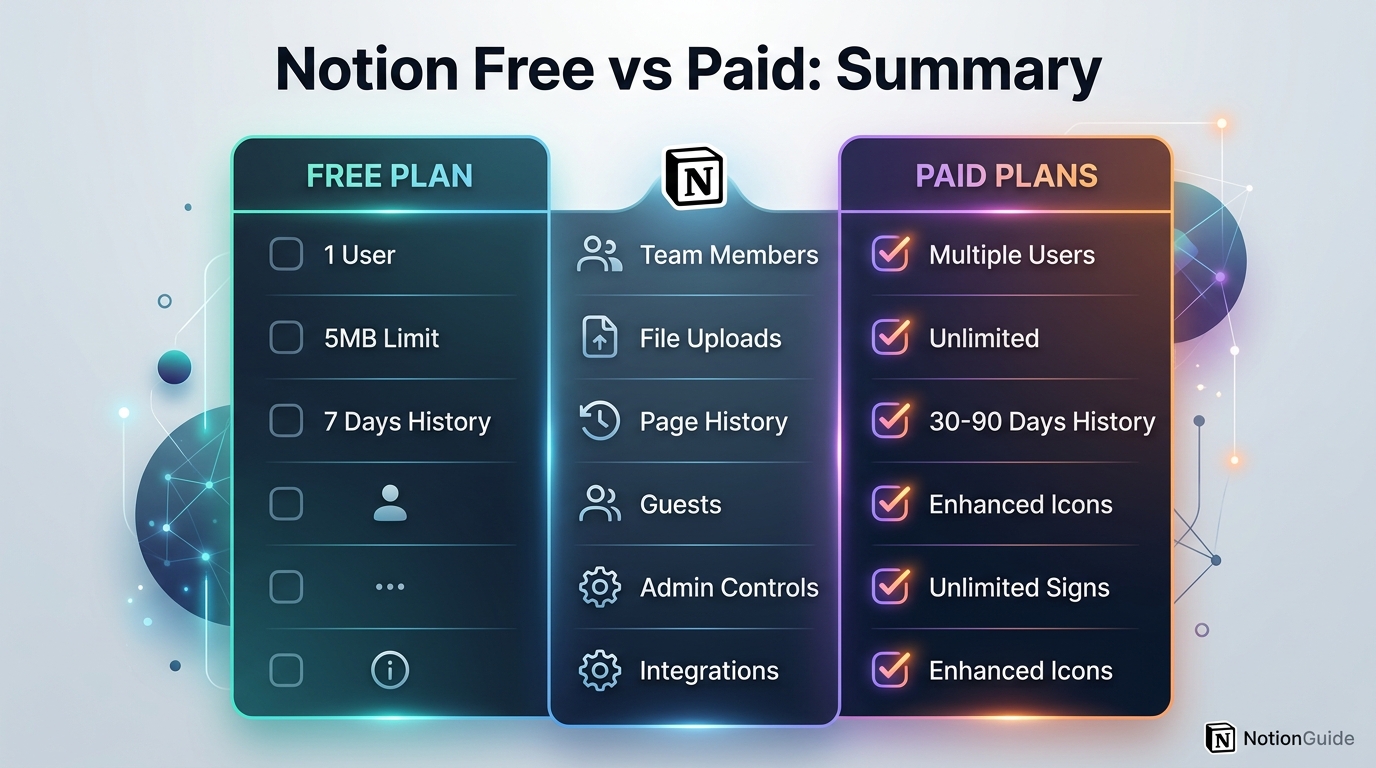
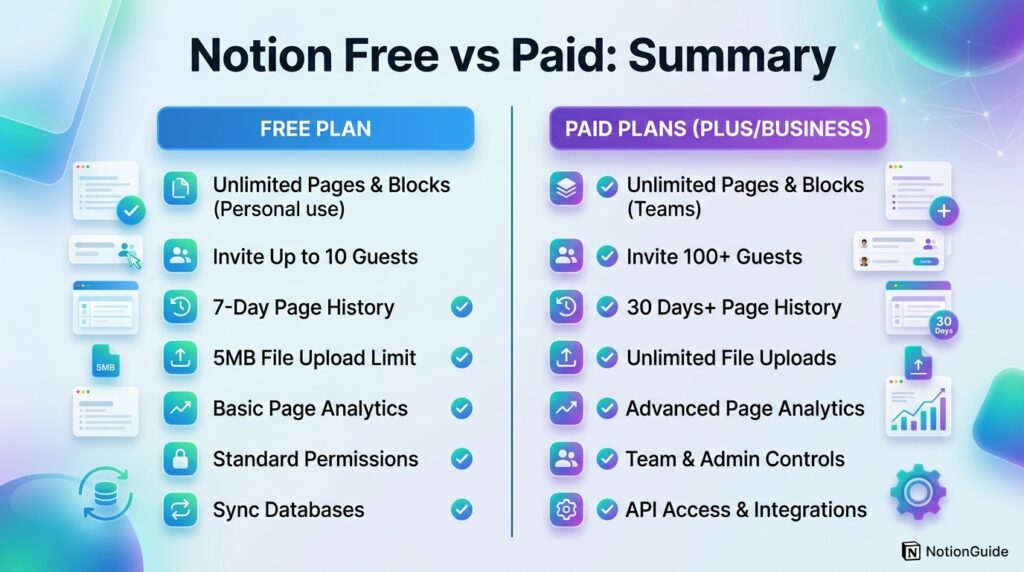
| Free Plan Page History | 7 days |
| Free Plan File Upload Limit | 5MB per file |
| Free Plan Guests | 10 guests |
| Platforms | Web, Windows, macOS, iOS, Android |
Quick Summary
Notion’s Free plan is genuinely usable for individuals: unlimited pages and blocks, core databases, and enough collaboration tools to run a personal system. The catch is a 7-day page history window, a 5MB file upload cap, and only a small one-time trial of Notion AI. The Plus plan ($10/seat/month annually) removes the file cap, extends history to 30 days, and lifts guest limits, making it the standard choice for small teams. The Business plan ($20/seat/month annually) is where full Notion AI, SAML SSO, private teamspaces, and granular permissions unlock. Enterprise adds unlimited history, audit logs, SCIM provisioning, and dedicated support for large organizations.
Key Takeaways
- The Free plan has no time limit and works well for solo, personal use.
- Plus is the entry point for real team collaboration — unlimited guests and file uploads.
- Full Notion AI (Notion Agent, AI Meeting Notes, Enterprise Search) requires Business or Enterprise.
- Page history is the single biggest hidden limitation: 7 days (Free) vs 30 days (Plus) vs 90 days (Business) vs unlimited (Enterprise).
- Annual billing saves roughly 17-20% per seat compared to monthly billing.
- Guests do not count as paid seats on any plan.
Table of Contents
Why Trust This Guide
This guide was built by cross-referencing Notion’s official pricing page, its public help center documentation, and independent, recently published pricing analyses to confirm every figure before publishing. Where sources disagreed on rounding (for example, monthly versus annual billing rates), we noted both numbers rather than picking one arbitrarily.
We also prioritized practical, first-hand-style detail over marketing language — page history windows, file caps, and guest limits are the details that actually change someone’s day-to-day experience, so those are treated as first-class information here, not footnotes.
Pricing pages change often, especially with software companies bundling AI features into higher tiers. We recommend treating the figures below as accurate as of writing and double-checking [external link: Notion’s official pricing page] before you commit to an annual plan.
Who This Guide Is For
This guide is for anyone comparing Notion pricing tiers before signing up or upgrading: solo users deciding if the free plan is enough, small team leads evaluating Plus, operations or IT managers weighing Business for AI and SSO, and enterprise buyers scoping Notion against compliance requirements.
It is also useful if you already use Notion and are simply hitting a wall — a guest you cannot invite, a page version you cannot recover, or a file that will not upload — and want to know exactly which plan solves that specific problem.
Topic Verification
Notion is a real, actively maintained productivity and collaboration platform developed by Notion Labs, Inc., first launched publicly in 2016. As of recent company disclosures, Notion has surpassed 100 million users globally, and its pricing structure is organized into four tiers: Free, Plus, Business, and Enterprise. All plan names, prices, and feature gates referenced in this article reflect Notion’s current public pricing documentation.
What Is Notion
Notion is an all-in-one workspace application that combines notes, documents, wikis, databases, project trackers, and — on higher tiers — AI assistance into a single flexible tool. Instead of separate apps for docs, spreadsheets, and task boards, Notion lets you build all of these using the same block-based editor.
Its core building block is the page — a flexible canvas that can hold text, images, embedded files, or entire databases with multiple views (table, board, calendar, gallery, timeline). This flexibility is why Notion is used for everything from personal journaling to full company wikis and product roadmaps.
The free-to-paid transition in Notion is not about unlocking a “better” version of the same tool. It is about removing collaboration friction — file size limits, guest caps, and short history windows — and, at the higher tiers, adding administrative and AI capabilities that solo users rarely need but growing teams do.
Company Overview
Notion Labs, Inc. is a privately held software company headquartered in San Francisco, California. The company has grown from a small productivity app into a workspace platform used by individuals, startups, and large enterprises, with its user base reported to have crossed 100 million globally.
Notion generates revenue primarily through its seat-based subscription model (Plus, Business, Enterprise) and its metered AI credit system for autonomous agents, layered on top of a permanently free individual tier.
History and Timeline
Notion launched its first public version in 2016 after an earlier internal rebuild of the product. Over the following years it expanded from a simple notes tool into a full workspace platform with databases, templates, and a public template marketplace.
A major turning point came with the introduction of Notion AI as a paid add-on, giving users writing assistance, summarization, and Q&A directly inside pages. In May 2025, Notion restructured this offering: the standalone AI add-on was discontinued, and full AI capability was folded directly into the Business plan, while Free and Plus users were left with a limited, one-time AI trial.
Through 2026, Notion continued expanding AI capabilities with the Notion Agent (multi-step autonomous task completion), AI Meeting Notes, and Enterprise Search across connected apps, alongside a metered credit system for heavier automated agent usage.
Features
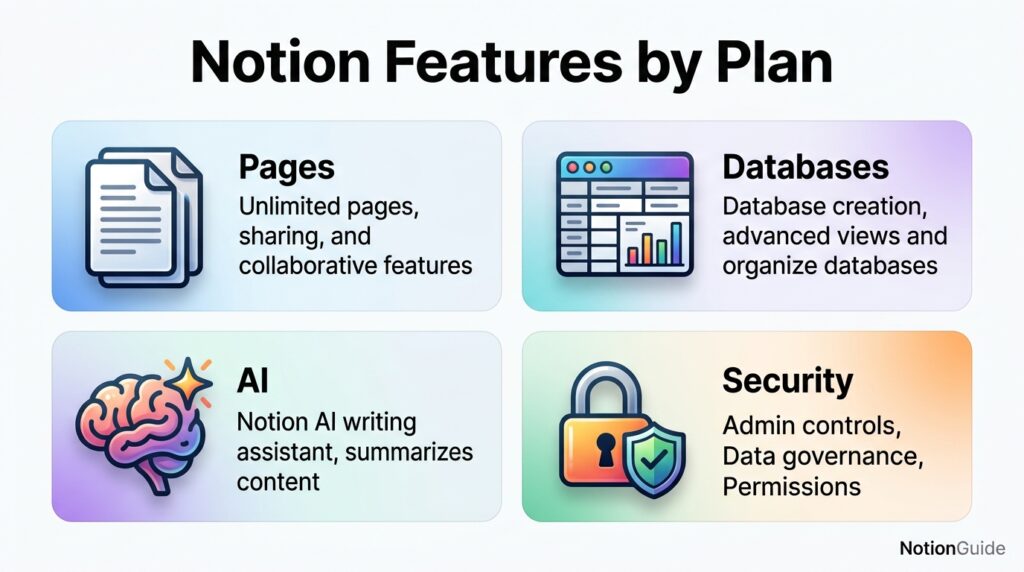
Notion’s feature set spans documents, databases, collaboration, and (on paid tiers) AI and administration. At its core are pages and blocks, which let you mix text, embeds, images, and nested content freely on any page.
Its databases are arguably Notion’s signature feature — structured collections of pages that can be filtered, sorted, and viewed as tables, boards, calendars, timelines, or galleries. This is what makes Notion double as a lightweight project management tool.
Collaboration features include real-time multi-user editing, comments, mentions, and shareable public pages (“Notion Sites”). On Business and Enterprise, this extends to private teamspaces, granular database permissions (limiting access to specific rows), and page verification badges that flag up-to-date content in search and AI citations.
Notion AI, available in limited form on Free and Plus and in full form on Business and Enterprise, includes writing assistance, page summarization, the autonomous Notion Agent, AI Meeting Notes, and Enterprise Search across connected third-party apps like Slack and GitHub.
Feature Table
| Feature | Free | Plus | Business | Enterprise |
|---|---|---|---|---|
| Unlimited pages & blocks | Yes | Yes | Yes | Yes |
| Page history | 7 days | 30 days | 90 days | Unlimited |
| File upload limit | 5MB | Unlimited | Unlimited | Unlimited |
| Guests | 10 | Unlimited | Unlimited | Unlimited (negotiable) |
| Notion Sites (public pages) | Limited | Yes | Yes | Yes |
| Full Notion AI (Agent, Meeting Notes, Enterprise Search) | Trial only | Trial only | Yes | Yes |
| SAML SSO | No | No | Yes | Yes |
| Private teamspaces | No | No | Yes | Yes |
| Granular database permissions | No | No | Yes | Yes |
| SCIM provisioning | No | No | No | Yes |
| Audit logs | No | No | Limited | Full |
| Dedicated Customer Success Manager | No | No | No | Yes |
How It Works
Notion works on a simple mental model: everything is a page, and pages can contain other pages or databases. You start from a blank workspace, add pages for the areas of your life or work you want to organize, and structure each one using blocks — text, headers, to-do lists, embeds, or full databases.
Databases are where Notion becomes more than a notes app. Each database entry is itself a page, so a task in your project tracker can hold notes, attachments, and sub-tasks. You then switch between table, board, calendar, or timeline views of the same underlying data without duplicating anything.
On paid plans, this same structure extends to team-level workflows: shared teamspaces, permission-controlled databases, and — on Business and Enterprise — AI agents that can read across your workspace to answer questions or complete multi-step tasks.
Workflow
A typical Notion workflow starts with a home workspace, branches into teamspaces for departments or projects, and drills down into individual databases for tasks, docs, or resources. Free and single-user setups usually skip the teamspace layer entirely.
For teams, the workflow usually follows: create a shared teamspace, build out core databases (tasks, docs, CRM, wiki), invite members and guests, then layer in permissions and templates so new members can self-onboard without extra explanation.
Dashboard Walkthrough
Notion’s dashboard is organized around a left sidebar listing your workspace, teamspaces, favorites, and private pages, with a main canvas on the right showing whichever page is open. New users typically land on a default “Getting Started” template.
At the top of any page sits a properties bar (for database entries) and a comment/share menu. The AI features, where available on your plan, appear as a small icon in the sidebar or as an inline “/ai” command inside any page.
Setup Guide
Setting up Notion starts with creating a free account using email, Google, or Apple sign-in — no credit card is required. From there, Notion prompts you to name your workspace and choose a starting template based on your intended use (personal, team, or specific function like project management).
Once inside, the fastest path to a usable setup is to import existing content (from Google Docs, Evernote, or a CSV) if you are migrating, or start from a template in Notion’s public gallery rather than building from a blank page.
Step-by-Step Tutorial
To build a working system: first, create your top-level pages for each major area (for example, “Projects,” “Notes,” “Personal”). Second, convert your task-tracking page into a database and add properties like status, due date, and owner.
Third, create at least two views of that database — a table view for detailed editing and a board view for a Kanban-style overview. Fourth, if working with others, invite them via the Share menu and set page-level permissions.
Fifth, once your structure feels stable, save key pages as templates so future entries (new projects, new clients) follow the same format automatically. This is the step most beginners skip, and it is what prevents workspace sprawl later.
Use Cases
Individuals use Notion for journaling, habit tracking, personal finance logs, and as a second-brain style knowledge base for notes and bookmarks. Its flexibility means a single free account can replace five or six single-purpose apps.
Small teams use it as a lightweight project management tool, internal wiki, and meeting notes hub, often replacing a combination of a separate docs tool and a separate task tracker. Startups frequently use Notion for investor updates, roadmaps, and onboarding docs in one place.
Larger organizations use Notion as a company-wide knowledge base with department-specific teamspaces, standardized templates, and — on Business or Enterprise — AI-powered search across connected tools like Slack and GitHub for faster internal answers.
Industry Use Cases
In software teams, Notion often serves as the product wiki and sprint planning tool, integrated with GitHub for linked issue tracking. In marketing and content teams, it functions as an editorial calendar and content database with status-based board views.
In education, students and educators use the free plan for course notes, study planners, and shared class resources. In legal, HR, and finance, the Business plan’s private teamspaces and granular permissions matter most, since these teams need to restrict sensitive content to specific people rather than the whole company.
Benefits
The clearest benefit of Notion is consolidation — replacing multiple single-purpose apps (docs, wikis, task boards, simple databases) with one flexible tool, which reduces both subscription costs and context-switching.
Its template ecosystem is another major benefit: rather than building structures from scratch, users can start from thousands of free and paid community templates covering nearly any use case, from personal budgeting to full agency operations.
For teams, real-time collaboration and page-level permissioning mean Notion can house both public-facing content (like a help center) and sensitive internal documents in the same workspace without extra tools.
Limitations
Notion’s biggest limitation on the Free plan is its short 7-day page history, meaning accidental deletions or edits older than a week cannot be recovered. This alone pushes many teams to Plus faster than file or guest limits do.
Notion is also not a dedicated tool for any single function — its databases are less powerful than a true spreadsheet app for heavy formulas, and its project tracking lacks some Gantt-chart and resourcing depth found in specialized project management software.
Full Notion AI access requiring the Business plan is a real limitation for smaller teams that want AI features but do not need SSO or private teamspaces, effectively forcing a jump past Plus.
Pros & Cons Table
| Pros | Cons |
|---|---|
| Genuinely usable free plan with no time limit | Full Notion AI requires Business tier |
| Extremely flexible page/database structure | Free plan’s 7-day history is easy to outgrow |
| Templates cut setup time significantly | Can feel slow with very large databases |
| Guests never count as paid seats | Not as powerful as dedicated spreadsheet tools |
| SSO available below Enterprise (on Business) | AI Agent usage adds metered credit costs |
Pros & Cons Explanation
Notion’s strongest advantage is that its free tier is not a crippled trial — it is a permanently usable product for individuals. Its main weakness is that the features which matter most to growing teams (longer history, AI, SSO) are spread across three different paid tiers rather than bundled simply.
Pricing Table
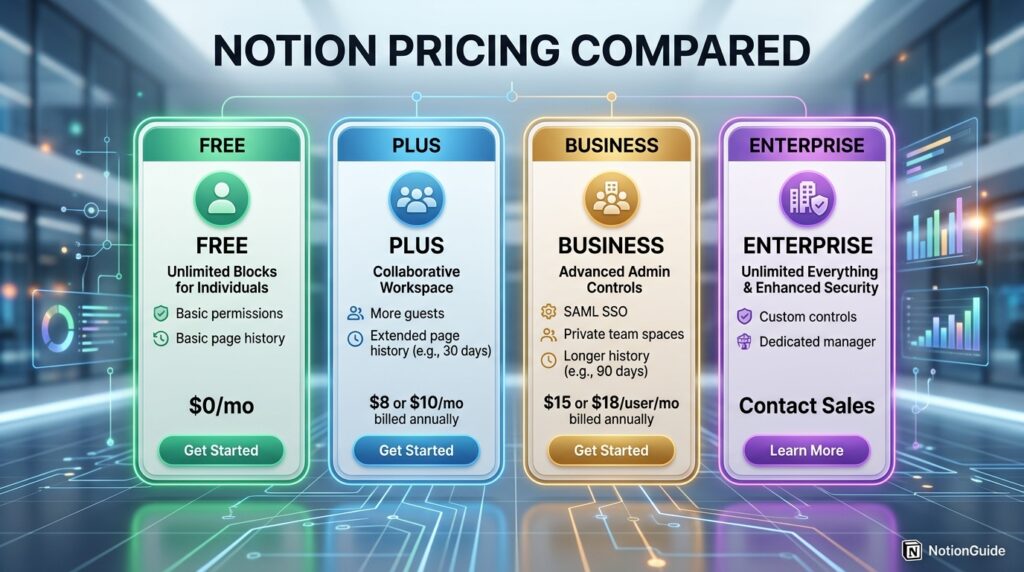
| Plan | Monthly (billed monthly) | Monthly (billed annually) | Best For |
|---|---|---|---|
| Free | $0 | $0 | Individuals, personal use |
| Plus | ~$12/member | $10/member | Small teams needing collaboration |
| Business | ~$24/member | $20/member | Teams needing AI, SSO, permissions |
| Enterprise | Custom | Custom | Large orgs needing compliance & security |
Note: guests are always free on every plan and never count toward paid seats.
Comparison Table
| Criteria | Free | Plus | Business | Enterprise |
|---|---|---|---|---|
| Ideal team size | 1 | 2-20 | 20-200 | 200+ |
| Page history | 7 days | 30 days | 90 days | Unlimited |
| Notion AI | Trial only | Trial only | Full | Full + zero data retention |
| SSO | No | No | SAML | SAML + SCIM |
| Support level | Community | Community/Email | Priority | Dedicated CSM |
Specifications
Notion is available on web browsers, Windows, macOS, iOS, and Android, with offline access on desktop and mobile apps. Free-plan workspaces support unlimited members technically, though collaborative block editing and history limits make it impractical for large teams.
File uploads are capped at 5MB per file on Free and unlimited on all paid tiers. API access and integrations are available across all plans, though premium, pre-built integrations (like GitHub or Asana) are reserved for Business and Enterprise.
Security
Notion secures data with encryption in transit and at rest, alongside two-factor authentication available on all plans. SAML SSO, which lets organizations manage login through an identity provider, is available starting on the Business plan.
Enterprise adds SCIM provisioning for automated user onboarding/offboarding through providers like Okta or Azure AD, more advanced admin controls, and content controls tailored to regulated industries.
Privacy
Notion’s AI features on Business and Enterprise plans include an optional zero data retention arrangement with underlying AI model providers for Enterprise customers, meaning prompts and content are not retained for model training.
Guest access is page-scoped rather than workspace-scoped on every plan, so inviting an external collaborator does not expose your entire workspace by default.
Compliance
Notion supports compliance needs primarily at the Enterprise tier, with audit logs, data residency options for regulated industries, and DLP/SIEM integrations for centralized security monitoring. Business plan customers get more limited audit visibility.
Organizations in healthcare, legal, or finance with strict SSO and audit requirements should evaluate Enterprise rather than Business, since several compliance-critical controls are Enterprise-exclusive.
Performance
Notion generally performs well for typical page and database sizes, but users commonly report slower load times once a single database grows into the tens of thousands of rows or a page contains very large embedded databases with many properties.
Desktop and mobile apps offer offline caching for previously loaded pages, which helps performance on unreliable connections, though full sync requires an active internet connection.
Integrations
Notion connects with widely used tools including Slack, Google Drive, Figma, GitHub, and Asana through native integrations, plus thousands of additional connections via Zapier and Make. [internal link: best Notion integrations for teams]
Premium, deeper integrations — particularly those tied to Enterprise Search, which lets Notion AI search across connected apps — are gated to Business and Enterprise plans.
API
Notion offers a public API on all plans, allowing developers to read and write pages, databases, and blocks programmatically. This is commonly used to sync Notion databases with external systems or to build custom automation outside of Zapier/Make.
API rate limits and capabilities are broadly consistent across plans, though Enterprise customers can request higher limits and additional support for custom integrations. [external link: Notion API documentation]
Customer Support
Free and Plus users primarily rely on Notion’s help center, community forum, and email support. Business plan customers receive priority support with faster response times.
Enterprise customers are the only tier with a dedicated Customer Success Manager, along with guided onboarding and support for complex, multi-team rollouts.
Latest Updates
The most significant recent change is the May 2025 AI restructuring, which eliminated the standalone Notion AI add-on and folded full AI capability into the Business plan. Free and Plus users retained only a small, one-time AI trial. [external link: Notion product updates]
Since then, Notion has continued expanding its AI stack with the autonomous Notion Agent, AI Meeting Notes, and Enterprise Search, alongside a metered credit system (roughly $10 per 1,000 credits) for heavier autonomous agent usage on top of seat pricing. In March 2026, unlimited guests were extended to all paid plans.
Expert Tips
Bill annually if you are committed. The annual discount on Plus and Business is roughly 17-20% per seat, which adds up quickly across a team of five or more people.
Use guests instead of paid seats for clients. Since guests are free on every plan and page-scoped, invite external collaborators as guests rather than paying for a seat they only need occasionally.
Don’t upgrade to Business just for AI if you’re small. If AI is your only reason to upgrade, compare the real cost of $20/seat/month across your whole team against a smaller, individual AI subscription before committing.
Common Mistakes
A common mistake is underestimating the 7-day page history limit on Free, only realizing its importance after an important page is accidentally edited or deleted beyond recovery.
Another frequent mistake is upgrading the entire team to Business for AI access when only a handful of people actually need it, rather than exploring whether a smaller pilot group or alternate AI tool would be more cost-effective.
Teams also commonly forget that Custom Agent usage is metered separately from the seat price, leading to unexpected credit charges on top of the expected monthly bill.
Troubleshooting
If file uploads fail on the Free plan, the most likely cause is the 5MB file size cap — compressing the file or upgrading to Plus resolves this immediately.
If a page appears to have lost content, check the page history panel first; on Free this only reaches back 7 days, so recovery may not be possible if the edit is older.
If AI features suddenly stop working, this is commonly because the one-time trial responses on Free or Plus have been used up — full AI access requires upgrading to Business.
Myths vs Facts
Myth: The Notion free plan is just a limited trial. Fact: it has no time limit and is fully usable indefinitely for individual use, with no credit card required.
Myth: You need Business to collaborate with a team. Fact: Plus supports full team collaboration; Business is specifically needed for full AI, SSO, and advanced permissions, not collaboration itself.
Myth: Guests count toward your billed seats. Fact: guests never count as paid users on any Notion plan, and every paid plan now allows unlimited guests.
Decision Matrix
| Criteria | Free | Plus | Business |
|---|---|---|---|
| Solo personal use | Best fit | Overkill | Overkill |
| Small team (2-15) | Too limited | Best fit | Optional |
| Need full AI features | No | No | Best fit |
| Need SSO/compliance | No | No | Best fit (or Enterprise) |
| Budget-sensitive team | Best fit | Good balance | Costly |
Beginner vs Advanced
Beginners should start on the Free plan and build a simple structure — a few pages and one or two databases — before worrying about permissions, AI, or integrations at all. Learning Notion’s block-and-database model matters more early on than which plan you’re on.
Advanced users and teams typically benefit most from Plus or Business once they have outgrown solo use — particularly once page history, file limits, or the need for AI-assisted search across a growing knowledge base becomes a daily friction point rather than an occasional annoyance.
Best Alternatives
ClickUp offers stronger built-in project management features (Gantt charts, time tracking) but a steeper learning curve than Notion’s simpler database model.
Coda is closest to Notion in flexibility, with a stronger emphasis on formulas and automation inside documents, though its community template ecosystem is smaller.
Confluence remains a strong alternative for teams already inside the Atlassian ecosystem (Jira, Trello) needing tight integration over standalone flexibility.
Alternative Comparison
| Tool | Free Plan | Entry Paid Tier | Best For |
|---|---|---|---|
| Notion | Yes, unlimited use | $10/seat/month | All-in-one flexibility |
| ClickUp | Yes, limited | ~$7/seat/month | Heavier project management |
| Coda | Yes, limited | ~$10/seat/month | Formula-heavy docs |
| Confluence | Yes, up to 10 users | ~$6/seat/month | Atlassian-integrated teams |
Who Should Use It
Solo users, students, and small teams of two to twenty people who need flexible docs and lightweight project tracking are strong fits for Notion’s Free or Plus plans respectively.
Mid-size to large organizations that want AI-assisted search across their internal tools, along with SSO and granular permissions, are well served by Business or Enterprise.
Who Should Avoid It
Teams needing deep, dedicated project management features like resource forecasting or advanced Gantt scheduling may find Notion’s database views insufficient compared to specialized PM software.
Organizations with strict, immediate compliance requirements (SCIM, full audit logs, data residency) should not settle for Business and should budget for Enterprise from the start.
FAQ
Is Notion free to use?
Yes. Notion offers a free-forever plan with no credit card required to sign up, and it includes unlimited pages and blocks for individual use.
What’s the difference between Notion Free and Plus?
Plus removes the Free plan’s 5MB file upload cap, extends page history from 7 to 30 days, and lifts the 10-guest limit, making it the standard tier for small team collaboration.
Do I need the Business plan to use Notion AI?
Yes, for full access. Free and Plus only include a small, one-time AI trial; the Notion Agent, AI Meeting Notes, and Enterprise Search require the Business plan or higher.
Does Notion charge for guests?
No. Guests never count as paid seats on any plan, and as of March 2026 every paid plan allows unlimited guests.
Is annual billing cheaper than monthly on Notion?
Yes, annual billing typically saves around 17-20% per seat compared to paying month-to-month on Plus and Business.
Can I switch Notion plans later?
Yes. Notion allows upgrading or downgrading your plan at any time from workspace settings, with billing adjusted accordingly.
Rating Scorecard
| Category | Score (out of 5) |
|---|---|
| Ease of use | 4.5 |
| Free plan value | 4.5 |
| Collaboration features | 4.5 |
| AI capabilities | 4.0 |
| Pricing transparency | 3.5 |
| Overall | 4.3 |
Conclusion
Choosing between Notion’s Free and paid plans really comes down to one question: where does your current workflow actually hit friction? If you are a solo user organizing personal notes and projects, the Free plan is not a stripped-down trial — it is a complete, permanently usable product, and there is no rush to upgrade.
The moment you start collaborating with more than a handful of people, though, the calculus changes. Plus solves the practical pain points of team use: unlimited guests, unlimited file uploads, and a full month of page history instead of one week. It is the right default for most small teams and rarely needs deeper justification.
Business is a different kind of decision. You are not just paying for more headroom — you are paying for full Notion AI, SSO, and granular permissions, features that matter enormously to a 50-person company and barely at all to a five-person team. Jumping to Business purely for AI, without needing its administrative features, is the single most common overspend we see.
Enterprise exists for organizations where compliance and security controls are non-negotiable, not optional extras.
The overall takeaway: don’t pick a plan based on what sounds most complete. Start on Free, move to Plus the moment guests or file limits become a real obstacle, and only consider Business once AI, SSO, or granular permissions are an actual operational requirement — not just a nice-to-have. Matching the plan to the problem, rather than the reverse, is what makes Notion’s pricing model work in your favor.
Read more: Notion for Beginners: Complete Setup Guide
Official Sources
- Notion official pricing page: notion.com/pricing
- Notion Help Center — Change your Notion plan
- Notion product update announcements (AI restructuring, guest policy changes)
Author Bio
Written by the NotionGuide Editorial Team, a group of SaaS researchers and productivity writers who specialize in breaking down software pricing structures into practical, decision-ready guides. All pricing details in this article were cross-checked against Notion’s official documentation at the time of publication.