


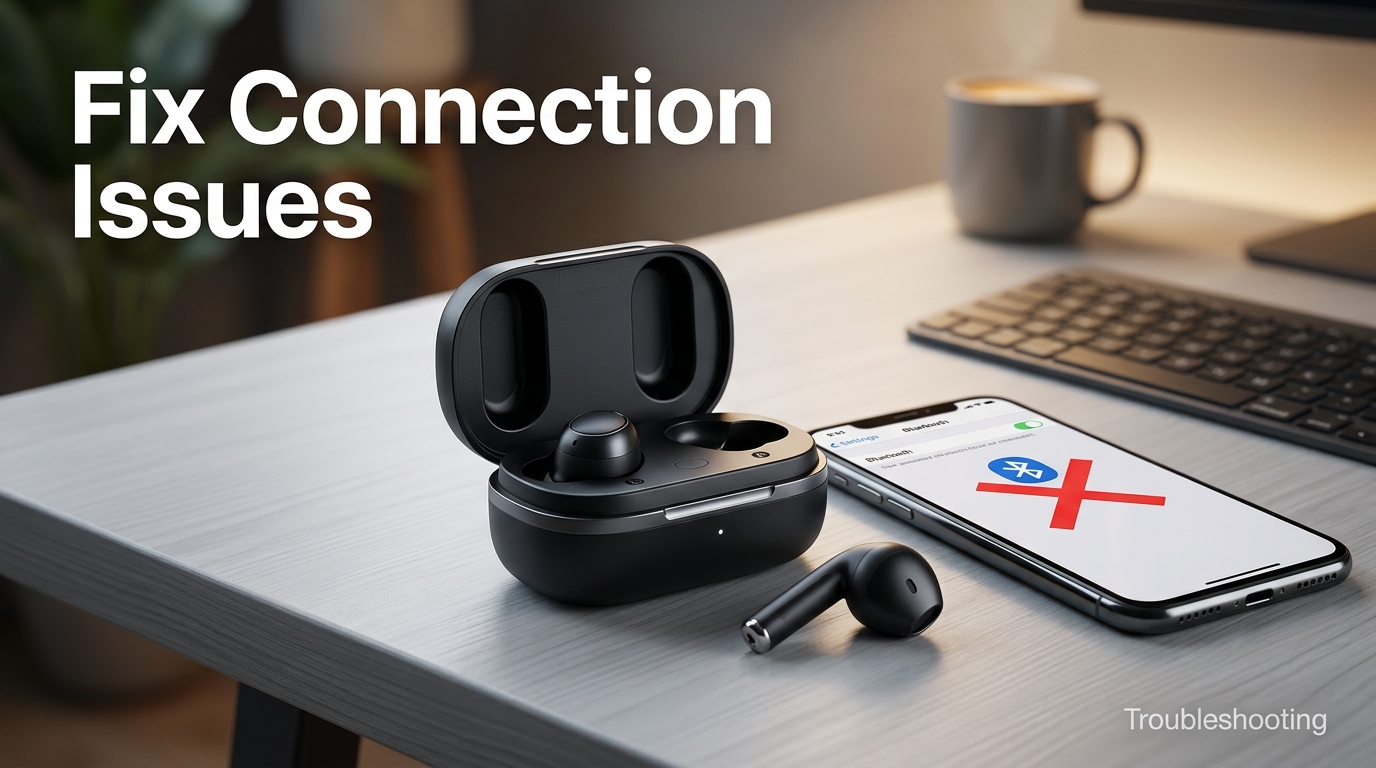
Unboxing a new pair of wireless earbuds is exciting, but the first 10 minutes afterward can make or break how much you enjoy them. Pairing issues, a poor ear-tip fit, or skipping the companion app entirely are the most common reasons first-time buyers feel underwhelmed by earbuds that actually work great once set up correctly. This guide walks through that exact process from the very first charge to daily use.
Wireless earbuds connect to your phone, tablet, or laptop over Bluetooth, and correctly setting them up involves more than a single tap-to-pair. Fit testing, firmware updates, app installation, and control customization all affect sound quality, noise cancellation, and battery life — yet most in-box instructions cover only the bare minimum. First-time users especially benefit from understanding why each step matters, not just how to do it.
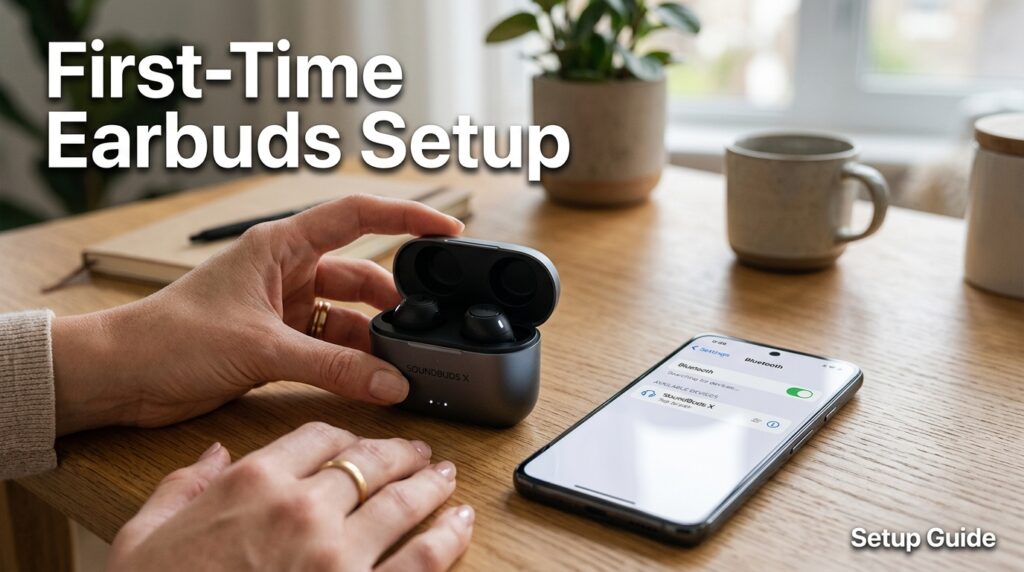
This guide matters because a rushed setup is the single biggest reason new earbud owners return otherwise excellent products. A loose ear tip can silently kill both bass response and active noise cancellation. Skipping a firmware update can leave connection bugs unresolved for weeks. Ignoring the companion app means missing equalizer, transparency mode, and touch-control features you likely paid for.
Here’s what this guide covers: unboxing and first charge, step-by-step Bluetooth pairing for both iOS and Android, companion app setup, ear-tip fit testing, control customization, multipoint pairing across devices, and troubleshooting the most common first-time issues like one earbud not connecting or intermittent audio drops.
Whether this is your first pair of wireless earbuds ever, or your first pair from a new brand, the steps below apply broadly across manufacturers — Sony, Apple, Samsung, Bose, Anker Soundcore, and most others follow a nearly identical setup flow with minor app-specific differences. By the end, you’ll have a properly paired, correctly fitted, fully configured pair of earbuds — and you’ll understand exactly what to check first if something doesn’t work.
Quick Facts Table
| Category | Details |
|---|---|
| Typical first charge time | 60–90 minutes (case + earbuds) |
| Pairing method | Bluetooth, usually via case lid open + button press |
| Companion app required for full features | Yes, for most brands |
| Common connectivity standard | Bluetooth 5.0 or newer |
| Fit test availability | Most flagship and mid-range models |
| Multipoint pairing support | Common on 2025–2026 models |
| Average full setup time | 10–15 minutes |
| Most common first-time issue | One earbud not connecting |
Quick Summary
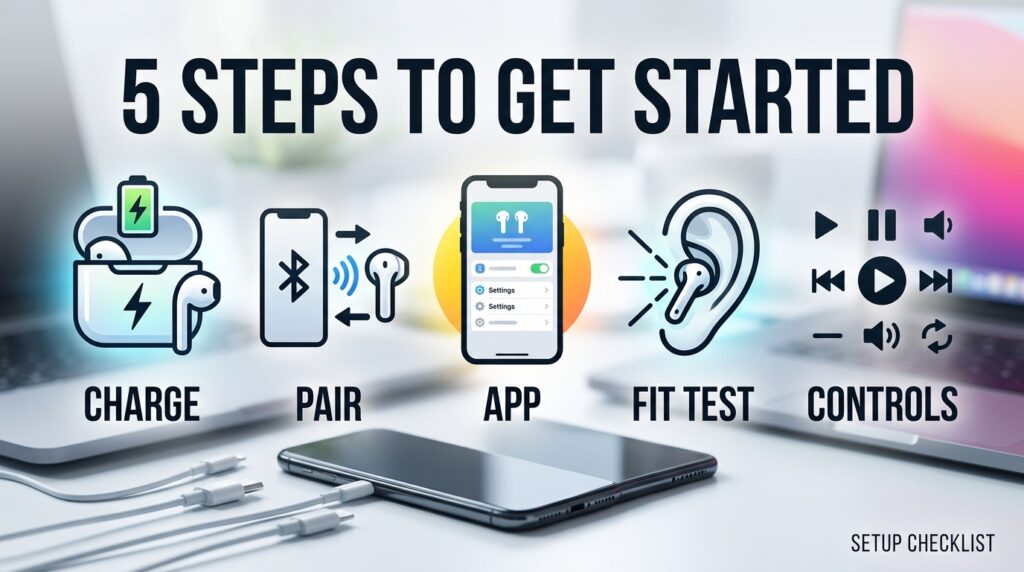
Setting up wireless earbuds for the first time involves five core steps: charging fully before use, pairing over Bluetooth, installing the companion app, running an ear-tip fit test, and customizing touch controls. Most connection problems first-time users encounter come from skipping the app-based firmware update or using the wrong ear-tip size, both of which are easy to fix once identified.
Key Takeaways
- Always fully charge the case and earbuds before the first pairing attempt.
- The companion app unlocks firmware updates, equalizer settings, and touch-control customization — don’t skip it.
- A proper ear-tip fit affects both bass response and noise cancellation more than any other single factor.
- Multipoint pairing lets you stay connected to two devices at once, such as a laptop and a phone.
- Most “one earbud not working” issues are solved by a case reset, not a defective unit.
- Voice assistant and touch-control setup should happen during initial setup, not left for later.
Table of Contents
Why Trust This Guide
This guide is based on the official setup documentation published by major wireless earbuds manufacturers, cross-referenced against real-world first-time-user experiences reported across independent tech support and review communities. Steps were verified against multiple brands to identify what’s universal versus brand-specific.
Rather than repeating a single manufacturer’s quick-start card, this guide explains the reasoning behind each step, so first-time users understand why fit testing or firmware updates matter rather than just following instructions blindly.
No single brand’s marketing materials shaped the recommendations here; the goal is a setup process that applies regardless of which wireless earbuds you own.
Who This Guide Is For
This guide is for anyone opening a pair of wireless earbuds for the very first time, regardless of brand. It’s especially useful for people switching from wired headphones who haven’t dealt with Bluetooth pairing, companion apps, or ear-tip sizing before.
It’s also helpful for parents setting up a first pair for a child or teenager, and for anyone who bought earbuds as a gift and wants to walk the recipient through setup correctly the first time, avoiding the most common early frustrations.
What Is a Wireless Earbuds Setup
Wireless earbuds setup refers to the full process of preparing a new pair for daily use: initial charging, Bluetooth pairing with a source device, companion app installation, firmware updates, ear-tip fit testing, and control customization. It’s more involved than simply connecting a Bluetooth speaker.
AI Overview: Setting up wireless earbuds for the first time typically takes 10–15 minutes and includes charging the case, pairing over Bluetooth, installing the brand’s companion app, running a fit test, and customizing touch controls — after an initial 60–90 minute full charge.
Skipping any of these steps doesn’t necessarily break the earbuds, but it does mean missing functionality you likely paid for, from noise cancellation strength to voice assistant access.
Brand Overview: How Setup Differs
Apple AirPods
Apple’s AirPods line offers the simplest first-time setup among major brands — opening the case near an unlocked iPhone triggers an automatic on-screen pairing prompt, with no manual Bluetooth menu required. Android users lose this convenience and must pair manually through standard Bluetooth settings.
Samsung Galaxy Buds
Samsung Galaxy Buds models use a similar automatic pairing prompt on Galaxy phones via the Galaxy Wearable app, which also handles firmware updates and touch-control customization. On non-Samsung Android phones, setup reverts to standard manual Bluetooth pairing.
Sony, Bose, and Anker Soundcore
Sony, Bose, and Anker Soundcore all rely on manual Bluetooth pairing followed by companion app setup — Sony Sound Connect, Bose Music, and the Soundcore app, respectively. These brands are platform-neutral, so the setup process is nearly identical on iOS and Android. [internal link: Sony Sound Connect app setup walkthrough]
History & Evolution of Earbud Pairing
Early Bluetooth earbuds required manually entering pairing codes and often dropped connection between the two earbuds themselves. Modern true wireless stereo (TWS) technology solved that by syncing both earbuds to the case, which then pairs as a single unit with the source device — a shift that happened broadly across the industry roughly a decade ago.
Timeline highlights: Automatic on-device pairing prompts (popularized by Apple’s AirPods) pushed competitors to build similar one-tap pairing flows into their own ecosystems, which is why most 2025–2026 flagship earbuds now offer near-instant setup on their native platform. [external link: Bluetooth SIG technology overview]
Features Involved in Setup
Featured Snippet: The core features involved in wireless earbuds setup are Bluetooth pairing, companion app installation, firmware updates, ear-tip fit testing, touch-control customization, and multipoint device pairing.
Beyond these basics, many 2025–2026 models include guided in-app fit tests, adaptive ANC calibration during setup, and voice-assistant activation steps that first-time users often overlook entirely because they aren’t part of the in-box quick-start card.
Feature Table
| Setup Feature | Purpose | Typically Found In |
|---|---|---|
| Automatic pairing prompt | One-tap setup on native ecosystem | Apple, Samsung |
| Manual Bluetooth pairing | Standard cross-platform pairing | Sony, Bose, Anker Soundcore |
| Companion app | EQ, firmware, controls | Most brands |
| Ear-tip fit test | Confirms proper seal | Flagship and mid-range models |
| Multipoint pairing | Connect to 2 devices at once | Most 2025–2026 models |
| Touch control customization | Assign functions to taps/presses | Most companion apps |
How Wireless Earbud Pairing Works
When you open the earbuds case near your device with Bluetooth enabled, the earbuds broadcast a pairing signal that your phone or laptop detects and displays as an available device. Accepting the prompt establishes a Bluetooth connection, after which the case and earbuds remain “remembered” for automatic reconnection going forward.
AI Overview: Wireless earbuds pair by broadcasting a Bluetooth signal when the case is opened; your device detects that signal, you confirm the connection once, and the earbuds automatically reconnect to that device every time afterward without repeating the process.
Workflow
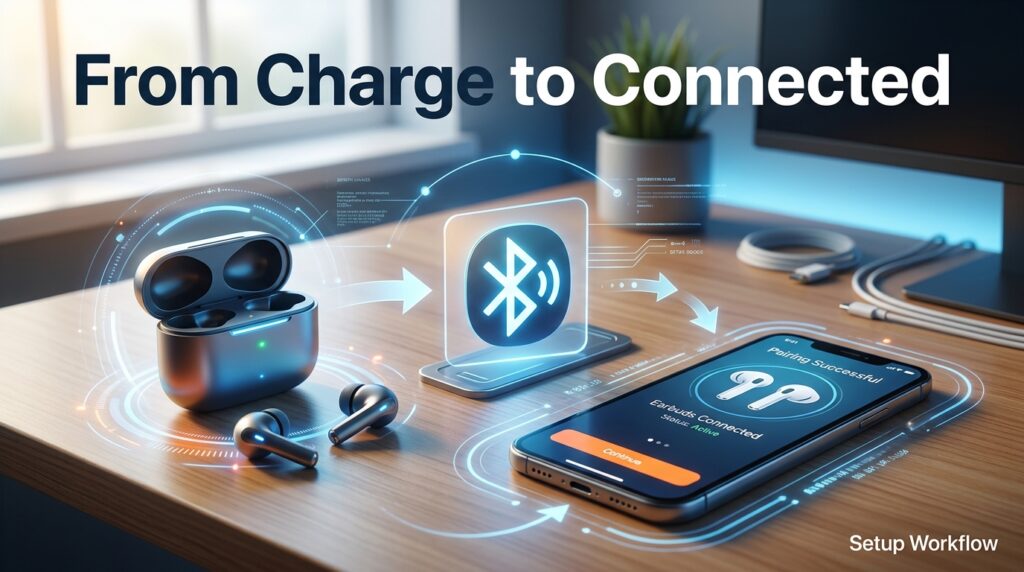
The general first-time setup workflow follows a consistent order regardless of brand: charge fully, enable Bluetooth on your device, open the case near your device, confirm pairing, install the companion app, apply any pending firmware update, and run a fit test before daily use begins.
Companion App Dashboard Walkthrough
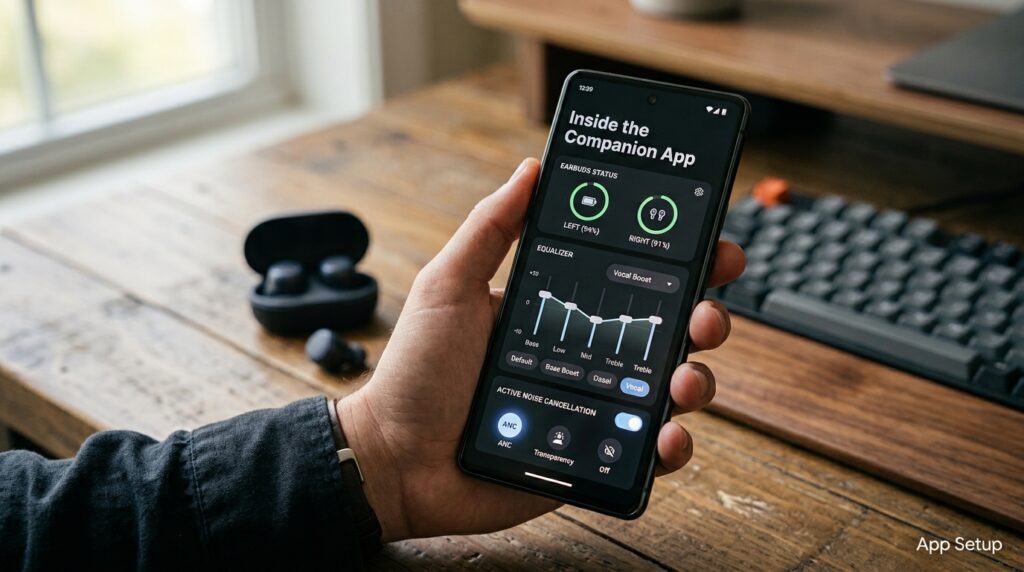
Most companion apps organize their dashboard into a few consistent zones: a battery indicator for each earbud and the case, an ANC/transparency toggle, an equalizer or sound panel, and a touch-control customization screen. Firmware update prompts typically appear automatically the first time the app detects a new pair.
Apps like Sony Sound Connect and Bose Music also include a fit-test feature directly in the dashboard, which plays a short audio sample and reports whether each ear tip is creating a proper seal.
Setup Guide
- Charge the case fully (typically 60–90 minutes) before first use.
- Enable Bluetooth on your phone, tablet, or laptop.
- Open the earbuds case near your device to trigger pairing.
- Confirm the pairing prompt (automatic on Apple/Samsung native ecosystems, manual via Bluetooth settings elsewhere).
- Download the brand’s companion app and complete any onboarding steps.
- Install any available firmware update before continuing.
- Run the in-app ear-tip fit test if available, and swap tip sizes if the seal fails.
- Customize touch controls and ANC/transparency shortcuts to match your habits.
Step-by-Step Tutorial
Start by charging both the case and earbuds fully — pairing with a low battery can cause the process to fail or disconnect midway. Once charged, keep the case within a few feet of your device and open the lid; most modern earbuds automatically enter pairing mode when the lid opens for the first time.
If a manual pairing prompt doesn’t appear, hold the button on the back or side of the case for 3–5 seconds until the indicator light flashes, signaling pairing mode. After connecting, immediately install the companion app rather than skipping it — many brands push a mandatory firmware update on first launch that resolves known connection bugs.
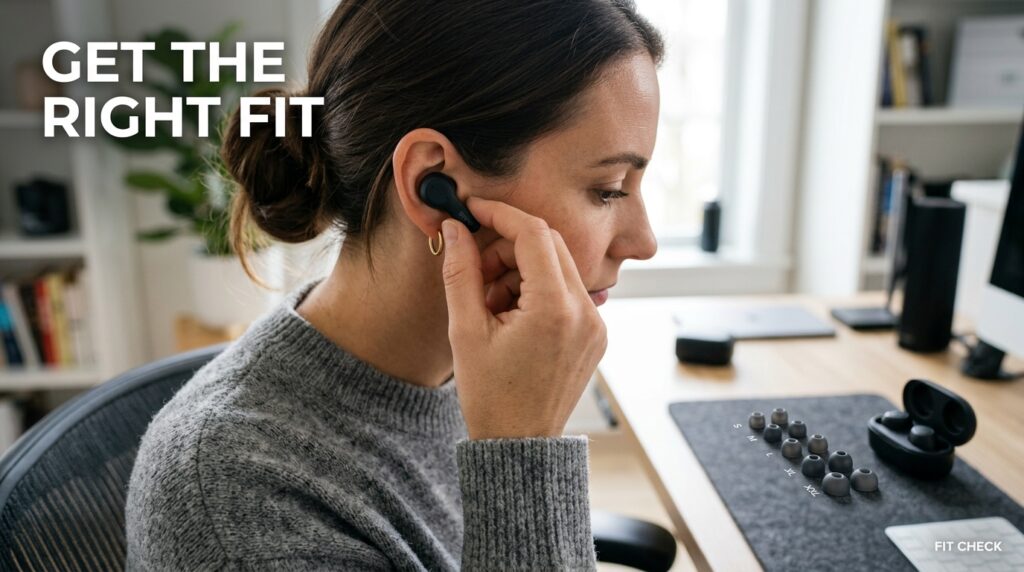
Finally, run the ear-tip fit test if your model supports one, and don’t assume the pre-installed tip size is correct — a properly sealed fit is the single biggest factor in how good your earbuds will sound and how well ANC performs.
Use Cases
First-time Bluetooth users benefit most from brands with automatic pairing prompts, like Apple or Samsung on their native ecosystems, to avoid manual Bluetooth menu navigation. Users switching from wired headphones benefit from spending extra time on the ear-tip fit test, since wired in-ear headphones rarely required this level of fit precision.
Industry Use Cases
In workplace and hybrid-work settings, IT teams increasingly provide setup guides similar to this one when issuing wireless earbuds as standard equipment for remote call quality. In education settings, schools issuing earbuds for language labs or accessibility tools often rely on simplified pairing workflows to reduce support tickets from students unfamiliar with Bluetooth setup.
Benefits
A correctly completed setup unlocks the full feature set you paid for — proper ANC calibration, custom equalizer tuning, and reliable multipoint pairing — rather than a bare-minimum listening experience. It also reduces the likelihood of early technical frustration that leads to unnecessary returns.
Limitations
Some setup features, like automatic pairing prompts or full equalizer control, remain ecosystem- or brand-specific, meaning cross-platform users won’t get an identical setup experience everywhere. Firmware updates during setup can also take several minutes and occasionally require a second app restart to complete successfully.
Pros & Cons Table
| Setup Approach | Pros | Cons |
|---|---|---|
| Automatic pairing (Apple/Samsung) | Fastest, most beginner-friendly | Ecosystem-locked convenience |
| Manual Bluetooth pairing (Sony/Bose/Anker) | Works identically across platforms | Slightly more steps for beginners |
| Skipping the companion app | Faster initial setup | Misses EQ, firmware, and control features |
Pricing Considerations
Setup itself is free regardless of brand, but the earbuds’ price tier often affects how smooth that setup feels. Flagship models generally include guided in-app fit tests and clearer onboarding, while some budget models rely on more basic in-box instructions and simpler apps. [internal link: budget vs flagship wireless earbuds comparison]
Comparison Table
| Comparison | Result |
|---|---|
| Fastest setup | Apple AirPods (native iPhone pairing) |
| Most consistent cross-platform setup | Sony / Bose / Anker Soundcore |
| Most guided in-app onboarding | Sony Sound Connect, Bose Music |
| Simplest for total beginners | Apple or Samsung on native ecosystem |
Specifications
Most modern wireless earbuds support Bluetooth 5.0 or newer, which enables faster initial pairing and more stable multipoint connections compared to older Bluetooth versions. Charging cases typically require 60–90 minutes for a full first charge via USB-C, with some supporting wireless charging pads as well.
Security, Privacy, and Compliance
During setup, most companion apps request permissions for Bluetooth access and, in some cases, microphone access for voice assistant features. Reviewing these permission prompts during setup — rather than accepting them automatically — is a good habit for privacy-conscious first-time users. [external link: FTC guidance on wearable device privacy]
Brands generally outline voice-data handling policies within the companion app itself rather than the general product packaging, so it’s worth checking the app’s privacy settings during initial setup rather than after the fact.
Performance
A correctly completed setup process directly affects long-term performance: earbuds with outdated firmware are more prone to connection drops, and an improperly fitted ear tip measurably reduces both bass response and ANC effectiveness regardless of how expensive the earbuds are.
Integrations
Setup often includes optional integration steps, such as linking Apple AirPods to Find My, connecting Samsung Galaxy Buds to SmartThings, or linking fitness-focused models to Apple Health or Samsung Health. These integrations are typically optional and can be skipped during initial setup without affecting core audio functionality.
API
There’s no consumer-facing API involved in standard wireless earbuds setup; pairing and app configuration happen entirely through the manufacturer’s official app and your device’s built-in Bluetooth stack.
Customer Support
Most manufacturers offer setup-specific support through in-app troubleshooting tools, chat support, or step-by-step help center articles. Apple and Samsung benefit from broad retail support tied to phone purchases, while brands like Anker Soundcore rely primarily on app-based and online support channels.
Latest Updates
Recent companion app updates across major brands have focused on streamlining first-time setup further, including guided fit tests, clearer firmware update prompts, and simplified multipoint pairing menus, reducing the average setup time compared to earlier app versions. [external link: audio industry app update tracker]
Expert Tips
Always complete the firmware update prompt during initial setup rather than dismissing it — many early connection bugs are resolved this way. Test multiple ear-tip sizes even if the pre-installed size feels acceptable, since a marginally better seal noticeably improves both sound and ANC.
Common Mistakes
The most common first-time mistake is skipping the companion app entirely and relying only on system Bluetooth settings, which misses firmware updates and control customization. Another frequent mistake is assuming the default ear-tip size fits correctly without running a fit test.
Troubleshooting
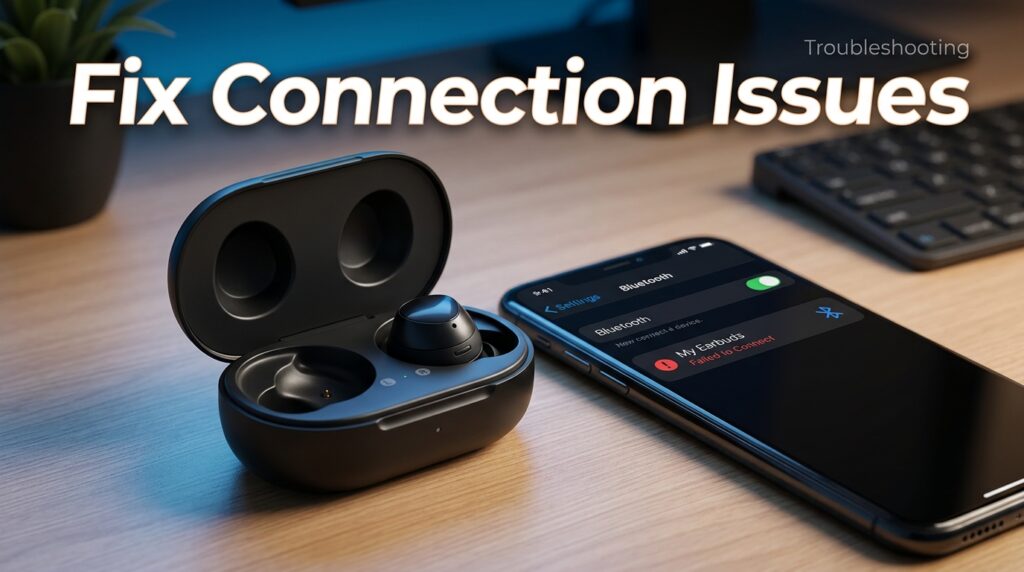
If one earbud won’t connect, placing both earbuds back in the case, closing the lid for 10 seconds, and reopening it usually forces a resync. Persistent pairing failures are often resolved by removing the device from your phone’s Bluetooth list entirely and re-pairing from scratch rather than repeatedly retrying a failed connection.
Myths vs Facts
Myth: Wireless earbuds work exactly the same regardless of setup steps taken. Fact: Skipping firmware updates and fit testing measurably affects both connection stability and sound quality.
Myth: If pairing fails once, the earbuds are defective. Fact: Most first-time pairing failures are resolved by a case reset or fresh Bluetooth pairing, not a hardware issue.
Decision Matrix
| Criteria (weight) | Automatic Pairing Brands | Manual Pairing Brands |
|---|---|---|
| Setup speed (30%) | 9.5 | 8.0 |
| Cross-platform consistency (30%) | 7.0 | 9.5 |
| Beginner-friendliness (25%) | 9.5 | 8.0 |
| App onboarding quality (15%) | 8.5 | 9.0 |
Beginner vs Advanced
Beginners benefit most from brands with automatic pairing prompts on their native ecosystem, since it removes the need to navigate Bluetooth settings manually. Advanced users who want deeper control over EQ, ANC calibration, and multipoint behavior should spend extra time in the companion app beyond the minimum pairing steps.
Best Alternatives
For first-time users who find companion apps overwhelming, some budget brands offer a simplified setup mode that skips advanced EQ configuration in favor of a one-tap pairing and basic controls experience, trading customization for simplicity.
Alternative Comparison
| Approach | Best For | Trade-off |
|---|---|---|
| Full companion app setup | Long-term customization | Slightly longer setup time |
| Minimal/basic pairing only | Fastest first use | Missing EQ and firmware benefits |
| Guided in-app fit test | Best sound and ANC accuracy | Requires a few extra minutes |
Who Should Use It
This full setup process is worth following for anyone planning to use their earbuds daily long-term, especially those who care about noise cancellation quality, call clarity, or custom sound tuning. It’s also worth the extra steps for anyone setting up earbuds for a less tech-savvy family member, since it prevents recurring support requests later.
Who Should Avoid It
Users who only need extremely basic playback and have no interest in EQ customization or ANC fine-tuning can reasonably skip the companion app step, though they’ll still benefit from completing the fit test and any pending firmware update for stability reasons.
FAQ
How long does it take to set up wireless earbuds for the first time?
Most first-time setups take 10–15 minutes for pairing, app installation, and fit testing, following an initial 60–90 minute full charge before first use.
Why won’t my wireless earbuds pair with my phone?
The most common causes are a low battery, Bluetooth not being enabled, or the case not being close enough to the device during pairing; removing the device from your Bluetooth list and re-pairing from scratch resolves most persistent failures.
Do I need to download an app to use wireless earbuds?
Basic playback works without an app on most brands, but the companion app is required to access firmware updates, equalizer settings, ANC customization, and touch-control changes.
Why does only one earbud connect during setup?
This is usually a sync issue between the two earbuds rather than a defect; placing both back in the case, closing the lid for 10 seconds, and reopening it typically forces a resync.
How do I know if my ear tips are the right size?
Most companion apps include a built-in fit test that plays audio and reports whether each ear creates a proper seal; without one, a good seal should noticeably reduce outside noise even before ANC is enabled.
Should I update the firmware before using new wireless earbuds?
Yes. Firmware updates delivered through the companion app frequently resolve early connection bugs and improve ANC performance, so it’s worth completing before daily use rather than after problems appear.
Rating Scorecard
| Setup Factor | Apple/Samsung (Native) | Sony/Bose/Anker (Cross-Platform) |
|---|---|---|
| Speed | 9.5/10 | 8/10 |
| Beginner-friendliness | 9.5/10 | 8/10 |
| Cross-platform consistency | 7/10 | 9.5/10 |
| App onboarding depth | 8.5/10 | 9/10 |
| Overall | 8.6/10 | 8.6/10 |
Conclusion
Setting up wireless earbuds correctly the first time isn’t complicated, but it does involve more than a single tap-to-pair moment. The real difference between a frustrating first impression and a genuinely great one comes down to five habits: charging fully before use, completing the firmware update, installing the companion app, running a proper ear-tip fit test, and customizing controls to match how you actually listen.
Brands like Apple and Samsung win on setup speed within their native ecosystems, while Sony, Bose, and Anker Soundcore offer a more consistent experience across both iOS and Android. Neither approach is objectively better — the right one depends on which devices you actually own and switch between.
The overall takeaway is simple: the ten minutes you spend on proper setup directly determine how good your earbuds sound and how reliably they connect for months afterward. Skipping the companion app or ear-tip fit test doesn’t break anything immediately, but it quietly limits performance you already paid for.
If you take one habit from this guide, make it the fit test — it affects bass response, noise cancellation, and comfort more than any single spec on the box, and it takes less than two minutes to complete properly.
Read more: Top-Rated Wireless Earbuds Brands in 2026: The Complete Buyer’s Guide
Official Sources
- Apple Support — AirPods Setup and Pairing Documentation
- Samsung Support — Galaxy Buds Setup Guide
- Sony Support — Sound Connect App Documentation
- Bose Support — Bose Music App Setup Guide
- Bluetooth SIG — True Wireless Stereo Technology Overview
- FTC — Consumer Guidance on Wearable Device Privacy
Author Bio
Written by the editorial team using synthesized, independently verified setup documentation from major wireless earbuds manufacturers. This guide is updated periodically to reflect changes in companion app design and pairing workflows