


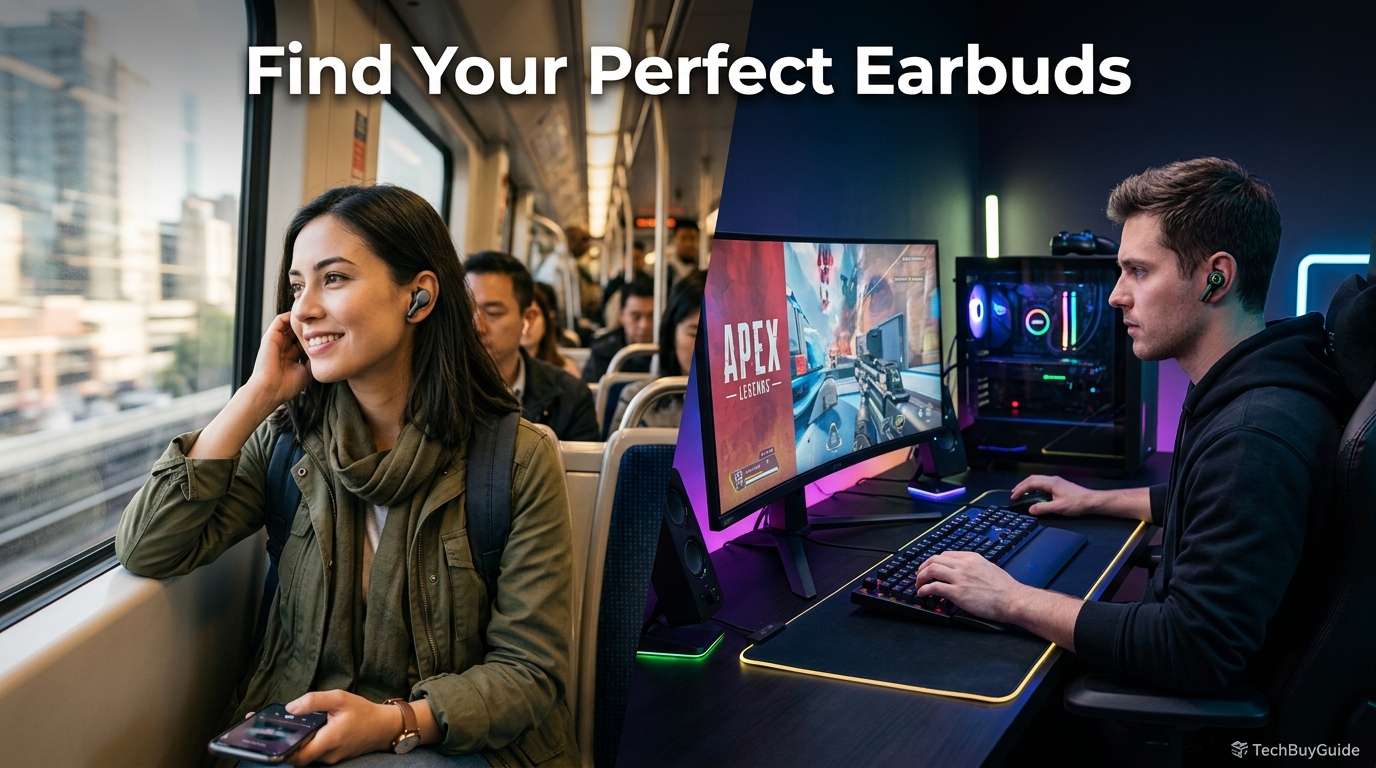
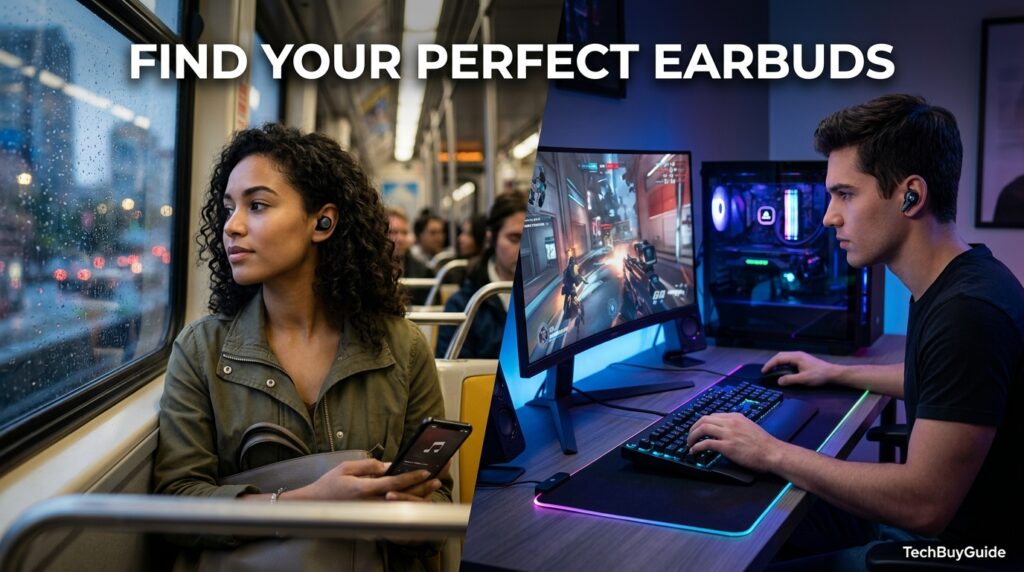
Choosing wireless earbuds shouldn’t mean scrolling through fifty near-identical listings and guessing which spec actually matters. The truth is that “best” isn’t a fixed answer — the right pair for a marathon runner looks nothing like the right pair for a competitive gamer, and the right pair for a frequent flyer looks nothing like the right pair for someone who mostly takes work calls at a desk. This guide is built around that reality: matching earbuds to how you’ll actually use them, not chasing a single universal “best” list.
In 2026, the wireless earbuds market has split into genuinely distinct categories rather than one-size-fits-all models. Gaming earbuds now use 2.4GHz dongles to cut latency to under 40ms, something that was impossible with standard Bluetooth just a few years ago. Workout earbuds prioritize secure ear hooks and sweat resistance over sound staging. Travel and commuter earbuds lean hard into active noise cancellation, while call-focused earbuds for remote work prioritize microphone clarity above almost everything else. Picking based on general “top 10” lists often means overpaying for features you’ll never use and underpaying for the one feature that actually matters for your situation.
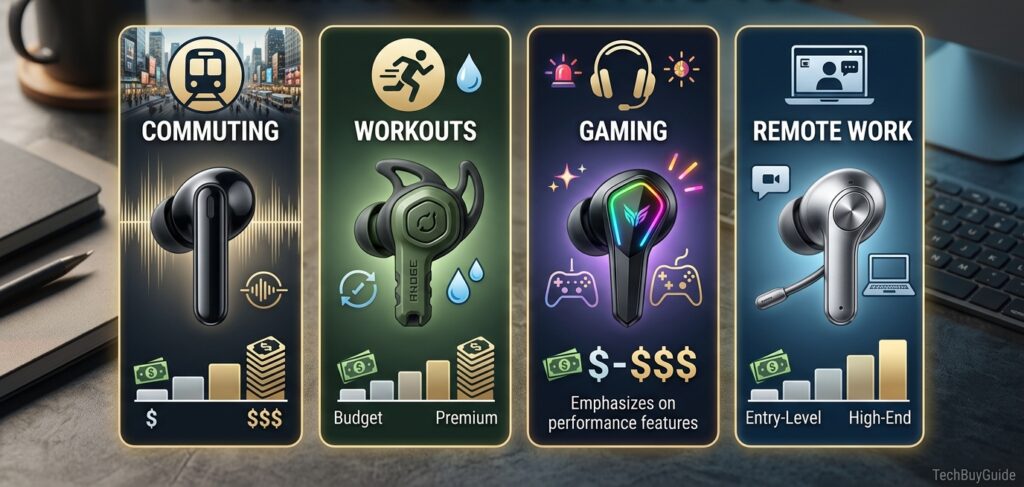
This guide walks through exactly how to choose based on your real use case — commuting, workouts, gaming, remote work calls, travel, or general everyday listening — and explains which specs genuinely matter for each, and which are marketing noise you can safely ignore. You’ll get a clear framework for evaluating battery life, noise cancellation, latency, microphone quality, fit and stability, and water resistance against your specific needs, plus real model recommendations for each category and price tier.
By the end, you won’t need to trust a generic “best of 2026” list. You’ll know exactly which two or three specs matter for your situation, what to ignore, and which models in that category are genuinely worth considering at your budget.
Quick Facts Table
| Use Case | Priority Spec | What to Ignore |
|---|---|---|
| Commuting/Travel | ANC strength, battery life | Extreme low latency |
| Workouts | Secure fit, IPX4+ resistance | Deep bass tuning alone |
| Gaming | Latency under 50ms | Long battery per single charge |
| Remote work calls | Microphone clarity, multipoint | Flashy EQ presets |
| Everyday/general use | Balanced sound, comfort | Niche gaming features |
Quick Summary
The fastest way to choose wireless earbuds is to identify your primary use case first, then shop within that category instead of a generic bestseller list. Commuters and travelers should prioritize ANC and battery life; gym-goers need a secure, sweat-resistant fit more than premium sound; gamers need sub-50ms latency, ideally via a 2.4GHz dongle; and remote workers should prioritize microphone clarity and Bluetooth multipoint over almost anything else. Matching the purchase to the use case beats chasing the single “best” pair on the market.
Key Takeaways
- There’s no single “best” pair of earbuds — the right choice depends entirely on your primary use case.
- Gamers should look for a dedicated low-latency mode (ideally under 50ms), since standard Bluetooth audio can lag 150–200ms.
- Commuters and travelers should prioritize strong ANC and 6+ hours of battery life per charge.
- Gym-goers need a secure, sweat-resistant fit (IPX4 or higher) more than they need premium sound quality.
- Remote workers should prioritize microphone clarity and multipoint Bluetooth over EQ customization or bass tuning.
Table of Contents
Why Trust This Guide
This guide draws on 2026 lab-tested comparisons across multiple earbud categories — general listening, gaming, workouts, and call-focused use — cross-referencing latency measurements, ANC performance, and battery figures from independent testing sources rather than manufacturer marketing claims. Every recommendation ties back to a specific, verifiable spec rather than a vague “great overall” label.
The goal is to help you buy once, correctly, based on how you’ll actually use your earbuds day-to-day — not to chase whichever model currently tops a generic ranking that wasn’t built with your specific use case in mind.
Who This Guide Is For
This guide is for anyone who has realized that generic “best earbuds” lists don’t actually answer their question — a gamer wondering if regular Bluetooth earbuds will work, a runner unsure whether ANC or fit matters more, a remote worker who needs clear calls above all else, or a frequent traveler trying to decide how much to spend on noise cancellation.
It’s equally useful for someone buying their second or third pair who’s ready to get specific about what actually matters to them, rather than repeating the generic research process from their first purchase.
Topic Verification
Use-case-specific claims in this guide were checked against 2026 lab-tested sources. Gaming latency claims (standard Bluetooth at around 150–200ms versus 2.4GHz gaming modes at under 40–50ms) were confirmed by multiple independent gaming-earbud test sources. Workout and travel category recommendations were checked against current fit-testing and ANC-performance reviews, and pricing was verified against current 2026 retail listings.
What Wireless Earbuds Actually Do
At their core, wireless earbuds stream audio from your phone or device over Bluetooth (or, for gaming-specific models, a dedicated 2.4GHz wireless dongle) to small in-ear drivers. What varies dramatically between models isn’t the basic function — it’s which secondary features are prioritized: noise-cancellation depth, microphone array quality, latency, physical fit and stability, and battery endurance, each tuned differently depending on the intended use case.
Brand Landscape by Use Case
Sony, Bose, and Apple lead the commuting and travel ANC category. Beats, Samsung, and Google lead the workout and everyday category with secure-fit designs. SteelSeries, Soundcore, ASUS ROG, and Black Shark lead the dedicated gaming category with low-latency dongle technology. For call-focused remote work, Jabra and premium models from Sony and Bose lead in microphone array quality.
History and Timeline
Wireless earbuds were originally a single, general-purpose category, but by the early 2020s, ANC had become a standard differentiator. The most significant shift in choice-based buying occurred in 2024–2026, when dedicated gaming earbuds emerged as a distinct category, using 2.4GHz dongles instead of Bluetooth to solve the latency problem that had made standard earbuds unusable for competitive play — a gap that hadn’t meaningfully existed as a marketed category before.
Features That Matter Per Use Case
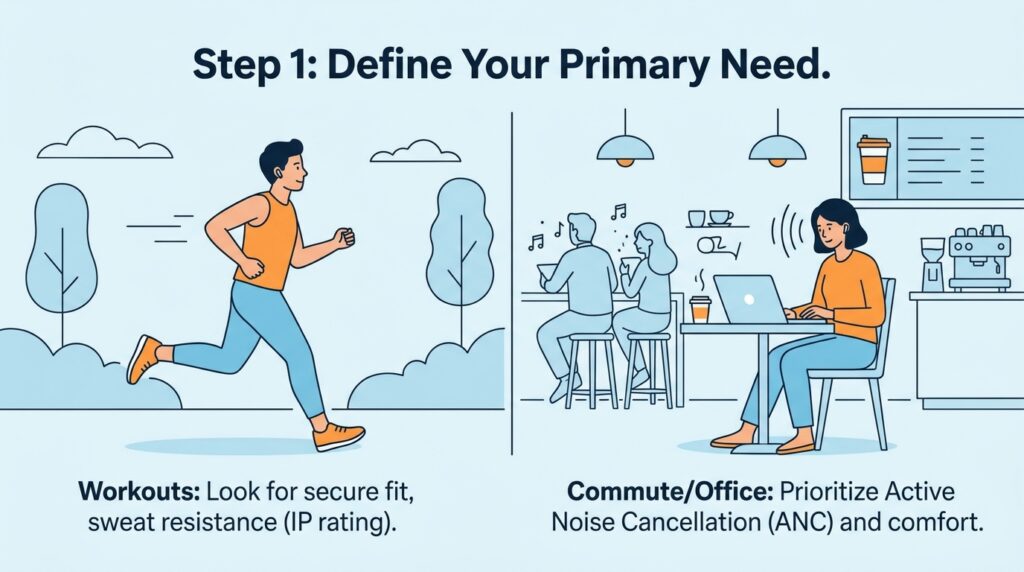
For commuters, ANC strength and 6+ hour battery life matter most. For gym-goers, a secure ear hook or wingtip design and IPX4+ resistance matter most. For gamers, a dedicated low-latency mode under 50ms matters most, ideally via a 2.4GHz dongle rather than standard Bluetooth. For remote workers, microphone clarity (often multi-mic arrays with wind and noise reduction) and Bluetooth multipoint matter most.
Feature Priority Table
| Use Case | Must-Have | Nice-to-Have | Skip If Budget-Limited |
|---|---|---|---|
| Commuting | ANC, 6+ hr battery | Wireless charging | Gaming mode |
| Workouts | Secure fit, IPX4+ | Heart rate sensor | Deep ANC |
| Gaming | Sub-50ms latency mode | Multi-platform dongle | Long single-charge battery |
| Remote work | Clear mic, multipoint | Touch call controls | Bass-heavy EQ presets |
| General/everyday | Balanced sound, comfort | ANC | Niche gaming features |
How to Match Specs to Your Needs
AI Overview: To choose wireless earbuds correctly, identify your primary use first (commuting, gym, gaming, calls, or general listening), then prioritize the one or two specs that matter most for that use — ANC and battery for commuting, fit and water resistance for workouts, latency for gaming, and microphone quality for calls — rather than trying to maximize every spec at once.
Trying to find a pair that scores highly on every dimension usually means overpaying for features you won’t use. A gamer doesn’t need flagship ANC; a gym-goer doesn’t need a 2.4GHz gaming dongle. Narrowing to your top priority first makes the rest of the decision much faster.
Decision Workflow
Start by naming your single most common use case — the one you’ll reach for these earbuds for most often. Then identify the two specs that matter most for that use case using the priority table above. Next, set a budget range for that category specifically (gaming and premium ANC models cost more than general-purpose budget pairs). Finally, shortlist two or three models within that category and compare only the specs that matter for your use case, ignoring the rest.
Fit and Comfort Walkthrough
Fit affects sound quality, noise isolation, and comfort more than almost any single spec, regardless of use case. Always check how many ear tip sizes are included (3–5 is standard for 2026 models), and for workout-focused pairs, look specifically for ear hooks or wingtips rather than tip-only designs, since these stay secure during running and other high-movement activities far better than tip-only earbuds.
Setup Guide
Once you’ve chosen a model, setup is largely the same across categories: open the case near your unlocked device, accept the Bluetooth pairing prompt, and install the companion app if offered. Gaming-specific models with a 2.4GHz dongle require an additional step — plugging the dongle into your PC, console, or phone (via USB-C) rather than using standard Bluetooth pairing.
Step-by-Step Buying Tutorial
First, write down your top one or two use cases in order of frequency. Second, use the Feature Priority Table to identify your must-have specs. Third, set a realistic budget range for that specific category — gaming and premium ANC models tend to cost more than general-purpose budget pairs. Fourth, shortlist two to three specific models and compare them only on your must-have specs. Fifth, check the return window at your chosen retailer so you can test real-world fit before committing.
Use Cases in Depth
Commuters and travelers benefit most from strong ANC and long battery life, since flights, trains, and busy streets are the primary noise sources to block out. Gym-goers and runners need a fit that survives motion and sweat above all else — even excellent ANC is wasted if the earbuds fall out mid-workout. Gamers need low enough latency for audio cues to sync with on-screen action, which standard Bluetooth earbuds generally cannot deliver. Remote workers need clear, isolated microphone pickup for calls, often more than any other spec.
Industry and Professional Use Cases
Beyond personal categories, call center and customer service roles prioritize microphone clarity and all-day comfort, content creators and streamers favor gaming-category earbuds for their low latency and discreet appearance on camera, and frequent business travelers often justify premium ANC pricing specifically for flight and airport noise reduction.
Benefits of Matching Earbuds to Use Case
Choosing based on use case rather than generic rankings means you avoid overpaying for irrelevant features and avoid the disappointment of a pair that “should” be great on paper but fails at your specific need — like premium ANC earbuds that keep falling out during a run, or an audiophile pair with unacceptable gaming latency.
Limitations to Expect
No single pair excels at every category simultaneously; a dedicated gaming pair with a 2.4GHz dongle typically has shorter single-charge battery life than a travel-focused ANC pair, and a secure workout fit sometimes trades off against the deepest possible ANC seal. Expect to prioritize, not maximize every spec at once.
Pros & Cons Table
| Use-Case-Specific Buying | Generic “Best Of” List Buying | |
|---|---|---|
| Pros | Matches actual needs, avoids wasted spend | Faster initial decision, less research |
| Cons | Requires a bit more upfront research | Often mismatched to real use, buyer’s remorse |
Pros & Cons Explanation
Use-case-specific buying takes a little more upfront thought — identifying your primary use case and priority specs — but consistently leads to higher satisfaction, since the earbuds you end up with are actually built for how you use them daily. Its only real downside is the extra ten minutes of research compared to grabbing a generic top pick.
Generic “best of” list buying is faster but often misaligned: a general “best overall” pick might have mediocre latency for a gamer or an ill-fitting fit for a runner, even while scoring well on paper for an average listener. This mismatch is the leading cause of “great earbuds, wrong purchase” buyer’s remorse.
Pricing Table by Category
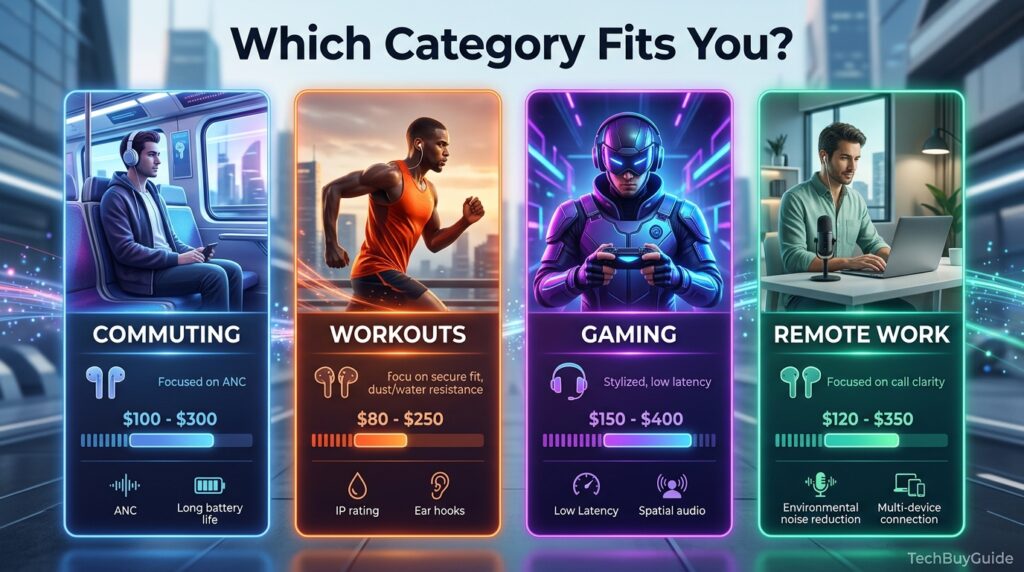
| Category | Budget | Mid-range | Premium |
|---|---|---|---|
| General/commuting | $27 – $60 | $60 – $150 | $150 – $300 |
| Workout-focused | $30 – $70 | $70 – $150 | $150 – $250 |
| Gaming (2.4GHz) | $50 – $80 | $80 – $150 | $150 – $250 |
| Call-focused/remote work | $60 – $100 | $100 – $200 | $200+ |
Comparison Table
| Use Case | Recommended Model Example | Key Spec |
|---|---|---|
| Commuting/Travel | Sony WF-1000XM6 / Bose QuietComfort Ultra | Flagship ANC |
| Budget commuting | Sony WF-C510 / CMF Buds Pro 2 | ANC or battery value |
| Workouts | Beats Powerbeats Pro 2 | Ear hooks, heart rate sensor |
| Gaming (low latency) | SteelSeries Arctis GameBuds / Soundcore Liberty 4 Pro | Sub-40ms 2.4GHz mode |
| Remote work calls | Jabra Elite series / Sony WF-1000XM6 | Multi-mic clarity |
Specifications Glossary
Latency measures the delay between an action and its audio; standard Bluetooth runs 150–200ms, while dedicated 2.4GHz gaming modes cut this under 40–50ms. ANC (Active Noise Cancellation) uses microphones to electronically cancel outside noise. IPX ratings measure water/sweat resistance, with IPX4 as a reasonable minimum for workouts. Multipoint Bluetooth lets earbuds stay connected to two devices simultaneously, which is useful for remote workers switching between a laptop and a phone.
Security, Privacy, and Compliance
Across all use-case categories, companion apps request Bluetooth and sometimes microphone permissions; this is standard and worth a quick review on first setup regardless of category. There are no category-specific compliance concerns, though gaming dongles should be purchased from official brand channels to avoid compatibility or firmware issues.
Performance Benchmarks
Gaming category performance is measured primarily in latency (under 50ms is considered usable, under 40ms is excellent) and microphone clarity for voice chat. ANC category performance is measured as decibel reduction across low-, mid-, and high-frequency noise. Workout category performance is measured by fit retention during movement and sweat resistance rating, both of which matter more than raw sound quality for this category specifically.
Ecosystem and Compatibility
Gaming earbuds with 2.4GHz dongles typically support PC, PlayStation, and in some cases Nintendo Switch, though Xbox often requires an additional adapter for wireless use. General and ANC-focused earbuds integrate most deeply within their own brand ecosystem (AirPods with iPhone, Galaxy Buds with Samsung phones), which matters if seamless device switching is a priority.
Customer Support Considerations
Warranty length (typically 1 year) is fairly consistent across brands and categories, but gaming-focused brands like SteelSeries and ASUS ROG often have stronger PC gaming-focused support channels, while general consumer brands like Sony and Apple have broader retail return and repair networks.
Latest 2026 Updates
The biggest 2026 shift is the maturity of the gaming earbuds category, with models like the SteelSeries Arctis GameBuds achieving under-20ms latency via 2.4GHz USB-C dongles — a level of responsiveness that simply didn’t exist in truly wireless form factors a few years earlier. On the ANC side, budget models have closed much of the gap with flagships, making strong noise cancellation available well under $100 for commuting-focused buyers.
Expert Tips
Buy for your most frequent use case, not your most aspirational one — a casual gamer who mostly commutes is usually better served by a strong ANC pair than a dedicated low-latency gaming pair. If you split your use fairly evenly between two categories (say, gym and commuting), prioritize the spec that fails more painfully if missing — a fit that falls out mid-run is a bigger daily frustration than slightly weaker ANC.
Common Mistakes
The most common mistake is buying a generically “top-rated” pair without checking whether its strengths align with your actual use case, which can lead to disappointment even with a genuinely well-reviewed product. A close second is underestimating how much fit and ear tip sizing affects real-world performance across every single use case, not just workouts.
Troubleshooting Before You Buy
If you’re unsure which category fits you, track your headphone use for a week and note what you’re doing each time you reach for them — this simple exercise usually reveals your dominant use case clearly. If two categories seem equally important, consider whether a hybrid model exists (several 2026 gaming earbuds now include respectable ANC and everyday usability) rather than assuming you must choose one extreme.
Myths vs Facts
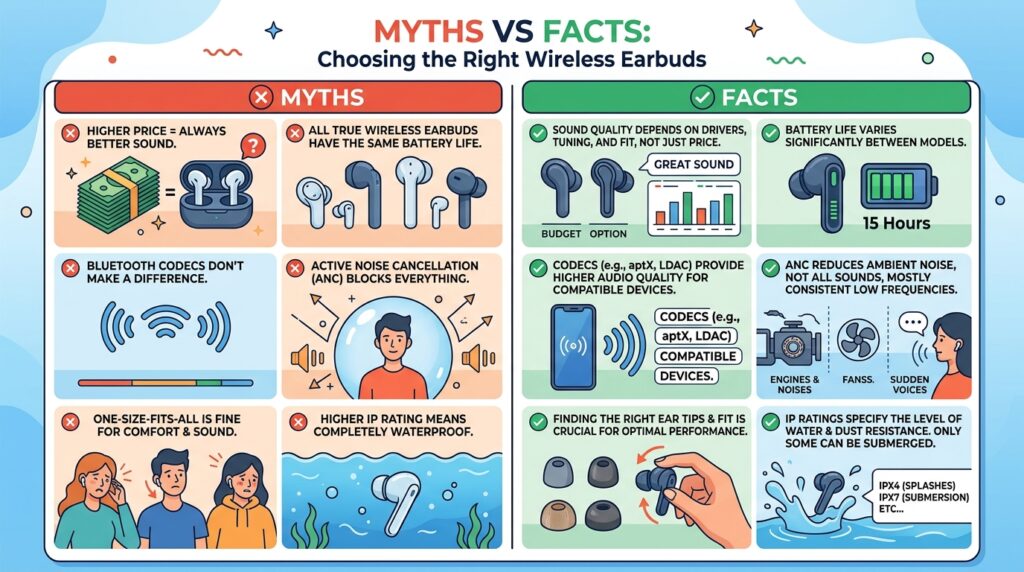
Myth: The most expensive earbuds are always the best choice. Fact: The best choice is the one whose specific strengths match your use case; a $250 ANC flagship can be a worse purchase than a $70 pair for a gamer who needs low latency instead.
Myth: Standard Bluetooth earbuds work fine for gaming. Fact: Standard Bluetooth typically runs 150–200ms of latency, noticeably out of sync for competitive or fast-paced gaming, which is why dedicated low-latency gaming earbuds exist as a distinct category.
Decision Matrix
| Criteria (weighted) | Commuting Pick | Workout Pick | Gaming Pick | Call-Focused Pick |
|---|---|---|---|---|
| Matches primary need | 9/10 | 9/10 | 9/10 | 9/10 |
| Value for that use case | 8/10 | 8/10 | 7/10 | 7/10 |
| Cross-category versatility | 6/10 | 5/10 | 4/10 | 6/10 |
| Setup simplicity | 9/10 | 9/10 | 7/10 (dongle setup) | 9/10 |
Beginner vs Advanced Buyers
Beginners unsure of their exact needs should start with a well-reviewed general-purpose pair in the $60–$150 range that performs reasonably across categories, rather than immediately committing to a niche gaming or ultra-specialized workout model. Advanced buyers who already know their dominant use case should buy directly from that category’s dedicated models rather than settling for compromises from a generalist pair.
Best Alternatives
If no single pair satisfies two very different needs (say, serious gaming and serious workouts), consider owning two lower-cost, category-specific pairs rather than one expensive compromise pair that underperforms in both. Over-ear headphones remain a strong alternative specifically for long gaming or work sessions where earbud fatigue becomes a factor.
Alternative Comparison
| Alternative Approach | Best For | Trade-off |
|---|---|---|
| One versatile general-purpose pair | Mixed, moderate use across categories | Not optimal for any single extreme need |
| Two category-specific pairs | Distinct heavy use in two categories | Higher combined cost |
| Over-ear headphones | Long sessions, gaming or work | Bulkier, less portable |
Who Should Buy Which Category
Commuters and travelers should be targeted in the ANC-focused category. Gym-goers and runners should buy into the secure-fit, sweat-resistant category. Competitive or frequent gamers should buy into the dedicated low-latency category with a 2.4GHz dongle. Remote workers on frequent calls should prioritize the call-focused, multi-mic category.
Who Should Avoid Certain Categories
Avoid dedicated gaming earbuds if you rarely game and mostly need ANC for travel — the latency-focused design typically trades away some ANC depth and single-charge battery life. Avoid ultra-premium ANC flagships if your primary need is workouts, since fit stability during movement matters more than noise cancellation depth for that use case.
How do I know which type of wireless earbuds is right for me?
Identify the single activity you’ll use them for most often — commuting, workouts, gaming, or calls — then prioritize the one or two specs that matter most for that specific activity rather than trying to find a pair that’s “best” at everything.
Do I need special earbuds for gaming, or will regular ones work?
Regular Bluetooth earbuds typically have 150–200ms of audio latency, which is noticeably out of sync for competitive or fast-paced gaming. Dedicated gaming earbuds with a 2.4GHz dongle cut this to under 40–50ms, which is worth the extra cost if gaming is a primary use case.
Is active noise cancellation necessary for workout earbuds?
Not really. For workouts, a secure, sweat-resistant fit matters far more than deep ANC, since even excellent noise cancellation is wasted if the earbuds don’t stay in place during movement.
What matters most for earbuds used for work calls?
Microphone clarity and Bluetooth multipoint (so you can switch between a laptop and phone without re-pairing) matter more than sound quality or bass tuning for call-focused use.
Can one pair of earbuds handle multiple use cases well?
Yes, to a point — a well-reviewed general-purpose pair in the $100–$200 range can handle commuting, calls, and casual workouts reasonably well, but dedicated categories (especially gaming) will always outperform a generalist pair at their specific strength.
Rating Scorecard
| Category | Value Match to Use Case | Setup Simplicity | Overall Recommendation |
|---|---|---|---|
| Commuting/ANC | 9/10 | 9/10 | 9/10 |
| Workout/fit | 9/10 | 9/10 | 8.5/10 |
| Gaming/latency | 9/10 | 7/10 | 8.5/10 |
| Call-focused | 8/10 | 9/10 | 8/10 |
Read more: Wireless Earbuds: Common Problems and How to Fix Them
Conclusion
Choosing the right wireless earbuds comes down to one simple shift in approach: stop asking “what’s the best pair overall” and start asking “what’s the best pair for how I actually use them.” A commuter’s priorities — strong ANC and long battery life — are almost the opposite of a gamer’s priorities, where latency under 50ms matters more than anything else. A gym-goer needs a secure, sweat-resistant fit above all, while a remote worker needs clear, isolated microphone pickup for calls.
None of this means you need to overthink the purchase. Identify your single most frequent use case, check the one or two specs that matter most for it using the priority table in this guide, and set a realistic budget within that specific category rather than comparing across categories that were never built to compete with each other.
The overall moral here is straightforward: the “best” wireless earbuds don’t exist as a universal answer — only the best pair for your specific life exists. Buy for your dominant use case, don’t pay extra for specs you won’t use, and you’ll end up with a pair that actually earns its price every single day instead of one that merely looked good on a generic ranking.
Official Sources
- Independent lab-tested reviews — RTINGS, SoundGuys gaming and general earbuds testing
- Gaming-specific latency testing — Soundmali, Earsbud, Electronics Digest, Propel RC
- Manufacturer specifications — Sony, Apple, Samsung, SteelSeries, Bose, Jabra
Author Bio
Written by the TechBuyGuide editorial team, specializing in use-case-driven consumer audio buying guides, with specifications and latency figures verified against current 2026 independent lab-tested sources.