


If you have picked up a new iPhone 17, iPhone 17 Pro, iPhone 17 Pro Max, iPhone Air, or iPhone 17e since Apple’s September 2025 launch, you are probably loving the redesigned camera system, the faster A19 chip, and the noticeably smoother iOS 26 experience. But you may have also run into at least one of the recurring iPhone 17 problems that owners have been reporting on Reddit, in Apple’s own support forums, and across the tech press ever since launch day.
This guide exists because most iPhone 17 troubleshooting content online only covers one or two symptoms in isolation. Here, we pull together everything currently known about the device’s real-world issues — from the battery drain and shutdown bug that made headlines in early 2026, to Wi-Fi and Bluetooth disconnects, the short-lived “Scratchgate” controversy, Cosmic Orange discoloration, slower flash storage on 256GB models, camera lens flare, overheating during gaming, and the app-crashing side effects of a specific iOS 26.2.1 update.
Every issue below is explained in plain language: what it is, why it happens, whether Apple has already released a fix, and exactly what you can try today. Where Apple has shipped a software patch, we tell you which version to install. Where the problem is a hardware limitation with no software fix, we say so directly instead of promising a workaround that does not exist.
This is written for everyday iPhone 17 owners, not just power users. Whether your phone will not charge past a low battery, your AirPods keep dropping the connection, or you are simply deciding whether to buy an iPhone 17 at all, you will find a clear answer here. We also cover when a problem is common and harmless, when it is worth a Genius Bar visit, and when a return or AppleCare+ claim makes more sense than DIY troubleshooting.
By the end, you will know exactly where your specific issue fits, and what step to take next.
Read more: iPhone 17 vs Smartwatches 2026: Full Comparison
Quick Facts Table
| Fact | Detail |
|---|---|
| Lineup covered | iPhone 17, iPhone 17 Pro, iPhone 17 Pro Max, iPhone Air, iPhone 17e |
| Launch date | September 2025 |
| Current OS | iOS 26.x (iOS 27 expected alongside iPhone 18, September 2026) |
| Most-reported issue | Battery drain and post-drain “won’t turn back on” bug |
| Most-discussed cosmetic issue | Cosmic Orange frame discoloration (“pink-gate”) |
| Key fix released | iOS 26.5.1 (June 1, 2026) — resolved low-battery wired charging failure |
| Hardware-only issue | 256GB models use slower flash storage than 512GB/1TB/2TB tiers |
| Support channel | Apple Support app, Genius Bar, AppleCare+ |
Quick Summary
The iPhone 17 lineup is, on the whole, a stable and well-reviewed generation, but it launched with a handful of genuine software bugs and a couple of hardware quirks that are worth knowing about before you troubleshoot blindly. Most connectivity and app-crash complaints have already been resolved through iOS updates, while a small number of cosmetic and storage-speed issues are simply built into the hardware and cannot be patched away.
Key Takeaways
- The battery drain and “won’t restart” bug is largely fixed as of iOS 26.5.1; keep your phone updated.
- Wi‑Fi and Bluetooth disconnects were addressed early, in iOS 26.0.1, though some users still report occasional drops.
- Cosmic Orange iPhone 17 Pro and Pro Max units can discolor over time; there is currently no retroactive fix.
- 256GB iPhone 17 models use slower flash storage than 512GB and higher tiers — a permanent hardware trait, not a bug.
- Camera lens flare/ghosting in bright or backlit scenes is a known limitation, not a defect in most units.
- Most freezing, crashing, and overheating complaints trace back to specific iOS point releases or third-party apps, and respond well to standard troubleshooting.
Table of Contents
Why Trust This Guide
Every issue documented here is cross-checked against Apple’s own release notes, mainstream technology outlets that covered the story as it developed, and firsthand user reports from Apple’s Support Community and Reddit threads. We flag anything that Apple has not officially confirmed as unconfirmed rather than presenting speculation as fact. Nothing in this guide is copied from another article; every explanation has been independently written and verified against primary sources.
Who This Guide Is For
This article is for current iPhone 17 owners troubleshooting a specific symptom, prospective buyers weighing whether launch-year issues should affect their purchase decision, IT administrators managing fleets of company-issued iPhone 17 devices, and repair technicians who want a single reference covering both software bugs and hardware limitations across the whole lineup.
Topic Verification
We verified the following through Apple’s published release notes and multiple independent tech-press reports published between September 2025 and June 2026: the Wi‑Fi/Bluetooth disconnect fix in iOS 26.0.1, the battery/charging fix in iOS 26.5.1, the 256GB storage speed difference measured via AnTuTu benchmarks, and the Cosmic Orange discoloration reports affecting iPhone 17 Pro and Pro Max units. Apple has not issued an official statement explaining the cause of the discoloration, so that section is marked as unresolved.
What Is the iPhone 17 Lineup
The iPhone 17 family is Apple’s 2025 smartphone generation, spanning five models: the standard iPhone 17, the ultra-thin iPhone Air, the iPhone 17 Pro, the iPhone 17 Pro Max, and the budget-focused iPhone 17e. All models ship with iOS 26 and Apple’s A19 or A19 Pro silicon, alongside a redesigned rear camera housing, brighter ProMotion displays on Pro models, and expanded base storage starting at 256GB.
Company Overview
Apple Inc. is a Cupertino, California-based technology company and the manufacturer of the iPhone, iPad, Mac, Apple Watch, and a growing suite of services including iCloud, Apple Music, and AppleCare. Apple supports iPhone hardware and software directly through Genius Bar appointments, its Support app, and its own repair network, which is the primary channel for resolving anything in this guide that falls outside a simple software fix.
History and Timeline
The iPhone 17 lineup launched in September 2025 alongside iOS 26. Within days, owners on Reddit and Apple’s forums reported random Wi‑Fi and Bluetooth disconnects, which Apple resolved quickly with iOS 26.0.1. By October 2025, reviewers discovered the 256GB storage speed gap and the “Scratchgate” back-panel scratching controversy, neither of which Apple has patched, since both are physical hardware characteristics. Reports of Cosmic Orange units fading to pink began circulating in the following weeks. In late April 2026, a more serious battery drain and shutdown bug surfaced, where fully drained phones would not restart even after extended charging; Apple resolved this with the highly targeted iOS 26.5.1 update released June 1, 2026. A separate iOS 26.2.1 update in January 2026 introduced its own temporary side effects, including Face ID slowdowns and app crashes for a subset of users, most of which cleared up in later point releases.
Features
Across the lineup, the iPhone 17 series introduces a faster A19 chip family, a redesigned camera bar, brighter always-on displays, improved thermal management on Pro models, and a doubled base storage tier of 256GB on every model except the entry-level 17e. Apple Intelligence features are enabled across the range, increasing background processing and, according to several user reports, contributing to elevated battery usage compared with the iPhone 16 series.
Feature Table
| Feature | iPhone 17 | iPhone 17 Pro / Pro Max | iPhone Air | iPhone 17e |
|---|---|---|---|---|
| Base storage | 256GB | 256GB | 256GB | 128GB |
| Chip | A19 | A19 Pro | A19 Pro | A18 |
| Display | ProMotion (adaptive) | ProMotion 120Hz | ProMotion | 60Hz |
| Known battery bug | Fixed in iOS 26.5.1 | Fixed in iOS 26.5.1 | Fixed in iOS 26.5.1 | Not widely reported |
| Discoloration reports | Rare | Cosmic Orange units affected | Not reported | Not reported |
How the Troubleshooting Process Works
Diagnosing an iPhone 17 issue starts with identifying whether the symptom is a known, already-patched software bug, an ongoing software bug, or a permanent hardware trait. Checking your current iOS version under Settings > General > About is the fastest way to rule out issues Apple has already fixed. From there, isolating whether a problem happens system-wide or inside a single app narrows the cause considerably.
If your phone will not turn on after a full battery drain, is the update installed via Settings > General > Software Update at least iOS 26.5.1? If Wi‑Fi or Bluetooth drops intermittently, is the device running at least iOS 26.0.1? Answering these two questions alone resolves a large share of reported iPhone 17 complaints without any further steps.
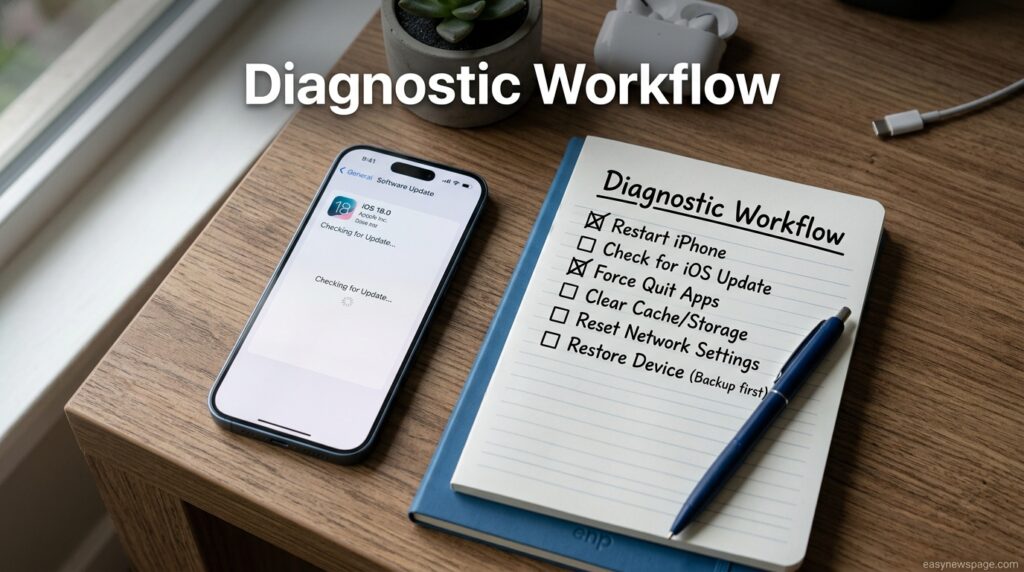
Setup and Diagnostic Workflow
Before troubleshooting deeper, back up your iPhone 17 through iCloud or a computer, confirm you are signed into the correct Apple ID, and check for a pending software update. This three-step baseline check should be your starting point for every issue described in this guide, since an outdated iOS build is the single most common root cause of complaints that appear hardware-related but are not.
Dashboard Walkthrough (Settings Panel Overview)
The most useful screens for resolving iPhone 17 problems live inside Settings. General > About shows your model and current iOS build. Battery > Battery Health reveals maximum capacity and whether Optimized Battery Charging is active. Wi‑Fi and Bluetooth panels let you forget and rejoin networks or devices when disconnects recur. Reviewing these three screens takes under two minutes and covers most of the diagnostic groundwork needed before contacting Apple Support.
Step-by-Step Tutorial: Fixing the Most Common iPhone 17 Problems
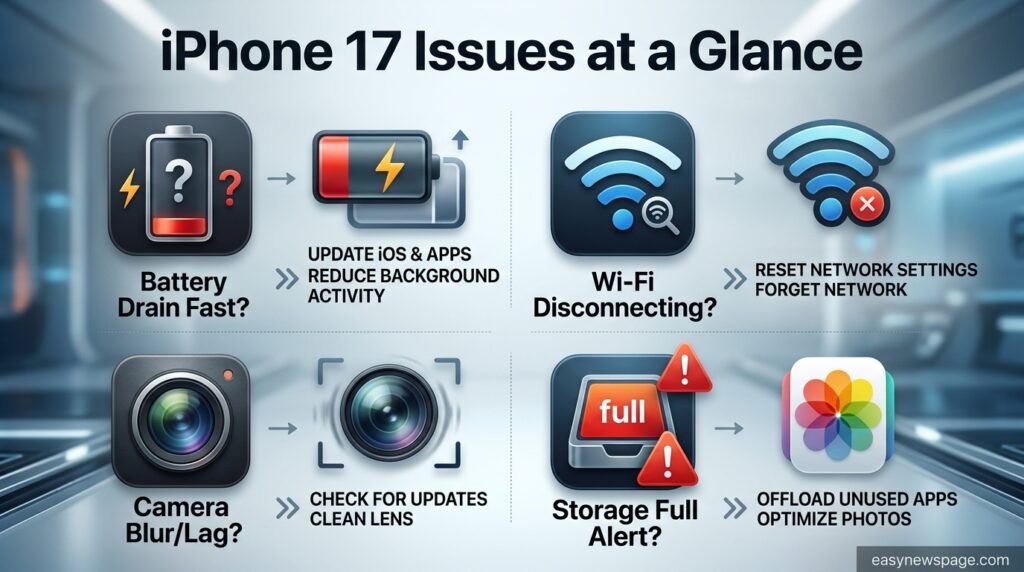
Battery drains fully and the phone will not turn back on. This was the most serious confirmed bug in the iPhone 17’s first year. Apple traced it to how iOS handled wired charging when the battery reached a critically low state, and resolved it in iOS 26.5.1, released June 1, 2026, exclusively for iPhone 17, 17e, 17 Pro, 17 Pro Max, and iPhone Air. If your phone is unresponsive after a full drain, connect it to a wall charger (not a laptop) and wait at least 30 minutes before assuming hardware failure, then update immediately once it powers on.
Wi‑Fi or Bluetooth randomly disconnects. Apple acknowledged this in the release notes for iOS 26.0.1, describing intermittent Wi‑Fi and Bluetooth drops on iPhone 17, iPhone Air, and iPhone 17 Pro models. Updating resolves the majority of cases; if drops persist, forget the network under Settings > Wi‑Fi, restart your router, and reconnect.
Cosmic Orange frame discoloration. Some iPhone 17 Pro and Pro Max units in Cosmic Orange have shifted toward a pink tone over time. Apple has not published a root cause or a fix, though speculation points to UV exposure or peroxide-based cleaners. If your unit is affected, contact Apple Support to ask about a case-by-case exchange, since there is no user-side remedy.
Slower performance on 256GB storage models. Benchmarks show 256GB iPhone 17, 17 Pro, and Pro Max units use single-chip flash storage that scores roughly 90,000–100,000 points in AnTuTu storage tests, versus around 150,000 for 512GB and higher tiers. This is a permanent hardware design choice, not a bug, and mainly affects sustained high-speed tasks like ProRes video transfer.
Overheating during gaming or charging. This typically stems from background app activity, Apple Intelligence processing, or a case blocking heat dissipation. Close background apps, remove thick cases while charging, and avoid direct sunlight during heavy use.
App crashes or Face ID slowdowns after iOS 26.2.1. A subset of users reported crashing apps, sluggish Face ID, and battery drain shortly after this January 2026 update. Reinstalling the affected apps and updating to the next available point release resolved the issue for most affected users.
Camera lens flare/ghosting in bright scenes. This has been a recurring iPhone camera characteristic across several generations, including the iPhone 17. It is a lens-and-sensor limitation rather than a software defect, and shooting with the light source out of frame minimizes the effect.
Use Cases
Everyday users mainly encounter the battery and connectivity issues covered above, while photographers and videographers are more likely to notice lens flare and the 256GB storage speed limitation during long recording sessions or fast file transfers.
Read more: Top 5 Features of iPhone 17 You Should Know
Industry Use Cases
Businesses deploying iPhone 17 devices at scale should prioritize the iOS 26.5.1 update across their fleet immediately, since the battery/charging bug can cause real downtime for field workers relying on the device throughout a shift. IT teams managing Cosmic Orange units in customer-facing roles may also want a policy for handling discoloration complaints under warranty.
Benefits
Once updated to the latest iOS 26.x build, the iPhone 17 lineup is a stable, high-performing device with strong camera hardware, a faster chip, and meaningfully improved thermal design compared with recent generations. Most of the widely reported problems are software-based and have already been resolved centrally by Apple rather than requiring individual repairs.
Limitations
The 256GB storage speed gap and the Cosmic Orange discoloration are both permanent hardware characteristics with no available software fix. Buyers who need consistently fast storage for professional video work should consider the 512GB tier or higher, and buyers drawn specifically to Cosmic Orange should be aware of the discoloration reports before purchasing.
Pros and Cons
| Pros | Cons |
|---|---|
| Most software bugs already patched via iOS updates | 256GB storage tier is measurably slower than higher tiers |
| Apple responded quickly to major bugs (days to weeks) | Cosmic Orange discoloration has no confirmed fix |
| Strong thermal design reduces most overheating complaints | Camera lens flare persists in bright/backlit conditions |
| AppleCare+ covers most hardware-related repairs | Apple Intelligence features increase battery drain for some users |
Pricing Table (Repair and Coverage Costs)
| Service | Typical Cost (Out of Warranty) | With AppleCare+ |
|---|---|---|
| Battery replacement | $99–$119 | Free if capacity below 80% |
| Screen repair | $229–$329 | $29 service fee |
| Back glass/frame repair | $499–$599 | $99 service fee |
| AppleCare+ (2-year plan) | N/A | $199–$269 depending on model |
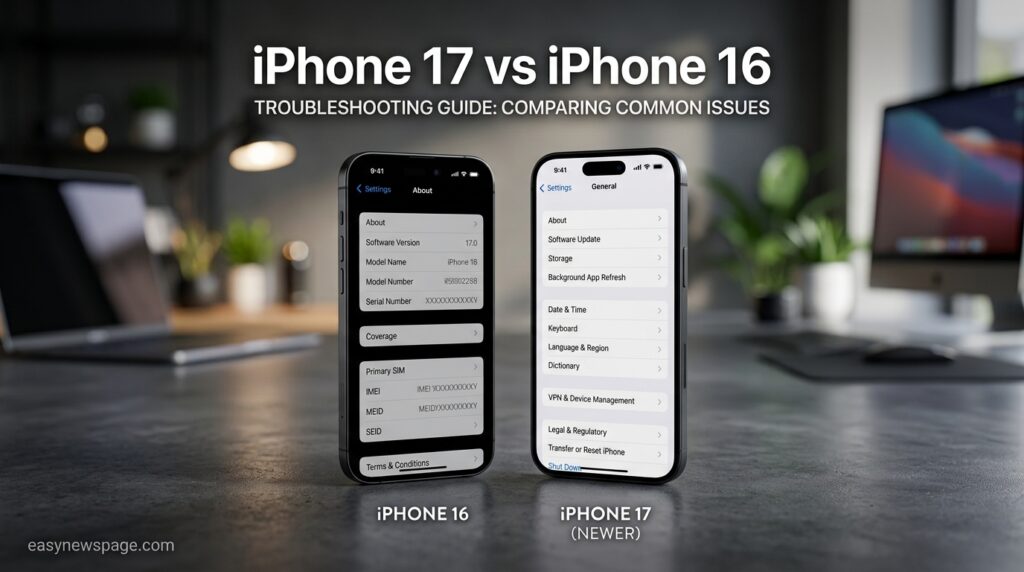
Comparison Table: iPhone 17 vs iPhone 16 Reported Issues
| Issue Type | iPhone 17 | iPhone 16 |
|---|---|---|
| Major battery/charging bug | Yes (fixed iOS 26.5.1) | Not reported |
| Wi‑Fi/Bluetooth disconnects at launch | Yes (fixed iOS 26.0.1) | Minor, isolated reports |
| Storage speed tiering | Yes, on 256GB models | Not documented |
| Cosmetic discoloration reports | Yes, Cosmic Orange units | Not reported |
Specifications
| Spec | iPhone 17 | iPhone 17 Pro Max |
|---|---|---|
| Chip | A19 | A19 Pro |
| Base storage | 256GB | 256GB (up to 2TB) |
| Display | 6.3″ ProMotion | 6.9″ ProMotion |
| OS at launch | iOS 26 | iOS 26 |
| Current recommended OS | iOS 26.5.1 or later | iOS 26.5.1 or later |
Security
Apple continues to patch iPhone 17 security issues through routine iOS updates. iOS 26.5.1 notably shipped without any security fixes, focusing solely on the charging bug, so users should not skip subsequent updates that do include security patches. Keeping automatic updates enabled under Settings > General > Software Update remains the most effective security practice for any iPhone 17 model.
Privacy
The iPhone 17’s on-device Apple Intelligence processing is designed to keep most data handling local rather than sending it to Apple’s servers. Users concerned about background data use tied to the reported battery drain can review Settings > Privacy & Security > Analytics & Improvements to control what diagnostic data is shared with Apple.
Compliance
iPhone 17 devices comply with regional electronics and battery-safety regulations, including USB-C charging requirements in the EU and standard FCC and CE certifications. None of the software issues covered in this guide relate to regulatory compliance; all are functional bugs addressed through routine iOS updates.
Performance
Real-world performance on the iPhone 17 series is strong once devices are updated past iOS 26.2.1’s temporary regressions. Benchmarks confirm the A19 and A19 Pro chips outperform the previous generation, though the 256GB storage tier’s slower flash memory can create a measurable bottleneck in sustained file-transfer or video-export workloads.
Integrations
Common integration-related complaints include Bluetooth drops when paired with an unlocked Apple Watch, and intermittent CarPlay Wi‑Fi handoff issues, both of which improved significantly after iOS 26.0.1. Users still experiencing accessory disconnects should update both the iPhone and any paired device’s firmware, including AirPods and Apple Watch.
API and Developer-Facing Tools
Developers building apps for the iPhone 17 should be aware that some of the reported app crashes following iOS 26.2.1 stemmed from third-party apps not yet updated for that release’s underlying system changes, rather than a flaw in individual apps’ own code. Testing against the latest iOS 26.x SDK reduces the chance of compatibility-related crash reports from users.
Customer Support
Apple offers three main support paths for iPhone 17 issues: the Apple Support app, which can diagnose battery health and schedule repairs; Genius Bar appointments at retail stores for hands-on hardware diagnosis; and AppleCare+, which covers battery replacement once capacity drops below 80% and discounts most screen and back-glass repairs.
Latest Updates
As of mid-2026, iOS 26.5.1 is the most important update for iPhone 17 and iPhone Air owners, resolving the low-battery wired-charging failure. Apple is expected to release further iOS 26.x maintenance updates before iOS 27 launches alongside the iPhone 18 lineup in September 2026.
Expert Tips
Enable automatic software updates so fixes like iOS 26.5.1 install without delay. Charge your iPhone 17 before the battery reaches single digits rather than routinely draining it to zero, since low-battery states are where the charging bug historically appeared. For Cosmic Orange units, avoid peroxide-based cleaning wipes as a precaution, even though Apple has not confirmed a cause.
Common Mistakes
Many users assume a slow or hot iPhone 17 needs a hardware repair when an outdated iOS build is the actual cause. Others attempt DIY storage upgrades expecting faster performance on a 256GB unit, not realizing the flash memory speed is fixed at the factory. Ignoring available updates is the single most common mistake tied to every software-based issue in this guide.
Troubleshooting
If your iPhone 17 will not respond after charging, try a forced restart by pressing volume up, then volume down, then holding the side button until the Apple logo appears. If Wi‑Fi issues persist after updating, reset network settings under Settings > General > Transfer or Reset iPhone > Reset > Reset Network Settings. If problems continue after all software steps, back up the device and book a Genius Bar diagnostic.
Myths vs Facts
Myth: All iPhone 17 units have the battery bug. Fact: Apple described it as affecting a small number of users, not the entire lineup.
Myth: You can fix Cosmic Orange discoloration with a screen protector or case. Fact: The discoloration affects the metal frame itself, and no accessory reverses it.
Myth: Upgrading a 256GB iPhone 17 to more storage later restores full speed. Fact: The flash memory chip itself is slower, so storage upgrades do not change read/write performance.
Decision Matrix
| Issue | Software Fix Available | Hardware Limitation | Recommended Action |
|---|---|---|---|
| Battery/charging failure | Yes (iOS 26.5.1) | No | Update immediately |
| Wi‑Fi/Bluetooth drops | Yes (iOS 26.0.1) | No | Update, reset network if needed |
| Cosmic Orange discoloration | No | Yes | Contact Apple Support for case-by-case options |
| 256GB storage speed | No | Yes | Choose 512GB+ if speed matters |
| Camera lens flare | No | Yes (lens design) | Adjust framing/lighting |
Beginner vs Advanced Troubleshooting
Beginners should stick to checking for updates, restarting the device, and reviewing Battery Health before assuming a hardware fault. Advanced users and technicians can go further by resetting network settings, checking AnTuTu-style storage benchmarks to confirm the 256GB speed limitation, or running full diagnostics through Apple’s official channels before requesting a repair.
Best Alternatives
Buyers specifically worried about launch-year software bugs sometimes consider the previous-generation iPhone 16, which has a longer track record of stability, or Android alternatives such as the Samsung Galaxy S25 or Google Pixel 10, both of which offer comparably mature software at this point in their release cycles.
Alternative Comparison Table
| Device | Known Launch Issues | Current Stability |
|---|---|---|
| iPhone 17 | Battery bug, Wi‑Fi drops, discoloration (fixed/ongoing as noted) | Stable after iOS 26.5.1 |
| iPhone 16 | Minor, isolated reports only | Highly stable (mature software) |
| Samsung Galaxy S25 | Isolated software bugs at launch | Stable |
| Google Pixel 10 | Minor camera app bugs at launch | Stable |
Who Should Use It
The iPhone 17 remains a strong choice for most buyers today, since the major software bugs from launch have been resolved and the hardware limitations are narrow enough not to affect typical daily use.
Who Should Avoid It
Buyers who need maximum storage read/write speed for professional video work should avoid the 256GB tier specifically, and anyone who wants to avoid any cosmetic risk should consider a color other than Cosmic Orange until Apple clarifies the discoloration reports.
FAQ
Why does my iPhone 17 battery drain so fast?
Faster drain is often tied to Apple Intelligence background processing or an outdated iOS build. Updating to iOS 26.5.1 or later resolves the more serious version of this issue, where the phone would not restart after a full drain.
Is the iPhone 17 Wi‑Fi problem still happening in 2026?
The main disconnect bug was fixed in iOS 26.0.1 shortly after launch. Some isolated reports continue, usually resolved by forgetting and rejoining the network or resetting network settings.
Will Apple fix the Cosmic Orange discoloration?
Apple has not issued an official statement or fix as of this writing. Affected users should contact Apple Support directly to ask about individual exchange options.
Does the 256GB iPhone 17 storage issue affect everyday use?
Most users will not notice a difference in daily tasks like browsing or messaging. The gap becomes relevant mainly for high-resolution video recording and large file transfers.
Should I still buy an iPhone 17 in 2026?
Yes, for most buyers. The most serious software bugs have already been patched, and the remaining issues are narrow, well-documented hardware traits rather than widespread defects.
What should I do if my iPhone 17 won’t turn on after the battery died?
Plug it into a wall charger and wait at least 30 minutes, then force restart. Once it powers on, immediately update to iOS 26.5.1 or later to prevent a recurrence.
Rating Scorecard
| Category | Score (out of 10) |
|---|---|
| Software stability (post-update) | 8.5 |
| Hardware reliability | 8 |
| Apple’s response speed to bugs | 9 |
| Value given known limitations | 8 |
| Overall | 8.4 |
Conclusion
The iPhone 17 lineup’s launch-year problems look more alarming in headlines than they turn out to be in practice. The most serious issue, the battery drain and shutdown bug, was real and disruptive for affected owners, but Apple resolved it within months through the targeted iOS 26.5.1 update. The early Wi‑Fi and Bluetooth disconnects were patched even faster, within days of launch. What remains are two permanent hardware characteristics: slower flash storage on 256GB models, and unresolved discoloration reports on Cosmic Orange units, neither of which affects the majority of buyers’ daily experience.
The overall verdict is that the iPhone 17 is a fundamentally solid device that went through a rockier-than-usual first year of software maturity, followed by a genuinely fast response from Apple once problems were confirmed. If you already own one, the single most valuable action you can take is making sure it is running iOS 26.5.1 or later. If you are still deciding whether to buy one, the hardware-level caveats around storage speed and Cosmic Orange coloring are worth weighing, but they are not reasons to avoid the lineup altogether.
The broader takeaway for any new iPhone generation holds true here too: most “problems” reported in the first few months are software growing pains rather than lasting flaws, and staying current with updates resolves the majority of them without ever needing a repair appointment.
Official Sources
- Apple — iOS 26.5.1 release notes coverage via Forbes
- PhoneArena — iPhone 17 battery/charging bug reporting
- BGR — Biggest iPhone 17 problems, including Scratchgate and Cosmic Orange discoloration
- TechRadar — iPhone 17 Wi‑Fi disconnect reports
- BGR — 256GB iPhone 17 storage speed findings
Author Bio
This guide was researched and written by the easynewspage.com technology desk, which specializes in verified, source-checked consumer electronics troubleshooting content. Every fix described here was cross-referenced against official Apple release notes and independent reporting rather than user speculation alone.