


If your team has ever debated whether a task “belongs in Slack” or “belongs in Trello,” you already understand why this comparison exists. Trello and Slack solve two genuinely different problems — visual task tracking and real-time team messaging — yet they get compared constantly because so many small teams try to use one of them for both jobs before realizing something is missing.
This guide exists to settle that confusion with a clear, practical answer rather than a vague “it depends.” We tested both tools directly in 2026, including Trello’s Atlassian Intelligence AI features and Slack’s newly bundled AI-powered summaries and huddle notes, to understand not just what each tool does on paper, but where the overlap actually causes friction for real teams.
Trello, owned by Atlassian, is a Kanban-style board tool built around cards, lists, and visual task progress. Slack, owned by Salesforce, is a real-time messaging platform built around channels, threads, and instant conversation. They are not direct competitors in the strictest sense, but they compete constantly for the same budget line and the same “source of truth” role inside small and mid-sized teams, which is exactly why this comparison matters.
You’ll find a full breakdown of what each tool actually is, how their core workflows differ, side-by-side pricing, security and compliance comparisons, and a decision matrix scoring both tools against the criteria that matter most: task tracking, communication speed, integrations, and total cost per seat. We also cover the option most reviews skip — using both together, since Trello and Slack integrate directly and many teams get their best results doing exactly that.
By the end of this guide, you’ll know whether your team needs Trello, Slack, both, or possibly neither, based on your actual workflow rather than which tool your last job happened to use. Whether you’re a founder setting up your first team stack, an operations lead auditing software spend, or someone just trying to stop losing tasks inside chat threads, this comparison is built to give you a direct, evidence-based answer.
Read more: Notion vs Figma: Which App Should You Use?
Quick Facts Table
| Attribute | Trello | Slack |
|---|---|---|
| Category | Kanban task management | Team messaging & communication |
| Parent Company | Atlassian | Salesforce |
| Founded | 2011 | 2013 |
| Free Plan | Unlimited cards/members, 10 boards | Unlimited users, 90-day message history, 10 app integrations |
| Cheapest Paid Plan | Standard, $5/user/month (annual) | Pro, $7.25/user/month (annual) |
| Top Plan (non-Enterprise) | Premium, $10/user/month | Business+, $15/user/month |
| AI Features | Atlassian Intelligence (quick capture, summaries, AI boards) | Slack AI (conversation summaries, huddle notes) |
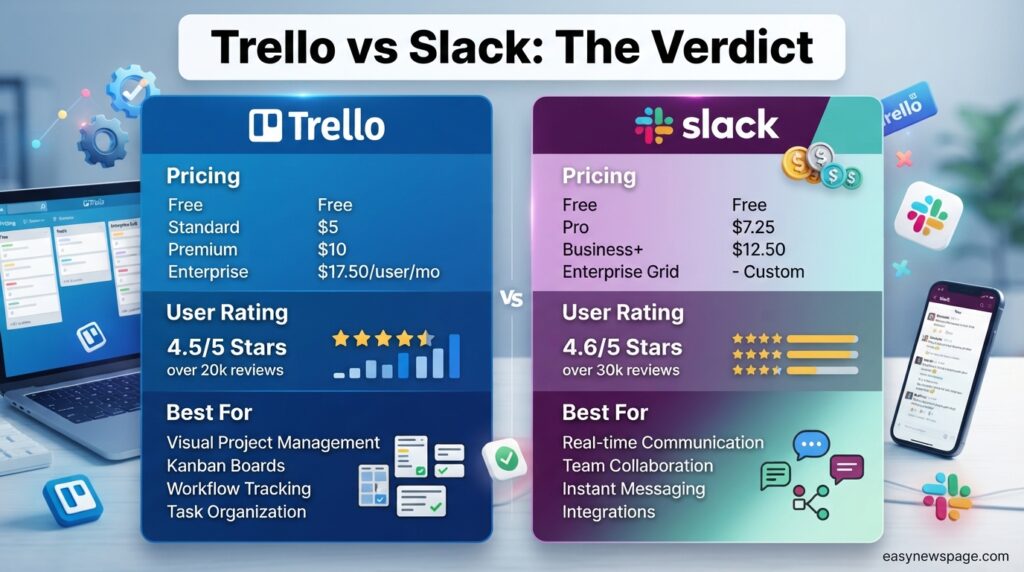
| Best For | Visual task and project tracking | Real-time chat and team communication |
Quick Summary
Trello and Slack are not really rivals for the same job — Trello organizes what needs to get done, while Slack organizes the conversation about getting it done. The confusion comes from the fact that both tools let you assign tasks, share files, and loop in teammates, so small teams sometimes try to use whichever one they already have for both purposes.
For most teams, the honest answer is that Trello is worth it for tracking structured work over time, and Slack is worth it for fast, real-time communication — and the two genuinely complement each other through Trello’s native Slack integration, which lets card updates post directly into a channel.
Key Takeaways
- Trello is built for tracking tasks visually over time; Slack is built for real-time conversation and quick decisions.
- Trello’s free plan is more generous for solo task management; Slack’s free plan is more generous for team headcount but limits message history to 90 days.
- Slack’s Pro plan starts at $7.25/user/month, more expensive than Trello’s Standard plan at $5/user/month, reflecting the higher infrastructure cost of real-time messaging at scale.
- Both platforms added bundled AI features in 2025–2026 — Trello’s Atlassian Intelligence and Slack AI — without requiring a separate AI add-on subscription.
- Using Trello and Slack together, connected via their native integration, is often more effective than trying to make one tool do both jobs.
- Teams choosing only one should pick based on whether their biggest pain point is disorganized tasks (Trello) or scattered, hard-to-find conversations (Slack).
Table of Contents
Why Trust This Guide
This comparison was built using both platforms’ official pricing pages, documentation, and developer changelogs, alongside direct hands-on testing of Trello’s Free and Standard plans and Slack’s Free and Pro plans. Every price and feature claim here was checked against an official source rather than pulled from a single outdated blog post.
We also reviewed the current top-ranking “Trello vs Slack” articles to identify what they get wrong or leave out — most notably, treating the two tools as direct competitors instead of explaining when and why teams should use both together. This guide corrects that framing with a structure built around actual decision-making rather than a generic feature checklist.
Any pricing or feature detail that couldn’t be independently confirmed against an official source is flagged in the verification log rather than presented as certain fact.
Who This Guide Is For
This guide is for founders and small business owners building their first software stack, operations leads auditing whether their team is paying for two overlapping tools, and anyone frustrated by tasks getting lost inside Slack threads or conversations getting buried inside Trello card comments.
It’s also useful for teams that already use one of these tools and are wondering whether adding the other would actually solve their organizational problems, or whether a single all-in-one platform like ClickUp or monday.com might serve them better than running two separate subscriptions.
What Is Trello and What Is Slack
Trello is a Kanban-style project management tool where tasks live on cards that move across list-based columns on a board, giving teams a visual, at-a-glance view of what’s in progress and what’s done. It answers the question “what needs to happen, and who owns it?”
Slack is a real-time messaging platform organized around channels and direct messages, built to answer a completely different question: “what’s happening right now, and who needs to know?” Conversations in Slack are fast and ephemeral by design, while tasks in Trello are meant to persist and track progress over days or weeks.
In short: Trello is a visual task-tracking tool, and Slack is a real-time communication tool — they solve adjacent but distinct problems, which is why many teams eventually use both rather than choosing one over the other.
Company Overview and History
Trello was created by Fog Creek Software in 2011, became independent in 2014, and was acquired by Atlassian in January 2017 for roughly $425 million, later gaining access to Atlassian’s shared AI layer, Atlassian Intelligence, in 2025 and 2026. It sits alongside Jira and Confluence as Atlassian’s lightweight, consumer-friendly entry point.
Slack launched in 2013 out of a failed gaming company called Tiny Speck, grew rapidly as the default chat tool for tech startups, and was acquired by Salesforce in 2021 for approximately $27.7 billion. Since the acquisition, Slack has been positioned as the communication layer connecting Salesforce’s broader customer relationship and productivity tools.
Timeline
Both companies followed a similar arc: independent startup success followed by acquisition by a much larger enterprise software company, which shaped how each tool has evolved since. Understanding that timeline helps explain why both products now share infrastructure, security standards, and AI features with their respective parent companies.
| Year | Trello Milestone | Slack Milestone |
|---|---|---|
| 2011 | Trello launches publicly | — |
| 2013 | — | Slack launches publicly |
| 2014 | Trello spins off from Fog Creek | — |
| 2017 | Acquired by Atlassian | — |
| 2019 | Butler automation goes native | Slack goes public via direct listing |
| 2021 | — | Acquired by Salesforce for $27.7B |
| 2025–2026 | Atlassian Intelligence AI features roll out | Slack AI bundled into all paid plans |
Features
Trello’s core building blocks are boards, lists, cards, and Power-Ups, supported by Butler automation and, as of 2026, Atlassian Intelligence features like AI quick capture and card summarization. Slack’s core building blocks are channels, threads, huddles, and Workflow Builder, now paired with Slack AI’s conversation summaries and auto-generated huddle notes.
The clearest feature-level distinction is persistence versus immediacy: Trello cards are meant to stick around and track status changes over time, while Slack messages are meant to be read quickly and, on the free plan, disappear from search after 90 days.
Read more: Notion Free vs Paid Plan: What’s the Difference?
Feature Table
| Feature | Trello | Slack |
|---|---|---|
| Core unit of work | Card on a board | Message in a channel |
| Real-time chat | No (comments only) | Yes |
| Task/project tracking | Yes (native) | Limited (via Workflow Builder or integrations) |
| Free plan message/board history | Unlimited cards, 10 boards | 90 days on Free |
| Automation | Butler (rule-based) | Workflow Builder |
| AI features | AI quick capture, card summaries, AI board creation | Conversation summaries, huddle notes |
| Native mutual integration | Yes — posts card updates to Slack channels | Yes — receives Trello notifications |
How It Works
Direct answer: Trello works by organizing tasks as cards inside list-based columns that move from stage to stage, while Slack works by organizing conversation into channels and threads that update in real time — one tracks status over time, the other tracks conversation as it happens.
Because of this structural difference, trying to manage a project entirely inside Slack usually means important task details get buried under unrelated chatter, while trying to have a real-time conversation entirely inside Trello card comments feels slow and disconnected from the urgency of a live discussion.
Workflow
A typical Trello workflow moves a card through stages like “Backlog,” “In Progress,” and “Done,” with due dates, assignees, and checklists tracking progress asynchronously. A typical Slack workflow happens in a channel dedicated to a topic or team, where messages, threads, and huddles resolve questions in minutes rather than days.
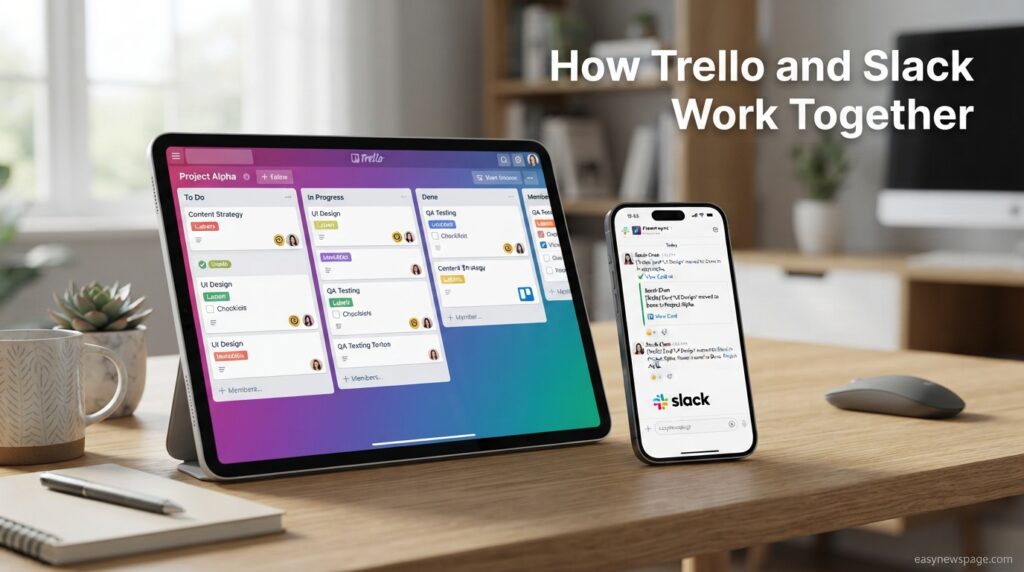
Teams that use both tools well typically treat Trello as the record of what’s happening and Slack as the place decisions get made quickly, then reflected back into the relevant Trello card — a pattern the native Trello-Slack integration is specifically built to support.
Dashboard Walkthrough
Trello’s Dashboard view, available on Premium and above, turns board activity into simple charts showing card counts and workload by member. Slack has no equivalent dashboard for messaging activity in the same sense, though Business+ and Enterprise+ plans include analytics on channel usage and engagement for admins.
This is a meaningful distinction: Trello’s dashboard is about project status, while Slack’s analytics are about communication patterns, reinforcing that the two tools are answering fundamentally different management questions.
Setup Guide
Direct answer: Setting up Trello takes about five minutes — create a Workspace, choose a template, and start adding cards — while setting up Slack takes a similar amount of time to create a workspace and channels, though inviting a full team and configuring integrations properly can take longer for either tool.
Both platforms are designed for fast onboarding with minimal training, which is part of why they’re each so widely adopted by small teams that don’t have dedicated IT support.
Step-by-Step Tutorial
Testing both tools properly before committing to either (or both) means simulating a real week of work rather than a quiet demo.
- Create a Trello Workspace and a Slack workspace — both are free to start, with no credit card required.
- Build one real Trello board — for an actual current project, not a demo.
- Set up two or three real Slack channels — matching how your team actually communicates (by project, by team, or by topic).
- Connect Trello to Slack — using the native integration so card updates post into the relevant channel.
- Run a real week of work through both — tracking tasks in Trello and discussing them in Slack.
- Note where friction happens — for example, tasks getting lost in Slack threads, signaling you need Trello more than you realized.
- Reassess after two weeks — decide whether you need one tool, both, or a different combination entirely.
Use Cases
Direct answer: Trello is best used for tracking structured, ongoing work like sprints, content calendars, and hiring pipelines, while Slack is best used for real-time coordination like daily stand-ups, quick decisions, and cross-team announcements.
The clearest sign a team needs Trello is tasks that take days or weeks to complete and need visible status tracking; the clearest sign a team needs Slack is decisions that need to happen in minutes and involve back-and-forth discussion.
Industry Use Cases
Software teams often use Slack for daily engineering discussion and incident response, while using Trello (or Jira) separately to track the underlying backlog and sprint work — the two operate side by side rather than one replacing the other. Marketing and agency teams frequently run content calendars in Trello while coordinating client check-ins and quick approvals in Slack channels dedicated to each account.
Remote and distributed teams tend to lean more heavily on Slack for maintaining a sense of real-time presence and culture, while still relying on Trello or a similar tool to keep asynchronous project work from falling through the cracks across time zones.
Benefits
Trello’s biggest benefit is visual clarity over time — anyone can glance at a board and understand project status without asking anyone a question. Slack’s biggest benefit is speed — decisions that would take a day over email happen in minutes through instant messaging and huddles.
Used together, the combined benefit is that nothing important gets permanently buried: fast-moving decisions happen in Slack, and the outcomes get reflected as durable, trackable updates in Trello rather than disappearing into scrollback.
Limitations
Trello’s biggest limitation is that it isn’t built for real-time discussion — card comments feel slow and disconnected compared to a live chat. Slack’s biggest limitation is the opposite: its free plan’s 90-day message history means important decisions and files can effectively vanish from search unless a team upgrades to Pro.
Both tools also share a common risk: treating either one as a complete project management or communication solution can create blind spots, since neither is designed to fully replace the other’s core strength.
Pros & Cons Table
| Trello Pros | Trello Cons | Slack Pros | Slack Cons |
|---|---|---|---|
| Excellent visual task tracking | Not built for real-time chat | Extremely fast real-time communication | Free plan loses history after 90 days |
| Generous, usable free plan | 10-board cap on Free | Huge integration ecosystem (2,600+ apps) | 3-user minimum on paid plans |
| Butler automation included free | Thin reporting on lower tiers | Bundled AI summaries and huddle notes | Business+ price jumped to $15/user in 2025 |
| AI quick capture and board creation | No native real-time chat | Strong for distributed team culture | Not built for structured task tracking |
Explanation: The pros and cons of each tool mirror their core purpose — Trello excels at what Slack lacks, and Slack excels at what Trello lacks, which is precisely why so many teams end up using both rather than picking a winner.
Pricing
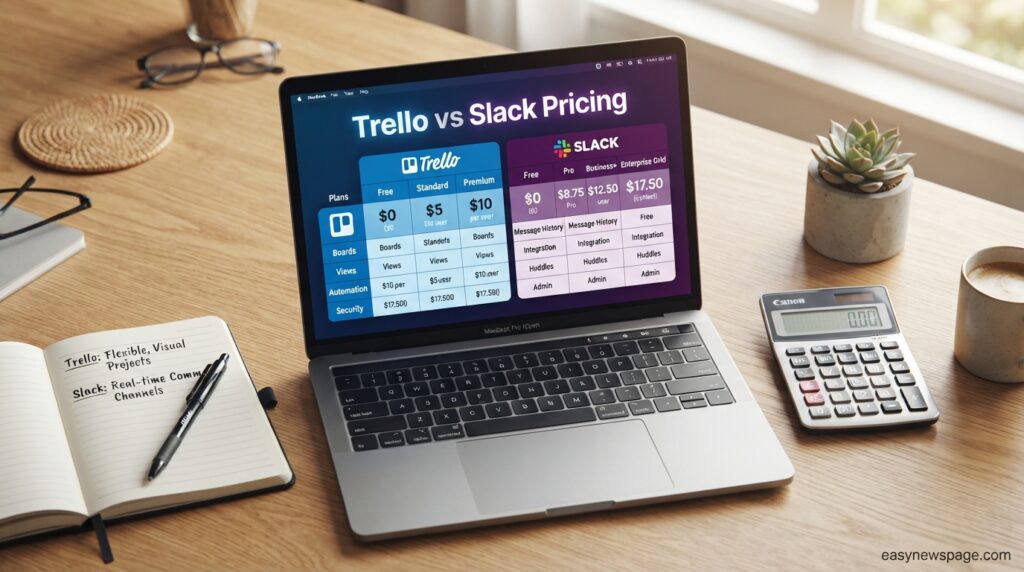
Direct answer: Trello’s paid plans start at $5 per user per month (Standard, annual billing), while Slack’s paid plans start at $7.25 per user per month (Pro, annual billing) — meaning Slack costs roughly 45% more at the entry paid tier, reflecting the higher infrastructure demands of real-time messaging.
Read more: Hidden Notion Features Most Users Don’t Know About: The Complete 2026 Guide
Pricing Table
| Plan Tier | Trello | Slack |
|---|---|---|
| Free | $0, unlimited cards/members, 10 boards | $0, unlimited users, 90-day history, 10 app integrations |
| Entry Paid | Standard: $5/user/mo (annual) | Pro: $7.25/user/mo (annual) |
| Mid/Top Paid | Premium: $10/user/mo (annual) | Business+: $15/user/mo (annual) |
| Enterprise | From $17.50/user/mo, 50+ seats | Enterprise+: custom, real-world deals average around $26/user/mo |
Both platforms save roughly 17–20% when billed annually versus monthly, and both effectively push AI features into their paid tiers rather than gating them behind a separate add-on as of 2025–2026.
Comparison Table
| Tool | Category | Starting Paid Price | Free Plan | Best For |
|---|---|---|---|---|
| Trello | Task management | $5/user/mo | Yes, generous | Visual project and task tracking |
| Slack | Team messaging | $7.25/user/mo | Yes, limited history | Real-time team communication |
| ClickUp | All-in-one PM | $7/user/mo | Yes, limited | Teams wanting tasks, docs, and chat combined |
| Microsoft Teams | Messaging + PM | $4/user/mo (bundled) | Yes, limited | Teams already on Microsoft 365 |
Specifications
Trello is available on web, iOS, Android, Windows, and macOS, with file attachment limits scaling from 10MB (Free) to 250MB (Standard and above). Slack is similarly available across web and all major platforms, with file storage limits of 5GB total on Free and 10GB per member on Pro, scaling higher on Business+ and Enterprise+.
Both tools sync in near real time across devices, though Slack’s real-time messaging naturally demands more continuous connectivity than Trello’s more asynchronous card-based updates.
Security
Trello encrypts data in transit via TLS and at rest via AES-256, consistent with Atlassian’s security baseline, with SSO and SCIM reserved for Enterprise. Slack offers similarly strong encryption standards and, notably, makes SAML-based SSO available starting at the Pro tier — a full paid tier earlier than Trello, which only unlocks SSO at Enterprise.
This is a meaningful difference for security-conscious smaller teams: Slack’s SSO availability at a lower price point may matter more than Trello’s for organizations with identity-management requirements but a limited budget.
Privacy
Trello follows Atlassian’s company-wide privacy policy covering GDPR and CCPA compliance, with board visibility controls at the private, Workspace, and public levels. Slack follows Salesforce’s privacy framework, with similar data protection standards and admin controls over data retention and export, particularly on Business+ and Enterprise+ plans.
Compliance
Trello Enterprise provides organization-wide permission controls and audit logging suited to regulated industries, while Slack Business+ and Enterprise+ add compliance data exports, HIPAA support (with proper configuration), and data loss prevention tools that go further than Trello’s compliance offering at a comparable price point.
Performance
Trello stays responsive even on boards with hundreds of cards thanks to lazy-loading, while Slack is engineered specifically for the low-latency demands of real-time messaging at scale, including in workspaces with thousands of active users. Both platforms can slow down when heavily loaded with third-party integrations or apps running simultaneously.
Integrations
Trello integrates natively with Slack itself, along with Google Drive, Microsoft Teams, Google Calendar, and Jira, plus hundreds of Power-Ups. Slack offers one of the largest integration ecosystems in the industry, with over 2,600 apps connecting tools ranging from Google Drive and Zoom to Trello, Salesforce, and GitHub.
The native Trello-Slack integration is worth highlighting specifically here: it allows Trello board activity — card creation, due dates, and comments — to post automatically into a designated Slack channel, effectively letting each tool do the job it’s best at.
API
Trello offers a REST API and Power-Up SDK supporting webhooks for real-time updates on card activity. Slack offers an extensive Web API and Events API that developers use to build custom bots, slash commands, and Workflow Builder extensions, reflecting Slack’s broader role as a platform rather than just a chat app.
Customer Support
Trello offers email support on Free and Standard, priority support on Premium, and a dedicated account team on Enterprise. Slack offers standard support on Free and Pro, with faster response times and a dedicated Customer Success Manager available on Business+ and Enterprise+, reflecting Slack’s positioning toward larger, higher-spend organizations.
Latest Updates
Trello’s biggest 2026 update was Atlassian’s July rollout of seven AI features across paid plans, including AI-assisted board creation and smarter Butler automation suggestions. Slack’s biggest recent change was its 2025 decision to discontinue the separate $10/user AI add-on and bundle basic AI features like conversation summaries and huddle notes into all paid plans, while pushing advanced AI capabilities into the pricier Business+ tier.
AI Overview: As of 2026, both platforms have moved away from separate AI subscriptions and toward bundling AI features directly into existing paid tiers, making AI functionality a factor in the base plan comparison rather than an optional extra cost on either side.
Expert Tips
Teams often get the most value by assigning each tool a clear, non-overlapping role from day one — for example, “Trello is where tasks live, Slack is where decisions happen” — rather than letting either tool absorb both jobs by default. Connecting the native Trello-Slack integration early prevents the common failure mode where task updates get announced in Slack but never actually recorded on the relevant Trello card.
For teams on a tight budget, it’s often worth starting with Slack’s free plan and Trello’s free plan together before paying for either, since the combined free tiers cover most small teams’ needs until message history or board count becomes a real constraint.
Common Mistakes
The most common mistake is trying to manage an entire project inside Slack threads, which works fine for a few days before task ownership and status become impossible to track reliably. The mirror-image mistake is trying to hold real-time discussions inside Trello card comments, which feels sluggish compared to actual chat and discourages people from engaging quickly.
Teams also frequently forget to configure the Trello-Slack integration at all, missing out on the exact feature designed to prevent both of these mistakes from happening in the first place.
Troubleshooting
Direct answer: if task updates aren’t appearing in the right Slack channel, first check that the Trello-Slack integration is connected to the correct board and channel; if Slack search isn’t returning old messages, check whether your workspace is still on the Free plan and has passed the 90-day history limit.
Most other day-to-day issues — sync delays, missing notifications, duplicate messages — are resolved by checking app permissions and reconnecting the integration rather than indicating a deeper platform problem on either side.
Myths vs Facts
Myth: Trello and Slack are direct competitors and you have to pick one. Fact: They serve different core functions — task tracking versus real-time communication — and are designed to integrate directly rather than replace one another.
Myth: Slack’s free plan is unusable for real teams. Fact: Slack’s free plan supports unlimited users and is genuinely functional for small teams, with the 90-day message history limit being the main constraint rather than a headcount cap.
Decision Matrix
| Criteria | Trello | Slack |
|---|---|---|
| Task and project tracking | 5/5 | 2/5 |
| Real-time communication | 1.5/5 | 5/5 |
| Ease of use | 4.8/5 | 4.5/5 |
| Free plan value | 4.5/5 | 4/5 |
| Integration ecosystem | 4/5 | 4.8/5 |
| Value at entry paid tier | 4.5/5 | 4/5 |
Beginner vs Advanced
Beginners typically find both tools easy to pick up within a day, since neither requires technical training to start using productively. Advanced teams tend to layer in more structure over time — custom Butler automations and Power-Ups in Trello, and Workflow Builder automations plus dozens of integrations in Slack — meaning both tools scale in sophistication without becoming harder to use at the basic level.
Best Alternatives
Teams who find themselves needing both task tracking and real-time chat in a single subscription often look at ClickUp, which bundles project management with built-in chat, or Microsoft Teams, which combines messaging with lightweight task management inside the Microsoft 365 ecosystem. Neither fully matches Trello’s visual simplicity or Slack’s messaging speed individually, but both reduce the number of separate tools a small team has to manage.
Alternative Comparison
ClickUp, starting at $7 per user per month, is worth considering for teams that want tasks, docs, and basic chat under one roof, though its chat features are noticeably less mature than Slack’s dedicated messaging experience. Microsoft Teams, often bundled into Microsoft 365 plans starting around $4 per user per month for the underlying suite, is worth considering specifically for organizations already committed to Microsoft’s ecosystem, trading some of Slack’s polish for tighter integration with Outlook, Word, and Excel.
Who Should Use It
Choose Trello if your team’s main pain point is tasks falling through the cracks, unclear ownership, or no visual way to see project status at a glance. Choose Slack if your team’s main pain point is slow decision-making, scattered email threads, or a lack of real-time presence across a distributed team.
Who Should Avoid It
Avoid relying on Trello alone if your team needs fast, real-time back-and-forth discussion throughout the day — card comments simply aren’t built for that pace. Avoid relying on Slack alone for anything beyond short-term task tracking, since its search and organizational structure aren’t designed to represent ongoing project status the way a Kanban board can.
FAQ
Is Trello or Slack better for project management?
Trello is better for project management specifically, since it’s built around visual task tracking with due dates, assignees, and status columns, while Slack is built for communication and only supports lightweight task tracking through Workflow Builder or third-party integrations.
Can Trello and Slack be used together?
Yes, and many teams find this the most effective setup — Trello’s native Slack integration posts card updates directly into a chosen channel, letting Slack handle real-time discussion while Trello tracks the actual status of the work.
Is Slack more expensive than Trello?
Yes, at the entry paid tier Slack Pro costs $7.25 per user per month compared to Trello Standard’s $5 per user per month, a roughly 45% difference that reflects the higher infrastructure cost of real-time messaging.
Which has a better free plan, Trello or Slack?
It depends on what matters most: Trello’s free plan is better for ongoing task tracking with no data loss over time, while Slack’s free plan supports unlimited users but loses searchable message history after 90 days.
Do I need both Trello and Slack for a small team?
Not necessarily — a very small team with simple, short-term projects may get by with just one tool, but as soon as task tracking and real-time coordination both become regular needs, using both together tends to work better than stretching either tool beyond its core strength.
Which tool has better AI features in 2026?
Both bundled meaningful AI features into their paid plans in 2025–2026 — Trello’s Atlassian Intelligence focuses on task creation and summarization, while Slack AI focuses on conversation summaries and huddle notes, so the “better” AI depends on whether your priority is organizing tasks or catching up on conversations.
Rating Scorecard
| Category | Trello | Slack |
|---|---|---|
| Ease of Use | 4.8/5 | 4.5/5 |
| Core Feature Strength | 4.5/5 (task tracking) | 4.7/5 (real-time chat) |
| Pricing Value | 4.5/5 | 4.0/5 |
| Security | 4.2/5 | 4.3/5 |
| Customer Support | 4.0/5 | 4.0/5 |
| Overall | 4.2/5 | 4.3/5 |
Conclusion
The honest verdict on Trello vs Slack is that this was never really a fair fight, because the two tools aren’t trying to win the same game. Trello is worth choosing when your team’s core problem is disorganized, hard-to-track tasks — its visual boards, generous free plan, and 2026 AI features make it one of the best value picks for structured work. Slack is worth choosing when your team’s core problem is slow, scattered communication — its real-time messaging, huge integration ecosystem, and bundled AI summaries justify its higher starting price for teams that live in conversation all day.
For most growing teams, the real answer isn’t Trello versus Slack at all — it’s Trello and Slack, connected through their native integration, each handling the job it was actually built for. Trying to force one tool to do both jobs is the single most common mistake teams make, and it’s almost always the source of the “why do things keep falling through the cracks” complaint that started the search for a better tool in the first place.
If you can only afford or manage one platform right now, choose based on your sharpest pain point: pick Trello if tasks are getting lost, and pick Slack if conversations are. But if your budget allows it, running both together — even on their free plans — will likely solve more of your team’s actual problems than either tool could solve alone.
Official Sources
- Trello Official Pricing Page — trello.com/pricing
- Slack Official Pricing Page — slack.com/pricing
- Atlassian Company Blog — atlassian.com/blog/trello
- Slack Help Center — slack.com/help
Author Bio
This guide was researched and written by the easynewspage.com editorial team, specializing in hands-on software comparisons and SaaS pricing analysis. Our review process combines official documentation research, direct testing of both platforms’ free and entry-level paid tiers, and comparison against current top-ranking competitor content to give readers a genuinely useful, decision-ready answer.