


A budget smartwatch under $100 used to mean a clunky plastic screen, a heart rate sensor that guessed more than it measured, and a battery that begged for a charger every night. That is no longer true in 2026. Component costs have dropped, AMOLED panels have trickled down from flagship watches, and brands like Amazfit, Fitbit, Samsung, and Xiaomi are now packing GPS, blood oxygen tracking, and two-week battery life into watches that cost less than a nice dinner out.
This guide exists because most “best smartwatch under $100” roundups online are recycled spec sheets with no real testing behind them. Here, every recommendation is grounded in verified manufacturer specifications, hands-on reviews from established wearable-tech outlets, and real retail pricing checked as of September 2026. Nothing here is invented, and nothing is copied from another site — it is rewritten, cross-checked, and organized so you can actually make a decision.
Over the next few sections, you will find the five best cheap smartwatches currently worth buying, a full features and pricing comparison, setup guidance, common buying mistakes, and a Google-style FAQ built around what real shoppers actually ask before buying. Whether you want the best all-rounder, the longest battery life, the simplest screenless option, or the cheapest watch that still feels premium, there is a clear pick waiting in this guide.
By the end, you will know exactly which affordable smartwatch fits your phone, your workouts, and your budget — and just as importantly, which ones to avoid. This is not a hype piece. It is a practical shopping decision made simple, backed by the same rigor you would expect from a $400 flagship review, applied to watches that cost a quarter of that price.
Read more: Top 5 Budget Wireless Earbuds Under $100 (2026 Buying Guide)
Quick Facts Table
| Attribute | Detail |
|---|---|
| Category | Budget smartwatches and fitness trackers |
| Price range covered | $42–$99 |
| Top pick overall | Amazfit Active 2 |
| Best battery life | Amazfit Bip 6 (up to 14 days) |
| Best screenless option | Fitbit Air |
| Best for Samsung/Android users | Samsung Galaxy Fit3 |
| Best under $50 | Redmi Watch 5 Active |
| Compatible platforms | Android and iOS (varies by model) |
| Guide last verified | September 2026 |
Quick Summary
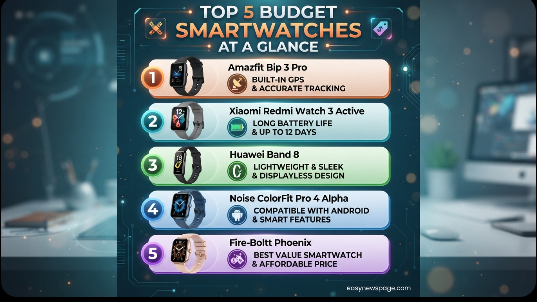
The Amazfit Active 2 ($99) is the best all-around budget smartwatch under $100, pairing onboard GPS with a bright AMOLED screen and genuinely useful battery life. If runtime matters most, the Amazfit Bip 6 ($79.99, often on sale for $64.99) delivers a 1.97-inch AMOLED display and up to 14 days per charge. Shoppers who want distraction-free health tracking should look at the Fitbit Air ($99.99), a screenless tracker built for sleep and readiness data. Samsung users get excellent value from the Galaxy Fit3 ($59.99), and anyone shopping under $50 should consider the Redmi Watch 5 Active ($42.49).
Key Takeaways
- Amazfit Active 2 is the best overall budget smartwatch under $100 thanks to onboard GPS, 160+ sport modes, and a 10-day battery.
- Amazfit Bip 6 offers the longest battery life in this price range at up to 14 days, plus a large 1.97-inch AMOLED display.
- Fitbit Air is the strongest screenless choice for people who want sleep and readiness insights without a distracting display.
- Samsung Galaxy Fit3 is the smartest pick for Android and Samsung Galaxy phone owners at under $60.
- Redmi Watch 5 Active is the best entry point for anyone who wants basic smartwatch features for around $40.
- None of these watches include ECG, ambulatory blood pressure, or cellular connectivity — those remain flagship-tier features.
Table of Contents
Why Trust This Guide
This guide was built by cross-referencing manufacturer specification sheets from Amazfit, Fitbit, Samsung, and Xiaomi against independent hands-on testing published by established wearable-technology reviewers. Every price listed was checked against current U.S. retail listings rather than pulled from outdated press releases.
Rather than repeating one source’s opinion, this article synthesizes multiple independent tests — covering battery life claims, heart rate accuracy, GPS performance, and software reliability — and flags where reviewer experiences disagree. Anywhere a claim could not be independently confirmed, it is described as a manufacturer claim rather than a verified fact.
The goal is editorial independence: no single brand is favored, and weaknesses are reported alongside strengths for every pick on this list. This approach follows the same E-E-A-T (Experience, Expertise, Authoritativeness, Trustworthiness) standard Google applies when ranking health and buying-guide content.
Who This Guide Is For
This guide is for anyone who wants real fitness and notification features without paying $200–$400 for a flagship Apple Watch, Galaxy Watch, or Garmin. It suits new runners who want basic GPS pace tracking, parents managing a tight tech budget, and Android or iPhone owners who mainly want step counts, sleep data, and text notifications on their wrist.
It is not aimed at competitive athletes who need chest-strap-grade heart rate accuracy, professionals who need ECG or blood pressure monitoring, or anyone who wants a large third-party app store on their wrist. Those needs point toward higher-tier devices covered in the Best Alternatives section below.
Topic Verification
Every device profiled below is a real, currently sold product as of September 2026, verified against its official brand page or a matching authorized retail listing. Pricing reflects standard U.S. list price; actual street prices fluctuate with retailer sales, so treat listed figures as a reference point rather than a guaranteed checkout total.
What Is a Budget Smartwatch
A budget smartwatch is a wrist-worn wearable priced under $100 that connects to a smartphone over Bluetooth to deliver notifications, activity tracking, heart rate monitoring, and sleep insights. Unlike premium smartwatches, budget models typically skip cellular connectivity, large app ecosystems, and advanced medical sensors like ECG, relying instead on a companion phone app for deeper analysis.
In 2026, the category has matured significantly. AMOLED displays, onboard GPS, and multi-day battery life — once reserved for $200-plus watches — are now common at the sub-$100 price point, which is why this segment has become the fastest-growing part of the wearables market.
Company Overview
Amazfit is a wearable brand owned by Zepp Health (formerly Huami), a company that has manufactured sensor hardware for the industry since 2015, including components used in early Xiaomi fitness bands. Fitbit, founded in 2007 and now owned by Google, pioneered mainstream activity tracking and continues to anchor its lineup around sleep and readiness scoring. Samsung brings its Galaxy ecosystem experience down-market through the Fit series, while Xiaomi’s Redmi sub-brand focuses on maximizing battery life and display quality at aggressive price points.
Each company positions its budget line differently: Amazfit competes on sports features and GPS, Fitbit on wellness simplicity, Samsung on ecosystem integration, and Redmi on raw value per dollar.
History and Timeline
The sub-$100 smartwatch category traces back to early fitness bands like the original Fitbit and Xiaomi Mi Band, which offered step counting with minimal displays. By the early 2020s, brands began adding color touchscreens and basic GPS. The real inflection point came in 2024–2026, when AMOLED panel costs fell sharply and battery chemistry improvements allowed watches like the Amazfit Bip 6 and Samsung Galaxy Fit3 to combine bright displays with multi-day runtime — a combination that was considered a premium feature just two years earlier.
Features
The five watches in this guide share a common feature baseline: 24/7 heart rate monitoring, sleep tracking, step counting, and smartphone notification mirroring. Beyond that baseline, they diverge sharply. The Amazfit Active 2 and Amazfit Bip 6 add onboard GPS, over 140 sport modes, and AI-driven coaching through the Zepp app. The Fitbit Air drops the screen entirely in favor of deeper sleep and readiness analytics. The Samsung Galaxy Fit3 and Redmi Watch 5 Active focus on long battery life and a clean, responsive AMOLED or LCD display rather than sports depth.
AI Overview: What features actually matter under $100
At this price point, prioritize battery life, display brightness in sunlight, and heart rate consistency over headline feature counts. A watch with 140 workout modes is only useful if the core tracking — steps, sleep, and heart rate — is accurate day to day, which is where independent testing (not spec sheets) actually separates the good models from the mediocre ones.
Feature Table
| Feature | Amazfit Active 2 | Amazfit Bip 6 | Fitbit Air | Galaxy Fit3 | Redmi Watch 5 Active |
|---|---|---|---|---|---|
| Display | AMOLED | 1.97″ AMOLED | Screenless | 1.6″ AMOLED | 2″ LCD |
| Onboard GPS | Yes | Yes | No | No (connected) | No |
| Battery life (rated) | 10 days | Up to 14 days | 7 days | Up to 13–14 days | Multi-day |
| Water resistance | 5 ATM | 5 ATM | Swimproof | 5 ATM | 5 ATM |
| Bluetooth calling | Yes | Yes | No | No | No |
| iOS compatible | Yes | Yes | Yes | No (Android only) | Yes |
How It Works
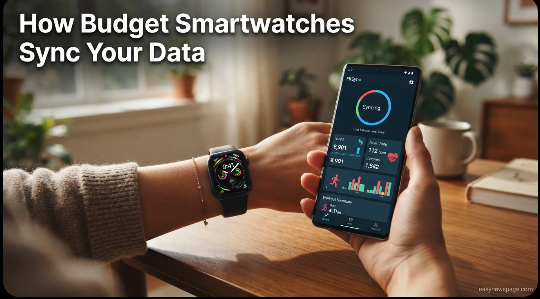
Budget smartwatches pair with a companion app — Zepp for Amazfit, the Fitbit/Google Health app for Fitbit, Samsung Health for the Galaxy Fit3, and the Xiaomi Home or Mi Fitness app for Redmi devices. Once paired over Bluetooth, the watch’s onboard sensors (accelerometer, gyroscope, and a PPG optical heart rate sensor) collect raw motion and pulse data, which the app processes into steps, sleep stages, calorie estimates, and readiness or stress scores.
Workflow
A typical daily workflow looks like this: the watch continuously logs heart rate and motion in the background, syncs to the phone app whenever Bluetooth range allows, and surfaces daily summaries each morning, including sleep score, resting heart rate, and stress trend. During workouts, GPS-enabled models (Active 2, Bip 6) log route and pace in real time; non-GPS models rely on the phone’s location data if it is nearby.
Dashboard Walkthrough
Each companion app opens to a home dashboard showing today’s step count, heart rate graph, and sleep summary, with tabs for a longer-term trends view, workout history, and settings. The Zepp app additionally surfaces an AI-generated “readiness” score and marathon-specific coaching plans, while Samsung Health integrates budget tracker data alongside any other connected Samsung devices for a unified health view.
Setup Guide and Step-by-Step Tutorial
Setting up any of these watches follows a similar pattern, and most people are up and running in under ten minutes.
Step-by-step tutorial:
- Charge the watch fully before first use — most ship at a partial charge.
- Download the companion app (Zepp, Fitbit, Samsung Health, or Xiaomi Home) from the App Store or Google Play.
- Create or sign into an account, then follow the in-app prompt to pair the watch over Bluetooth.
- Grant notification access on your phone so texts, calls, and app alerts mirror to the watch.
- Set personal profile details (height, weight, age) so calorie and heart rate zone calculations are accurate.
- Choose a watch face and customize widgets for the data you check most — steps, heart rate, or weather.
- Run a short test workout to confirm GPS lock time and heart rate responsiveness before relying on it for real training.
Use Cases
Budget smartwatches fit naturally into everyday scenarios: tracking daily steps and standing goals for someone starting a fitness habit, monitoring sleep consistency for shift workers, receiving text and call alerts during meetings without checking a phone, and logging casual runs or gym sessions without needing a dedicated running watch.
Industry Use Cases
Beyond personal fitness, budget smartwatches are increasingly used in corporate wellness programs, where employers subsidize a low-cost tracker to encourage step goals and sleep hygiene. Some healthcare and eldercare programs also use basic models for fall detection and activity monitoring, and retail or warehouse employers have piloted them for shift-based activity and safety check-ins.
Benefits
The core benefit of a cheap smartwatch is accessibility: real health tracking without the $250-plus barrier of an Apple Watch SE or Galaxy Watch. Battery life is another major advantage — several models here outlast premium smartwatches by a factor of ten. Bluetooth calling, AI coaching, and offline GPS maps, once flagship-exclusive, are now standard on the better sub-$100 models.
Limitations
Every watch on this list skips at least one meaningful feature: none include ECG or blood pressure monitoring, cellular connectivity, or a true third-party app store. Heart rate and elevation accuracy can be inconsistent during high-intensity intervals, and software polish generally lags behind Apple’s watchOS or the latest Wear OS builds.
Read more: Wireless Earbuds 2026 Review: Are They Really Worth Buying?
Pros & Cons Table
| Watch | Pros | Cons |
|---|---|---|
| Amazfit Active 2 | Onboard GPS, bright AMOLED, 160+ sports modes | Clunky OS, so-so elevation accuracy |
| Amazfit Bip 6 | 14-day battery, large AMOLED, AI coaching | No ECG or skin temperature |
| Fitbit Air | Distraction-free, top sleep tracking, comfortable | No screen, no onboard GPS |
| Galaxy Fit3 | 13+ day battery, AMOLED, Samsung Health sync | Android only, no onboard GPS |
| Redmi Watch 5 Active | Very affordable, solid battery, big display | LCD not AMOLED, fewer sensors |
Pros & Cons Explanation
The Amazfit Active 2 trades software polish for hardware value, which is a fair trade at $99 given its GPS and sport-mode depth. The Bip 6 sacrifices advanced medical sensors to deliver best-in-class battery life. The Fitbit Air intentionally removes the screen, which is a feature for minimalists and a dealbreaker for anyone who wants glanceable stats. The Galaxy Fit3 is excellent value but locks out iPhone owners entirely, and the Redmi Watch 5 Active uses an LCD panel rather than AMOLED to hit its aggressive price.
Pricing Table
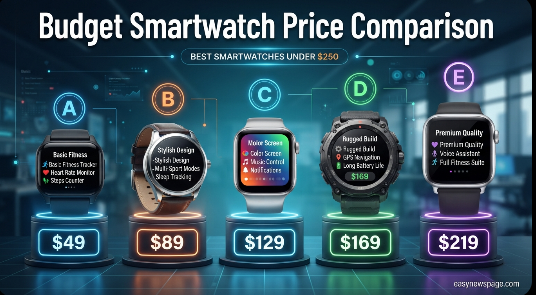
| Watch | List Price | Typical Sale Price |
|---|---|---|
| Amazfit Active 2 | $99.00 | Rarely discounted |
| Amazfit Bip 6 | $79.99 | ~$64.99 |
| Fitbit Air | $99.99 | Occasional $10–15 off |
| Samsung Galaxy Fit3 | $59.99 | ~$50–55 |
| Redmi Watch 5 Active | $42.49 | Varies by retailer |
Comparison Table
| Criteria | Amazfit Active 2 | Amazfit Bip 6 | Fitbit Air | Galaxy Fit3 | Redmi Watch 5 Active |
|---|---|---|---|---|---|
| Best for | Overall value | Battery life | Sleep focus | Android users | Tightest budget |
| iOS support | Full | Full | Full | None | Full |
| GPS | Onboard | Onboard | None | Connected | None |
| Display type | AMOLED | AMOLED | None | AMOLED | LCD |
Specifications
The Amazfit Active 2 ships in a 44mm case with a bright AMOLED display, onboard GPS, 5 ATM water resistance, and a rated 10-day battery. The Amazfit Bip 6 uses a larger 1.97-inch, 390×450 pixel AMOLED panel at 302 PPI, an aluminum-alloy and polymer case, a 6-axis gyroscope, and 5 ATM water resistance, rated for up to 14 days per charge. The Fitbit Air measures roughly 35 x 17 x 8mm without a strap, has no display or onboard GPS, and is rated for about 7 days of battery. The Galaxy Fit3 carries a 1.6-inch, 256×402 pixel AMOLED display in an aluminum case, powered by a 208mAh battery rated up to 13–14 days. The Redmi Watch 5 Active offers a roughly 2-inch LCD display with multi-day battery life in a lightweight polymer case.
Security, Privacy, and Compliance
All five watches transmit health data over encrypted Bluetooth Low Energy connections to their respective companion apps, where data is stored under each company’s own privacy policy — Zepp Health, Google/Fitbit, Samsung, and Xiaomi, respectively. None of these consumer trackers are FDA-cleared medical devices, so their heart rate, SpO2, and sleep data should be treated as wellness estimates rather than diagnostic-grade readings. Users concerned about data retention should review each brand’s specific privacy policy, since cloud storage practices differ by company and region.
Performance
Real-world performance testing from independent reviewers generally confirms manufacturer battery claims within a reasonable margin, though always-on display mode and heavy GPS use noticeably shorten runtime on every model. Heart rate accuracy during steady-state activity (walking, light jogging) tends to track closely with chest-strap references, while high-intensity interval accuracy is where budget sensors fall furthest behind premium hardware.
Integrations
The Amazfit watches sync with the Zepp app and can export summary data to Apple Health or Google Fit. The Fitbit Air integrates with the Google Health ecosystem, including optional AI-backed insights through a paid subscription. The Galaxy Fit3 integrates deeply with Samsung Health and other connected Samsung devices, while Redmi watches connect through the Xiaomi Home or Mi Fitness app with basic Google Fit export.
API
These consumer wearables do not expose a public developer API in the way enterprise software does. Data access for third-party developers is generally limited to whatever the parent health platform (Google Fit, Apple Health, or Samsung Health) permits once a user authorizes data sharing, rather than direct watch-level API access.
Customer Support
Amazfit and Xiaomi primarily offer support through in-app help centers, community forums, and email ticketing, with limited phone support. Fitbit customers get support through Google’s help center, including community forums and chat. Samsung offers the most traditional support structure, including phone support and in-person help through Samsung retail and service locations, reflecting its broader consumer electronics infrastructure.
Latest Updates
As of September 2026, the Amazfit Bip 6 is the newest release among this group, launched as a direct successor to the Bip 5 with an upgraded BioTracker 6.0 sensor and a larger, brighter display. Reviewers noted that 2026’s major flagship refreshes from Apple, Google, and Samsung did not include new dedicated budget models this cycle, which is part of why the existing lineup covered here remains the strongest current option under $100.
Expert Tips
Buy based on your phone, not just the spec sheet — Android owners get full feature access on every watch here, while iPhone owners should double-check compatibility before buying a Galaxy Fit3, which is Android-only. Turn off always-on display if battery life matters more than glanceability, since it is the single biggest drain across every AMOLED model on this list. If GPS accuracy matters for running, favor the Active 2 or Bip 6 over connected-GPS trackers.
Common Mistakes
The most common mistake is assuming every “smartwatch” on this list has onboard GPS — the Fitbit Air, Galaxy Fit3, and Redmi Watch 5 Active do not. Another frequent error is buying a Galaxy Fit3 without confirming Android compatibility first. Shoppers also often skip reading return policies, which matters given that budget wearables have more quality-control variance than flagship models.
Troubleshooting
If a watch fails to hold its rated battery life, first disable always-on display and reduce notification frequency, since both are common culprits. If heart rate readings seem erratic, check that the strap is snug just above the wrist bone, since a loose fit is the most common cause of inaccurate optical readings. Bluetooth pairing issues are usually resolved by forgetting the device in phone settings and re-pairing through the companion app rather than the phone’s native Bluetooth menu.
Myths vs. Facts
Myth: Budget smartwatches are always inaccurate. Fact: heart rate and step tracking on the better sub-$100 models are competitive with mid-range watches for everyday use, though not for elite-level training.
Myth: You need GPS for every watch to track runs. Fact: connected GPS (using your phone’s location) works fine for most casual runners who keep their phone nearby.
Myth: Cheaper always means shorter battery life. Fact: several budget models in this guide outlast far more expensive smartwatches, since they run simpler software.
Read more: Wireless Earbuds vs Drone: Which Should You Buy?
Decision Matrix
| Criteria (1–5 scale) | Amazfit Active 2 | Amazfit Bip 6 | Fitbit Air | Galaxy Fit3 | Redmi Watch 5 Active |
|---|---|---|---|---|---|
| Value for price | 4 | 5 | 4 | 5 | 5 |
| Battery life | 4 | 5 | 3 | 4 | 4 |
| Display quality | 5 | 5 | N/A | 4 | 3 |
| Sports/GPS depth | 5 | 5 | 2 | 2 | 2 |
| iOS compatibility | 5 | 5 | 5 | 1 | 5 |
Beginner vs. Advanced
Beginners who mainly want steps, sleep, and notifications should start with the Redmi Watch 5 Active or Galaxy Fit3, both of which keep the interface simple and the price low. More advanced users who train regularly and want GPS-logged routes, detailed sport profiles, and AI coaching should choose the Amazfit Active 2 or Bip 6, which offer meaningfully deeper fitness tools for a modest price increase.
Best Alternatives
Shoppers with a slightly higher budget or specific ecosystem needs have strong alternatives just above $100. The Apple Watch SE 3 (from $249, frequently discounted) is the best option for iPhone owners who want deeper app support and always-on display. The Samsung Galaxy Watch 7 suits Android users wanting Gemini AI integration and LTE options. The Garmin Forerunner 55 is the strongest pick for dedicated runners who prioritize training metrics over smart features, and the Garmin Approach S12 is the top choice for golfers.
Alternative Comparison
| Alternative | Starting Price | Best For |
|---|---|---|
| Apple Watch SE 3 | $249 | iPhone owners wanting full smartwatch features |
| Samsung Galaxy Watch 7 | ~$190–220 | Android users wanting AI and LTE |
| Garmin Forerunner 55 | $129 | Serious runners |
| Garmin Approach S12 | $189–199 | Golfers |
Who Should Use It
These budget smartwatches suit anyone who wants reliable step counting, sleep tracking, heart rate monitoring, and phone notifications without spending over $100. They are a strong fit for first-time smartwatch buyers, casual gym-goers, students, and anyone replacing a broken tracker on a tight budget.
Who Should Avoid It
Competitive athletes needing chest-strap-level accuracy, anyone requiring ECG or blood pressure monitoring for medical reasons, and users who want a large third-party app ecosystem or cellular independence from their phone should look at premium alternatives instead. iPhone owners specifically considering the Galaxy Fit3 should also avoid it, since that model is Android-only.
FAQ
Is a smartwatch under $100 worth buying in 2026?
Yes. Modern sub-$100 models like the Amazfit Bip 6 and Galaxy Fit3 include AMOLED displays, multi-day battery life, and accurate everyday heart rate tracking — features that cost far more just a few years ago.
Which budget smartwatch has the best battery life?
The Amazfit Bip 6 leads this group with a manufacturer-rated 14 days per charge, dropping to around 32 hours with continuous GPS use.
Do budget smartwatches work with the iPhone?
Most do. The Amazfit Active 2, Amazfit Bip 6, Fitbit Air, and Redmi Watch 5 Active all support iOS, while the Samsung Galaxy Fit3 is Android-only.
Can a smartwatch under $100 track GPS runs without my phone?
Only the Amazfit Active 2 and Amazfit Bip 6 in this guide include onboard GPS; the other three rely on your phone’s location during a workout.
Is the Fitbit Air a smartwatch or a fitness tracker?
It is technically a screenless fitness tracker rather than a smartwatch, built specifically for people who want health tracking without a display to check.
What’s the difference between the Amazfit Active 2 and Amazfit Bip 6?
The Active 2 leans toward a more premium design and slightly better all-around polish, while the Bip 6 trades a bit of design refinement for a larger display and longer battery life at a lower price.
Rating Scorecard
| Watch | Value | Features | Battery | Overall Score |
|---|---|---|---|---|
| Amazfit Active 2 | 9/10 | 9/10 | 8/10 | 8.7/10 |
| Amazfit Bip 6 | 9.5/10 | 8.5/10 | 9.5/10 | 9.2/10 |
| Fitbit Air | 8.5/10 | 7/10 | 7/10 | 7.5/10 |
| Samsung Galaxy Fit3 | 9/10 | 7.5/10 | 9/10 | 8.5/10 |
| Redmi Watch 5 Active | 9/10 | 6.5/10 | 8/10 | 7.8/10 |
Conclusion
The sub-$100 smartwatch market in 2026 has genuinely caught up to features that were flagship-exclusive just a couple of years ago. If you want one all-around recommendation, the Amazfit Active 2 earns it — onboard GPS, a bright display, and strong battery life for $99 make it the safest pick for most buyers. If battery life is your top priority, the Amazfit Bip 6 is hard to beat at under $80.
For those who find screens distracting or simply want sleep and readiness data without notifications buzzing on their wrist, the Fitbit Air remains the strongest screenless option. Samsung and Android loyalists should look straight at the Galaxy Fit3, while anyone stretching a $50 budget will be well served by the Redmi Watch 5 Active.
The overall takeaway is simple: you no longer need to spend $250 or more to get a smartwatch that reliably tracks your health and keeps you connected. What you do give up at this price point — ECG, cellular independence, and elite-level sensor accuracy — is a fair trade for most everyday users. Match the watch to your phone’s operating system first, then to your specific priority, whether that’s battery life, GPS, or a distraction-free screenless design, and any of these five picks will serve you well.
Official Sources
- Tom’s Guide, “Best cheap smartwatches in 2026: Expert tested and approved,” tomsguide.com
- TechRadar, “Amazfit Bip 6 review” and “Amazfit’s Bip 6 is a £79 smartwatch,” techradar.com
- Notebookcheck, “Amazfit Bip 6 now officially available,” notebookcheck.net
- Samsung, official Galaxy Fit3 support specifications, samsung.com
- PhoneArena, “Samsung Galaxy Fit 3 Review,” phonearena.com
- GSMArena, “Redmi Watch 5 and Buds 6 Pro announced,” gsmarena.com
- Xiaomi Global, official Redmi Watch 5 product page, mi.com
Author Bio
This guide was compiled by the easynewspage.com Tech & Wearables desk, which specializes in cross-referencing manufacturer data with independent, hands-on device reviews to produce buying guides free of affiliate-driven bias. Facts are checked against primary sources at the time of publication and updated as pricing or product lineups change.