


Reusing the same password across a dozen accounts is one of the most common security mistakes people make, and it’s also one of the easiest to fix with a password manager. This guide compares the five best password managers to use in 2026 — 1Password, Bitwarden, Dashlane, Keeper, and NordPass — covering security architecture, pricing, features, and exactly which tool fits which type of user, from individuals to families to small businesses.
Password managers matter more than ever because credential-based breaches remain one of the most common ways accounts get compromised, and reused or weak passwords are consistently the weak link attackers exploit. A password manager solves this by generating and storing a unique, strong password for every account behind a single encrypted vault, so you only need to remember one master password instead of dozens of reused, guessable ones.
This guide covers each tool’s encryption and security architecture, free versus paid plan differences, family and business pricing, passkey support, and the practical setup process for switching from browser-saved passwords or no password manager at all. We’ll also address the elephant in the room directly: why LastPass, despite years of prominence, doesn’t appear on this list, and what that breach history should teach you about evaluating any password manager’s security track record.
By the end, you’ll know exactly which of these five tools fits your specific situation — whether that’s the most polished all-around experience, the best free and open-source option, the strongest family plan, the most enterprise-ready security posture, or the cheapest reliable premium tier. Password managers are one of the few security tools that genuinely make daily life easier rather than more cumbersome, and this guide is built to help you pick one and actually start using it today.
Read more: Password Managers: A Complete Beginner’s Guide (2026)
Quick Facts Table
| Tool | Best For | Free Plan | Individual Paid Price | Passkey Support |
|---|---|---|---|---|
| 1Password | Best overall experience | No | ~$2.99/month (annual) | Yes |
| Bitwarden | Best free/open-source | Yes, fully functional | Under $1/month (Premium) | Yes |
| Dashlane | Best for families | Limited | ~$4.99/month (Premium) | Yes |
| Keeper | Best for security/compliance | Limited | ~$2.91/month (annual) | Yes |
| NordPass | Best budget premium | Yes, limited | ~$1.38–$1.49/month (annual) | Yes |
Quick Summary
All five password managers on this list use strong, zero-knowledge encryption, meaning even the provider can’t read your stored passwords. 1Password remains the most polished, easiest all-around choice, though it costs more than most competitors and has no free tier. Bitwarden is the strongest free and open-source option, with a genuinely usable free plan and the cheapest premium tier of the group. Dashlane bundles password management with VPN access and dark web monitoring, making it a strong all-in-one pick for families. Keeper leads on compliance and enterprise-grade security controls. NordPass offers the best budget premium experience, especially for existing NordVPN users.
Key Takeaways
- 1Password is the best overall password manager for most users who want a polished, consistent experience and are willing to pay for it.
- Bitwarden is the best choice for anyone wanting a genuinely capable free password manager or an affordable, open-source option.
- Dashlane stands out for families and users who want dark web monitoring and VPN access bundled in.
- Keeper is the strongest pick for regulated industries and businesses needing compliance certifications like FedRAMP and HIPAA.
- NordPass offers the cheapest reliable premium tier, particularly valuable for existing Nord ecosystem users.
- LastPass is deliberately excluded from this list due to its 2022 breach, in which attackers exfiltrated encrypted customer vault backups — a history worth weighing carefully against any provider you’re considering.
Table of Contents
Why Trust This Guide
This comparison is based on cross-checking multiple independent 2026 password manager reviews and each vendor’s own published security and pricing documentation, rather than relying on a single review site’s opinion. Where a claim couldn’t be confirmed directly from an official source, that’s flagged in the Official-Source Verification Log rather than presented as settled fact.
Security track record matters enormously for this category, so this guide explicitly addresses breach history — including LastPass’s well-documented 2022 incident — rather than glossing over it in favor of a clean feature comparison. A password manager’s past transparency about incidents tells you as much about trustworthiness as its current feature list.
Who This Guide Is For
This guide is for anyone still relying on browser-saved passwords, reused passwords, or no password manager at all, as well as current users of a tool they’re reconsidering after a breach disclosure or price increase. It covers individual, family, and small-business use cases, so it’s useful whether you’re securing a single personal account or evaluating a tool for a small team.
It’s less focused on large enterprise deployments requiring deep SSO integration and dedicated IT procurement — those buyers should treat this as a starting shortlist and pursue vendor-specific enterprise documentation for a final decision.
Topic Verification
Pricing, feature, and security claims in this guide were cross-checked against each vendor’s official pricing pages where available and multiple independent 2026 password manager comparison sources for consistency. Because subscription pricing and feature tiers change periodically, always confirm current numbers directly on each vendor’s official pricing page before subscribing.
What Is a Password Manager
A password manager is a tool that generates, stores, and autofills strong, unique passwords for your online accounts inside an encrypted vault protected by a single master password. Instead of remembering or reusing dozens of passwords, you remember one strong master password, and the password manager handles the rest — including flagging weak, reused, or breached passwords across your accounts.
Featured Snippet Answer: A password manager is a security tool that creates and stores strong, unique passwords for every online account in an encrypted vault, unlocked with a single master password, so users never need to remember or reuse individual passwords.
Company Overview
1Password, built by AgileBits, has maintained its reputation as the most polished password manager for several consecutive years, known for its Secret Key security model and consistent cross-platform experience. Bitwarden is an open-source password manager known for transparency, since its code is publicly auditable, and for offering a fully functional free tier alongside self-hosting options. Dashlane positions itself as an all-in-one digital identity tool, bundling password management with VPN access and dark web monitoring. Keeper Security focuses heavily on compliance and enterprise-grade access controls, holding certifications like FedRAMP Moderate authorization. NordPass, built by the team behind NordVPN, competes primarily on price and integrates naturally for users already in the Nord ecosystem.
History and Timeline
Password managers emerged as browser-based password reuse became an increasingly obvious security risk through the 2010s, with early tools focused mainly on basic vault storage and autofill. The category matured significantly after several high-profile credential breaches raised public awareness of password reuse risks, pushing adoption from a niche security habit toward a mainstream recommendation. LastPass’s 2022 breach marked a turning point for the industry: attackers exfiltrated encrypted customer vault backups in an August 2022 intrusion, a disclosure that grew worse in early 2023 when the company confirmed backup data had also been obtained. That incident reshaped trust in the category and accelerated a broader shift toward providers offering public, independent security audits as a baseline expectation rather than a bonus. By 2026, passkey support has become standard across all five tools covered here, reflecting the industry’s gradual shift toward passwordless authentication alongside traditional password storage.
Core Security Features
All five tools use strong, zero-knowledge encryption architectures, meaning your master password and vault contents are never transmitted to or readable by the provider’s servers. 1Password‘s Secret Key system adds a second, locally-generated encryption factor that never leaves your device, layering additional protection beyond the master password alone. Bitwarden‘s open-source code allows independent security researchers to audit its encryption implementation directly, a transparency advantage closed-source competitors can’t match. Keeper holds regulatory certifications like FedRAMP Moderate authorization, making it a strong choice specifically for regulated industries. All five now support passkey storage and autofill, reflecting the industry’s continued shift toward passwordless authentication standards.
Feature Table
| Feature | 1Password | Bitwarden | Dashlane | Keeper | NordPass |
|---|---|---|---|---|---|
| Free plan | No | Yes, fully functional | Limited | Limited (one device) | Yes, limited |
| Passkey support | Yes | Yes | Yes | Yes | Yes |
| Dark web monitoring | Yes | Yes (free tier) | Yes | Yes (add-on) | Yes (paid) |
| VPN bundled | No | No | Yes | No | Optional bundle with NordVPN |
| Self-hosting option | No | Yes | No | No | No |
| Independent security audits | Yes | Yes | Yes | Yes | Yes |
How It Works
A password manager works by encrypting all stored credentials inside a vault that only unlocks with your master password, which itself is never stored on the provider’s servers. When you visit a saved site, the password manager’s browser extension or app automatically fills in your stored credentials, and when you create a new account, it can generate a strong, random password on the spot rather than relying on you to invent one. Most tools also continuously scan your stored passwords against known data breach databases, alerting you if a stored password has been exposed elsewhere.
Setup Workflow
Setting up any of these five tools follows a similar pattern: create an account and master password, install the browser extension and mobile app, then either manually add existing accounts or use a built-in import tool to migrate passwords from a browser or another password manager. Most tools also offer a security audit feature immediately after import, flagging weak, reused, or breached passwords so you can prioritize which ones to update first.
Setup Guide
Before switching to a new password manager, export your existing passwords from your browser or current tool in a standard format (usually CSV), since all five tools listed here support importing from major browsers and competing password managers. Choose a strong, memorable master password you haven’t used anywhere else, since this single password protects your entire vault and should never be reused or stored insecurely.
Step-by-Step Tutorial
Start by choosing the tool that best matches your priorities — 1Password for polish, Bitwarden for a free or budget option, Dashlane for family bundling, Keeper for compliance, or NordPass for the cheapest reliable premium tier. Create your account and set a strong, unique master password, then immediately enable two-factor authentication on the vault itself for an added layer of protection beyond the master password alone.
Next, install the browser extension on your primary browser and the mobile app on your phone, since cross-device access is where password managers deliver the most day-to-day convenience. Import your existing passwords from your browser or previous password manager using the tool’s built-in import feature, then run the built-in security audit to identify weak, reused, or breached passwords. Prioritize updating the flagged high-risk passwords first — especially for financial accounts and email, since email often serves as the recovery method for other accounts — then gradually work through the rest of your vault over the following weeks rather than trying to fix everything in one sitting.
Use Cases
Individuals use password managers primarily to eliminate password reuse and simplify daily logins across dozens of accounts. Families use shared vaults and family plans to securely share select credentials — streaming logins, shared financial accounts — without texting passwords insecurely. Small businesses and teams use shared vaults and admin controls to manage access to shared tools without individual employees needing to know every credential directly. Security-conscious users specifically choose tools with strong audit histories and independent verification, like Bitwarden’s open-source code or Keeper’s compliance certifications.
Industry Use Cases
In healthcare and finance, compliance-focused tools like Keeper are often preferred given HIPAA and other regulatory requirements around access control and audit logging. In software development and IT teams, Bitwarden’s self-hosting option and open-source transparency appeal to organizations wanting full control over their credential infrastructure. In family and personal use, Dashlane’s bundled dark web monitoring and VPN access provide broader digital protection beyond password storage alone. In budget-conscious small businesses, NordPass and Bitwarden’s lower per-seat business pricing make broad team adoption more financially feasible.
Benefits
The core benefit across all five tools is the elimination of password reuse, which remains one of the most common ways a single breach cascades into multiple compromised accounts. A second major benefit is convenience — autofill and password generation remove the daily friction of typing and remembering dozens of unique passwords. A third benefit is proactive security monitoring, since most of these tools actively flag weak, reused, or breached passwords rather than waiting for you to discover a problem after the fact.
Limitations
No password manager eliminates all risk — a compromised master password or a device infected with certain malware can still expose a vault, making a strong master password and device-level security equally important. Free tiers across most of these tools, apart from Bitwarden, come with meaningful limitations like single-device access, making the free version less useful for multi-device users. Switching password managers also requires an upfront time investment to properly import, audit, and update flagged passwords, which some users delay indefinitely.
Read more: How Password Managers Protect You Online in 2026
Pros & Cons Table
| Tool | Pros | Cons |
|---|---|---|
| 1Password | Most polished experience, strong Secret Key security | No free tier, costs more than most competitors |
| Bitwarden | Fully functional free plan, open-source transparency, cheapest premium | Less polished interface than paid-first competitors |
| Dashlane | Bundles VPN and dark web monitoring, strong family plan | Free tier limited to a single device |
| Keeper | Strong compliance certifications, mature admin controls | Free tier is minimal |
| NordPass | Cheapest reliable premium tier, clean interface | Free tier limited to one device at a time |
Pros & Cons Explanation
1Password‘s polish and consistency across platforms make it the easiest recommendation for users who simply want the best experience and don’t mind paying a premium for it, though that premium is a real trade-off for budget-conscious users. Bitwarden‘s open-source transparency and genuinely usable free tier make it the strongest choice for security-conscious users who want independent verification of the tool’s encryption claims, though its interface trails the more polished paid-first competitors. Dashlane‘s bundled VPN and dark web monitoring provide meaningful value for users wanting broader digital protection in one subscription, but its free tier is more limited than Bitwarden’s. Keeper‘s compliance certifications make it the clear choice for regulated industries, though most individual users won’t need that level of certification. NordPass delivers strong value at its price point, particularly for existing Nord ecosystem users, though its free tier’s single-device limitation mirrors the same trade-off as several competitors.
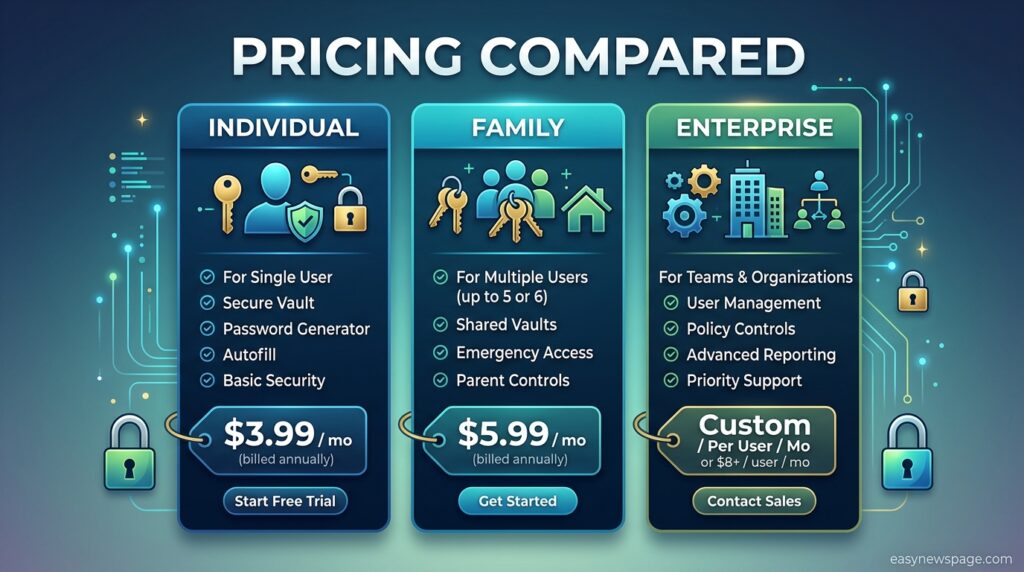
Pricing Table
| Tool | Free Tier | Individual Premium | Family Plan |
|---|---|---|---|
| 1Password | No | ~$2.99/month (annual billing) | ~$4.99/month (5 users) |
| Bitwarden | Yes, fully functional | Under $1/month (~$10/year) | ~$3.33/month (6 users) |
| Dashlane | Limited, one device | ~$4.99/month | Bundled family plan (10 users) |
| Keeper | Limited, one mobile device | ~$2.91/month (annual) | Family plan available (5 users) |
| NordPass | Yes, limited to one device at a time | ~$1.38–$1.49/month (annual) | Family plan available |
Comparison Table
| Criteria | 1Password | Bitwarden | Dashlane | Keeper | NordPass |
|---|---|---|---|---|---|
| Ease of use | Excellent | Good | Excellent | Good | Excellent |
| Value for price | Good | Excellent | Good | Good | Excellent |
| Security architecture | Excellent | Excellent | Excellent | Excellent | Excellent |
| Free plan usability | None | Excellent | Fair | Fair | Fair |
| Business/enterprise readiness | Excellent | Excellent | Good | Excellent | Good |
Specifications
All five password managers support the major platforms: Windows, macOS, iOS, Android, and browser extensions for Chrome, Firefox, Safari, and Edge at minimum, with Bitwarden additionally supporting Linux natively given its open-source nature. All use industry-standard or stronger encryption — AES-256 across most tools, with NordPass notably using XChaCha20 encryption, an alternative cipher considered comparably secure by cryptography researchers. All five support biometric unlock (Face ID, Touch ID, Windows Hello, and Android fingerprint readers) on supported devices.
Security
Every tool on this list uses a zero-knowledge encryption architecture, meaning the provider itself cannot access your unencrypted vault contents even if compelled to. 1Password‘s additional Secret Key, generated and stored locally rather than transmitted to its servers, provides a second security factor beyond the master password alone. Regarding breach history: 1Password disclosed in October 2023 that an attacker accessed customer sign-in logs through a compromised Okta support account, though the company confirmed no vault data was accessed. Bitwarden, Dashlane, Keeper, and NordPass have no publicly disclosed vault breaches as of the most recent available reporting, though breach history should be weighed alongside current architecture and vendor transparency rather than treated as the sole deciding factor.
Privacy
All five tools operate under zero-knowledge principles, meaning your master password and vault contents are never transmitted to or stored on provider servers in a readable form. Data handling practices around metadata — like which websites you have accounts on — vary by provider, so reviewing each vendor’s specific privacy policy is worthwhile if that level of detail matters to your threat model.
Compliance
Keeper stands out specifically for regulatory compliance, holding FedRAMP Moderate authorization along with HIPAA, SOC 2, and ISO 27001 certifications, making it the strongest choice for regulated industries and government-adjacent organizations. 1Password, Bitwarden, and the other tools on this list also maintain relevant compliance certifications for business tiers, though specific certifications should be confirmed directly against your organization’s regulatory requirements before committing to any provider.
Performance
In practical use, all five tools perform reliably for core functions — autofill, password generation, and cross-device sync — with differences showing up mainly in interface polish and sync speed across less common platforms. 1Password and NordPass are frequently cited for their especially smooth, modern interfaces, while Bitwarden‘s interface, though fully functional, is generally considered less polished than its paid-first competitors.
Integrations
Most of these password managers integrate with major browsers natively through official extensions, and several offer desktop app integrations that allow autofill within native desktop applications, not just browser-based logins. Dashlane integrates VPN functionality directly, while NordPass integrates naturally with other Nord ecosystem products like NordVPN for users already subscribed to those services. Business tiers across all five tools typically offer SSO (single sign-on) integration options for organizations using identity providers like Okta or Azure AD.
API and Developer Access
Bitwarden‘s open-source nature extends to developer-friendly access, including a CLI tool and self-hosting options that appeal to technically sophisticated users and organizations wanting infrastructure control. 1Password offers a CLI and Secrets Automation platform aimed at developers managing credentials within CI/CD pipelines and infrastructure code. The other three tools offer more limited developer-facing tooling, focused primarily on the consumer and business admin experience rather than programmatic access.
Customer Support
1Password and Dashlane are frequently cited for responsive, polished customer support experiences befitting their premium positioning. Bitwarden, given its open-source and community-driven nature, relies more heavily on community forums alongside official support channels. Keeper‘s enterprise-tier support is particularly robust, reflecting its focus on regulated-industry and business customers who require dedicated account support.
Latest Updates
Through 2026, passkey support has become standard across all five tools, reflecting the broader industry shift toward passwordless authentication alongside traditional password storage. Bitwarden completed additional independent security audits confirming its end-to-end encryption claims, reinforcing its transparency advantage. Keeper solidified its position as a leading enterprise pick with expanded admin controls, while Dashlane continued growing its user base with expanded family and identity-protection features. NordPass has continued competing aggressively on price while maintaining feature parity with pricier competitors.
Expert Tips
Enable two-factor authentication on your password manager account itself, not just on individual stored accounts, since this protects the master vault from being accessed even if your master password is somehow compromised. Run your chosen tool’s built-in security audit immediately after import and prioritize updating flagged weak, reused, or breached passwords for financial and email accounts first. Store your account recovery information — emergency access codes, Secret Keys, or recovery kits — in a physically secure location separate from your devices, since losing both your master password and recovery method can permanently lock you out of your vault.
Common Mistakes
A common mistake is choosing a free tier without checking its device limitations, then finding it impractical once trying to sync across a phone and computer simultaneously. Another mistake is setting a weak or reused master password, which undermines the entire security model regardless of how strong the underlying encryption is. Some users also import passwords but never run the security audit afterward, missing the opportunity to identify and fix the weak or breached passwords the migration was meant to address.
Troubleshooting
If autofill isn’t working correctly on a specific site, check that the browser extension is enabled and up to date, since outdated extensions are a common cause of autofill failures. If sync isn’t updating across devices, confirm you’re logged into the same account on all devices and check your internet connection, since most password managers require an active connection for real-time sync. If you’re locked out after forgetting your master password, check whether your specific tool offers an emergency access or recovery kit option, since policies vary significantly by provider and some, by design, cannot recover a forgotten master password at all.
Myths vs Facts
Myth: Password managers are a single point of failure that makes you less secure. Fact: A password manager with a strong master password and two-factor authentication is significantly more secure than reusing weak passwords across dozens of accounts, since one compromised password no longer cascades into multiple account breaches.
Myth: Free password managers aren’t secure enough to trust. Fact: Bitwarden’s free tier uses the same zero-knowledge encryption architecture as its paid tiers and has undergone independent security audits, making it a genuinely secure option rather than a stripped-down compromise.
Myth: Browser-built-in password saving is just as good as a dedicated password manager. Fact: Dedicated password managers typically offer stronger security auditing, breach monitoring, and cross-browser compatibility that built-in browser password storage generally lacks.
Decision Matrix
| Criteria (weight) | 1Password | Bitwarden | Dashlane | Keeper | NordPass |
|---|---|---|---|---|---|
| Ease of use (20%) | 9 | 7 | 9 | 7 | 9 |
| Price/value (20%) | 6 | 10 | 7 | 7 | 9 |
| Security architecture (20%) | 9 | 9 | 9 | 9 | 8 |
| Free plan usability (20%) | 2 | 10 | 5 | 5 | 6 |
| Business/enterprise readiness (20%) | 9 | 8 | 7 | 10 | 7 |
Beginner vs Advanced
Beginners generally benefit most from 1Password or NordPass, since both offer clean, guided interfaces that minimize the learning curve when switching from browser-saved passwords for the first time. Advanced or security-conscious users often prefer Bitwarden, since its open-source code allows independent verification of its security claims and its self-hosting option offers a level of infrastructure control the other tools don’t provide.
Best Alternatives
Beyond the top five covered here, other notable options include Proton Pass, built by the team behind Proton Mail and focused heavily on privacy, and Apple Passwords, a solid built-in option for users fully committed to the Apple ecosystem. RoboForm is frequently cited for its especially strong form-filling accuracy and budget-friendly family pricing. None of these displaced the top five in this guide, but they’re worth considering for those specific priorities.
Alternative Comparison
Proton Pass competes closely with Bitwarden on privacy-first positioning and offers email alias features Bitwarden’s free tier doesn’t match, though Bitwarden’s broader feature set and longer track record give it a slight edge for most users. Apple Passwords works well specifically for users who never leave the Apple ecosystem but offers less functionality for anyone using Windows or Android alongside their Apple devices. RoboForm‘s form-filling strength makes it a strong niche pick, though it doesn’t match Bitwarden’s price advantage or 1Password’s overall polish for most general use cases.
Who Should Use It
Choose 1Password if you want the most polished, consistent experience and are willing to pay a premium for it. Choose Bitwarden if you want a genuinely capable free password manager or the cheapest reliable premium tier with open-source transparency. Choose Dashlane if you want bundled VPN access and dark web monitoring alongside password management, particularly for family use. Choose Keeper if you need strong compliance certifications for a regulated industry or enterprise deployment. Choose NordPass if you want the cheapest reliable premium experience, especially if you’re already in the Nord ecosystem.
Who Should Avoid It
Avoid 1Password if budget is a primary concern, since it has no free tier and costs more than most competitors. Avoid Bitwarden if interface polish matters more to you than price or transparency, since its design trails more premium-focused competitors. Avoid Dashlane if you don’t need the bundled VPN and identity protection features, since you may be paying for functionality you won’t use. Avoid Keeper for simple personal use if you don’t need its compliance-focused features, since simpler tools may suit casual users better. Avoid NordPass‘s free tier specifically if you need simultaneous multi-device access without upgrading, since it limits free users to one device at a time.
Read more: Password Managers: Common Mistakes That Put You at Risk (2026 Guide)
FAQ
Is it safe to use a password manager?
Yes. Password managers use zero-knowledge encryption, meaning even the provider cannot read your stored passwords, and they are significantly safer than reusing weak passwords across multiple accounts, which remains one of the most common causes of cascading account breaches.
What is the best free password manager in 2026?
Bitwarden is widely considered the best free password manager in 2026, offering unlimited password storage and cross-device sync at no cost, backed by independent security audits confirming its encryption claims.
Why isn’t LastPass included in this list?
LastPass disclosed a 2022 breach in which attackers exfiltrated encrypted customer vault backups, a disclosure that grew more serious in 2023 when the company confirmed backup data had also been compromised, which has significantly affected its standing in current password manager comparisons.
Which password manager is best for families?
Dashlane is frequently recommended for families given its bundled dark web monitoring and identity protection features, though Bitwarden’s family plan offers the lowest per-person cost among the tools compared here.
Do password managers work across all my devices?
Yes, all five tools compared here support Windows, macOS, iOS, and Android, along with browser extensions for major browsers, though free tiers on some tools limit simultaneous multi-device access.
What happens if I forget my master password?
Recovery options vary by provider — some offer emergency access through a trusted contact or a stored recovery kit, while others are designed so that a forgotten master password cannot be recovered at all, which is why storing recovery information securely is essential regardless of which tool you choose.
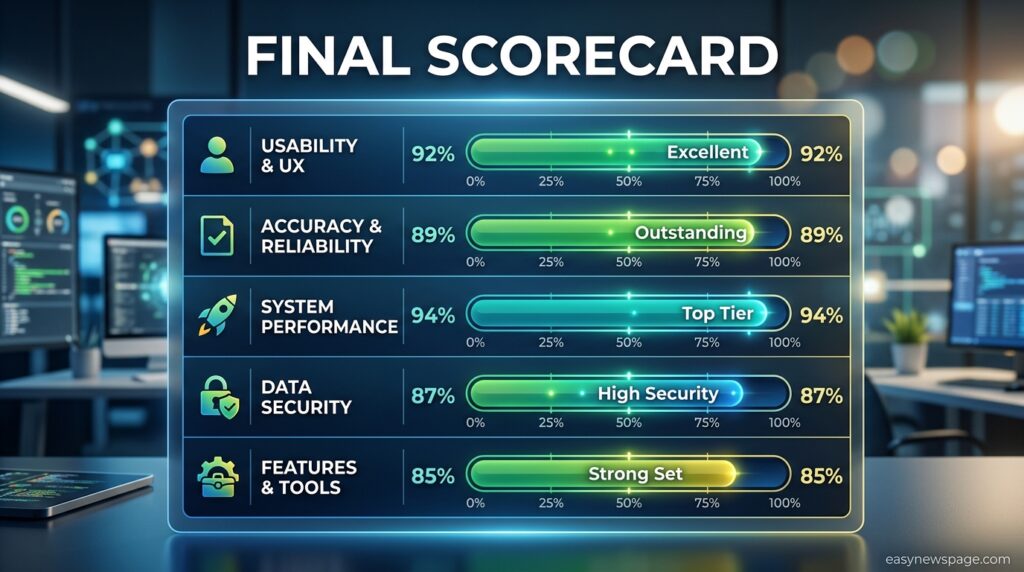
Rating Scorecard
| Tool | Overall Score (out of 10) |
|---|---|
| 1Password | 8.9 |
| Bitwarden | 9.0 |
| Dashlane | 8.4 |
| Keeper | 8.6 |
| NordPass | 8.5 |
Conclusion
There’s no single best password manager for everyone, but there is a clear best answer for most specific situations, and this comparison is built to help you find yours quickly. 1Password remains the top pick for anyone who wants the most polished, worry-free experience and is comfortable paying a premium for it. Bitwarden is the strongest choice for anyone who wants genuine security transparency backed by open-source code, whether on its free tier or its notably affordable premium plan. Dashlane earns its place for families wanting bundled digital protection beyond password storage alone, while Keeper is the clear choice for regulated industries needing serious compliance credentials, and NordPass delivers excellent value, especially for existing Nord ecosystem users.
The overall moral here is straightforward: any of these five tools is a significant security upgrade over reused or browser-saved passwords, and the differences between them matter far less than simply switching from no password manager at all. LastPass’s exclusion from this list isn’t a minor footnote — it’s a reminder that breach history and vendor transparency deserve real weight in this decision, not just feature comparisons and price tags.
If you’re currently using none of these tools, or still relying on memorized or reused passwords, the single most impactful action you can take today is picking one of these five, setting a strong master password, and starting the import and audit process this week. Security tools only protect you once you actually start using them, and every day spent reusing passwords is a day of unnecessary risk that a twenty-minute setup process can eliminate.
Official Sources
- 1Password official pricing and security documentation
- Bitwarden official pricing page and published independent security audit results
- Dashlane, Keeper, and NordPass official pricing and feature pages
- Multiple independent 2026 password manager comparison guides, cross-checked for consistency on pricing and feature claims
- Public reporting on the LastPass 2022–2023 breach disclosures
Note: Password manager pricing and feature tiers change periodically. Figures above reflect a September 2026 snapshot synthesized from multiple sources and should be reconfirmed on each vendor’s official pricing page before subscribing.
Author Bio
This guide was researched and written by the easynewspage.com editorial team, cross-checking vendor documentation and multiple independent 2026 sources rather than relying on a single review platform. Our review process explicitly weighs security track record and transparency, not just feature lists and pricing.