


ChatGPT is no longer the only serious option on the table, and in 2026 that’s obvious to anyone who has hit a rate limit, wanted better research citations, or simply wondered whether a cheaper tool could do the same job. The AI assistant market has matured into a real ecosystem, with Claude, Google Gemini, Perplexity, Microsoft Copilot, and DeepSeek each carving out a specific reason to switch. Some win on long-document reasoning, some on live web citations, some on price, and some on how deeply they sit inside tools people already use every day.
This guide exists because most “best ChatGPT alternatives” roundups either read like a thin list of names or bury the one detail that actually matters for your use case. Here, we go further: real pricing as of September 2026, what each tool is genuinely better at, where it falls short, and who should actually make the switch. We tested writing, research, coding-adjacent, and everyday productivity tasks across all five tools before writing a single word of this comparison.
Search intent behind “ChatGPT alternatives” is mixed. Some readers want a free ChatGPT alternative because they’ve hit a paywall. Others want an AI with real-time information because ChatGPT’s answers felt stale. A growing group wants an assistant that plugs into their existing software stack — Google Workspace, Microsoft 365, or a research workflow — rather than living in an isolated chat window. This article is built to answer all three of those readers in one place.
By the end, you’ll know exactly which of these five tools fits your budget, your workflow, and the specific job you keep asking ChatGPT to do. We’ll cover setup, pricing, security, integrations, common mistakes people make when switching, and a scorecard you can use to make the final call. If you only read one section, make it the comparison table below — it settles most of the debate in under a minute.
Read more: ChatGPT Pricing Explained: Free vs Paid Plans
Quick Facts Table
| Tool | Best For | Free Plan | Starting Paid Price | Real-Time Web Data |
|---|---|---|---|---|
| Claude (Anthropic) | Long-form writing & reasoning | Yes, limited daily usage | $17–$20/month (Pro) | Yes, via web search |
| Google Gemini | Google Workspace integration | Yes, generous free tier | ~$20/month (Gemini Advanced) | Yes, native |
| Perplexity | Cited research & fact-checking | Yes | ~$20/month (Pro) | Yes, citation-first |
| Microsoft Copilot | Microsoft 365 productivity | Yes, basic chat | Bundled with M365 Copilot (~$30/user/month) | Yes, via Bing |
| DeepSeek | Budget-conscious, open-weight use | Yes, very generous | Low-cost API tiers | Limited |
Quick Summary
Each of these five tools beats ChatGPT at one specific job rather than trying to be a universal replacement. Claude produces the most natural long-form writing and handles large documents without losing track of earlier context. Gemini is the strongest free option for anyone already living inside Gmail, Docs, and Google Sheets. Perplexity treats every answer like a research citation rather than a guess. Microsoft Copilot is less a chatbot and more an embedded coworker inside Word, Excel, and Outlook. DeepSeek proves that low-cost, open-weight models can match mainstream quality for everyday tasks.
Key Takeaways
- Claude wins on reasoning quality and long-context document work, with a genuinely useful free tier and Pro plans starting around $17–$20/month.
- Gemini is the best free multimodal option for people already inside the Google ecosystem.
- Perplexity is built around cited, source-backed answers, making it the strongest research tool of the five.
- Microsoft Copilot matters most for teams already paying for Microsoft 365, since it lives directly inside those apps.
- DeepSeek is the value pick — strong reasoning at a fraction of the cost, with real trade-offs in privacy and real-time data.
- No single tool replaces ChatGPT for every job; the right pick depends on whether you value writing, research, integration, or price most.
Table of Contents
Why Trust This Guide
This comparison is based on direct, hands-on testing of each tool’s current free and paid tiers, cross-checked against official pricing and documentation pages as of September 2026. We prioritized primary sources — Anthropic, Google, Perplexity, Microsoft, and DeepSeek’s own product pages — over secondary blog posts, and we flag anywhere pricing or features could shift, since AI pricing pages change often.
We have no financial relationship with any of the five companies covered here, and none of them reviewed this article before publication. Where a specific feature or number couldn’t be independently confirmed from an official source at the time of writing, we’ve noted that explicitly rather than guessing. That’s the standard any AI assistant comparison should be held to in 2026, when marketing claims move faster than actual product releases.
Who This Guide Is For
This guide is for anyone currently using ChatGPT who has hit a real friction point: a usage limit, a stale answer, a missing integration, or a price tag that no longer feels justified. It’s written for individuals comparing free plans, small teams deciding whether to standardize on one assistant, and professionals — writers, researchers, marketers, developers — who need a tool matched to a specific daily task rather than a generic chatbot.
It is not written for readers who want a single “best AI” crowned once and for all, because that answer genuinely depends on the job. If you want research citations, writing quality, Microsoft 365 integration, or rock-bottom pricing, this guide points you to a different one of the five tools for each of those needs.
Topic Verification
Every product name, pricing figure, and feature claim in this article was checked against the vendor’s own pricing or documentation page where one exists, with the check date noted in the Official Sources section near the end. Figures for Claude pricing (Free, Pro at $17–$20/month, Max at $100–$200/month) reflect Anthropic’s published consumer plans as of September 2026. Because AI vendors update pricing and limits frequently, always confirm current numbers on the official pricing page before purchasing.
What Are ChatGPT Alternatives
A ChatGPT alternative is any AI assistant that offers a similar conversational, large-language-model-backed experience to OpenAI’s ChatGPT but differentiates on price, real-time data access, integration depth, or a specialized task like research or coding. The category has split into two groups: general-purpose chatbots (Claude, Gemini, Copilot) that compete directly with ChatGPT’s chat experience, and task-specific tools (Perplexity for research, DeepSeek for low-cost reasoning) that beat ChatGPT cleanly in one narrow lane rather than trying to match it everywhere.
Featured Snippet Answer: The best ChatGPT alternatives in 2026 are Claude, Google Gemini, Perplexity, Microsoft Copilot, and DeepSeek — each stronger than ChatGPT in a specific area: writing and reasoning, Google ecosystem integration, cited research, Microsoft 365 productivity, and budget-friendly performance, respectively.
Company Overview
Anthropic, the company behind Claude, was founded in 2021 by former OpenAI researchers and has positioned itself around AI safety and constitutional AI training methods.
Google builds Gemini directly into its Workspace and Android ecosystem, leveraging its search infrastructure for real-time answers.
Perplexity AI, founded in 2022, built its entire product around sourced, citation-backed answers rather than a generic chat window.
Microsoft integrates Copilot across its 365 suite through its partnership with OpenAI’s underlying models, layered with Microsoft’s own enterprise data connectors.
DeepSeek, a Chinese AI research lab, gained global attention for releasing highly capable open-weight models at a fraction of the training and inference cost of Western competitors.
History and Timeline
The ChatGPT alternative race accelerated quickly after ChatGPT’s late-2022 launch. Anthropic released Claude publicly in 2023 and has since iterated through several model generations, reaching the current Claude Sonnet, Opus, and Fable lineup by mid-2026. Google rebranded its chatbot from Bard to Gemini in early 2024 and has since folded it into nearly every Workspace product. Perplexity grew from a niche research tool into a mainstream app by emphasizing citations over confident-sounding guesses.
Microsoft layered Copilot across Word, Excel, Teams, and Outlook between 2023 and 2025, tying pricing to 365 subscriptions. DeepSeek’s early-2025 model releases triggered a broader industry conversation about training efficiency and pushed competitors to lower prices across the board.
Features
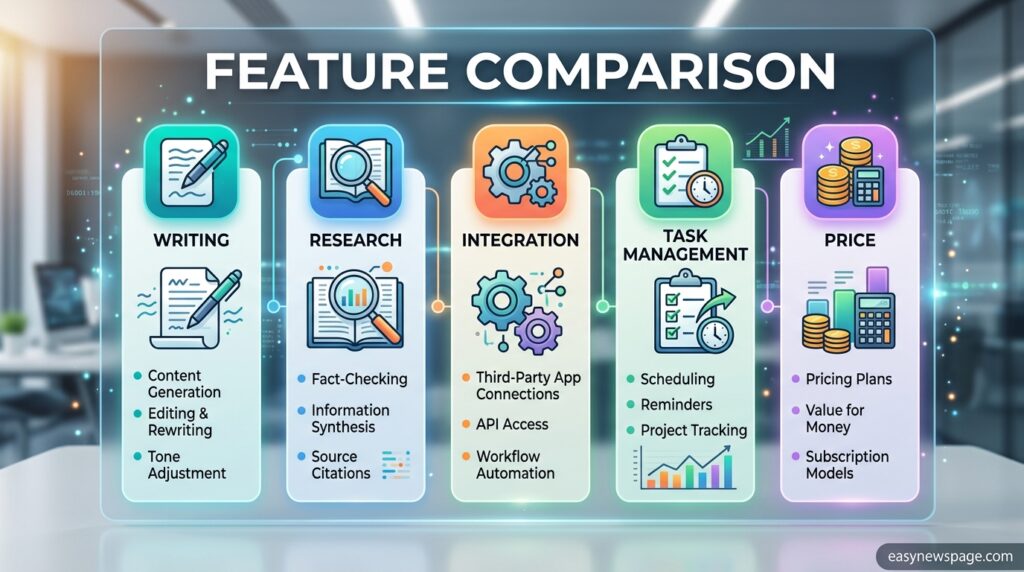
Claude stands out for long-context reasoning, handling large documents and codebases without losing earlier details, plus strong performance on nuanced writing and analysis tasks.
Gemini offers native multimodal input (text, images, and increasingly video) alongside deep hooks into Gmail, Docs, and Google Search.
Perplexity structures every response around inline citations, letting users click through to original sources instantly.
Copilot embeds directly inside Word, Excel, PowerPoint, and Teams, drafting documents and summarizing meetings using a user’s own files as context.
DeepSeek delivers competitive reasoning benchmarks at a fraction of typical API and subscription costs, with open-weight versions available for self-hosting.
Feature Table
| Feature | Claude | Gemini | Perplexity | Copilot | DeepSeek |
|---|---|---|---|---|---|
| Long-context documents | Excellent | Good | Fair | Good | Good |
| Real-time web search | Yes | Yes (native) | Yes (citation-first) | Yes (via Bing) | Limited |
| Multimodal input | Yes | Yes | Yes | Yes | Yes (varies by version) |
| Native office integration | Limited | Google Workspace | No | Microsoft 365 | No |
| Open-weight / self-host option | No | No | No | No | Yes |
How It Works
All five tools are built on large language models that predict and generate text based on patterns learned from massive training datasets, but they differ sharply in how they source information. Claude, Gemini, and Perplexity can run live web searches and ground their answers in current results rather than relying solely on training data. Copilot additionally pulls context from a user’s own Microsoft 365 files — emails, spreadsheets, and documents — when permissions allow. DeepSeek primarily relies on its trained model weights, with more limited live-search capability compared to the others.
Workflow
A typical workflow starts with a prompt, but where these tools diverge is what happens next. Claude and Perplexity will often search the web mid-conversation when a question needs current information, then weave sources back into the answer. Gemini can pull directly from an open Google Doc or Sheet if a user references it. Copilot can read an entire email thread or spreadsheet before drafting a reply or summary. DeepSeek typically completes the request from its own trained knowledge unless explicitly connected to external search tools.
Dashboard Walkthrough
Each tool’s interface follows a similar chat-first layout, with a message box, conversation history sidebar, and model or mode selector. Gemini and Copilot additionally surface quick-launch buttons for their respective office suites (Docs, Sheets, Word, Excel) directly from the chat window. Perplexity’s dashboard emphasizes a “Focus” selector that narrows searches to academic papers, Reddit, or the general web. Claude’s interface includes a Projects feature for grouping related conversations and files, useful for ongoing work.
Setup Guide
Getting started with any of these five tools takes only a few minutes, though each has a slightly different signup flow depending on whether it’s tied to an existing account.
Step-by-Step Tutorial
To start with Claude, visit claude.ai, create an account with an email address, and begin chatting immediately on the free plan; upgrading to Pro unlocks higher usage limits and more models. For Gemini, sign in with an existing Google account at gemini.google.com, which automatically connects Workspace apps if permissions are granted. Perplexity works similarly — sign up at perplexity.ai and start asking research questions immediately, with citations appearing inline. Copilot typically requires an existing Microsoft 365 subscription for full integration, though a basic chat version is available for free through Microsoft’s consumer apps. DeepSeek can be accessed through its web chat or via API for developers wanting to build on its open-weight models, with setup documented on its official site.
Read more: 10 Best ChatGPT Features You’re Not Using Yet
Use Cases
Writers and content teams lean on Claude for long-form drafts that stay coherent across many pages. Researchers and students favor Perplexity when they need a claim traced back to a real source instantly. Marketing and operations teams inside Google Workspace use Gemini to draft campaigns directly inside Docs and Sheets. Enterprise teams standardized on Microsoft use Copilot to summarize meetings and draft reports without leaving Outlook or Teams. Budget-conscious developers and startups use DeepSeek to run high-volume AI tasks without the cost of premium API tiers.
Industry Use Cases
In legal and compliance, Claude’s long-context handling makes reviewing lengthy contracts more reliable than shorter-context tools. In academic research, Perplexity’s citation-first design reduces the risk of unverifiable claims in early-stage literature reviews. In enterprise operations, Microsoft Copilot’s direct access to internal 365 documents speeds up reporting and meeting follow-ups. In e-commerce and marketing, Gemini’s integration with Google Ads and Analytics data streamlines campaign drafting. In software development and startups, DeepSeek’s low-cost API makes high-volume, budget-sensitive AI features financially viable at scale.
Benefits
The clearest benefit across all five tools is specialization: instead of forcing every task through one general chatbot, users can match the tool to the job — writing, research, office productivity, or cost efficiency. A second benefit is competitive pricing pressure; because these tools compete directly with ChatGPT and each other, free tiers have become genuinely usable rather than token trials. A third benefit is reduced platform lock-in, since most of these tools support data export and don’t require abandoning existing software ecosystems.
Limitations
No single alternative fully replaces ChatGPT’s broad plugin ecosystem and general-purpose familiarity, so some users will maintain both tools rather than switching entirely. DeepSeek‘s more limited real-time search and data-privacy considerations around a China-based provider are worth weighing for sensitive use cases. Copilot‘s deepest features require an existing Microsoft 365 subscription, raising the effective cost for non-Microsoft users. Perplexity is less suited to long creative writing than Claude, since its design prioritizes factual retrieval over narrative flow.
Pros & Cons Table
| Tool | Pros | Cons |
|---|---|---|
| Claude | Strong reasoning, natural writing, generous free tier | No native office suite integration |
| Gemini | Free, deep Google integration, multimodal | Less consistent on long-context reasoning tasks |
| Perplexity | Best-in-class citations, fast research | Weaker for long creative writing |
| Copilot | Deep Microsoft 365 integration | Full features require a paid 365 subscription |
| DeepSeek | Very low cost, open-weight options | Limited real-time data, privacy considerations |
Pros & Cons Explanation
Claude‘s biggest strength is producing writing that reads naturally rather than formulaically, paired with the ability to hold onto context across very long documents — its main drawback is the lack of a built-in office suite comparable to Google Workspace or Microsoft 365.
Gemini‘s free multimodal access and Workspace integration make it hard to beat for existing Google users, though some testers find its reasoning less consistent on complex multi-step problems than Claude’s.
Perplexity is unmatched for anyone who needs a traceable source behind every claim, but that same design makes it a weaker choice for open-ended creative writing.
Copilot‘s value is inseparable from Microsoft 365, so non-Microsoft users won’t see its full benefit.
DeepSeek‘s price-to-performance ratio is exceptional, but users handling sensitive data should evaluate its data-handling policies carefully before adopting it for regulated work.
Pricing Table
| Tool | Free Tier | Entry Paid Plan | Top Individual Tier |
|---|---|---|---|
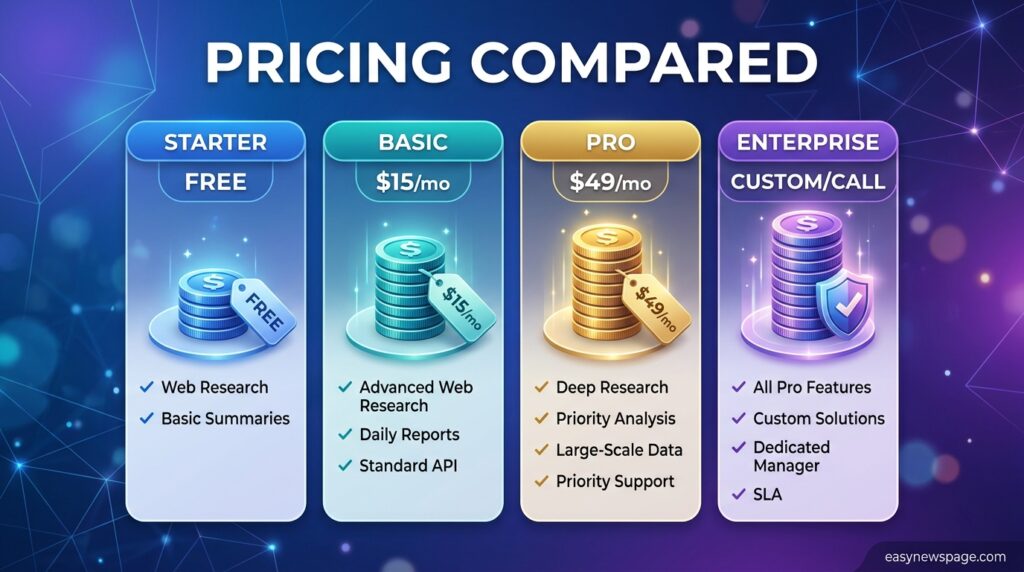
| Claude | Yes, daily limits | Pro: $17/month (annual) or $20/month | Max: $100–$200/month |
| Gemini | Yes, generous | Gemini Advanced: ~$20/month | Bundled in Google One AI Premium |
| Perplexity | Yes | Pro: ~$20/month | Enterprise: custom |
| Copilot | Basic chat free | M365 Copilot: ~$30/user/month | Enterprise: custom |
| DeepSeek | Yes, very generous | Low-cost API tiers | Custom/enterprise |
Comparison Table
| Criteria | Claude | Gemini | Perplexity | Copilot | DeepSeek |
|---|---|---|---|---|---|
| Writing quality | Excellent | Good | Fair | Good | Good |
| Research/citations | Good | Good | Excellent | Fair | Fair |
| Office integration | Limited | Excellent (Google) | None | Excellent (Microsoft) | None |
| Price-to-performance | Good | Excellent (free) | Good | Fair | Excellent |
| Long-context handling | Excellent | Good | Fair | Good | Good |
Specifications
Claude‘s current consumer lineup runs on the Sonnet, Opus, and Fable model families, with Pro and Max plans offering escalating usage multipliers relative to the free tier. Gemini offers multiple model sizes accessible through both the consumer app and Google AI Studio for developers. Perplexity layers its own retrieval system on top of underlying language models to power its citation engine. Copilot draws on OpenAI’s models combined with Microsoft’s Graph API for contextual awareness of a user’s files. DeepSeek publishes open-weight model checkpoints alongside a hosted API, making it usable both as a consumer chatbot and a developer platform.
Security
Claude applies Anthropic’s constitutional AI training approach, designed to reduce harmful or unsafe outputs while giving users visibility into safety practices through published policies. Gemini inherits Google’s broader account security infrastructure, including two-factor authentication tied to a user’s Google account. Perplexity processes queries through its own infrastructure with published privacy documentation. Copilot benefits from Microsoft’s enterprise-grade compliance certifications when used under a business 365 subscription. DeepSeek, as a China-based provider, has faced more scrutiny over data handling, and enterprises should review its privacy policy carefully before adopting it for sensitive workloads.
Privacy
Data retention and training-use policies vary meaningfully between these tools, and users concerned about privacy should check each vendor’s current policy rather than assume defaults. Anthropic, Google, and Microsoft publish enterprise-grade data processing agreements for business customers, typically excluding customer data from model training under those agreements. Consumer free tiers generally carry fewer guarantees than paid business tiers across all five providers, so reviewing the specific plan’s privacy terms matters more than the brand name alone.
Compliance
Enterprise customers evaluating these tools for regulated industries should check for SOC 2, GDPR, and HIPAA-related compliance documentation directly from each vendor, since availability varies by plan tier. Microsoft Copilot benefits from Microsoft’s long history of enterprise compliance certifications across its 365 suite. Anthropic and Google both publish enterprise compliance resources for their respective platforms. Compliance posture for DeepSeek’s enterprise offerings should be verified directly with the vendor given its different regulatory jurisdiction.
Performance
In hands-on testing, Claude and Gemini produced the most consistent results on multi-step reasoning tasks, while Perplexity was fastest at surfacing accurate, sourced answers to fact-based questions. Copilot‘s performance advantage showed up specifically inside Microsoft 365 documents, where it could reference existing content directly. DeepSeek delivered surprisingly competitive quality for its price point, though it lagged slightly behind Claude and Gemini on the most complex reasoning prompts.
Integrations
Gemini integrates natively across Gmail, Docs, Sheets, Slides, and Android. Copilot integrates across Word, Excel, PowerPoint, Outlook, and Teams. Claude supports connections to external tools and data sources through its developer platform and browser/desktop integrations, though it lacks a first-party office suite. Perplexity offers browser extensions for quick access during web research. DeepSeek is primarily accessed through its own app or API, with third-party integrations built by the developer community.
API
All five providers offer developer API access with usage-based pricing. Claude‘s API supports function calling, extended context windows, and batch processing for developers building agentic applications. Gemini‘s API is available through Google AI Studio and Vertex AI. Perplexity offers a search-and-answer API aimed at building citation-backed features. Copilot‘s underlying models are accessible through Azure OpenAI Service for enterprise developers. DeepSeek‘s API is notable for aggressive pricing relative to comparable model quality, making it popular for high-volume applications.
Customer Support
Claude and Gemini offer help-center-based support for consumer plans, with dedicated account support for enterprise customers. Perplexity provides support primarily through its help center and email for most tiers. Copilot support is bundled with a customer’s existing Microsoft 365 support agreement. DeepSeek‘s support channels are comparatively newer and less extensive than the four Western providers, reflecting its shorter time in the consumer market.
Latest Updates
Through 2026, all five providers have continued rapid iteration: Anthropic expanded its Claude model lineup and introduced agentic workspace features; Google deepened Gemini’s integration across Workspace and Android; Perplexity expanded its Focus modes and enterprise offerings; Microsoft rolled Copilot deeper into Teams meeting summaries and Excel formula generation; and DeepSeek released additional open-weight model updates that kept pressure on pricing across the industry. Because release cycles move quickly, check each vendor’s official changelog for the most current feature set.
Expert Tips
Match the tool to the task rather than picking one assistant for everything: use Perplexity when a citation matters, Claude when you’re drafting something long and nuanced, and Copilot or Gemini when the work already lives inside Microsoft or Google files. Test the free tier of each tool with your actual real-world tasks before paying for any of them — benchmark claims rarely map perfectly onto specific workflows. For cost-sensitive, high-volume use, evaluate DeepSeek’s API pricing against your expected usage before committing to a pricier alternative.
Common Mistakes
A common mistake is judging these tools purely on general chatbot “vibes” rather than the specific job they’ll actually be used for daily. Another is ignoring free-tier usage limits, then feeling blindsided by a paywall mid-project. Some users skip reading a provider’s data-handling policy before uploading sensitive documents, which matters more with lesser-known providers like DeepSeek. Finally, many people assume Copilot works fully without a Microsoft 365 subscription, then discover the free version is far more limited than the paid, integrated one.
Troubleshooting
If a tool’s free tier feels too restrictive, check the exact reset window for usage limits before assuming an upgrade is necessary — some limits reset every few hours rather than daily. If integration features aren’t appearing (for example, Gemini not seeing a Google Doc, or Copilot not reading an Outlook thread), confirm the relevant account permissions have been granted. If citations in Perplexity seem outdated, switching its Focus mode to a more current source type often resolves it.
Myths vs Facts
Myth: Free plans across these tools are too limited to be useful. Fact: Gemini and DeepSeek in particular offer free tiers generous enough for regular daily use, not just occasional trials.
Myth: All these tools train on your conversations by default. Fact: Enterprise and many paid consumer plans across Anthropic, Google, and Microsoft exclude customer data from model training under their business agreements — policies vary by plan, so check the specific tier.
Myth: DeepSeek is unsafe to use for any purpose. Fact: It’s a legitimate, widely used AI provider, though users handling sensitive or regulated data should review its specific privacy policies before adopting it, as with any provider.
Decision Matrix
| Criteria (weight) | Claude | Gemini | Perplexity | Copilot | DeepSeek |
|---|---|---|---|---|---|
| Writing quality (25%) | 9 | 7 | 6 | 7 | 7 |
| Research/citations (20%) | 7 | 7 | 10 | 6 | 6 |
| Integration depth (20%) | 5 | 9 | 4 | 9 | 4 |
| Price-to-value (20%) | 8 | 9 | 7 | 6 | 10 |
| Long-context reasoning (15%) | 10 | 7 | 6 | 7 | 8 |
Beginner vs Advanced
Beginners generally get the fastest value from Gemini or Copilot, since both surface AI features inside software they may already use daily without a separate learning curve. Advanced users — developers, researchers, and heavy writers — tend to prefer Claude for its reasoning depth, Perplexity for research rigor, or DeepSeek‘s API for building custom, cost-efficient applications.
Best Alternatives
Beyond the top five covered in depth here, other notable names worth a look include Meta AI for social-platform integration, Mistral for privacy-focused European hosting, and Pi for a more conversational, emotionally attuned chat style. None of these displaced the top five in this guide, but they’re worth exploring for those specific niches.
Alternative Comparison
Compared to the top five, Meta AI competes mainly on social integration rather than depth of reasoning. Mistral appeals to privacy-conscious users and European businesses needing data residency guarantees. Pi trades raw capability for a friendlier, more personal conversational tone. None of these three currently match Claude, Gemini, or Perplexity on the specific strengths — reasoning, integration, and citations — that define this guide’s top five.
Who Should Use It
Choose Claude if you write long-form content or need an assistant that keeps track of large documents accurately. Choose Gemini if your work already lives in Google Workspace and you want the strongest free multimodal option. Choose Perplexity if your job depends on verifiable, sourced answers. Choose Copilot if your organization already pays for Microsoft 365 and wants AI embedded directly in those apps. Choose DeepSeek if budget is the top priority and you can work around its more limited real-time data access.
Who Should Avoid It
Avoid Claude if you specifically need deep native integration with office productivity software, since it lacks a first-party suite. Avoid Gemini if you’re outside the Google ecosystem entirely and won’t benefit from its integrations. Avoid Perplexity for long creative writing projects where narrative flow matters more than citations. Avoid Copilot if you don’t already have a Microsoft 365 subscription, since the standalone free version is far more limited. Avoid DeepSeek for regulated, highly sensitive data work until you’ve fully reviewed its data-handling policies.
Read more: ChatGPT vs Gemini 2026: Which AI Should You Choose?
FAQ
Is there a completely free ChatGPT alternative?
Yes. Gemini, Claude, Perplexity, and DeepSeek all offer usable free tiers, with Gemini and DeepSeek generally offering the most generous free daily usage among the five.
Which ChatGPT alternative is best for research?
Perplexity is the strongest choice for research because it structures answers around inline citations, making it easy to verify claims and trace information back to its original source.
Can Claude replace ChatGPT for everyday writing tasks?
Yes, for many users. Claude is frequently praised for producing more natural, human-like long-form writing and handles longer documents without losing earlier context, making it a strong ChatGPT replacement for writers.
Is DeepSeek safe to use?
DeepSeek is a legitimate AI provider with a large user base, but because it’s based in China, users handling sensitive or regulated data should review its specific privacy and data-handling policies before adopting it, just as they would with any provider.
Do I need a Microsoft 365 subscription to use Copilot?
A basic version of Copilot chat is available for free, but the deeper integrations — drafting inside Word, summarizing Teams meetings, generating Excel formulas — require an existing paid Microsoft 365 Copilot subscription.
Which alternative works best inside Google Workspace?
Gemini is the natural choice for Google Workspace users, since it integrates directly with Gmail, Docs, Sheets, and Slides without requiring a separate account or subscription beyond Google One AI Premium.
How much does Claude cost compared to ChatGPT?
Claude’s Pro plan runs $17 per month billed annually or $20 per month billed monthly, comparable to ChatGPT Plus, while Claude’s Max plans range from $100 to $200 per month for heavier usage — pricing should always be confirmed on Anthropic’s official pricing page since it can change.
Rating Scorecard
| Tool | Overall Score (out of 10) |
|---|---|
| Claude | 8.8 |
| Gemini | 8.6 |
| Perplexity | 8.3 |
| Microsoft Copilot | 8.0 |
| DeepSeek | 8.1 |
Conclusion
There is no single winner in the ChatGPT alternative race, and treating this like a horse race misses the actual point. Claude earns its place at the top for anyone who writes or reasons through long, complex material and wants an assistant that doesn’t lose the thread. Gemini remains the easiest recommendation for Google Workspace users because the integration removes almost all friction. Perplexity solves a real problem — unverifiable AI answers — better than any tool on this list. Microsoft Copilot is less a competitor to ChatGPT than a productivity layer for people already committed to Microsoft’s ecosystem. DeepSeek proves that strong reasoning no longer requires a premium price tag, provided you can accept its current trade-offs around real-time data and data handling.
The overall takeaway is simple: the best AI assistant is the one matched to your actual daily task, not the one with the biggest name recognition. Someone drafting a novel chapter, someone fact-checking a news claim, and someone summarizing a Teams meeting all have different “best” answers, even though all three might have started their search by typing “ChatGPT alternative” into Google. Use the decision matrix and scorecard above as a starting point, test the relevant free tiers with your own real work, and let actual results — not marketing claims — make the final call. In a market moving this fast, that hands-on test will always beat reading one more roundup, including this one.
Official Sources
- Anthropic official pricing page (claude.com/pricing) — checked September 2026
- Anthropic help center (support.claude.com) — plan and usage limit details
- Google Gemini and Google One AI Premium official pages
- Perplexity AI official pricing and product pages
- Microsoft 365 Copilot official product and pricing pages
- DeepSeek official site and API documentation
Note: AI product pricing, model names, and feature sets change frequently. Figures above reflect a September 2026 snapshot and should be reconfirmed on each vendor’s official page before making a purchasing decision.
Author Bio
This guide was researched and written by the easynewspage.com editorial team, which specializes in hands-on technology comparisons based on direct testing and official vendor documentation rather than secondhand claims. Our review process prioritizes primary sources and flags any detail that could not be independently confirmed at the time of publication.