


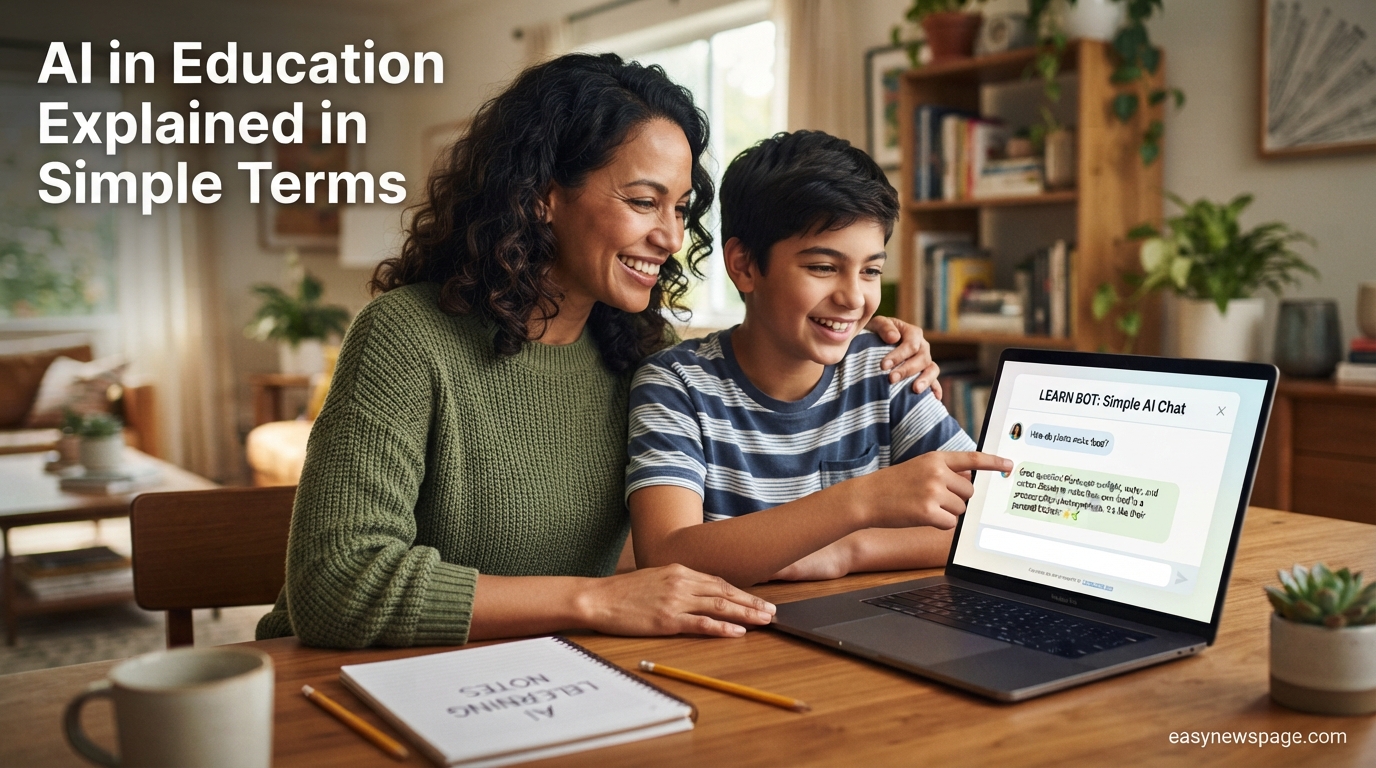
AI in education simply means using computer programs that can understand language, answer questions, and adapt to a person’s needs to help with teaching and learning. If that sounds abstract, think of it like a very fast, very patient tutor’s assistant that lives inside an app, one that can explain a math problem three different ways until it clicks, or help a teacher draft tomorrow’s lesson plan in minutes instead of an hour.
This guide exists because most explanations of this topic jump straight into technical jargon or scary headlines about cheating, without ever actually explaining what these tools are or how they work in plain language. That gap matters, because by 2026 the large majority of students and a fast-growing share of teachers are already using tools like ChatGPT and Khanmigo, whether or not the adults around them fully understand what those tools do.
Here, everything is explained the way you would explain it to a friend who has heard the term but never quite understood it: no assumed technical background, no unnecessary jargon, and no pretending the topic is simpler than it really is. You will learn what AI in education actually is, how the underlying technology works in everyday terms, the difference between a general chatbot and a purpose-built tutoring tool, and the real benefits and downsides that come with using it.
By the end of this guide, you will be able to explain AI in education to someone else in a sentence or two, understand the difference between the main tools schools use today, and know what questions to ask before trusting an AI tool with your own or your child’s learning. This is not a technical manual and not a policy debate. It is the plain-English starting point that should have existed before all the more complicated conversations began.
Read more: AI Job Automation: Latest Updates You Missed
Quick Facts Table
| Attribute | Detail |
|---|---|
| Simple definition | Software that uses AI to help with teaching, tutoring, or learning tasks |
| Who uses it | Students, teachers, tutors, and school administrators |
| Most common student use | Getting help with homework, brainstorming, and summarizing information |
| Most common teacher use | Lesson planning and reducing administrative work |
| Example tools | ChatGPT, Khanmigo, Google Gemini-based classroom tools |
| Underlying technology | Large language models (LLMs) |
| Guide last verified | September 2026 |
Quick Summary
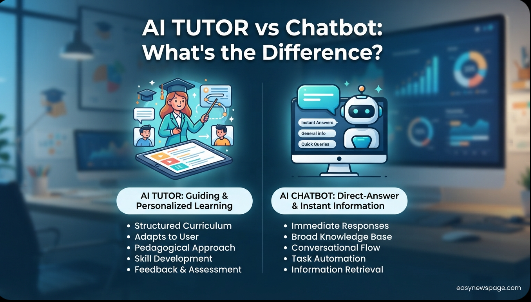
In the simplest terms, AI in education is software built on large language models — the same core technology behind ChatGPT — that has been adapted to help with learning and teaching. Some tools, like Khanmigo, are purpose-built tutors that guide students toward answers with hints rather than handing over solutions. Others, like ChatGPT for Teachers, are general-purpose assistants that teachers use for lesson planning and paperwork. Understanding the difference between these two types is the single most useful thing a beginner can learn, since it explains most of the confusion around whether AI in schools is “cheating” or “helpful.”
Key Takeaways
- AI in education is not one single product — it is a category that includes tutoring tools, teacher assistants, and administrative software.
- The core technology behind almost all of these tools is a large language model, the same kind of system that powers ChatGPT.
- Tutoring-specific tools are designed to guide students with questions and hints, rather than giving direct answers.
- General-purpose chatbots can be used well or poorly depending entirely on how a student or teacher chooses to use them.
- Most schools now allow some form of AI use, though rules vary widely by district and even by individual classroom.
- No current AI education tool replaces a teacher; the tools are designed to support, not substitute for, human instruction.
Table of Contents
Why Trust This Guide
This guide draws on the same primary sources used in deeper technical coverage of the topic — including surveys from the Digital Education Council, Gallup and the Walton Family Foundation, and official statements from Khan Academy, OpenAI, and Google — but translates the findings into plain language rather than academic or marketing terminology. Anywhere a claim comes from a company describing its own product, that is noted clearly rather than presented as independent proof.
The goal is not to convince you that AI in education is good or bad, but to explain clearly enough that you can form your own opinion. Complicated ideas are broken into short, simple pieces, with analogies used only when they make a concept clearer, not to oversimplify anything important.
Who This Guide Is For
This guide is written for parents who keep hearing about AI in their child’s school and want a plain explanation, students who are curious about the tools they are already using, and teachers who want a beginner-friendly foundation before diving into more technical or policy-focused resources. It assumes no prior technical knowledge of artificial intelligence.
It is not meant for readers who already understand large language models and want deep statistics or policy analysis; a companion guide covering 2026 adoption data and state policy in full depth exists for that purpose.
Topic Verification
Every tool and fact referenced in this guide is a real, currently available product or documented statistic as of September 2026, checked against official company pages or named research studies rather than repeated from other blog posts without verification.
What Is AI in Education, In Plain English
AI in education means using artificial intelligence — computer systems trained to understand and generate human language — to support teaching and learning. In the simplest terms, imagine a helper who has read an enormous amount of text and can use that knowledge to explain a concept, answer a question, or generate a practice problem on demand, any time of day, without getting tired or impatient.
This differs from older “educational software,” which mostly followed fixed scripts, like a workbook that always gives the same explanation for the same mistake. AI tools can adjust their explanation based on how a student responds, which is the key difference that makes them feel more like a conversation than a worksheet.
Featured Snippet: Simple definition
AI in education is the use of artificial intelligence software — most often built on large language models — to help students learn and help teachers teach, through tools like chatbots, tutoring assistants, and lesson-planning helpers.
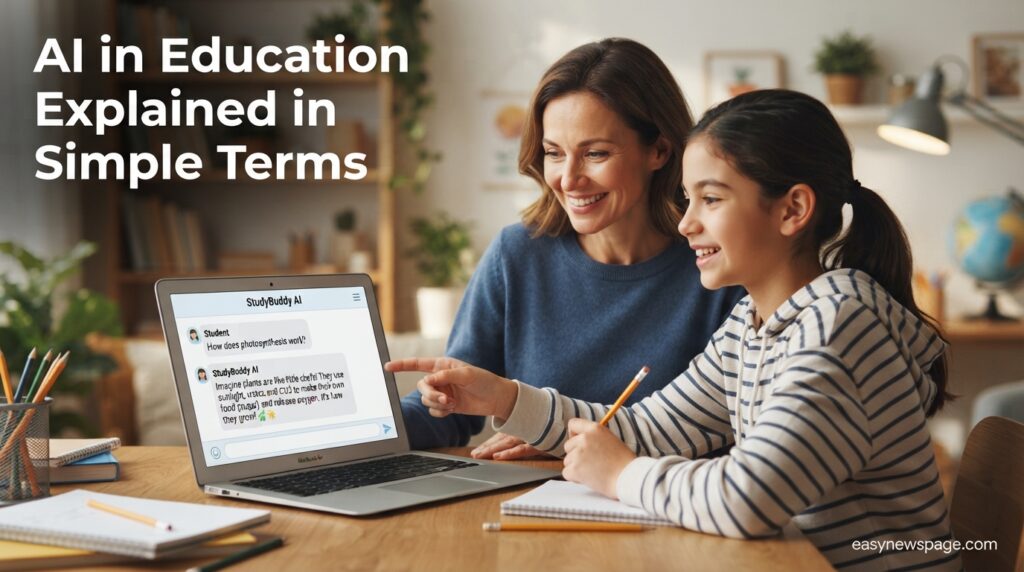
Alt Text: Parent and student looking at a simple AI education chatbot together Title: AI in Education Explained Simply Hero Image Description: A friendly scene showing a parent and student learning about AI education tools together.
Who Makes These Tools
A handful of organizations build most of the AI tools schools use. OpenAI makes ChatGPT, which many teachers use through a dedicated free version called ChatGPT for Teachers. Khan Academy, a nonprofit best known for free educational videos, built Khanmigo, a tutor designed specifically to guide students rather than just answer questions, and recently partnered with Google to add its Gemini AI models into Khanmigo’s tutoring features. Understanding who builds each tool helps explain why they behave differently: a general-purpose company like OpenAI builds a flexible assistant, while an education-focused nonprofit like Khan Academy builds something closer to a digital tutor with teaching philosophy baked in.
A Short History of How We Got Here
When ChatGPT launched in late 2022, most schools reacted with fear, and some, like New York City’s public school system, blocked it outright. Within about six months, that ban was quietly reversed, because blocking a website on school computers did nothing to stop students from using it on their phones at home. Since then, adoption has grown every single year, both among students experimenting with the tools and teachers realizing they could save time on routine tasks. By 2026, the conversation has shifted from “should we allow this” to “how do we use this responsibly,” which is a genuinely different and more useful question.
The Core Features, Explained Simply
Most AI education tools do a handful of things well: answering questions in plain language, generating practice problems, summarizing long readings into shorter explanations, and helping teachers draft lesson plans or grading rubrics faster. Tutoring-specific tools add one more layer: instead of simply answering “what is the capital of France,” a tool like Khanmigo is built to ask a guiding question first, nudging a student toward figuring out part of the answer themselves when the situation calls for it.
AI Overview: The one distinction that matters most
The most important thing to understand about AI education tools is the difference between a tutor and an answer machine. A tutor, like Khanmigo, is designed to guide a student toward understanding. An answer machine, like a general chatbot used without guardrails, will simply hand over a finished answer if asked. The tool itself is less important than how it is used.
Feature Table
| Tool Type | What It Does | Example |
|---|---|---|
| Tutoring assistant | Guides students with hints and questions | Khanmigo |
| General-purpose assistant | Answers questions directly, drafts text | ChatGPT for Teachers |
| Classroom platform tool | Manages devices, adds AI features | Google Classroom AI tools |
| Detection tool | Tries to flag AI-generated writing | Turnitin AI detection |
How It Works
Underneath almost every AI education tool is something called a large language model, or LLM. In simple terms, this is a computer program that has been shown enormous amounts of text — books, articles, websites — and has learned patterns in how language works well enough to generate new, original responses to a question or prompt. It does not “know” facts the way a person does; it predicts what a helpful, coherent response should look like based on everything it has learned.
Purpose-built tutoring tools add extra rules on top of this base technology. For example, Khanmigo’s developers programmed it to hold back direct answers and ask guiding questions instead, which is a design choice layered on top of the underlying language model rather than something the raw technology does automatically.
Read more: How AI Job Automation Will Affect You in 2026
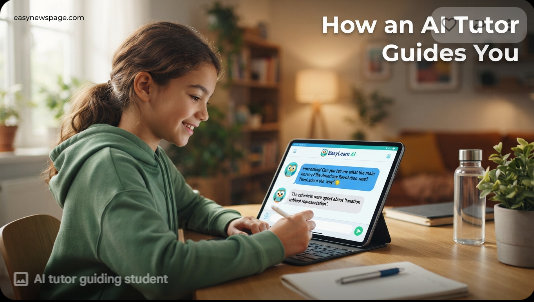
A Simple Walkthrough of Using an AI Tutor
Imagine a student is stuck on a math problem about fractions. They type the problem into a tutoring tool like Khanmigo. Instead of immediately solving it, the tool might ask, “What do you think we should do first with these two fractions?” The student responds, and the tool either confirms they are on the right track or gently redirects them, continuing this back-and-forth until the student arrives at the answer largely on their own, with support rather than a shortcut.
Getting Started Step by Step
Anyone trying an AI education tool for the first time can follow this simple sequence to get the most benefit and avoid the most common mistakes.
- Check your school’s policy first, since some tools are approved for classroom use and others are not.
- Start with a purpose-built tutoring tool if one is available, since it is designed with learning safeguards a general chatbot does not have.
- Ask for explanations, not just answers, by phrasing requests like “help me understand this” rather than “solve this for me.”
- Double-check anything factual, since AI tools can occasionally state incorrect information confidently.
- Keep a human in the loop, whether that is a teacher, parent, or tutor, especially for younger students.
- Reflect on what you actually learned, not just whether you got the task done, since that is the real measure of whether the tool helped.
Everyday Use Cases
A student might use an AI tool to get a second explanation of a concept their teacher already covered, using different wording until it finally makes sense. A teacher might use one to turn a rough set of notes into a polished lesson plan in a fraction of the time it would normally take. A parent helping with homework might use a general chatbot to double-check their own understanding of a topic before explaining it to their child.
Industry Use Cases
Beyond individual classrooms, universities are beginning to use AI tools to help draft course materials, and some workforce-training programs use similar tools to help adult learners prepare for certifications. In each of these settings, the underlying technology is the same large language model concept explained above, simply pointed at a different task.
Benefits and Downsides in Plain Terms
The clearest benefit of AI in education is time savings and accessibility: a student can get help at 9 p.m. when no tutor or teacher is available, and a teacher can turn a two-hour planning task into twenty minutes. The clearest downside is the risk of shortcutting real learning — if a student simply copies an AI-generated answer without engaging with it, the tool has not taught them anything, even if the assignment gets turned in.
Featured Snippet: Quick list of pros and cons
Pros: available anytime, patient with repeated questions, can explain things multiple ways, saves teachers time on routine tasks. Cons: can be used to skip real learning, occasionally gives incorrect information confidently, not a substitute for human relationships in teaching.
Pros & Cons Table
| Aspect | Pros | Cons |
|---|---|---|
| For students | Available anytime, patient, multiple explanations | Risk of shortcutting real learning |
| For teachers | Saves time on lesson planning and admin work | Requires training to use well |
| For tutoring tools specifically | Designed to guide rather than answer directly | Still a new technology with limits |
| For general chatbots | Extremely flexible | No built-in teaching safeguards |
Pros & Cons Explanation
Purpose-built tutoring tools like Khanmigo are designed with the downside of “shortcutting learning” specifically in mind, which is why they hold back direct answers. General-purpose chatbots like ChatGPT do not have this built in by default, which is why how a student is taught to use them matters just as much as the tool itself.
Pricing Table
| Tool | Cost in Simple Terms |
|---|---|
| ChatGPT for Teachers | Free for verified U.S. K-12 teachers through June 2028 |
| Khanmigo | Free or discounted through many state and district partnerships |
| Google Classroom AI tools | Usually included with a school’s existing Google account |
Comparison Table
| Simple Question | Khanmigo | ChatGPT |
|---|---|---|
| Does it give direct answers? | Rarely, guides with questions instead | Yes, if asked directly |
| Built specifically for schools? | Yes | No, adapted for teachers |
| Good for younger students? | Generally yes, designed for K-12 | Requires more supervision |
Specifications
In plain terms, most of these tools work the same basic way: you type a question or request, and the tool generates a written response within a few seconds. Some, like Khanmigo’s newer version, can also generate simple interactive diagrams for math and science, letting a student drag a point on a shape and see the tool respond to the change in real time.
Security, Privacy, and Compliance
In simple terms, this means checking whether a tool keeps student information private and does not use it to train its underlying system without permission. Khan Academy, for example, states that student and teacher content submitted through Khanmigo is not used to train its AI models, and that the tool follows privacy laws designed to protect children’s data, known as COPPA, and student education records, known as FERPA. Parents and teachers evaluating a new tool should look for similar, clearly stated privacy commitments before adopting it widely.
Performance
In everyday terms, “does it work” depends heavily on how it is used. Surveys show many students feel these tools have helped their performance, but researchers caution that feeling helped and actually learning more are not always the same thing, especially if a student leans on the tool to avoid effort rather than to build understanding.
Integrations
Most of these tools connect to the accounts a school already uses, such as a Google or Microsoft school account, so a student typically does not need a separate login for every tool. Khanmigo, for instance, works within the existing Khan Academy platform many students already use for practice exercises.
API
In simple terms, an API is a way for one piece of software to talk to another automatically. Most individual students, parents, and teachers will never need to think about this, since API access is generally something only school IT departments deal with when connecting a tool to their existing systems.
Customer Support
If something goes wrong or a question comes up, most of these tools offer help through an in-app help center or a school’s own IT support desk, since schools often act as the middle layer between the individual user and the company that built the tool.
Latest Updates
The most beginner-relevant update in 2026 is that these tools have gotten easier, not harder, to access: OpenAI extended free access to ChatGPT for Teachers through June 2028, and Khan Academy added new visual, interactive features to Khanmigo so it can now show diagrams a student can manipulate directly, rather than only responding in text.
Expert Tips
People who study this space consistently recommend using AI as a “check my understanding” tool rather than a “do this for me” tool, since that framing alone changes how much genuine learning happens. Another common tip is to ask the AI tool to explain its reasoning, not just give a final answer, which mirrors how a good human tutor would respond to a question.
Common Mistakes
The most common beginner mistake is treating an AI tool like a search engine that only gives final answers, rather than as a conversation partner that can explain and re-explain a concept. Another common mistake is assuming every AI tool is the same; a general chatbot and a purpose-built tutor behave very differently, and using the wrong one for the wrong purpose is where most frustration comes from.
Troubleshooting
If an AI tool’s answer sounds confident but seems wrong, the simplest fix is to ask it to double-check its own reasoning or verify the answer with another trusted source, since these tools can occasionally state incorrect information with full confidence. If a tutoring tool feels too slow or indirect compared to just getting an answer, that is often the tool working as intended, since the extra step is designed to protect learning rather than being a flaw.
Myths vs. Facts
Myth: AI in education means a robot is replacing the teacher. Fact: none of the current tools are designed to replace teachers; they are designed to support them with routine tasks and give students extra practice help.
Myth: Using any AI tool for schoolwork is automatically cheating. Fact: whether AI use counts as cheating depends entirely on the specific assignment’s rules, and many teachers now explicitly allow AI for certain tasks like brainstorming.
Myth: AI tutors just give students the answers. Fact: purpose-built tutoring tools like Khanmigo are specifically designed to withhold direct answers in favor of guiding questions.
Simple Decision Guide
| If you want… | Consider… |
|---|---|
| A patient tutor that won’t just give answers | Khanmigo |
| Help drafting lesson plans or admin tasks | ChatGPT for Teachers |
| A tool already built into your school’s system | Google Classroom AI tools |
Alternatives Worth Knowing About
Beyond the tools covered here, Microsoft Copilot offers similar general-purpose assistance for schools already using Microsoft accounts, and Claude, made by Anthropic, is used in some higher-education settings for similar writing and research support tasks.
Alternative Comparison
| Alternative | Best For | Simple Note |
|---|---|---|
| Microsoft Copilot | Schools using Microsoft 365 | Works similarly to ChatGPT for Teachers |
| Claude | College-level research and writing support | Less common in K-12 settings so far |
Read more: AI Job Automation: 5 Things You Should Know Before 2030
Who Should Use It
Anyone curious about learning support outside normal school hours, teachers looking to save time on repetitive tasks, and students who want extra practice explained in different ways are all good fits for trying these tools, ideally with some guidance from a teacher or parent at first.
Who Should Avoid It
Very young children without adult supervision, and anyone tempted to use a general chatbot to complete an assignment without engaging with the material at all, should hold off, since neither situation leads to the kind of genuine learning these tools are meant to support.
FAQ
What does AI in education actually mean?
It means using artificial intelligence software, most often built on large language models, to help with tasks like tutoring, answering questions, and lesson planning in schools.
Is ChatGPT the same thing as an AI tutor like Khanmigo?
No. ChatGPT is a general-purpose assistant that will typically give a direct answer if asked, while Khanmigo is built specifically to guide students toward answers using hints and questions.
Do I need to understand technology to use these tools?
No. Most AI education tools are designed to be as simple as typing a question into a chat box, similar to sending a text message.
Can AI tools replace a teacher?
No. Every major tool discussed here is designed to support teachers and students, not to replace the human relationship and judgment a teacher provides.
Is it cheating to use AI for homework?
It depends on the specific assignment and your teacher’s rules. Many teachers now allow AI for brainstorming or checking understanding while still requiring original work for the final submission.
Are these tools safe for children to use?
Purpose-built education tools like Khanmigo state that they follow child privacy laws such as COPPA and FERPA, but supervision is still recommended, especially for younger students using any AI tool.
Simple Rating Scorecard
| Tool | Beginner-Friendliness | Safety Design | Overall Score |
|---|---|---|---|
| Khanmigo | 9/10 | 9/10 | 9/10 |
| ChatGPT for Teachers | 8/10 | 6/10 | 7/10 |
| Google Classroom AI tools | 8/10 | 8/10 | 8/10 |
Conclusion
AI in education, once you strip away the jargon, is simply software that can talk, explain, and adapt, applied to the job of helping people teach and learn. Some versions of it, like Khanmigo, are built specifically to protect real learning by guiding rather than answering directly. Others, like ChatGPT, are flexible tools that can be used well or poorly depending entirely on the person behind the keyboard.
The final takeaway is this: the technology itself is neither the hero nor the villain of this story. A tutoring tool designed with good pedagogy can genuinely help a struggling student finally understand a concept, while the same underlying technology, used carelessly, can help a student skip the very learning it was meant to support. The difference almost always comes down to intention, not the tool.
For anyone just getting oriented, the most useful habit to build is asking these tools to explain rather than simply to answer, and treating them as a patient, always-available study partner rather than a shortcut. Understood this way, AI in education stops being a scary buzzword and becomes what it actually is: one more tool in a much longer history of technology trying, imperfectly, to make learning a little easier.
Official Sources
- Khan Academy, official Khanmigo product and privacy statements
- OpenAI, ChatGPT for Teachers program announcements
- EdTech Innovation Hub, “Khan Academy adds Gemini-powered tools to Khanmigo”
- Digital Education Council, Global AI Student and Faculty Survey (2026)
- The Conversation, Wisconsin educator AI survey (July 2026)
- Gallup / Walton Family Foundation, teacher AI usage polling (2025–2026)
Author Bio
This guide was compiled by the easynewspage.com Education & Technology desk, which specializes in translating complex, fast-moving technology topics into clear, jargon-free explanations that stay grounded in verified, primary-source facts rather than hype or oversimplification.