


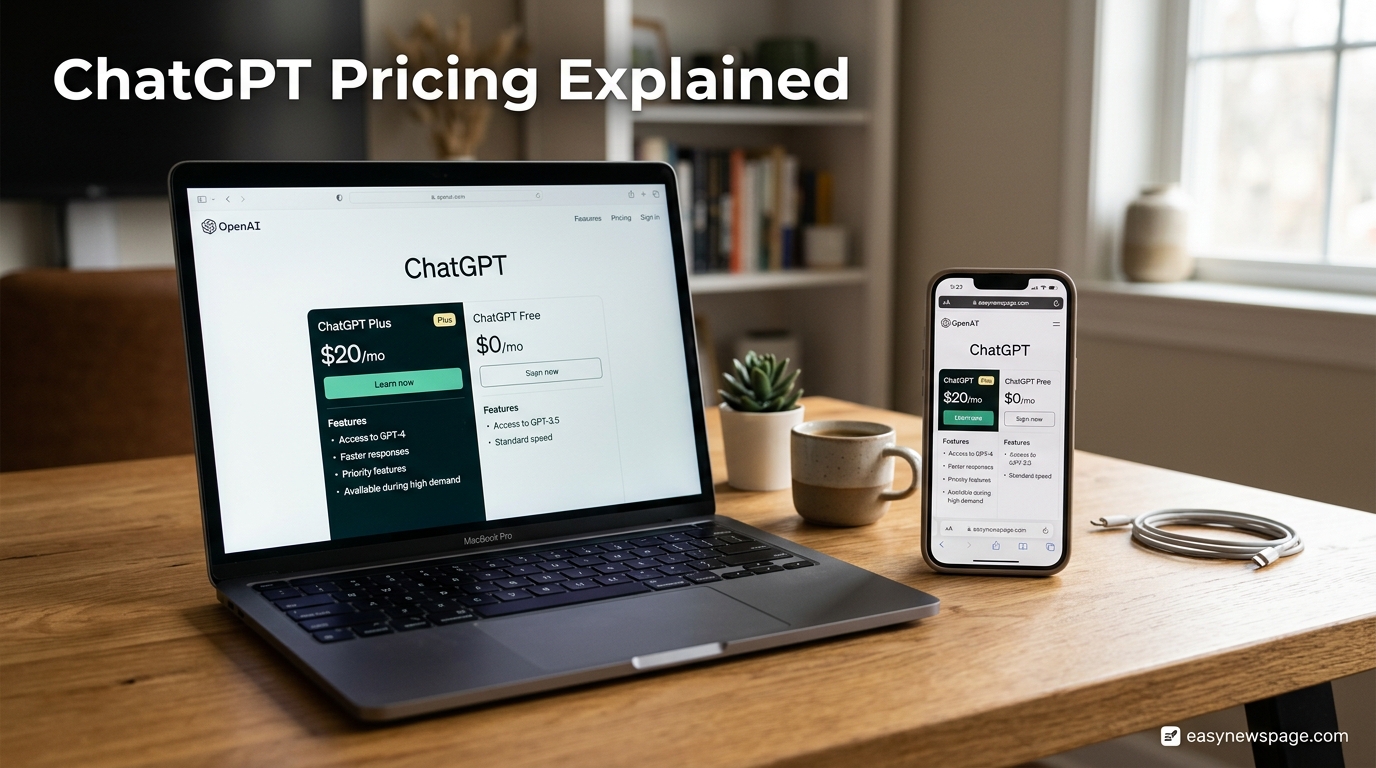
Figuring out ChatGPT pricing in 2026 is harder than it should be, mostly because OpenAI has changed the lineup more than once this year alone. What used to be a simple choice between Free and Plus has grown into six distinct plans, two different Pro tiers, and two separate Business seat types, each with its own message limits, model access, and data-handling rules.
This guide breaks down exactly what you get for $0, $8, $20, $100, $200, and beyond, using the prices and features OpenAI currently lists on its own pricing page as of September 2026. We cover the Free, Go, Plus, Pro, Business, and Enterprise plans in plain language, explain which GPT model each tier actually hands you when you press send, and flag the details most pricing roundups leave out, like the fact that Free and Go now carry ads, or that Business quietly split into Standard and Premium seat types.
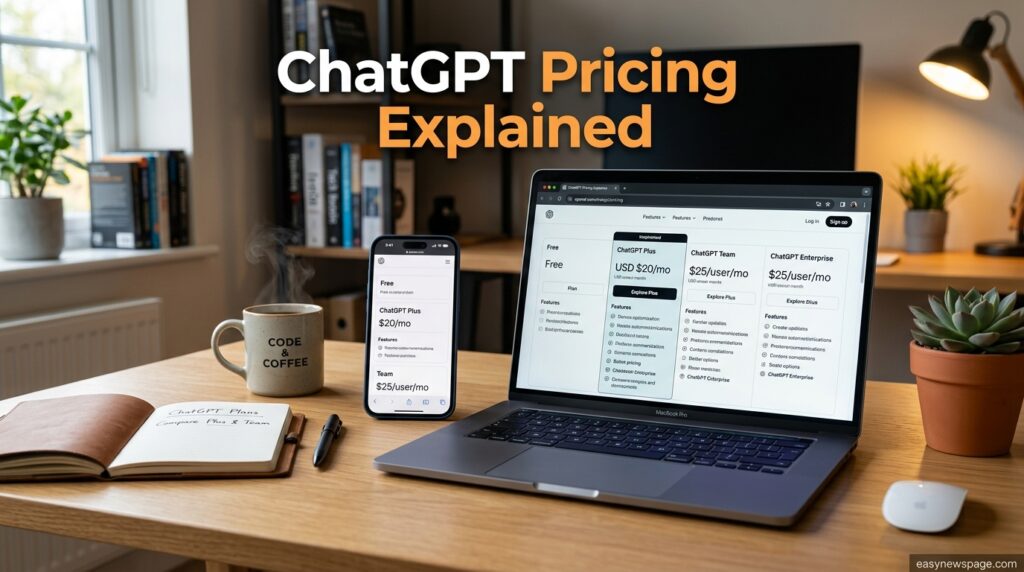
You will also find a direct answer to the question most people actually want solved: is it worth paying for ChatGPT at all, and if so, which tier. We compare the free plan’s real limitations against Plus and the two Pro tiers, explain when a business should choose Business over Enterprise, and cover the separate, pay-per-token API pricing that trips up anyone assuming a ChatGPT subscription includes developer access.
This guide is for individual users deciding whether to upgrade from Free, freelancers and small teams weighing Plus against Business, and IT decision-makers comparing Business against Enterprise for a company-wide rollout. Every price and feature listed here is dated, since ChatGPT’s pricing has already shifted three times in 2026, and we tell you exactly when each change happened so you are not comparing your options against outdated numbers.
By the end, you will know exactly what each plan actually includes, not just what it costs.
Read more: 10 Best ChatGPT Features You’re Not Using Yet
Quick Facts Table
| Fact | Detail |
|---|---|
| Number of core plans | 6 (Free, Go, Plus, Pro, Business, Enterprise) |
| Free plan cost | $0/month, ad-supported |
| Cheapest paid plan | Go, $8/month |
| Most popular individual plan | Plus, $20/month |
| Pro plan pricing | Two tiers: $100/month (5x usage) and $200/month (20x usage) |
| Business seat pricing | Standard: $20/seat annual or $25/month; Premium: $100/seat annual or $125/month |
| Enterprise pricing | Custom quote, annual billing |
| API pricing | Separate, pay-per-token, billed independently of subscriptions |
| Ads on ChatGPT | Present on Free and Go since OpenAI’s February 2026 rollout |
Quick Summary
ChatGPT’s pricing in 2026 spans $0 to $200 a month for individual plans, with Go filling the gap between Free and Plus, two separate Pro tiers for heavier usage, and a two-seat-type Business plan sitting below custom-quoted Enterprise. The right tier depends less on price and more on which model and which capped tools (Agent mode, Deep Research, voice, image generation) you actually use week to week.
Key Takeaways
- Free now includes unlimited everyday text chats but caps advanced tools and shows ads.
- Go ($8/month) raises Free’s limits without adding Agent mode or top-tier reasoning models.
- Plus ($20/month) is the first tier with Agent mode, broader image/voice tools, and no ads.
- Pro comes in two usage tiers, $100 and $200 a month, both built for heavy daily use.
- Business now has two seat types: Standard and a higher-usage Premium seat.
- Enterprise is custom-priced and adds data residency, SSO, and a contractual no-training guarantee.
- The API is billed completely separately from any ChatGPT subscription plan.
Table of Contents
Why Trust This Guide
Every price and feature in this guide is drawn from OpenAI’s own published pricing page as accessed by multiple independent technology publications throughout 2026, cross-checked against each other since pricing changed more than once this year. Anywhere sources disagreed on a specific number, such as monthly versus annual Business seat pricing, both figures are shown rather than picking one arbitrarily.
Who This Guide Is For
This guide is for anyone deciding whether ChatGPT’s free plan is enough, individual power users trying to decide between Plus and the two Pro tiers, small business owners comparing Business seats against simply buying multiple Plus accounts, and IT buyers evaluating Enterprise for a large organization with data residency or compliance requirements.
Topic Verification
Pricing and plan structure were verified against OpenAI’s live pricing page as accessed by independent sources in July, August, and September 2026, since the lineup changed three times this year: Go launched globally on January 16, 2026, a $100 Pro tier arrived on April 9, 2026, and Business received a seat price cut on April 2, 2026. The newer Business Premium seat and GPT-6 Astra’s arrival in the Pro plan on September 3, 2026 are the most recent confirmed changes at the time of writing.
What Is ChatGPT Pricing
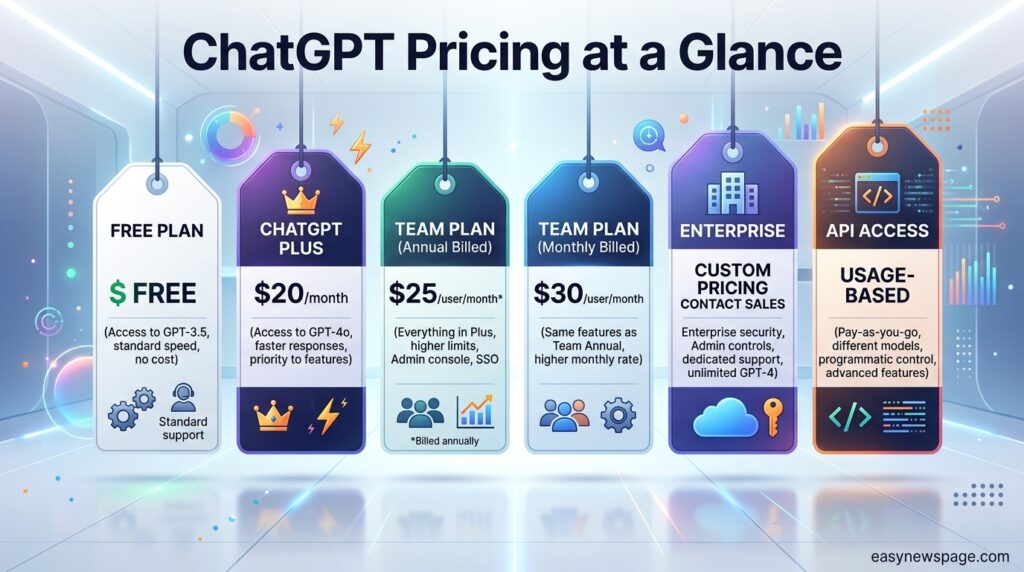
ChatGPT pricing refers to OpenAI’s subscription structure for accessing its ChatGPT chat product, which is entirely separate from OpenAI’s API pricing for developers. As of September 2026, the lineup includes Free, Go, Plus, two Pro usage tiers, Business with two seat types, and custom-quoted Enterprise, each unlocking a different combination of model access, usage limits, and administrative or compliance features.
Company Overview
OpenAI is the company behind ChatGPT, the GPT model family, and the API that powers thousands of third-party products. OpenAI sets and adjusts ChatGPT’s consumer and business pricing directly, publishing current rates on its own pricing page, which remains the definitive source when independent guides disagree on a specific figure.
History and Timeline of Pricing Changes
ChatGPT Plus launched as the original paid tier years ago at $20 a month, a price that has remained unchanged even as everything built around it has shifted. The plan once called ChatGPT Team was renamed ChatGPT Business in August 2025, a naming change rather than a feature change. The Go plan, OpenAI’s budget tier, debuted in India in August 2025 before rolling out globally on January 16, 2026 at $8 a month. On April 2, 2026, Business seat pricing was cut by $5, moving from $25/$30 down to $20 annual and $25 monthly. One week later, on April 9, 2026, OpenAI introduced a $100 Pro tier alongside the existing $200 Pro plan, splitting Pro into two usage levels. Sora’s standalone web and app experiences were discontinued on April 26, 2026. In February 2026, OpenAI began showing ads on the Free and Go plans. A Business Premium seat at a higher price and usage allowance appeared more recently, and GPT-6 Astra reached the Pro plan’s regular chat experience on September 3, 2026.
Features by Plan
Each ChatGPT tier layers additional capability on top of the one below it rather than offering entirely separate feature sets. Free provides unlimited everyday text chat on the current default model but caps uploads, image generation, voice, Deep Research, memory, and coding tools. Go raises those caps without adding Agent mode or the top reasoning model tier. Plus is the first plan to include Agent mode, broader image and voice tools, and an ad-free experience. Pro removes most caps entirely and, at its higher tier, includes access to OpenAI’s newest flagship model in regular chat.
Feature Table
| Plan | Monthly Price | Model Access | Agent Mode | Ads |
|---|---|---|---|---|
| Free | $0 | Default flagship model, capped | Not included | Yes |
| Go | $8 | Default flagship model, higher caps | Not included | Yes |
| Plus | $20 | Advanced model tier, higher caps | Included | No |
| Pro ($100) | $100 | Advanced model tier, 5x Plus usage | Included | No |
| Pro ($200) | $200 | Newest flagship model, 20x Plus usage | Included | No |
| Business Standard | $20–$25/seat | Advanced model tier | Included | No |
| Business Premium | $100–$125/seat | Advanced model tier, 5x usage | Included | No |
| Enterprise | Custom | Advanced model tier, custom limits | Included | No |
How ChatGPT Billing Works
ChatGPT subscriptions are billed as flat monthly (or, for Business and Enterprise, optionally annual) seats rather than by usage, which means your bill stays the same whether you send five messages or five hundred within your plan’s limits. The separate OpenAI API, used by developers building their own apps, is billed per token processed and has no connection to a ChatGPT subscription; owning a Plus or Pro plan does not include any API credit.
Setup Workflow
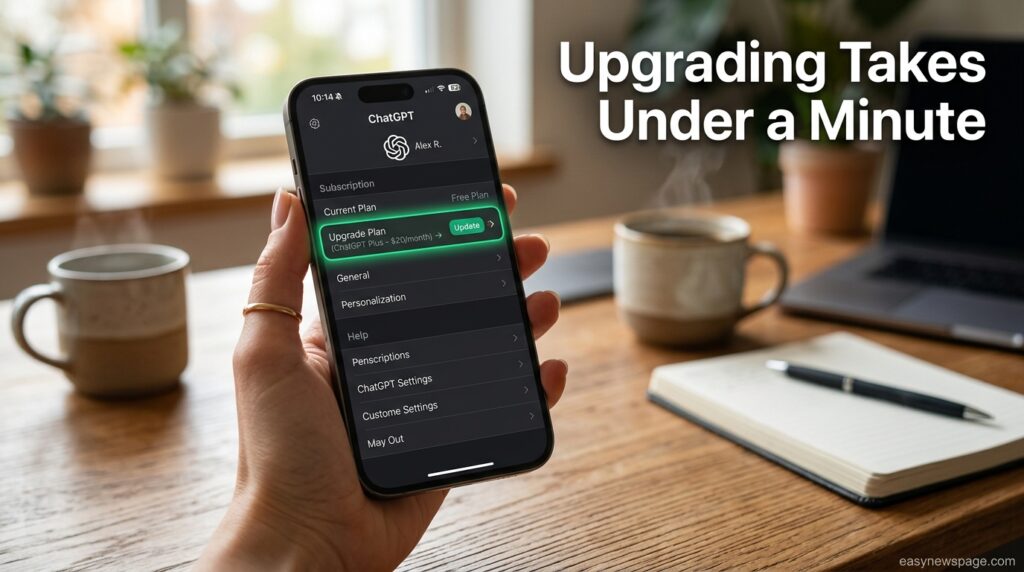
Upgrading a ChatGPT plan takes only a few steps: open Settings inside the ChatGPT app or website, select Upgrade Plan, choose the tier that fits your usage, and confirm payment. Business and Enterprise instead go through a workspace setup flow that requires an admin to invite seats and configure billing centrally rather than each user subscribing individually.
Dashboard Walkthrough
Inside ChatGPT’s Settings panel, the Subscription tab shows your current plan, renewal date, and a direct link to compare tiers. Business and Enterprise admins get an additional workspace dashboard for managing seats, reviewing usage across the organization, and configuring data-retention or training-opt-out settings centrally instead of per user.
Step-by-Step: Choosing and Upgrading Your Plan
Step one: identify what is actually limiting your current plan, whether that is message caps, image generation limits, lack of Agent mode, or the absence of the newest flagship model. Step two: compare that specific limitation against the feature table above rather than upgrading based on price alone. Step three: for individuals, open Settings > Upgrade Plan and select Go, Plus, or a Pro tier directly. Step four: for teams, an admin should start a Business workspace and choose between the Standard and Premium seat type based on how heavily the team uses higher-usage tools. Step five: for organizations needing data residency, SSO, or contractual no-training guarantees, contact OpenAI directly for an Enterprise quote rather than starting with Business.
Use Cases
A student writing occasional essays rarely needs more than the Free plan, while a freelance writer or marketer producing daily content typically outgrows Free’s caps and moves to Plus. A software developer running frequent, long coding sessions is a strong candidate for one of the two Pro tiers, and a five-person startup often finds Business more cost-effective than five separate Plus subscriptions once admin controls matter.
Industry Use Cases
Regulated industries like healthcare, finance, and legal services typically require Enterprise specifically for its data residency options and contractual no-training guarantee, features that Business does not include by name even though it also avoids training on workspace data by default. Media and content agencies producing high volumes of image and text output often standardize on Business Premium seats to get 5x usage without paying for individual Pro subscriptions per employee.
Benefits
The tiered structure means casual users are not forced to pay for capacity they will never use, while heavy users have two distinct Pro price points depending on how much usage they actually need. Business and Enterprise both include centralized billing and admin controls, removing the headache of tracking multiple individual subscriptions across a team.
Limitations
The two-tier Pro structure and two-seat-type Business plan add real complexity to a decision that used to be simpler, and pricing has already changed three times in 2026, meaning any published number carries some risk of going stale. Free and Go both now show ads, which is a meaningful trade-off for users who value an uninterrupted interface as much as raw capability.
Read more: How to Use ChatGPT for Beginners (2026 Step-by-Step Guide)
Pros and Cons
| Pros | Cons |
|---|---|
| Six tiers mean a closer price-to-usage match than a single paid plan | More tiers make comparison shopping harder |
| Business and Enterprise avoid training on workspace data by default | Free and Go now carry ads |
| Two Pro tiers let heavy users avoid overpaying for the top tier | Pricing has changed three times in 2026 alone |
| Nonprofits and educators get steep discounts or free access | API costs are entirely separate and easy to mistake for subscription costs |
Pricing Table
| Plan | Monthly Price | Annual Option | Best For |
|---|---|---|---|
| Free | $0 | N/A | Casual, occasional use |
| Go | $8 | N/A (monthly only) | Regular use beyond Free’s caps |
| Plus | $20 | N/A (monthly only) | Individual power users |
| Pro | $100 or $200 | N/A (monthly only) | Heavy daily users, developers, researchers |
| Business Standard | $25/seat | $20/seat | Small-to-mid teams |
| Business Premium | $125/seat | $100/seat | Teams needing 5x usage |
| Enterprise | Custom | Custom (annual) | Large organizations with compliance needs |
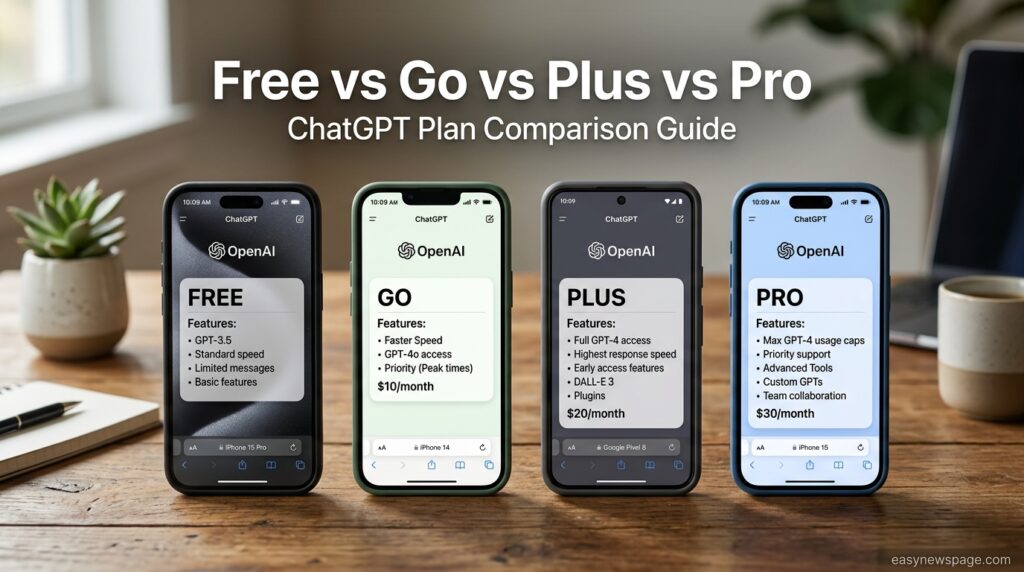
Comparison Table: Free vs Go vs Plus vs Pro
| Criteria | Free | Go | Plus | Pro |
|---|---|---|---|---|
| Price | $0 | $8/month | $20/month | $100 or $200/month |
| Ads | Yes | Yes | No | No |
| Agent Mode | No | No | Yes | Yes |
| Deep Research | Very limited | Limited | Yes | Yes, higher volume |
| Newest flagship model in chat | No | No | Advanced tier | Yes, at $200 tier |
Specifications
| Spec | Detail |
|---|---|
| Number of individual tiers | 4 (Free, Go, Plus, Pro) |
| Number of Pro usage levels | 2 ($100 and $200) |
| Number of Business seat types | 2 (Standard and Premium) |
| Billing cycle for individual plans | Monthly only |
| Billing cycle for Business/Enterprise | Monthly or annual (annual discounted) |
| API billing | Separate, per-token |
Security
Business and Enterprise plans both exclude workspace conversations from model training by default, while Free, Plus, and Pro users must manually opt out in Settings if they do not want their chats used to improve OpenAI’s models. Enterprise additionally offers a contractual no-training guarantee, SSO, and enterprise key management options that Business does not include by name.
Privacy
Individual users on Free, Plus, and Pro should check Settings > Data Controls to confirm whether chat history is being used for model training, since this is opt-out rather than opt-in by default on those plans. Business and Enterprise workspace admins can configure these settings centrally for an entire organization rather than relying on each employee to change their own settings.
Compliance
Enterprise is the plan built specifically for regulated industries, offering data residency options across multiple regions along with compliance certifications and custom SLA terms that neither Business nor the individual plans include. Organizations with GDPR obligations or industry-specific data sovereignty requirements typically need Enterprise rather than Business for this reason alone.
Performance
The model you actually reach when you send a message differs meaningfully by plan: Free and Go route most conversations to OpenAI’s standard default model, while Plus unlocks a more advanced model tier, and the $200 Pro tier is the first to include OpenAI’s newest flagship model directly inside regular chat. This distinction matters more for output quality than any of the usage caps, since two users on different plans asking the same question may receive answers from genuinely different underlying models.
Integrations
Paid plans generally unlock broader access to ChatGPT’s connected apps marketplace, including Gmail, Google Calendar, Google Drive, and Slack integrations, though the exact caps on how often these can be used still scale with plan tier. Business and Enterprise add admin-level control over which integrations an entire organization is permitted to connect.
API and Developer-Facing Tools
The OpenAI API is billed entirely separately from any ChatGPT subscription, on a pay-per-million-token basis rather than a flat monthly fee. As of this writing, OpenAI’s current flagship API model is priced under a promotional rate of roughly $4 per million input tokens and $20 per million output tokens, a rate scheduled to run through at least November 2026, though developers should always confirm current API rates directly on OpenAI’s pricing page before budgeting a project.
Customer Support
Free and Go users generally rely on OpenAI’s Help Center and community forums for support. Plus and Pro subscribers get access to faster support channels through their account settings, while Business and Enterprise customers receive dedicated account management, SLAs, and, for Enterprise, custom support terms negotiated as part of the contract.
Latest Updates
The most recent confirmed pricing change is GPT-6 Astra’s arrival inside the $200 Pro tier’s regular chat experience on September 3, 2026, alongside a newer Business Premium seat tier offering roughly five times the usage of the Standard seat. Given how often the lineup has shifted in 2026, checking OpenAI’s own pricing page directly before a purchase remains the safest way to confirm current numbers.
Expert Tips
Before upgrading, track which specific limit you hit most often, whether it is message volume, image generation, or lack of Agent mode, rather than assuming the next tier up automatically solves your problem. Teams evaluating Business should compare the total cost of Standard seats for everyone against Premium seats for only the heaviest users, since mixing seat types is often cheaper than standardizing on one.
Common Mistakes
A common mistake is assuming a ChatGPT subscription includes API access for building a custom app, when the two are billed and purchased completely separately. Another is upgrading straight to a $200 Pro plan without first checking whether Plus or the $100 Pro tier would already remove the specific limitation causing frustration.
Troubleshooting
If a paid plan still shows ads or seems to be running an older model, check Settings > Subscription to confirm the upgrade actually processed, since a failed payment can silently revert an account to Free. If a Business seat is not reflecting Premium-tier usage limits, the workspace admin should confirm the correct seat type was assigned during setup rather than assuming Standard seats were automatically upgraded.
Myths vs Facts
Myth: ChatGPT Plus includes API access. Fact: The API is billed separately by token, with no connection to any ChatGPT subscription plan.
Myth: All paid plans are ad-free. Fact: Go, a paid $8/month tier, still shows ads; only Plus and above remove them.
Myth: Business and Team are two different products. Fact: Business is simply the renamed version of the former Team plan, a naming change made in August 2025.
Decision Matrix
| Plan | Best For | Ads | Agent Mode | Relative Cost |
|---|---|---|---|---|
| Free | Occasional use | Yes | No | None |
| Go | Regular light use | Yes | No | Low |
| Plus | Daily individual use | No | Yes | Medium |
| Pro ($100) | Heavy individual use | No | Yes | High |
| Pro ($200) | Power users, newest model | No | Yes | Highest (individual) |
| Business | Small-to-mid teams | No | Yes | Medium-High per seat |
| Enterprise | Regulated/large orgs | No | Yes | Custom |
Beginner vs Advanced
Beginners should start on Free and only upgrade once they can point to a specific limit they are hitting regularly, such as running out of image generations or wanting Agent mode. Advanced users managing heavy daily workloads, coding sessions, or research tasks generally get better value moving straight to one of the two Pro tiers rather than incrementally testing Go and Plus first.
Best Alternatives
Users prioritizing tight integration with Google Workspace often compare ChatGPT’s paid tiers against Gemini Advanced, while those focused on long-form writing and careful analysis frequently weigh ChatGPT Plus or Pro against Claude’s paid plans before committing to a single assistant.
Alternative Comparison Table
| Assistant | Entry Paid Price | Notable Strength |
|---|---|---|
| ChatGPT Plus | $20/month | Agent mode, broad integrations |
| Gemini Advanced | Comparable individual pricing | Native Google Workspace integration |
| Claude Pro | Comparable individual pricing | Long-form writing and analysis |
Who Should Use Each Plan
Casual users who chat occasionally and do not need image generation, Agent mode, or Deep Research at scale are well served by Free. Regular individual users who write, research, or automate tasks daily get the clearest value from Plus, while developers, researchers, and anyone running long, complex sessions should look at one of the two Pro tiers depending on budget.
FAQ
Is ChatGPT free to use?
Yes. ChatGPT’s Free plan offers unlimited everyday text chats on the default model at no cost, though it shows ads and caps advanced tools like image generation, Deep Research, and Agent mode.
What’s the difference between ChatGPT Plus and Pro?
Plus costs $20 a month and unlocks Agent mode, broader image and voice tools, and an ad-free experience. Pro comes in two higher tiers, $100 and $200 a month, with substantially higher usage limits and, at the $200 level, access to OpenAI’s newest flagship model directly in regular chat.
Does ChatGPT Go include Agent mode?
No. Go, priced at $8 a month, raises Free’s message and upload limits but does not include Agent mode or the more advanced reasoning model tier that Plus and above unlock.
Is ChatGPT Business the same as the old Team plan?
Yes. OpenAI renamed ChatGPT Team to ChatGPT Business in August 2025 as a naming change only, and Business seat pricing was later cut in April 2026.
Does a ChatGPT subscription include API access?
No. The OpenAI API is billed completely separately on a per-token basis, and none of the consumer or Business subscription plans include API credit.
How much does ChatGPT Enterprise cost?
Enterprise pricing is custom and quoted directly by OpenAI based on organization size and requirements, billed annually rather than at a fixed published rate.
Rating Scorecard
| Category | Score (out of 10) |
|---|---|
| Value on Free plan | 7 |
| Value on Plus | 8.5 |
| Value on Pro tiers | 8 |
| Value for teams (Business) | 8 |
| Pricing clarity | 6.5 |
| Overall | 7.6 |
Read more: ChatGPT vs Gemini 2026: Which AI Should You Choose?
Conclusion
ChatGPT’s pricing in 2026 is more layered than most people expect, but the underlying logic is simple once you separate price from actual usage needs. Free now genuinely covers unlimited everyday chatting, which makes it a legitimate long-term option for casual users, not just a trial. Go exists specifically to raise those caps for $8 without pushing you into a full-featured paid tier, and Plus remains the clearest upgrade path for anyone who wants Agent mode, better image and voice tools, and an ad-free interface.
The two Pro tiers and the split Business seat structure exist because a single “power user” price point stopped fitting everyone: a solo developer running long coding sessions and a five-person startup team have very different needs, and OpenAI has priced accordingly rather than forcing both into the same plan. Enterprise remains the right call specifically when data residency, compliance certifications, or a contractual no-training guarantee are non-negotiable requirements, not simply when a team gets larger.
The overall takeaway is to match your plan to the specific limitation you are actually running into, whether that is a message cap, a missing feature like Agent mode, or a compliance requirement, rather than assuming the most expensive tier is automatically the best value. Given how often OpenAI has adjusted this lineup in 2026, it is also worth checking the official pricing page before renewing, since today’s numbers may not be next quarter’s.
Official Sources
- CloudZero — ChatGPT pricing in 2026: every plan, what it costs, and which one is worth it
- GeoToolbox — ChatGPT Pricing September 2026
- The AI Career Lab — ChatGPT Plans Compared (Sept 2026)
- Suprmind — ChatGPT Pricing for Plus, Pro & Business Subscription Plans
Author Bio
This guide was researched and written by the easynewspage.com technology desk, which specializes in verified, source-checked explainers on AI tool pricing and features. Every price listed here was cross-referenced across multiple independently published 2026 sources rather than taken from a single guide, given how frequently this specific lineup has changed this year.