



Starting a blog sounds simple until you open ten browser tabs and realize everyone is recommending a different hosting provider, a different CMS, and a different stack of plugins. The truth is that a working blog only needs a handful of tools done right: a place to write, a place to host your writing, a way to get found in search, and a way to keep the readers who show up. Everything else is optional polish you can add later.
This guide breaks down exactly which tools matter at each stage of starting a blog in 2026, why they matter, and what you can safely skip until your blog actually needs it. Instead of a generic list of fifty tools, you’ll get a practical starter stack, an honest look at the trade-offs between self-hosted WordPress, Ghost, and hosted builders like Squarespace and Wix, and guidance on when to upgrade from free tools to paid ones.
Who this is for: first-time bloggers, side-project writers, and small businesses adding a blog to an existing site. Who this isn’t for: enterprise publishers who already have a dev team and a content operations budget — that’s a different conversation entirely.
By the end, you’ll know which tools to install this week, which ones to bookmark for month three, and which popular “must-have” tools are honestly unnecessary for a brand-new blog. The goal isn’t to overwhelm you with options — it’s to get you publishing your first post without wasting a weekend comparing pricing pages.
Quick Facts Table
| Category | What You Need | Typical Starting Cost |
|---|---|---|
| Platform / CMS | WordPress.org, Ghost, or Squarespace | Free (software) to $16/mo (hosted) |
| Hosting | Shared or managed hosting | $3–$13/month |
| Domain name | .com or niche-relevant TLD | $10–$20/year |
| SEO plugin/tool | Yoast SEO, Rank Math, or built-in | Free tier available |
| Email marketing | Mailchimp, MailerLite, or ConvertKit | Free up to ~500–1,000 subscribers |
| Design/images | Canva, free stock photo sites | Free tier available |
| Analytics | Google Search Console + GA4 | Free |
Quick Summary
Featured Snippet: To start a blog you need four core tools — a content management system (WordPress.org, Ghost, or a hosted builder like Squarespace), web hosting and a domain name, a basic SEO plugin, and an email marketing tool to start building a subscriber list from day one. Everything else — advanced SEO suites, design software, editorial calendars — can wait until the blog has traffic worth optimizing.
Key Takeaways
- A blog needs only four tools to launch: CMS, hosting, SEO basics, and email capture.
- WordPress.org remains the most flexible option for long-term growth and monetization.
- Ghost and Squarespace trade some flexibility for simpler setup and maintenance.
- Free tiers of Yoast SEO, MailerLite, and Canva cover almost everything a new blog needs.
- Don’t buy premium SEO suites like Ahrefs or Semrush until you have a keyword strategy to test.
Table of Contents
Why Trust This Guide
This guide was built by comparing the current top-ranking blogging platform and tools guides, cross-checking claims against each provider’s official pricing and documentation pages, and organizing the results around what a first-time blogger actually needs to do — not around affiliate priorities. Every tool mentioned here is either free, has a genuinely usable free tier, or is a paid tool with no lower-cost equivalent worth recommending instead.
Where a claim depends on a provider’s current pricing or feature set, this guide flags it as subject to change, since SaaS pricing shifts often. The goal is durable, practical guidance rather than a snapshot that goes stale in a month.
Who This Guide Is For
This guide is written for someone who has never published a blog post before, or who has a blog idea but hasn’t chosen any tools yet. It assumes no coding background and no existing hosting account.
If you already run a WordPress site with fifty plugins installed, this isn’t for you — you need a plugin audit, not a starter list. If you’re launching a blog as part of a larger SaaS or ecommerce site, some of the platform advice still applies, but you’ll also want a CMS that plays well with your existing stack.
What Is a Blog Tool Stack
AI Overview: A blog tool stack is the minimum set of software needed to publish, distribute, and grow a blog: a content management system to write and publish posts, hosting and a domain to make the site publicly accessible, an SEO tool to help search engines understand your content, and an email tool to convert one-time readers into a returning audience. Everything beyond these four categories is an enhancement, not a requirement.
New bloggers often make the mistake of researching thirty tools before publishing a single post. In reality, most successful blogs launch with three or four tools and add the rest gradually, based on what their actual traffic and workflow demand.
Choosing Your Blogging Platform
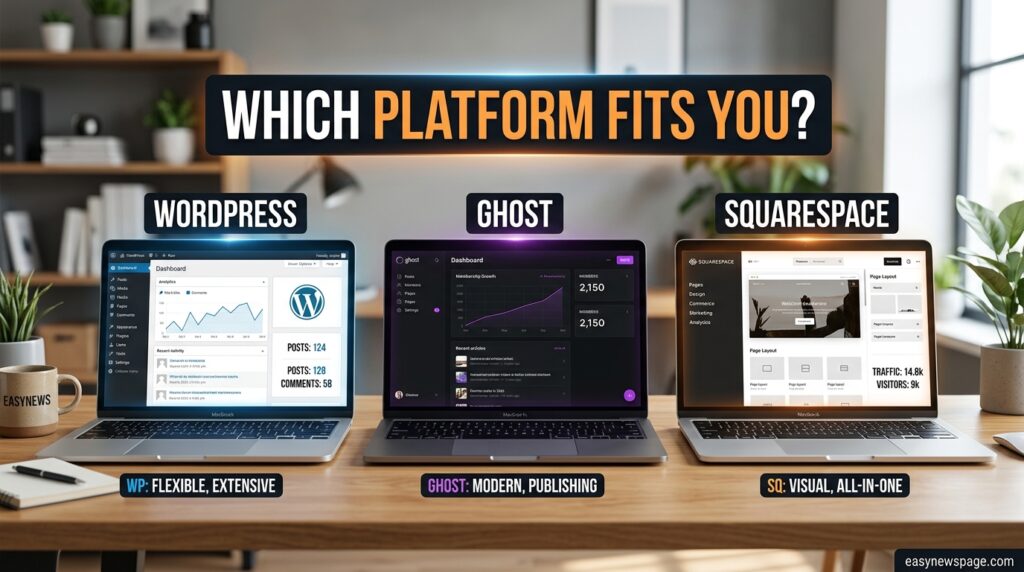
The platform decision matters more than any other tool choice, because it’s the hardest one to reverse later. WordPress remains the most common choice for bloggers who want full ownership, maximum SEO control, and room to grow into a larger content business, while Ghost is generally considered the strongest option for publishers building a subscription-based content business. Squarespace and Wix, meanwhile, appeal to bloggers who want a fully hosted, design-forward experience with minimal technical setup.
Featured Snippet — Platform at a glance:
- WordPress.org (self-hosted): most flexible, largest plugin ecosystem, requires you to manage hosting yourself.
- Ghost: clean, fast, built for memberships and paid newsletters, lighter plugin ecosystem.
- Squarespace / Wix: all-in-one hosted builders, easiest setup, less customization depth.
- Substack / Beehiiv: newsletter-first, near-zero technical setup, less control over design and domain.
If you’re an independent publisher who wants clean writing and built-in monetization, Ghost is generally the pick; for newsletter-first creators, Beehiiv or Substack tend to fit better; and for beginners who want zero setup at all, WordPress.com or Wix are common starting points. None of these choices is wrong — they simply optimize for different priorities.
Hosting and Domain Tools
If you choose self-hosted WordPress or a similar CMS, you’ll need separate hosting and a domain name. Shared hosting plans from providers built specifically around WordPress typically bundle a free SSL certificate, one-click WordPress installs, and basic caching.
A domain name is a small annual cost, usually far cheaper through a dedicated registrar than through a hosting bundle after the first year. It’s worth checking renewal pricing before committing, since many hosts discount the first year heavily.
Expert tip: Buy your domain and hosting from different providers when possible. It keeps your domain portable if you ever want to switch hosts, and it avoids the renewal price jump that bundled first-year deals often hide.
Setup Guide
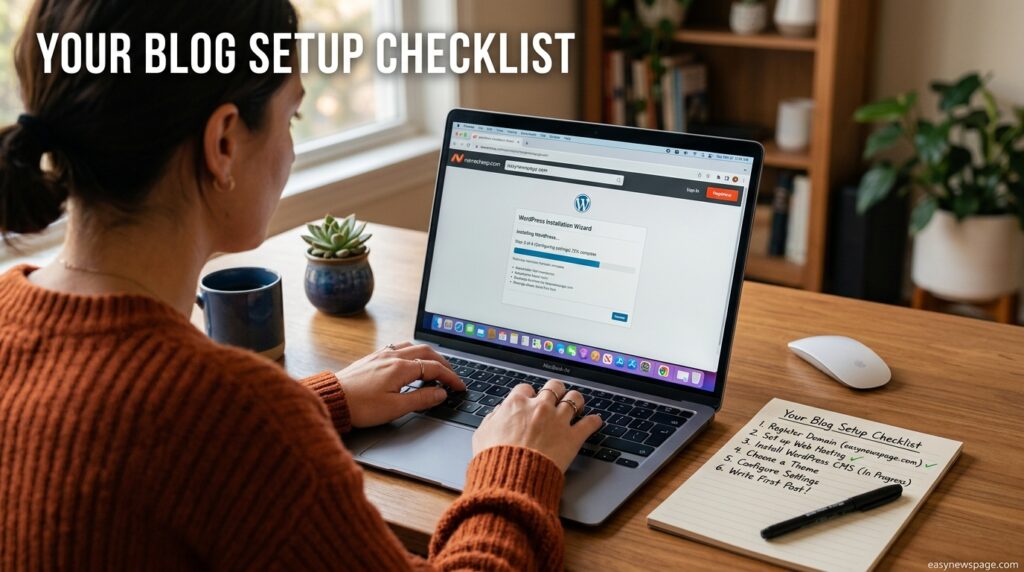
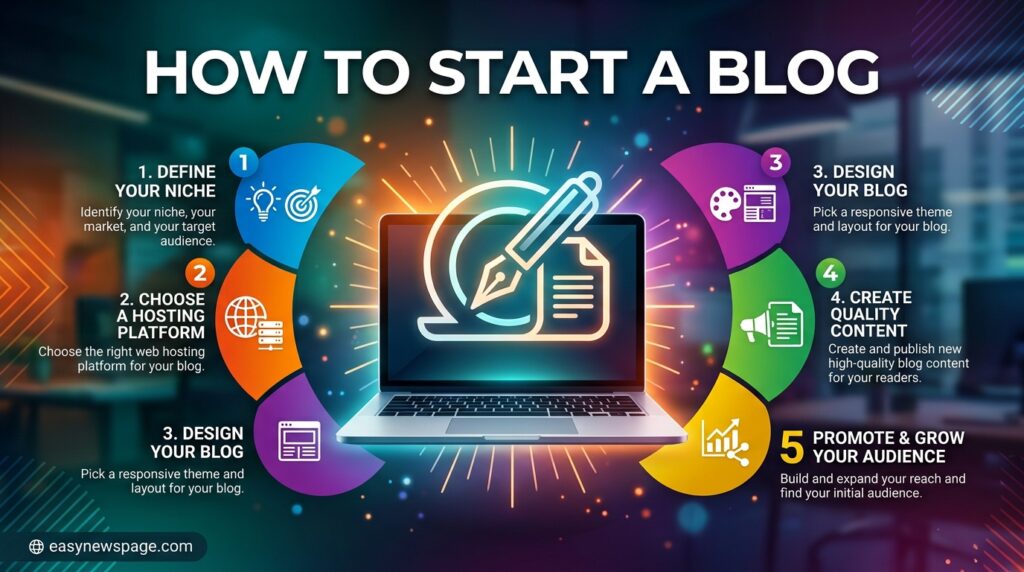
Getting a blog live involves the same core sequence regardless of platform: choose a name, register the domain, connect hosting, install the CMS, choose a theme, and publish a first post.
Step-by-Step Tutorial
- Pick a niche and domain name. Keep it short, brandable, and easy to spell aloud — this matters for word-of-mouth and voice search alike.
- Register your domain and hosting. If using WordPress.org, most hosts offer a one-click installer so you don’t need to touch code.
- Choose a lightweight theme. Speed matters more than visual complexity in the first month — a fast, simple theme outperforms a heavy one for both readers and SEO.
- Install core plugins. An SEO plugin, a caching plugin, and a security/backup plugin cover the essentials.
- Set up Google Search Console and analytics. Do this before your first post goes live so you’re not missing early data.
- Publish and share your first post. Don’t wait for a “perfect” ten-post backlog — publishing teaches you more than planning does.
Use Cases
A personal blog, a business blog attached to a company site, and a niche affiliate site all use the same core tools but weigh them differently. A personal blog leans on ease of writing and a simple theme. A business blog leans on SEO and lead-capture tools tied to a CRM. An affiliate or content-marketing blog leans hardest on keyword research and analytics.
Industry Use Cases
Freelancers use blogs to demonstrate expertise and attract clients, often pairing a simple WordPress or Ghost setup with an email list. Small ecommerce businesses use blogs to support SEO for product pages, usually integrating the blog directly into their store’s CMS. Coaches and creators frequently start on Substack or Beehiiv specifically because the newsletter and blog are the same product.
Benefits of Using the Right Tool Stack
A well-chosen, minimal tool stack reduces the technical friction between having an idea and publishing it. It also keeps ongoing costs predictable, since most of the essential tools have workable free tiers for a blog’s first several months.
The right stack additionally protects you from vendor lock-in — choosing platforms and tools that export content in standard formats means you can migrate later without losing your SEO equity or your archive.
Limitations
No tool stack replaces a consistent publishing habit or genuine subject-matter expertise — software can’t manufacture insight. Free tiers also come with real constraints, like subscriber caps on email tools or watermarks on some design tools, that will eventually need addressing as the blog grows.
Self-hosted platforms like WordPress carry ongoing maintenance responsibility — plugin updates, security patches, and backups — that hosted builders largely handle for you.
Pros and Cons Table
| Approach | Pros | Cons |
|---|---|---|
| Self-hosted WordPress | Full control, huge plugin/theme ecosystem, best long-term SEO flexibility | Requires hosting management, more setup steps |
| Ghost | Fast, clean writing experience, built-in memberships | Smaller plugin ecosystem, less design flexibility |
| Squarespace / Wix | Fastest setup, all-in-one hosting and design | Less customization depth, potential migration friction later |
| Substack / Beehiiv | Zero technical setup, audience-first | Less control over branding and domain, platform dependency |
Pros and Cons Explained: Self-hosted WordPress wins on flexibility because of its plugin ecosystem, but that flexibility comes with the responsibility of keeping everything updated. Hosted builders reverse that trade-off entirely — you give up some customization in exchange for the provider handling security and uptime. Newsletter-first platforms optimize for the fastest path to an audience but make it harder to fully own your design and domain.
Pricing Comparison

| Tool Category | Free Option | Typical Paid Tier |
|---|---|---|
| CMS/Platform | WordPress.org software (free), Ghost self-hosted | Squarespace ~$16–$23/mo, Ghost(Pro) from ~$9/mo |
| Hosting | — | $3–$13/month (shared to managed) |
| SEO Plugin | Yoast SEO / Rank Math free tier | $99–$239/year for premium features |
| Email Marketing | MailerLite / Mailchimp free tier | Scales with subscriber count |
| Design | Canva free tier | ~$13/month for Canva Pro |
Pricing changes frequently across every provider in this table, so treat these as directional ranges rather than guaranteed current rates, and confirm on each provider’s pricing page before purchasing.
Comparison Table: Top Platforms
| Platform | Best For | Setup Difficulty | Monetization Support |
|---|---|---|---|
| WordPress.org | Long-term growth, full control | Moderate | Excellent (ads, affiliate, ecommerce) |
| Ghost | Paid newsletters, clean writing | Moderate | Strong (built-in memberships) |
| Squarespace | Design-forward small business blogs | Easy | Good (built-in ecommerce) |
| Substack/Beehiiv | Newsletter-first creators | Very Easy | Good (subscriptions), less SEO control |
Specifications
A minimum viable blog setup specification looks like this: a CMS supporting Markdown or a block editor, hosting with at least 99.9% uptime and free SSL, an SEO plugin supporting sitemap generation and schema markup, and an email tool supporting double opt-in for list health.
Security, Privacy, and Compliance
Security basics matter from day one: enable automatic backups, use a unique admin password with two-factor authentication where available, and keep your CMS and plugins updated. If your blog collects email addresses, you’re handling personal data, which means a clear privacy policy and, depending on your audience’s location, compliance with regulations like GDPR or CCPA.
Most reputable hosts and email tools handle SSL and basic data-security infrastructure for you, but the privacy policy and consent language on your own site remain your responsibility.
Performance
Page speed directly affects both reader retention and search rankings. A lightweight theme, an image-compression plugin, and basic caching typically get a new blog into acceptable performance ranges without needing a CDN or premium hosting tier on day one.
Integrations
Most modern CMS platforms integrate with email tools, analytics, and social scheduling tools through either native plugins or services like Zapier. When evaluating a new tool, check whether it has a direct integration with your CMS and email platform before adding it to your stack — manual exports between disconnected tools are a common source of abandoned workflows.
API Access
WordPress and Ghost both expose REST APIs, useful later if you want to pull blog content into a mobile app, a newsletter automation, or a custom dashboard. This isn’t a day-one concern for most new bloggers, but it’s worth knowing it exists before you outgrow a platform that doesn’t offer one.
Customer Support
Support quality varies significantly by provider. Hosted platforms like Squarespace and Ghost(Pro) typically include support as part of the subscription. Self-hosted WordPress support is community-driven — extensive but not always fast — unless you pay for managed WordPress hosting, which usually includes dedicated support.
Latest Updates
Several hosting providers have begun bundling AI-assisted site builders directly into their WordPress hosting plans, aimed at giving beginners a smoother setup with pre-installed SEO and security plugins. This reflects a broader trend of platforms trying to compress the setup phase for new bloggers, though the underlying tool categories — CMS, hosting, SEO, email — remain unchanged.
Expert Tips
Publish consistently before optimizing obsessively — a working publishing habit beats a perfect tool stack. Set up your email list before you think you need it, since list-building compounds and the earliest subscribers are often the most engaged. Keep your first theme simple; you can always redesign once you know what your readers actually respond to.
Common Mistakes
New bloggers commonly buy premium SEO tools before they have any content to optimize, choose a platform based on someone else’s use case rather than their own, and delay setting up an email list until traffic has already peaked and passed. Another frequent mistake is installing too many plugins early, which slows the site down before it has any meaningful traffic to justify the extra features.
Troubleshooting
Featured Snippet: If your blog loads slowly, the most common causes are unoptimized images, too many active plugins, or a hosting plan that’s undersized for your traffic — check each in that order before switching hosts entirely. If your posts aren’t appearing in Google, confirm your sitemap is submitted in Search Console and that your SEO plugin isn’t accidentally set to “no index.”
Myths vs Facts
Myth: You need a paid SEO tool to rank in Google. Fact: Free tools like Google Search Console and a free-tier SEO plugin cover everything a new blog needs for its first six to twelve months.
Myth: WordPress is only for developers. Fact: Modern WordPress uses a visual block editor comparable in difficulty to Squarespace or Wix for basic use.
Myth: More plugins mean more features worth having. Fact: Each added plugin is a maintenance and speed cost — only add one when it solves a problem you actually have.
Decision Matrix
| Criteria | WordPress.org | Ghost | Squarespace |
|---|---|---|---|
| Ease of setup | 6/10 | 7/10 | 9/10 |
| Long-term flexibility | 10/10 | 6/10 | 5/10 |
| Built-in monetization | 8/10 | 9/10 | 7/10 |
| Maintenance required | Higher | Moderate | Lowest |
| Cost at scale | Low–Moderate | Moderate | Moderate |
Beginner vs Advanced Stack
A beginner stack is a CMS, hosting, a free SEO plugin, and a free-tier email tool — nothing more. An advanced stack, appropriate once a blog has consistent traffic, adds a dedicated keyword research tool, a paid email platform with automation, a CDN, and possibly a staging environment for testing changes before they go live.
Best Alternatives
Beyond the core platforms, alternatives like Micro.blog combine blogging with lightweight social features for people who care about owning their content, while Substack turns writing into a subscription business with no technical setup required, in exchange for a revenue share. Bear Blog and similar minimalist platforms exist for writers who want the simplest possible publishing experience with almost no configuration.
Alternative Comparison
| Alternative | Best Fit | Trade-off |
|---|---|---|
| Ghost | Paid newsletters, clean writing UX | Smaller ecosystem than WordPress |
| Substack | Zero-setup newsletter/blog hybrid | Revenue share, limited design control |
| Squarespace | Design-forward small business | Less SEO/plugin flexibility |
| Micro.blog | Ownership-focused indie writers | Small ecosystem, less mainstream |
Who Should Use It
Bloggers planning to monetize seriously over multiple years, or who expect to need deep customization, are best served by self-hosted WordPress. Writers focused primarily on a paid subscriber base fit Ghost or Substack well. Small business owners who want a blog attached to a polished marketing site without hiring a developer fit Squarespace or Wix.
Read more: How to Start a Blog the Right Way
Read more: How to Start a Blog: Common Mistakes to Avoid
Read more: How to Start a Blog Using AI Tools
Who Should Avoid It
If you have zero interest in any technical setup, self-hosted WordPress will likely frustrate you more than it helps — a hosted builder or Substack is a better starting point. If you need deep customization and third-party integrations, avoid newsletter-first platforms, since their design and plugin flexibility is intentionally limited.
FAQ
Do I need to know how to code to start a blog?
No. Modern platforms like WordPress, Ghost, and Squarespace all use visual editors, and none require coding knowledge for a standard blog setup.
How much does it cost to start a blog?
A basic setup with hosting, a domain, and free-tier tools typically costs between $30 and $150 for the first year, depending on the hosting provider and domain extension chosen.
Is WordPress or Squarespace better for a new blog?
WordPress generally offers more long-term flexibility and lower ongoing costs, while Squarespace offers a faster, more guided setup experience. The better choice depends on whether you prioritize control or simplicity.
Do I need an SEO tool right away?
A free SEO plugin like Yoast SEO or Rank Math is enough at launch. Paid keyword research tools become worthwhile once you have a content strategy to test against real search data.
Should I build an email list before I have many readers?
Yes. Setting up email capture from your first post means every reader who subscribes early becomes part of a compounding, owned audience rather than a one-time visitor.
Can I switch blogging platforms later without losing my content?
Most platforms support content export, though the difficulty varies. WordPress, Ghost, and similar platforms generally make migration straightforward through export tools and standard formats, while some hosted builders require more manual reformatting during a switch.
Rating Scorecard
| Category | Score (out of 10) |
|---|---|
| Ease of getting started | 8/10 |
| Cost efficiency at launch | 9/10 |
| Long-term scalability | 9/10 |
| Learning curve | 7/10 |
| Overall recommendation | 8.5/10 |
Conclusion
Starting a blog doesn’t require a sprawling toolkit — it requires four decisions made well: a platform that fits your goals, reliable hosting and a domain, a free SEO plugin, and an email tool set up from day one. Everything covered in this guide, from WordPress and Ghost to Squarespace, Substack, and the supporting cast of design and analytics tools, exists to serve that core stack, not replace it.
The bloggers who succeed aren’t the ones with the most sophisticated setup on launch day. They’re the ones who picked a reasonable platform, published consistently, and added new tools only when their traffic or workflow genuinely demanded them. A premium SEO suite or advanced automation tool solves problems a brand-new blog doesn’t have yet, and buying them early usually just adds cost and complexity without adding readers.
If there’s one takeaway from this guide, it’s this: choose the platform that matches how much control you want versus how much setup you’re willing to do, get your domain and hosting sorted in an afternoon, and publish your first post before you’ve perfected your tool stack. The stack will keep evolving as the blog grows — what matters most at the start is momentum, not completeness. Start simple, stay consistent, and layer in new tools only when a clear need for them shows up in your data.
Official Sources
- Google Search Central — Search Console and SEO documentation
- WordPress.org — official plugin and theme repository
- Ghost.org — official documentation
- W3Techs — content management system usage statistics
Author Bio
Written by the Editorial Team at easynewspage.com, covering practical, no-fluff guides on blogging, content tools, and small-site SEO. This guide was compiled through comparative research of current top-ranking resources and each mentioned provider’s official documentation and pricing pages as of August 2026.