


Millions of people search for how to start a blog every year, but most guides either drown beginners in technical jargon or skip straight to affiliate links without explaining the actual decisions that determine whether a blog succeeds. This tutorial is different: it walks through every real step in order, from choosing a niche and a platform to publishing your first post and building the habits that keep a blog alive past month three, which is where most new blogs quietly die.
A blog, in its simplest form, is a regularly updated website where you publish written content around a topic, built on a content management system like WordPress. What separates a blog that grows from one that fizzles out isn’t the platform or the design — it’s a clear niche, a sustainable publishing rhythm, and a basic understanding of how search engines and readers discover new content. This tutorial treats all three as equally important, alongside the technical setup steps most guides focus on exclusively.

By the end of this tutorial, you’ll understand how to pick a blogging platform that fits your goals, how to choose and validate a niche before you write a single post, how to complete the full technical setup (domain, hosting, WordPress installation, theme, plugins), how to structure your first ten posts for maximum impact, and how blogs actually start earning money once they have traffic. Niche selection, content strategy, and on-page SEO get as much attention here as domain names and hosting, because a technically perfect blog with no clear direction rarely grows.
Whether you’re starting a personal blog, a business blog to support an existing brand, or a content site built around monetization from day one, the sequence in this tutorial applies. Skip ahead to the setup section if you already know your niche and platform; otherwise, start from the beginning, because niche and platform decisions are far more expensive to reverse later than they are to get right now.
Quick Facts Table
| Fact | Detail |
|---|---|
| Most common blogging platform | WordPress, powering the majority of blogs worldwide |
| Time to complete technical setup | 1–3 hours for a basic self-hosted blog |
| Recommended minimum publishing pace | 1–2 quality posts per week when starting out |
| Typical time to meaningful organic traffic | 6–12 months of consistent publishing |
| Core technical requirements | Domain name, web hosting, content management system |
| First-post goal | Establish topic, audience, and voice — not perfection |
Quick Summary
Starting a blog in 2026 means choosing a focused niche, picking self-hosted WordPress for maximum flexibility (or a simpler platform if you want zero technical setup), registering a domain name, connecting it to a hosting account, installing WordPress, selecting a lightweight theme, and publishing a structured first batch of posts optimized for both readers and search engines. The technical part takes an afternoon; the strategic part — niche, voice, and consistency — is what actually determines whether the blog grows.
Key Takeaways
- Niche selection matters more than platform choice — a focused topic with real search demand outperforms a broad blog on the best hosting money can buy.
- Self-hosted WordPress remains the most flexible option for anyone planning to grow a blog long-term or monetize it.
- Technical setup (domain, hosting, WordPress, theme) is a one-time, one-afternoon task; content strategy is ongoing.
- Publishing consistency beats publishing frequency — one well-researched post a week outperforms five rushed ones.
- SEO fundamentals (keyword research, on-page structure, internal linking) should be applied from the very first post, not added later.
Table of Contents
Why Trust This Guide
This tutorial is built around the actual sequence of decisions a new blogger faces, drawn from how WordPress, hosting platforms, and search engines document their own setup processes, plus common patterns in why blogs succeed or fail beyond the first few months. Where specific claims about platforms or features are made, they reflect publicly documented functionality rather than assumptions, and anything uncertain is flagged rather than presented as fact.
Who This Guide Is For
This tutorial is written for complete beginners with no prior website experience, as well as intermediate writers who have dabbled with a free platform and are ready to move to a real, ownable blog. It assumes you have a topic in mind or are open to narrowing one down, and it covers both the strategic side (niche, content) and the technical side (setup) in equal depth.
What Is a Blog
A blog is a website (or section of a website) organized around regularly published, reverse-chronological posts on a particular topic, run on a content management system that makes publishing new content simple without coding. Modern blogs range from personal journals to full content businesses generating revenue through ads, affiliate links, digital products, or services, but the underlying structure — a homepage, individual post pages, categories, and an archive — remains largely the same across platforms.
AI Overview: What a Blog Is, in One Paragraph
A blog is a regularly updated website built around written posts on a specific topic, typically managed through a content management system like WordPress, and organized so readers can browse recent posts, search by category, and subscribe for updates — the foundation for everything from personal writing to full content-based businesses.
How Blogging Platforms Work
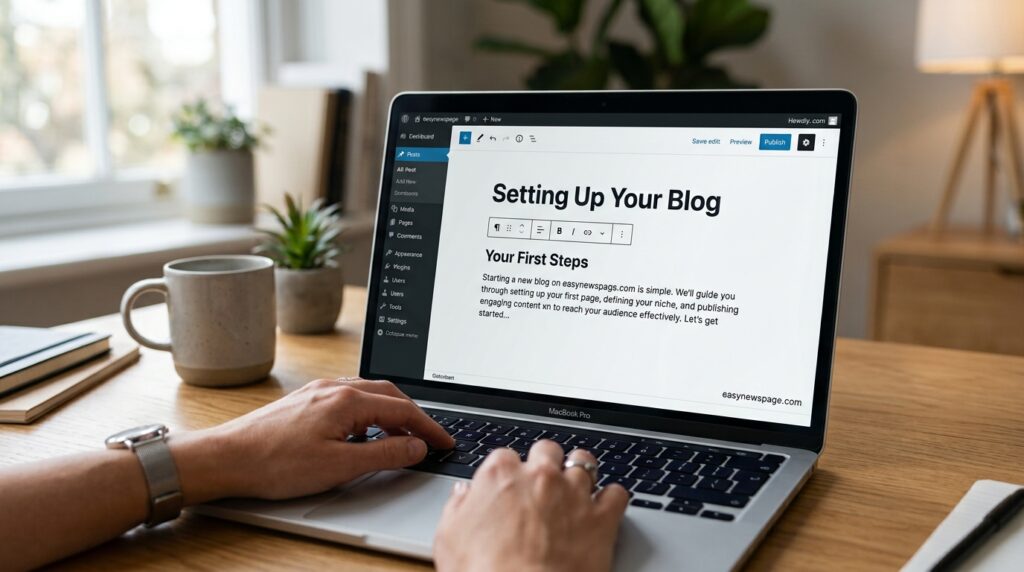
Every blogging platform, from free tools to fully self-hosted setups, handles the same core job: storing your posts, rendering them as web pages, and giving you an editor to write and publish new content. The difference lies in who controls that infrastructure. Free platforms host and control everything, limiting your customization and sometimes your monetization. Self-hosted platforms like WordPress.org put you in control of a server you rent from a hosting provider, giving you full access to themes, plugins, and the underlying code.
This distinction is the single most important technical decision in this tutorial, because it affects nearly everything downstream: design flexibility, monetization options, migration difficulty, and long-term cost. Most bloggers who plan to publish for more than a few months benefit from starting self-hosted, even though it requires a small amount of setup work upfront that free platforms skip.
History and Timeline of Blogging
Blogging emerged in the late 1990s as simple online journals, with platforms like Blogger (1999) making publishing accessible without coding knowledge. WordPress launched in 2003 and grew into the dominant content management system by combining free, open-source software with an enormous plugin and theme ecosystem. The 2010s brought mobile-first design, social media distribution, and the rise of niche and affiliate blogging as viable income sources. By the 2020s, AI writing assistants, voice search optimization, and AI-driven search engines (like AI Overviews and conversational search tools) had become part of how bloggers think about content strategy, adding a new layer — writing for AI summarization, not just traditional search rankings — on top of classic SEO fundamentals.
Features to Look For in a Blogging Platform
Choosing a platform comes down to a handful of features that matter far more than visual polish.
Feature Table
| Feature | Why It Matters | Look For |
|---|---|---|
| Custom domain support | Branding and monetization | Full support, not restricted |
| Content ownership | Protects your work long-term | Full export/ownership rights |
| SEO controls | Determines search visibility | Editable titles, meta descriptions, URLs |
| Plugin/extension ecosystem | Adds functionality without coding | Large, active ecosystem |
| Mobile-responsive editor | Lets you write from anywhere | Native mobile app or responsive editor |
| Monetization support | Enables ads, affiliate links, products | Unrestricted or clearly documented |
Content ownership and SEO controls are the two features beginners underweight most, and both matter enormously once a blog starts generating meaningful traffic.
How a Blog Actually Works Behind the Scenes
When someone visits your blog, their browser requests a page from your hosting server, which runs your content management system, pulls the relevant post from a database, and assembles it into a webpage using your theme’s design templates. Every time you hit “publish” in WordPress, you’re writing a new entry to that database, which is why backups matter — losing server access without a backup means losing your content, not just your design.
Featured Snippet: How Does WordPress Publishing Work?
When you click “publish” in WordPress, your post is saved to a MySQL database on your hosting server, then rendered into a live webpage using your active theme’s templates — the entire process typically takes under a second and requires no manual file editing.
Setup Guide and Step-by-Step Tutorial
This is the full technical walkthrough for launching a self-hosted WordPress blog from scratch.
Step 1: Choose and Validate Your Niche
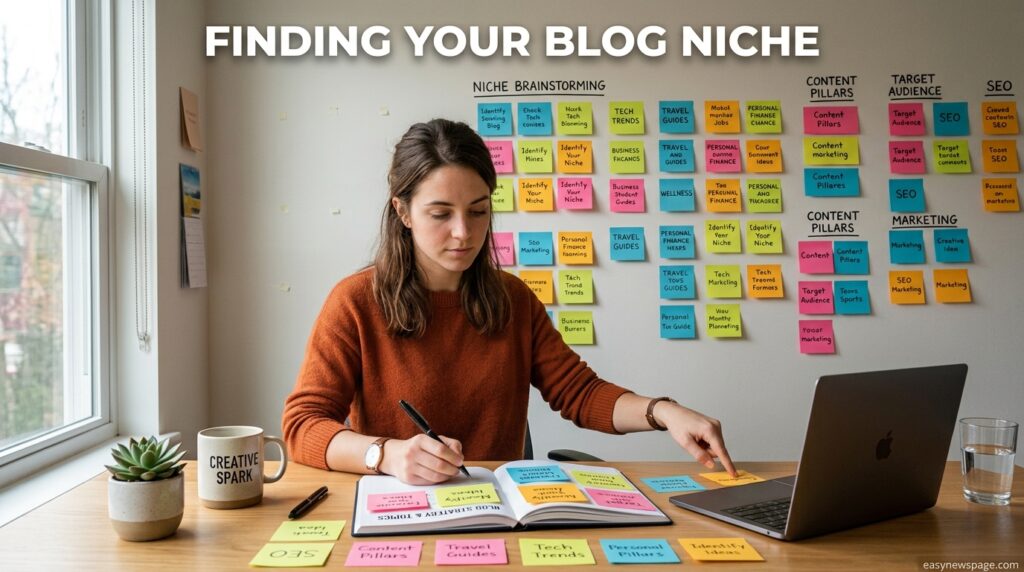
Pick a topic specific enough to build authority quickly but broad enough to sustain years of content — “budget travel for solo women” works better than either “travel” (too broad) or “hostels in one specific city” (too narrow). Validate demand using free keyword research tools before committing.
Step 2: Register a Domain Name
Choose a short, brandable domain name that reflects your niche without being overly literal, and register it through your hosting provider or a separate registrar.
Step 3: Set Up Hosting and Install WordPress
Sign up for a hosting plan, then use the one-click WordPress installer most hosts provide in their control panel to get the software running on your domain within minutes.
Step 4: Configure Core Settings
Set your site title, tagline, permalink structure (choose the post-name format for SEO-friendly URLs), and timezone before writing your first post.
Step 5: Choose a Theme and Essential Plugins
Select a fast, mobile-responsive theme and install an SEO plugin, a caching plugin, and a security plugin as your baseline toolkit.
Step 6: Plan Your First Ten Posts
Outline ten post topics covering your niche’s most common questions before you start writing, so your first month of content has structure instead of being reactive.
Step 7: Write, Optimize, and Publish
Write each post with a clear target keyword, a descriptive title, internal links to related posts, and a meta description, then publish and share it through your existing networks or communities.
Use Cases and Industry Examples
Blogs serve different purposes depending on the goal behind them. A personal blog documents a writer’s experiences or opinions with no commercial pressure. A niche content blog targets a specific topic to build search traffic and monetize through ads or affiliate links. A business blog supports an existing company by answering customer questions and improving search visibility for the brand. A portfolio blog demonstrates a freelancer’s expertise to attract clients.
Industry Use Cases
| Use Case | Primary Goal | Typical Monetization |
|---|---|---|
| Personal blogging | Self-expression, community | Rarely monetized |
| Niche content blogging | Traffic and authority | Ads, affiliate links |
| Business/company blogging | SEO and customer education | Indirect (drives sales) |
| Portfolio blogging | Client acquisition | Freelance/consulting work |
| Newsletter-first blogging | Direct audience relationship | Subscriptions, sponsorships |
Benefits and Limitations
Blogging offers long-term compounding value: posts published years ago can still bring in traffic today, unlike social media content that disappears from feeds within days. It also builds a searchable, ownable body of work that reflects your expertise over time. The limitations are real, too — growth is typically slow in the first six to twelve months, and blogging requires consistent effort with no guaranteed payoff, which is why niche selection and consistency matter so much upfront.
Pros & Cons Table
| Pros | Cons |
|---|---|
| Content compounds and keeps generating traffic over time | Growth is slow in the first several months |
| Full ownership of content and audience data (self-hosted) | Requires consistent effort with no guaranteed return |
| Multiple monetization paths as traffic grows | SEO and content strategy have a real learning curve |
| Low technical barrier with modern one-click tools | Free platforms limit growth and monetization |
| Builds a long-term, searchable body of expertise | Competitive niches take longer to rank in |
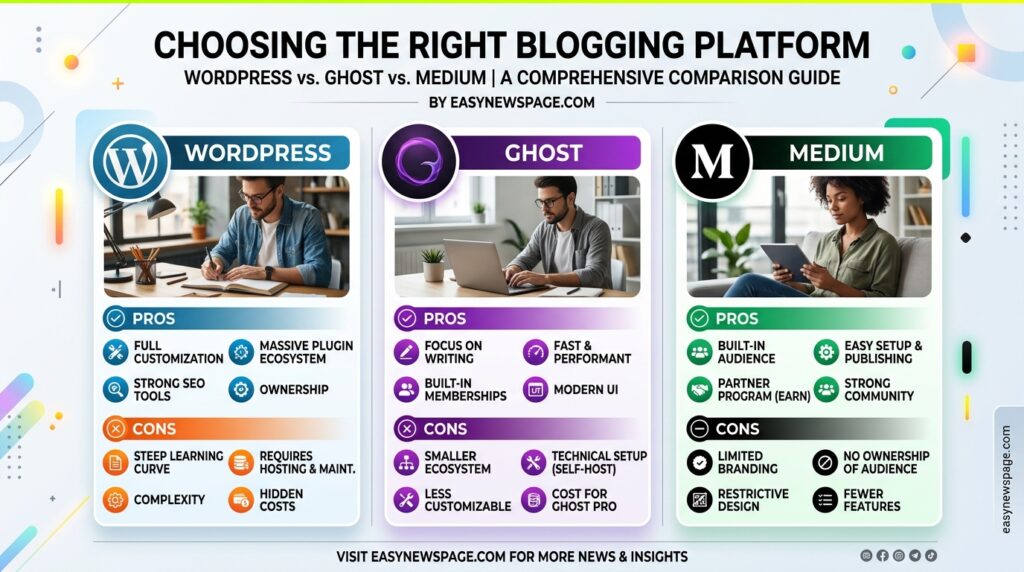
Platform Comparison Table
| Platform | Setup Difficulty | Customization | Monetization | Best For |
|---|---|---|---|---|
| Self-hosted WordPress.org | Moderate (one afternoon) | Full | Unrestricted | Most serious bloggers |
| WordPress.com (free/paid tiers) | Easy | Limited on free tier | Restricted on free tier | Beginners testing an idea |
| Ghost | Moderate | High, writer-focused | Unrestricted | Newsletter-first writers |
| Squarespace/Wix | Easy | Design-focused, less flexible | Supported | Design-first bloggers |
| Medium | Very easy | Minimal | Limited, platform-controlled | Writers wanting built-in audience, no ownership |
Specifications
A standard self-hosted WordPress blog setup includes a domain name, a hosting account with at least a few gigabytes of storage, the free WordPress core software, a theme, and a small set of plugins for SEO, caching, and security. No coding language, server management experience, or design software is required to complete a functional setup using modern one-click tools.
Security, Privacy, and Compliance
A blog’s core security relies on an SSL certificate (almost universally free with hosting today), keeping the WordPress core, theme, and plugins updated, and using strong login credentials, ideally with two-factor authentication enabled through a free security plugin. Privacy compliance becomes relevant once you collect any visitor data — email signups, comments, or analytics — and typically means adding a cookie consent notice and a privacy policy page, both achievable with free plugins and templates.
Performance
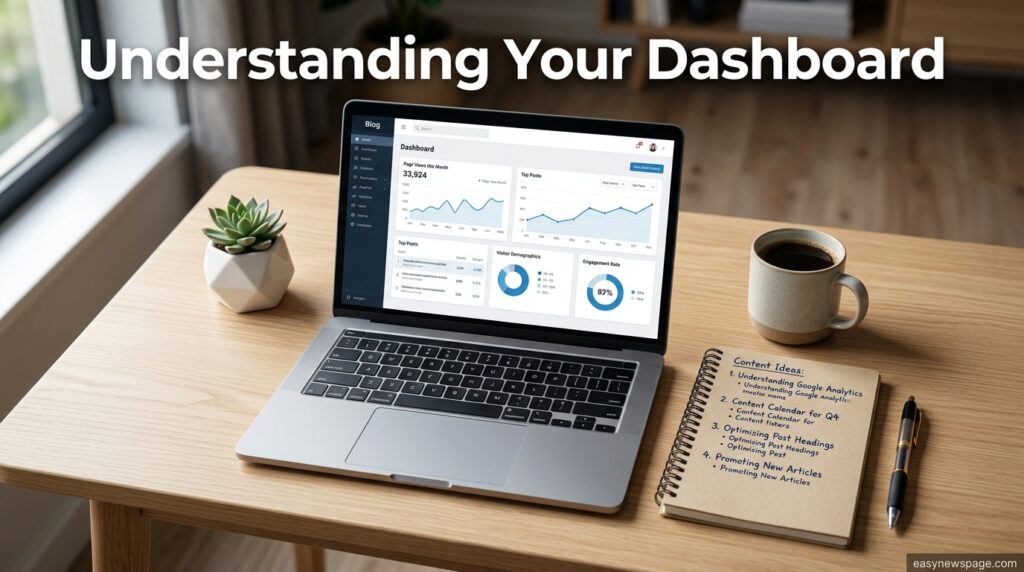
Page speed depends more on image optimization, a lightweight theme, and a caching plugin than on any single “best” hosting plan. A blog optimized well on entry-level hosting will often outperform an unoptimized blog on expensive hosting, which is why performance tuning belongs in the initial setup, not as an afterthought once traffic grows.
Integrations and API
WordPress includes a built-in REST API by default, enabling integration with email marketing tools, analytics platforms, social scheduling tools, and custom applications without extra cost. The plugin ecosystem covers most common integrations — email newsletters, contact forms, social sharing, and e-commerce — as free or low-cost add-ons rather than built-in platform features you have to pay extra for.
Support Resources
New bloggers on self-hosted WordPress rely on a combination of hosting-provider live chat for server-level issues, the extensive official WordPress documentation and community forums for software questions, and countless free tutorials for anything theme- or plugin-specific. This distributed support model is less centralized than a single paid platform’s help desk but is generally faster to find answers in, given how widely used WordPress is.
Latest Updates in Blogging
Search behavior has shifted meaningfully with the rise of AI-powered search summaries and conversational search tools, pushing bloggers toward writing clear, directly answerable sections that AI systems can summarize accurately, alongside traditional keyword-focused SEO. Hosting providers have also continued bundling AI-assisted site builders and writing tools into entry-level plans, lowering the technical barrier to launching a blog even further in 2026 than in prior years.
Expert Tips
Write your first ten post titles before you write a single word of content — this forces niche clarity and prevents the common trap of publishing whatever comes to mind that week. Internally link every new post to at least two older posts to help both readers and search engines understand how your content connects. Treat your first three months as a content-building phase, not a traffic-building phase; traffic tends to follow once there’s enough substance on the site.
Common Mistakes
New bloggers frequently choose a niche that’s too broad, making it impossible to build topical authority or rank for anything specific. Others obsess over theme and design customization for weeks before publishing a single post, delaying the only activity that actually grows a blog. A third common mistake is abandoning a blog after a few months of low traffic, without realizing that six to twelve months of consistent publishing is typical before organic search traffic becomes meaningful.
Troubleshooting
If a new post isn’t appearing in Google search results, check whether it’s been indexed using Google Search Console before assuming something is broken — indexing can take days to weeks for a new blog. If the site loads slowly, check image file sizes and confirm a caching plugin is active before considering a hosting upgrade. If you can’t log into WordPress, most hosts offer a password reset directly through their control panel without needing developer help.
Myths vs. Facts
Myth: You need to post every day to grow a blog. Fact: Consistency matters more than frequency — one well-researched, well-optimized post a week consistently outperforms daily low-effort posts.
Myth: Blogging is dead because of social media and video. Fact: Blog content still drives the majority of long-term organic search traffic for most niches, because it’s indexable and searchable in a way short-form social content generally isn’t.
Myth: You need a large budget to start a serious blog. Fact: A fully functional, professional self-hosted blog can be launched for a modest domain and hosting cost, with free themes and plugins covering nearly all beginner needs.
Decision Matrix
| Criteria | Self-Hosted WordPress | Free Platform | Niche-Specific Builder (Ghost, etc.) |
|---|---|---|---|
| Long-term flexibility | 5/5 | 1/5 | 4/5 |
| Ease of setup | 4/5 | 5/5 | 4/5 |
| Monetization freedom | 5/5 | 1/5 | 4/5 |
| SEO control | 5/5 | 2/5 | 4/5 |
| Best overall for most new bloggers | Recommended | Testing only | Writers/newsletters |
Read more: How to Start a Blog in Under 30 Minutes (2026 Guide)
Read more: How to Start a Blog
Beginner vs. Advanced
A beginner setup covers one WordPress install, a free theme, three or four essential plugins, and a simple ten-post content plan. An advanced setup builds on that foundation with a dedicated email list tool, a content calendar spanning months rather than weeks, structured internal linking across topic clusters, and performance tuning like a content delivery network — all still achievable without abandoning a budget-conscious hosting plan.
Best Alternatives to Self-Hosted WordPress
Ghost suits writers focused on newsletters and paid subscriptions, with a cleaner, more minimal writing experience than WordPress, though it typically costs more to host. Medium offers instant publishing to a built-in audience with zero setup, at the cost of full ownership and most monetization control. Substack works well for newsletter-first writers who want built-in subscription and payment tools bundled into the platform itself.
Alternative Comparison
| Platform | Ownership | Setup Time | Monetization | Best For |
|---|---|---|---|---|
| Self-hosted WordPress | Full | ~1–3 hours | Unrestricted | Long-term content businesses |
| Ghost | Full (self-hosted) or partial (Ghost Pro) | ~1 hour | Built-in subscriptions | Newsletter-first writers |
| Medium | Minimal | Minutes | Limited, platform-controlled | Fast publishing, built-in audience |
| Substack | Partial | Minutes | Built-in subscriptions | Newsletter-first writers wanting simplicity |
Who Should Start a Blog
Anyone with consistent interest in a topic, willingness to publish regularly for at least six months before expecting meaningful traffic, and either a personal or business reason to build an ownable content asset is a strong fit for starting a blog, regardless of technical background.
Who Should Avoid Blogging (For Now)
Anyone expecting fast income, unwilling to commit to months of consistent publishing before seeing results, or looking purely for short-form social reach should consider social media or video platforms instead, where feedback loops are faster even though the content is less durable long-term.
FAQs
How long does it take to start a blog?
The technical setup — domain, hosting, WordPress installation, theme, and plugins — typically takes one to three hours. Planning your niche and first batch of posts well takes longer, often a few days, but is worth the extra time.
Do I need coding skills to start a blog?
No. Modern hosting providers include one-click WordPress installers, and most customization is handled through themes and plugins without touching any code.
How often should I publish when starting a blog?
One to two well-researched, well-optimized posts per week is a sustainable pace for most beginners, and it tends to outperform sporadic bursts of high-frequency, low-quality posting.
How long until a blog starts getting traffic?
Most new blogs take six to twelve months of consistent publishing before organic search traffic becomes meaningful, though niche competitiveness and content quality both affect the timeline significantly.
Is WordPress still the best platform to start a blog in 2026?
For most bloggers planning long-term growth and monetization, yes — its open plugin ecosystem, full content ownership, and SEO control remain unmatched by more restrictive free platforms, though writer-focused tools like Ghost or Substack suit newsletter-first strategies well.
Can I change my blog’s niche after I start?
Yes, but it costs momentum — search engines and readers associate your site with its initial topic, so a major niche pivot effectively restarts the authority-building process. Choosing carefully upfront avoids this.
Do I need a business plan to start a blog?
No, not for a personal or hobby blog. If monetization is a goal from the start, a simple content and monetization plan — target audience, content pillars, and revenue path — is more useful than a formal business plan.
Rating Scorecard
| Category | Score (out of 5) |
|---|---|
| Ease of Setup | 4.5/5 |
| Long-Term Growth Potential | 5/5 |
| Monetization Flexibility | 5/5 |
| Beginner Friendliness | 4/5 |
| Time to First Results | 3/5 |
| Overall for New Bloggers | 4.5/5 |
Conclusion
Starting a blog in 2026 is technically simple and strategically demanding in equal measure. The setup — a domain, hosting, WordPress, a theme, and a few essential plugins — takes an afternoon and requires no coding experience. What actually determines whether a blog grows is everything this tutorial spent more time on: a focused niche, a sustainable publishing rhythm, and content built around real reader questions rather than guesswork.
The bloggers who succeed aren’t the ones with the most polished design or the most expensive hosting plan — they’re the ones who published consistently for six to twelve months without quitting when early traffic looked disappointing. Blogging rewards patience and specificity far more than it rewards perfect technical setup, which is genuinely good news for anyone starting with a limited budget and no prior experience. Pick a niche you can commit to, get the technical setup out of the way in an afternoon, and treat your first few months as a foundation-building phase rather than a results phase. The blogs that are thriving in 2026 almost all started exactly the same way this tutorial describes — one focused topic, one consistent publishing schedule, and enough patience to let search engines and readers catch up.
Official Sources
- WordPress.org official documentation (wordpress.org)
- Google Search Central documentation on indexing and SEO fundamentals
- General platform documentation for Ghost, Medium, and Substack referenced for the alternatives comparison
Author Bio
Written by the Content Team at easynewspage.com, covering practical, step-by-step guides to starting and growing blogs and small content businesses, reviewed for accuracy against current platform documentation.