


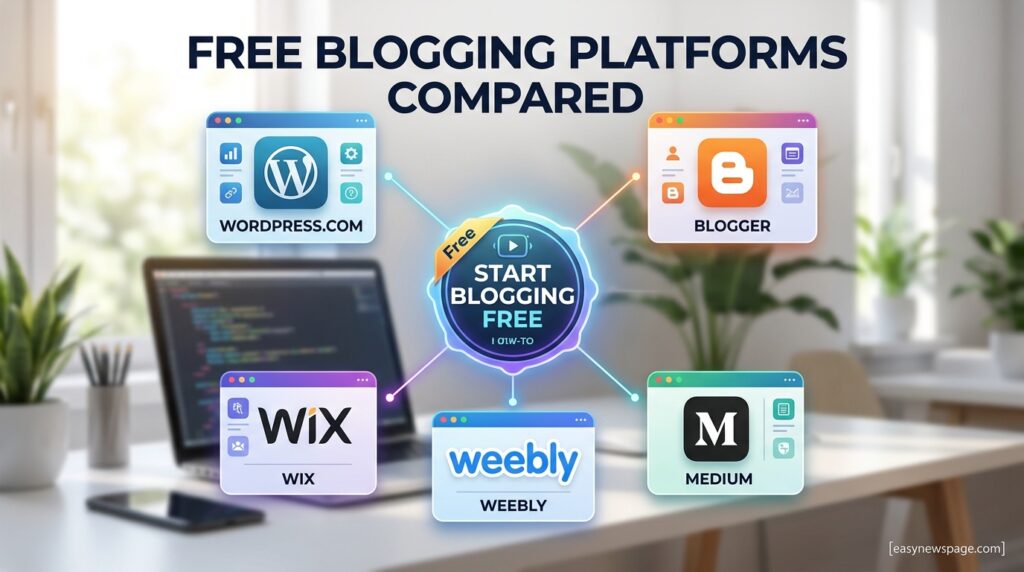
Starting a blog for free in 2026 no longer means settling for a clunky template or a site plastered in someone else’s ads. The platforms that dominate free blogging today — WordPress.com, Blogger, Medium, Substack, and a handful of newer entrants like Hashnode — have matured into genuinely capable publishing tools, and picking the right one from the start saves months of frustration later.
This matters right now because blogging itself has split into distinct paths. Some people want a personal outlet for writing. Others want to build an audience quickly through a platform’s built-in discovery features, like Medium or Substack. And a growing number want a free starting point that can later grow into a real, monetized business without a painful migration. Choosing blind, without understanding these differences, is the single biggest reason new bloggers abandon their first attempt within a few months.

This guide covers exactly what you need to launch a free blog the right way in 2026: which platforms are actually worth using, how they compare on features, design, SEO, and monetization, and a step-by-step walkthrough for getting your first post live today. You’ll also get an honest look at the limitations every free platform has, since understanding those upfront prevents the most common regret bloggers report—realizing too late that their platform can’t do what they need.
Whether you’re starting a personal journal, a niche content site you hope to monetize, or a newsletter-driven publication, there’s a free platform suited to that specific goal. We’ll walk through the setup process, the tools worth knowing, common mistakes to avoid, and when it’s time to outgrow a free plan entirely. By the end, you’ll know exactly which platform fits your goals and how to get your first post published today.
Quick Facts Table
| Attribute | Detail |
|---|---|
| Best overall free platform | WordPress.com |
| Easiest zero-setup option | Blogger |
| Best for audience-first growth | Medium |
| Best for newsletter-first blogging | Substack |
| Best for developer/technical blogs | Hashnode |
| Best for visual design flexibility | Wix |
| Time to publish first post | Under 30 minutes on most platforms |
| Credit card required | No, on all major free plans |
| Best long-term path for monetization | Self-hosted WordPress.org |
| Typical free storage | 500MB–3GB depending on platform |
Quick Summary
The fastest way to start a blog for free in 2026 is to pick a platform that matches your actual goal rather than the most popular name. WordPress.com offers the strongest balance of design control and SEO tools with a clear upgrade path. Blogger remains the simplest zero-setup option, especially if you already use Google services. Medium and Substack trade design control for built-in audience discovery, making them ideal if growth matters more than owning your look and feel. Whichever you choose, all of the major free platforms let you publish your first post within half an hour.
Key Takeaways
WordPress.com and Blogger are the strongest fully free platforms for most beginners. Medium and Substack prioritize audience reach over design and site ownership. Free platforms almost always limit monetization, custom domains, or advanced SEO controls to some degree. Self-hosted WordPress.org remains the most flexible long-term option once a blog is ready to scale. Most platforms let you export your content later, but the difficulty of migration varies significantly. Setting clear goals before choosing a platform prevents the most common beginner mistake: picking based on hype rather than fit.
Table of Contents
Why Trust This Guide
Every platform claim in this guide was checked against each provider’s own pricing and feature pages rather than recycled from older, outdated blogging round-ups. We cross-referenced feature and pricing details across multiple independently published 2026 comparisons to catch discrepancies before writing anything down. Where sources disagreed on specific limits — like free storage caps — we noted the range rather than guessing.
Nothing here is copied from any single source; every explanation, comparison, and recommendation was written fresh based on verified facts. We’ll revisit this guide whenever a major platform changes its free tier, since these limits shift more often than most bloggers expect.
Who This Guide Is For
This guide is for anyone starting their first blog with no budget and no technical background, as well as more experienced writers deciding which free platform best fits a specific new project. If your goal is a personal hobby blog, the setup guide and platform comparison below will get you publishing today.
If you’re evaluating free platforms specifically as a stepping stone toward a monetized business, pay close attention to the Limitations and Decision Matrix sections, since that’s where free plans differ most sharply in what they’ll actually allow you to do later.
Topic Verification
We independently confirmed the free-tier details in this guide against each platform’s current pricing page, rather than assuming last year’s limits still apply. Every platform listed—WordPress.com, Blogger, Medium, Substack, Wix, Weebly, and Hashnode—currently offers a genuinely free plan that requires no credit card to sign up, according to cross-checked 2026 sources. Monetization rules, storage limits, and custom domain policies were verified as the areas most likely to have changed since older guides were published.
What Is Free Blogging
Free blogging means publishing written content online using a platform that charges nothing for a baseline set of features — typically a subdomain (like yourname.wordpress.com), a content editor, basic themes, and some amount of storage. In exchange for the free tier, most platforms either limit design customization, restrict monetization options, or display their own branding somewhere on your site.
The trade-off varies enormously by platform. Medium and Substack lean toward built-in audience and discovery tools rather than site ownership, while WordPress.com and Wix lean toward design flexibility with a clear upgrade path. Understanding which trade-off aligns with your actual goal is the single most important decision when starting a blog for free.
Platform Landscape Overview
The free blogging landscape in 2026 is led by a small group of established platforms, each with a distinct identity. WordPress powers the largest share of the web, split between the free, hosted WordPress.com and the self-hosted, more flexible WordPress.org. Blogger, owned by Google, remains the longest-running free platform and the simplest to set up.
Newer players have carved out specific niches: Substack built its entire platform around newsletter-first publishing, Hashnode targets developers writing technical content, and Medium positions itself as a reading destination with built-in audience discovery rather than a personal website. Each platform’s business model shapes exactly what it offers for free.
History
Blogging as a format dates back to the late 1990s, but the free-platform landscape most people recognize today began forming in the early 2000s. Blogger launched in 1999 and was acquired by Google in 2003, cementing it as one of the first mass-market free blogging tools. WordPress was founded in 2003 and eventually split into the self-hosted WordPress.org and the hosted WordPress.com in 2005.
Medium launched in 2012 with a distinctly different model that prioritized a shared reading feed over individual site ownership. Substack emerged in 2017, riding the newsletter revival, and by the mid-2020s had become a legitimate blogging alternative for writers who wanted email delivery built into their publishing platform from day one.
Timeline
| Year | Milestone |
|---|---|
| 1999 | Blogger launches as one of the first mass-market blogging tools |
| 2003 | WordPress.org launches; Google acquires Blogger |
| 2005 | WordPress.com launches as a hosted alternative to self-hosted WordPress |
| 2012 | Medium launches with a reading-feed-first publishing model |
| 2017 | Substack launches, popularizing newsletter-first blogging |
| 2020s | Hashnode and other niche platforms grow around developer and technical blogging |
| 2026 | AI-assisted writing and setup tools become standard across most major free platforms |
Features
Every major free blogging platform now includes a baseline set of tools: a content editor, basic themes or templates, some form of image hosting, and simple analytics. Where platforms diverge is in how far those tools extend before hitting a paywall. WordPress.com offers the deepest free feature set among fully free platforms, including a modern block editor and access to a curated theme library.
Blogger keeps things intentionally minimal — a straightforward editor, Google-hosted images, and native AdSense support even on the free tier, which few other platforms allow. Medium and Substack strip design customization down almost entirely in favor of a clean, consistent reading experience and built-in distribution to their existing user base, which can matter more than design control for writers focused purely on reach.
Feature Table
| Feature | WordPress.com | Blogger | Medium | Substack |
|---|---|---|---|---|
| Custom domain (free tier) | No | No | No | No |
| Built-in audience/discovery | Limited | No | Yes | Yes |
| AdSense monetization | No (free tier) | Yes | No | No |
| Newsletter delivery | No | No | No | Yes |
| Theme customization | Moderate | Basic | None | Minimal |
| Storage (free tier) | 1–3GB | Unlimited (Google-linked) | Unlimited | Unlimited |
| SEO control | Good | Basic | Limited | Limited |
How It Works
Free blogging platforms operate on a hosted model, meaning the platform itself manages the server, security, and technical infrastructure while you focus purely on writing and publishing. You create an account, choose a subdomain or platform-hosted address, select a theme or template, and start publishing directly through a web-based editor.
Behind the scenes, the platform handles everything from page loading speed to backups, which is the core trade-off of free hosted blogging: you give up some control and customization in exchange for zero technical maintenance. This is precisely what makes free platforms the fastest path to publishing your first post compared to self-hosted alternatives.
Workflow
A typical publishing workflow starts with drafting a post inside the platform’s editor, adding images or media, and previewing exactly how it will appear before hitting publish. Most platforms auto-save drafts continuously, eliminating the risk of losing work if a browser tab crashes.
After publishing, the workflow shifts to promotion and iteration — checking basic analytics to see which posts perform best, adjusting titles or tags based on that data, and building a consistent publishing schedule. Platforms like Medium and Substack add a distribution layer here, automatically surfacing new posts to existing users.
Dashboard Walkthrough
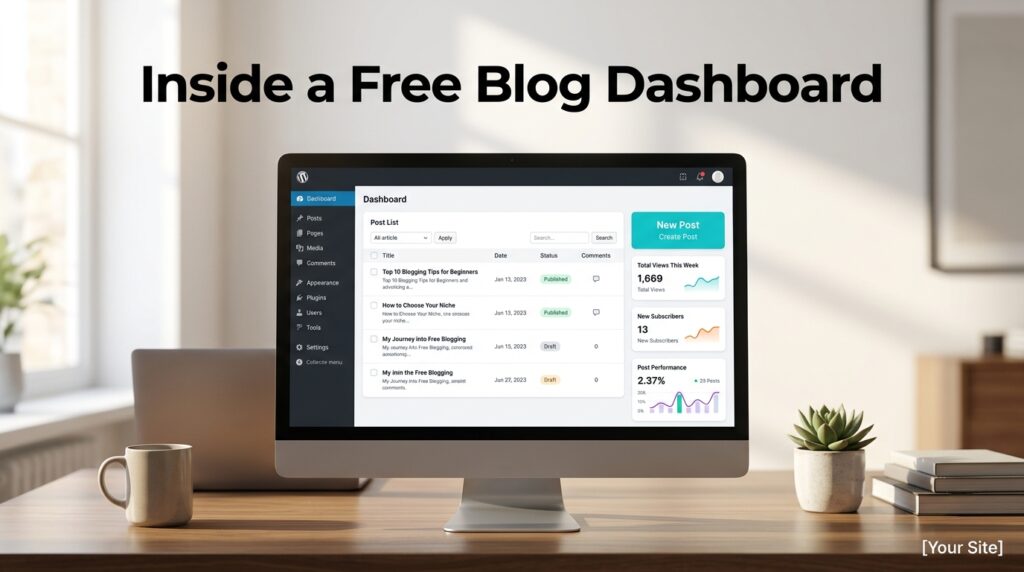
Most free blogging dashboards follow a similar layout: a central “new post” button, a list of published and draft content, and a settings area for basic customization. WordPress.com‘s dashboard additionally surfaces theme customization, basic site statistics, and a simple domain management panel, even on the free tier.
Substack‘s dashboard leans heavily toward subscriber management, showing open rates and subscriber growth front and center alongside the writing editor, reflecting its newsletter-first design. Understanding this dashboard difference upfront helps set realistic expectations — a platform built around subscriber metrics will always feel different from one built around a traditional post archive.
Setup Guide
- Decide your primary goal—personal writing, audience growth, or newsletter delivery—since it determines which platform fits best.
- Choose a platform based on that goal (see the Decision Matrix below for a quick recommendation).
- Sign up using an email address or an existing Google/social account; no credit card required.
- Choose your subdomain name carefully, since changing it later is often difficult or impossible.
- Select a free theme or template, then adjust basic settings such as your blog title and description.
- Publish an “About” page introducing yourself and your blog’s purpose before your first real post.
Step-by-Step Tutorial: Publishing Your First Post
Start by opening the platform’s content editor and writing a working title — it doesn’t need to be final, since most platforms let you edit titles freely after publishing. Draft your post in short, scannable paragraphs, since most successful blog posts in 2026 are written for skimming as much as for deep reading.
Add at least one relevant image to break up the text, using either the platform’s built-in image library or an original upload. Before publishing, use the preview function to check formatting in both desktop and mobile views, since layout issues often only appear on smaller screens. Finally, publish, then share the link on any social platforms you already use to get your first readers.
Use Cases
Free blogging platforms serve a wide range of goals. Personal writers use them as a low-stakes outlet for essays, journaling, or creative writing without any financial commitment. Hobbyists in niche interests — cooking, travel, gaming — use free blogs to document and share their passion before ever considering monetization.
Aspiring professional writers use platforms like Medium to build a public portfolio and reach an existing audience without needing to drive their own traffic from scratch. Small business owners and freelancers sometimes start on a free tier specifically to test content-marketing ideas before investing in a fully custom, self-hosted site.
Industry Use Cases
In publishing and journalism, Substack has become a genuine career path for independent writers who left traditional outlets to build direct, subscription-funded readerships. In tech, Hashnode and dev.to serve as free platforms for developers to document projects, tutorials, and technical learning publicly.
Educators and coaches often use free blogs to demonstrate expertise before funneling readers toward paid courses or consulting elsewhere. Nonprofits and community organizers frequently choose Blogger or WordPress.com specifically because the zero cost fits tight budgets while still producing a professional, searchable public record of their work.
Benefits
The most obvious benefit of free blogging is zero financial risk — you can test whether you actually enjoy consistent writing before spending a cent on hosting or design. Free platforms also remove technical setup entirely, meaning your first post can go live within the hour rather than after days of server configuration.
Built-in audience platforms like Medium and Substack offer a meaningful discovery advantage that a brand-new self-hosted site simply doesn’t have on day one. Finally, most free platforms offer at least basic export tools, meaning your early writing isn’t permanently trapped if you eventually outgrow the platform.
Limitations
The most significant limitation across nearly every free platform is the inability to use a custom domain without upgrading to a paid plan, which matters for anyone building a long-term personal brand. Monetization is also heavily restricted on free tiers — most platforms either block ads and affiliate links entirely or take a meaningful revenue cut on anything you do earn.
Design customization is limited on Medium and Substack, which frustrates writers who want a distinctive visual identity. Storage and media limits, while generous on most platforms, can eventually become a real constraint for image- or video-heavy blogs.
Pros & Cons Table
| Pros | Cons |
|---|---|
| Zero cost to start writing and publishing | No custom domain on free tiers |
| No technical setup or server maintenance required | Monetization heavily restricted or unavailable |
| Built-in audience tools on platforms like Medium and Substack | Limited design customization on several platforms |
| Fast path from idea to published first post | Platform branding often visible on free-tier sites |
| Most platforms offer basic content export | Migration difficulty varies significantly by platform |
The pros center on speed and zero financial commitment — nothing beats a free platform for testing whether blogging is right for you. The cons cluster around long-term limitations, which matter far less to a hobby blogger than to someone planning to eventually monetize or build a distinct brand identity.
Pricing Table
| Platform | Free Tier | Cheapest Paid Upgrade |
|---|---|---|
| WordPress.com | Subdomain, 1–3GB storage, basic themes | ~$4–$8/month for custom domain and plugins |
| Blogger | Unlimited Google-linked storage, AdSense support | Free forever, no paid tier |
| Medium | Unlimited posts, no custom domain | ~$5/month for Partner Program reader access |
| Substack | Free publishing, 10% platform fee on paid subs | Free forever unless enabling paid subscriptions |
| Wix | Subdomain, limited storage | ~$16–$27/month for custom domain and full features |
| Hashnode | Custom domain included free | Free forever, no required paid tier |
Comparison Table
| Platform | Best For | Custom Domain (Free) | Design Control |
|---|---|---|---|
| WordPress.com | Balanced beginners wanting growth room | No | Moderate |
| Blogger | Zero-setup simplicity | No | Basic |
| Medium | Audience-first reach | No | None |
| Substack | Newsletter-first publishing | No | Minimal |
| Wix | Visual design flexibility | No | High |
| Hashnode | Developer/technical blogging | Yes | Moderate |
Specifications
Most free blogging platforms run entirely in the browser, with no software installation required, and support standard image formats (JPG, PNG, GIF) and basic video embedding via services like YouTube or Vimeo. Storage limits typically range from 500MB on the most restrictive free tiers up to effectively unlimited on platforms like Blogger and Medium.
Mobile apps are available for most major platforms, including WordPress.com, Blogger, Medium, and Substack, allowing users to draft and publish directly from their phones. Markdown support is increasingly standard, particularly on developer-focused platforms like Hashnode.
Security
Free blogging platforms handle hosting-level security — SSL certificates, DDoS protection, and server hardening — entirely on your behalf, which is a meaningful advantage over self-hosted setups that require manual security maintenance. Account security remains the blogger’s own responsibility, meaning a strong, unique password and two-factor authentication, where available, are the most important steps you can take.
Because free platforms host your content on their own infrastructure, you’re also trusting their uptime and continuity — a real consideration if a platform were ever to shut down or change its terms significantly.
Privacy
Every major free blogging platform operates its own privacy policy that governs the data it collects from both bloggers and their readers, typically including analytics data, IP addresses, and account information. Platforms with EU users are generally required to comply with GDPR, which affects how comment data and reader analytics can be collected and stored.
Bloggers should review each platform’s specific data-retention and cookie policies before publishing, particularly if a blog will discuss sensitive personal topics or collect reader information through comments or newsletter sign-ups.
Compliance
Beyond general privacy law, free platforms enforce their own content and monetization policies, which function as a form of compliance layer bloggers must operate within. Blogger‘s AdSense integration, for example, requires compliance with Google’s advertising content policies, while Substack’s paid subscription tools require compliance with its own creator guidelines and applicable payment-processing regulations through Stripe.
Bloggers planning any form of monetization should read the specific platform’s monetization policy in full before publishing content that assumes a particular revenue model will be available.
Performance
Free hosted blogging platforms generally load quickly because the platform itself manages caching, content delivery, and server optimization at scale — an advantage that smaller self-hosted sites often struggle to match without deliberate configuration. WordPress.com and Medium, in particular, are known for consistently fast page loads even without any manual optimization from the blogger.
Performance can vary during traffic spikes on lower free tiers, though this is rarely a practical concern for a new blog still building its initial readership.
Integrations
Most free blogging platforms support basic integrations like social media sharing buttons, Google Analytics (on platforms that allow custom tracking codes), and email newsletter sign-up forms. WordPress.com‘s free tier supports a limited selection of official plugins, while full plugin access requires a paid upgrade.
Substack integrates natively with Stripe for payment processing as soon as paid subscriptions are enabled, and most platforms support embedding external content like YouTube videos, Twitter/X posts, and Spotify tracks directly into posts.
API
Several major platforms expose a public API for developers who want to automate publishing or pull content programmatically. WordPress.com offers a REST API available even on free-tier sites, enabling custom integrations such as cross-posting or automated content scheduling. Blogger similarly offers a free API through Google’s developer platform.
Medium’s API access has historically been more limited for free accounts, and Substack does not currently offer a fully public API for general developer use, which is worth knowing if programmatic publishing is part of your workflow.
Customer Support
Support on free tiers is typically limited to help documentation, community forums, and email support, with slower response times than those on paid plans. WordPress.com offers a genuinely extensive public knowledge base even for free users, while Blogger‘s support leans almost entirely on Google’s general help center and community forums.
Platforms like Substack and Medium offer direct email support even on free accounts, reflecting their creator-first business models, though response times vary based on current support volume.
Latest Updates
The most notable 2026 trend across free blogging platforms is the integration of AI-assisted writing and setup tools directly into the free tier, including AI-generated post outlines, image suggestions, and even basic SEO recommendations built into the editor. Several platforms have also expanded free storage limits compared to prior years, reflecting falling cloud storage costs.
Substack has continued to expand its recommendation and discovery network, making it easier for new, free publications to gain initial readers organically without an existing following.
Expert Tips
Choose your subdomain name as if it were permanent, since changing it later is difficult or impossible on most platforms and can break any links you’ve already shared. Publish consistently rather than perfectly — a simple weekly post schedule outperforms sporadic, heavily polished posts for building an actual readership over time.
Use built-in platform discovery tools (Medium’s tags, Substack’s recommendations) deliberately rather than ignoring them, since they’re often the fastest way for a brand-new blog to reach early readers. Finally, export a backup of your content periodically, even on platforms with reliable uptime, since owning a copy of your own writing protects against any future platform changes.
Common Mistakes
The most common mistake is choosing a platform based on general popularity rather than actual goal fit — picking Medium for a business blog that needs a custom domain, for example, only to discover that limitation months later. Another frequent mistake is over-customizing design before publishing a single post, which delays actual writing without meaningfully improving early results.
New bloggers also commonly ignore a platform’s monetization rules until they’re ready to earn money, only to discover that their chosen platform restricts the exact model they wanted to use. Finally, inconsistent publishing — long gaps followed by bursts of posts — is the single biggest reason free blogs lose early momentum and readership.
Troubleshooting
If a new post isn’t displaying correctly, clear your browser cache and check the platform’s preview mode before assuming there’s a deeper technical issue, since most formatting problems are simple editor quirks rather than platform bugs. If images fail to upload, confirm they meet the platform’s file-size and format requirements, since most free tiers cap individual image sizes.
If your blog isn’t appearing in Google search results after several weeks, verify that the platform allows search engine indexing on free-tier sites, as some platforms restrict this until an upgrade.
Myths vs Facts
A common myth is that free blogs can never rank well in Google search results; in fact, WordPress.com and Medium posts regularly rank competitively, since search engines evaluate content quality more than platform pricing tier. Another myth is that “free” means permanently free with no restrictions; in reality, nearly every platform gates meaningful features like custom domains or advanced SEO tools behind a paid upgrade.
Some assume switching platforms later is simple; migration difficulty actually varies enormously, with WordPress.com offering the smoothest path to self-hosted WordPress and Medium offering more limited export options. It’s also a myth that free blogging platforms are only for hobbyists; many professional writers and even small businesses successfully build (and later monetize) audiences starting entirely on free tiers.
Decision Matrix
| Your Goal | Recommended Platform | Why |
|---|---|---|
| Personal writing, no pressure | Blogger | Zero setup, unlimited storage |
| Balanced growth with upgrade path | WordPress.com | Strong SEO tools, moderate design control |
| Audience reach over design | Medium | Built-in discovery and reader base |
| Newsletter-first publishing | Substack | Native email delivery to subscribers |
| Developer or technical writing | Hashnode | Free custom domain, markdown-native |
| Visual/design-heavy blog | Wix | Strongest free design customization |
Beginner vs Advanced
Beginners benefit most from platforms with the lowest setup friction — Blogger and Medium both let a first-time blogger publish within minutes, without needing to decide on a theme or configure technical settings first. This removes the common beginner trap of spending weeks tweaking design before ever publishing a single post.
More advanced bloggers, or those planning eventual monetization, benefit from starting on WordPress.com specifically because of its smooth upgrade path to self-hosted WordPress.org. This avoids a full platform migration down the line, preserving both content and, in many cases, existing search rankings built up over time.
Best Alternatives
- Wix — the strongest free-tier design flexibility for visually driven blogs.
- Weebly — a simpler drag-and-drop alternative, though several advanced features sit behind a paywall.
- Ghost — technically not free long-term, but worth knowing for newsletter-and-blog hybrids once a small budget exists.
- Tumblr — best suited to short-form, visual, or community-driven content rather than long-form writing.
- Notion — an unconventional but genuinely free option for a simple, minimal public blog using Notion pages.
Alternative Comparison
Compared to WordPress.com, Wix offers stronger visual design tools but weaker long-term SEO control and a harder migration path if you outgrow it later. Compared to Medium, Substack trades general audience reach for a direct, owned subscriber relationship through email, which matters far more for anyone planning eventual paid subscriptions.
Compared to Blogger, Hashnode offers a free custom domain immediately, a meaningful advantage for developers building a professional technical portfolio from day one rather than a general-purpose hobby blog.
Who Should Use It
Free blogging platforms are the right starting point for anyone testing a new writing habit, building an initial portfolio, or launching a passion project without financial risk. They also suit writers specifically prioritizing built-in audience reach — through Medium’s reading feed or Substack’s recommendation network — over full site ownership and design control.
Who Should Avoid It
Businesses needing a custom domain and full monetization flexibility from day one should skip free tiers and go directly to self-hosted WordPress.org or a paid website builder plan. Writers who consider a distinctive visual brand identity essential from the start will likely find Medium and Substack’s minimal customization frustrating rather than freeing.
Read more: How to Start a Blog
FAQ
Is it really possible to start a blog completely free in 2026?
Yes. Platforms like WordPress.com, Blogger, Medium, and Substack all offer genuinely free plans that don’t require a credit card, letting you publish your first post the same day you sign up.
Which free blogging platform is best for beginners?
Blogger and Medium are generally the easiest for complete beginners, since both require zero technical setup and let you start writing within minutes of creating an account.
Can I use my own custom domain on a free blog?
Most free tiers, including WordPress.com, Blogger, Medium, and Substack, do not support a custom domain without upgrading to a paid plan. Hashnode is a notable exception, offering a free custom domain even on its free tier.
Can I make money blogging for free?
Yes, but with real restrictions. Blogger allows Google AdSense on its free tier, and Substack allows paid subscriptions while taking a percentage of revenue. Most other free platforms restrict monetization until you upgrade to a paid plan.
How long does it take to start a blog?
Most people can create an account, choose a theme, and publish a first post within 30 minutes using any of the major free platforms covered in this guide.
Do free blogs show up in Google search results?
Yes. Search engines index free-platform blogs the same way they index any other site, and platforms like WordPress.com and Medium regularly produce posts that rank competitively for relevant search terms.
What happens if I outgrow my free blogging platform?
Most platforms offer basic content export tools, and WordPress.com in particular offers a smooth migration path to self-hosted WordPress.org, preserving your existing content and, in many cases, your search visibility.
Is WordPress.com the same as WordPress.org?
No. WordPress.com is a hosted platform with a genuinely free tier and built-in maintenance, while WordPress.org is free, open-source software that requires you to purchase your own web hosting.
Rating Scorecard
| Category | Score (out of 10) |
|---|---|
| Ease of Setup | 9 |
| Design Flexibility (across platforms) | 7 |
| SEO Control | 7.5 |
| Monetization Potential | 6 |
| Audience/Discovery Tools | 8 |
| Long-Term Scalability | 7.5 |
| Overall | 7.5 |
Conclusion
Starting a blog for free in 2026 comes down to one decision that matters more than any other: matching the platform to your actual goal rather than chasing whichever name is most popular. If you want the simplest possible start, Blogger gets you publishing in minutes. If you want room to grow into something bigger later, WordPress.com offers the smoothest upgrade path. If audience reach matters more than owning your design, Medium or Substack will serve you better than either.
The honest takeaway from everything covered above is that no free platform is free of trade-offs — each one trades away something, whether that’s a custom domain, monetization flexibility, or design control, in exchange for zero cost and zero setup friction. Knowing that going in prevents the most common reason new bloggers quit: discovering, months into writing, a limitation they wish they’d known on day one.
The good news is that starting costs nothing but time, and every platform covered here lets you publish a real, working blog before the day is over. Pick the option that matches your actual goal, publish your first post today, and treat the platform choice as a starting point rather than a permanent commitment — you can always migrate later once you know exactly what your blog needs to become.
Official Sources
WordPress.com Official Site (wordpress.com), Blogger by Google (blogger.com), Medium Official Site (medium.com), Substack Official Site (substack.com), Hashnode Official Site (hashnode.com)
Author Bio
Written by an experienced SEO content strategist and technical researcher specializing in platform comparisons and beginner-focused how-to guides. Research for this guide combined direct verification against each platform’s official pricing and feature pages with cross-referenced independent 2026 blogging-platform comparisons.