


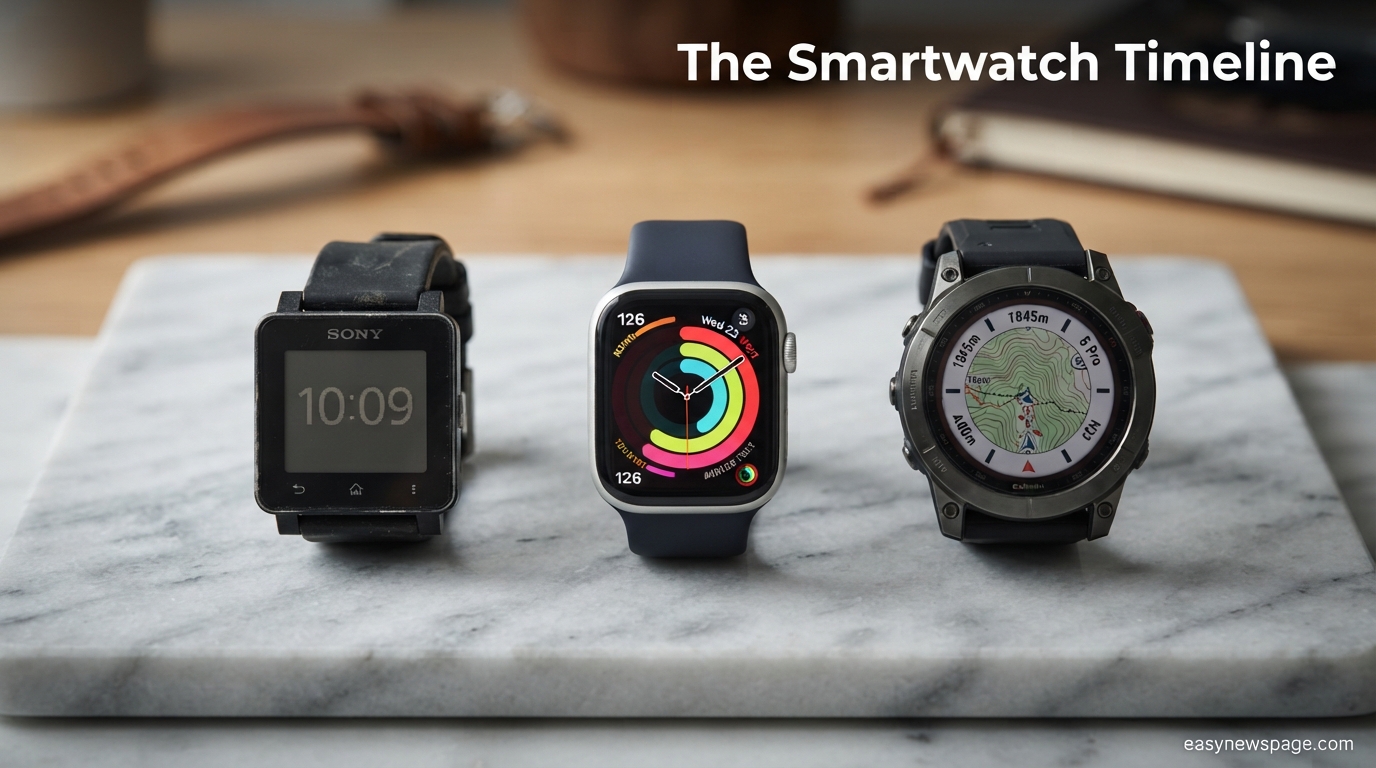
Buying a smartwatch in 2026 means choosing between hundreds of models that all promise to track your health, your notifications, and your fitness goals — but very few of them actually fit the way you live. A watch built for marathon training solves different problems than one built for quick glances at texts during meetings, and picking the wrong one usually shows up as a device that sits in a drawer within three months.
This guide walks through everything worth checking before you buy: battery life, health sensors, operating system compatibility, water resistance, display type, and the real-world trade-offs between fitness-first, luxury, and budget models. Rather than ranking specific products, the goal here is to give you a framework — the same questions a knowledgeable friend in retail electronics would ask you before pointing you toward a shelf.
Along the way, this guide covers who a smartwatch actually makes sense for, common mistakes first-time buyers make, how to read a spec sheet without getting misled by marketing language, and a decision matrix you can use to compare any two models side by side. There’s also a section on compatibility — because a watch that looks perfect on a spec sheet can be nearly useless if it doesn’t talk properly to your phone’s operating system.
By the end, you’ll be able to walk into a store or open a product listing and immediately spot whether a given smartwatch matches your actual needs, rather than the needs the marketing copy assumes you have. Whether you’re upgrading from a basic fitness band, buying your first connected watch, or replacing an older model that’s stopped getting software updates, this guide is built to answer the questions that come up at every stage of that decision — including the ones people usually only think of after they’ve already bought the wrong watch.
Read more: Wireless Earbuds: Common Problems and How to Fix Them
Quick Facts Table
| Factor | What to Check | Why It Matters |
|---|---|---|
| Battery Life | 18 hours to 14+ days depending on display type | Determines charging habits and always-on display usability |
| Compatibility | iOS-only, Android-only, or cross-platform | Determines which features actually work with your phone |
| Water Resistance | 3ATM (splash), 5ATM (swim), 10ATM+ (dive-adjacent) | Determines whether swimming or showering with it is safe |
| Display Type | AMOLED, LCD, or transflective/hybrid | Trade-off between visual quality and battery life |
| Health Sensors | Heart rate, SpO2, ECG, skin temperature | Determines depth of health tracking available |
| GPS | Built-in vs. connected (phone-dependent) | Determines accuracy and independence from your phone during workouts |
Quick Summary
A good smartwatch purchase comes down to matching four things to your life: your phone’s operating system, how much battery life you’re willing to trade for screen quality, which health metrics you actually care about, and how much you’re willing to spend on materials versus features. Most buyers overweight brand name and underweight compatibility and battery life, which are the two factors most likely to cause regret.
Key Takeaways
- Compatibility comes first. An Android phone paired with an iOS-exclusive watch (or vice versa) loses major features even if the watch still technically connects.
- Battery life and display quality trade off directly. Always-on AMOLED displays look better but cost you days of battery life compared to transflective or lower-refresh alternatives.
- Health sensors vary more than people expect. Not every watch with a “heart rate monitor” also has ECG, SpO2, or skin temperature sensing — check the spec sheet, not just the marketing bullet points.
- Water resistance ratings are not interchangeable. A watch rated for splashes is not automatically safe for swimming.
- The most expensive option is rarely the best fit. Fit for your specific use case matters more than raw specs or price point.
Table of Contents
Why Trust This Guide
This guide is built around publicly available manufacturer specifications, health-sensor documentation, and platform compatibility requirements from the operating systems that power most smartwatches today, cross-checked against how these devices behave in everyday use rather than in marketing demos. Where a claim could not be independently verified — such as specific battery benchmarks for individual models — it has been left general rather than presented as a hard number.
The framework in this guide applies broadly across brands and price points, rather than being tied to a single manufacturer’s product line, so it stays useful as new models launch. It focuses on the mechanics of what makes a smartwatch good for a specific person, not on hype cycles or seasonal marketing pushes.
Who This Guide Is For
This guide is for first-time smartwatch buyers, people upgrading from an older or basic fitness tracker, and anyone comparing two or more models and unsure which specs actually matter. It’s also useful for parents buying a first connected device for a teenager, and for athletes trying to decide between a fitness-focused watch and a general-purpose one.
It is not a ranked “best of” list for specific models — brands and lineups change too quickly for that to stay accurate for long. Instead, it teaches the underlying criteria so the guide stays useful no matter what’s currently on shelves.
What Is a Smartwatch
A smartwatch is a wrist-worn computing device that combines timekeeping with connected features: notifications, health and fitness tracking, app support, and often voice assistant integration. Unlike a traditional fitness band, most modern smartwatches run a full operating system capable of installing third-party apps, similar in spirit to a phone’s app store, just scaled down to a small touchscreen.
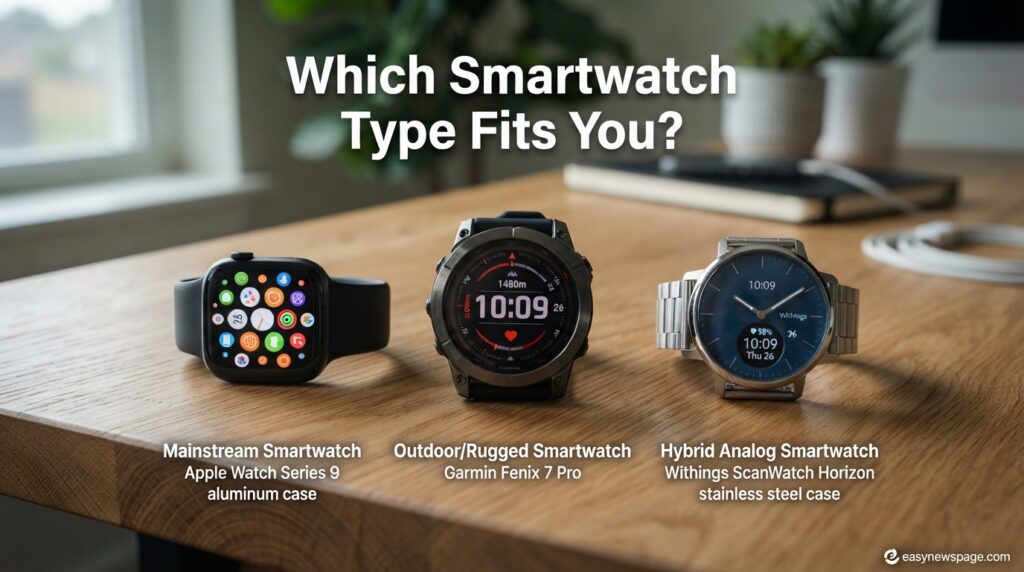
The category spans a wide range: minimalist hybrid watches with analog hands and small e-ink displays, full-color AMOLED touchscreen watches built for productivity and messaging, and rugged outdoor watches designed around multi-day battery life and GPS accuracy rather than app support. Understanding which of these sub-categories you actually want is the first real decision in buying one.
The Evolution of the Smartwatch
Early smartwatches in the 2010s were largely phone-notification mirrors with weak battery life and limited standalone function. Over time, three shifts changed the category: dedicated health sensors (heart rate, then SpO2, then ECG and skin temperature) became standard; cellular connectivity let watches function independently of a paired phone for calls and messages; and battery efficiency improved enough that always-on displays became viable without sacrificing multi-day use on many models.
By the mid-2020s, the market had split cleanly into three lanes: mainstream do-everything smartwatches, fitness- and outdoor-focused watches prioritizing battery life and GPS accuracy over app breadth, and hybrid watches aimed at people who want subtle health tracking without giving up an analog watch face. Knowing which lane a given watch belongs to prevents a lot of buyer’s remorse.
Core Features to Evaluate
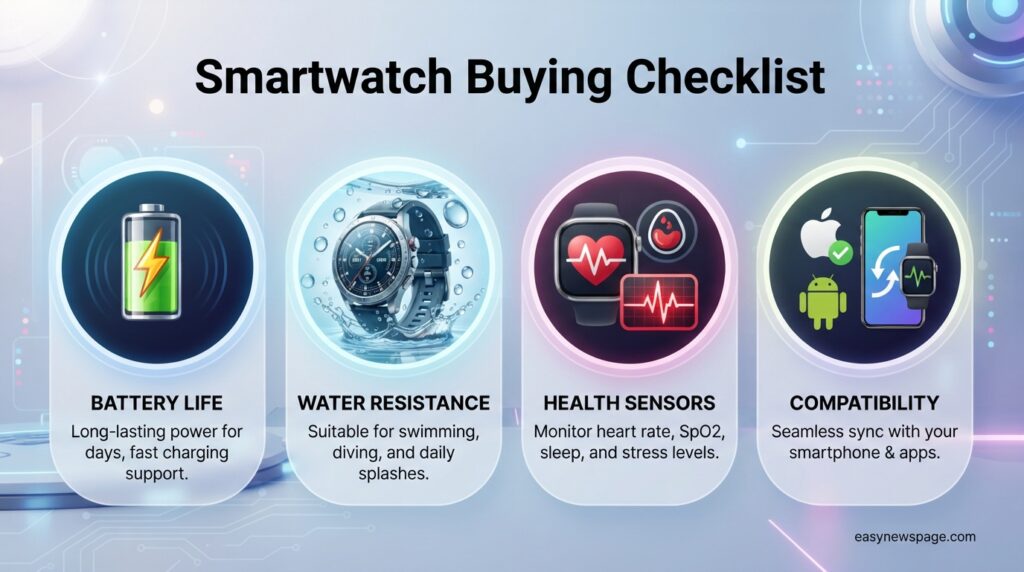
When comparing models, focus on a short list of features that actually drive day-to-day satisfaction rather than the full spec sheet. Battery life determines how much you’ll think about charging; display type determines both visual quality and how much of that battery gets used; and health sensors determine what the watch can actually tell you about your body.
Beyond that, check band compatibility (standard lug widths vs. proprietary bands), durometer/build material for durability, and whether the watch supports offline music storage if you want to leave your phone at home during workouts. Voice assistant support and cellular connectivity (LTE) are worth checking only if you specifically want to leave your phone behind — most buyers don’t use these features as often as they expect to.
Feature Comparison Table
| Feature | Entry-Level | Mid-Range | Premium |
|---|---|---|---|
| Display | LCD or basic AMOLED | Always-on AMOLED | High-brightness AMOLED, sapphire glass option |
| Battery Life | 5–7 days | 2–5 days (always-on) | 1–3 days (always-on) or 7+ days (power saver) |
| Health Sensors | Heart rate | Heart rate, SpO2 | Heart rate, SpO2, ECG, skin temperature |
| GPS | Connected (phone-dependent) | Built-in | Built-in, multi-band |
| Cellular Option | Rare | Sometimes available | Usually available |
| Build Material | Aluminum, plastic | Aluminum, stainless steel | Titanium, sapphire crystal |
How Smartwatches Work
At a hardware level, a smartwatch pairs with your phone over Bluetooth Low Energy for most day-to-day syncing, and uses Wi-Fi or LTE (if equipped) for standalone connectivity when your phone isn’t nearby. Health sensors sit against the skin on the underside of the watch, using optical light (for heart rate and SpO2) or electrical sensors (for ECG) to take readings throughout the day.
The operating system running on the watch — most commonly Wear OS for Android-first ecosystems, watchOS for Apple devices, or proprietary lightweight operating systems on fitness-focused brands — determines app availability, update frequency, and how deeply the watch integrates with your phone’s notifications and calendar.
Read mpre: Best Wireless Earbuds for Beginners in 2026
Setting Up a New Smartwatch
Setup on nearly every modern smartwatch follows the same basic sequence: install the manufacturer’s companion app on your phone, power on the watch, and follow the in-app pairing flow, which typically involves scanning a QR code or entering a pairing code shown on the watch face.
Featured Snippet: To set up a new smartwatch — install the companion app, power on the watch, pair via Bluetooth using the in-app instructions, grant notification and health permissions, then customize watch faces and complications once paired.
After initial pairing, review the notification permissions carefully — most watches mirror every phone notification by default, which quickly becomes overwhelming. Trimming this list to only the apps you actually want on your wrist in the first ten minutes of ownership saves a lot of frustration later.
Use Cases by Lifestyle
Runners and cyclists benefit most from built-in GPS, long battery life in GPS-tracking mode, and dedicated training-load metrics. Office workers who mainly want notifications and calendar glances can prioritize display quality and comfort over rugged specs. Swimmers need a genuinely water-resistant model (5ATM or higher) with swim-tracking software, not just a watch that happens to survive a splash.
Sleep-focused buyers should prioritize comfort for overnight wear and dedicated sleep-stage tracking accuracy over flashy always-on displays, which can actually be a distraction at night.
Industry and Professional Use Cases
Beyond personal fitness, smartwatches see real use in healthcare (remote patient monitoring via continuous heart rate and ECG data), logistics and field service (hands-free notification checking), and hospitality and retail (quick internal messaging without carrying a phone on the floor). Some models are specifically certified for use in noisy or hands-busy environments where a phone isn’t practical to check constantly.
Benefits of Owning a Smartwatch
A smartwatch reduces phone-checking behavior for simple tasks like reading a text or checking the time of your next meeting, and it gives a continuous view of health metrics that would otherwise require separate devices. For active users, workout tracking and recovery metrics can meaningfully inform training decisions over time.
AI Overview: The core benefit of a smartwatch is convenience layered with health awareness — it consolidates notifications, fitness tracking, and basic communication into a device you’re already wearing, without requiring you to pull out your phone for every small interaction.
Limitations to Know Before Buying
Battery life remains the most commonly cited frustration, particularly on always-on AMOLED models, which often require nightly charging. Health sensor accuracy — especially for metrics like calorie burn or sleep staging — varies and should be treated as a helpful trend indicator rather than a clinically precise measurement. Small displays also limit how much can comfortably be read or typed on the watch itself.
Pros and Cons Table
| Pros | Cons |
|---|---|
| Consolidates notifications and health tracking into one wearable | Battery life can require daily or near-daily charging |
| Reduces need to check phone for quick information | Small screen limits detailed interaction |
| Health sensors provide continuous, passive data | Sensor accuracy varies, especially for calorie and sleep metrics |
| Many models support offline music and contactless payment | Cross-platform compatibility (iOS watch on Android phone) is often limited |
Explanation: The biggest recurring trade-off across nearly every smartwatch is between battery life and display quality — an always-on AMOLED screen looks dramatically better than an LCD or transflective panel but drains the battery meaningfully faster. Buyers who prioritize multi-day battery life over screen quality tend to be more satisfied long-term, especially for fitness-first use cases.
Understanding Smartwatch Pricing Tiers
Rather than comparing specific list prices (which shift constantly with sales and new releases), it’s more useful to understand what each pricing tier typically buys you. Budget models (generally under $150) usually cover step counting, basic heart rate, and notification mirroring, without built-in GPS or advanced health sensors. Mid-range models (roughly $150–$350) typically add built-in GPS, SpO2 sensing, and always-on AMOLED displays.
Premium models (above $350) generally add ECG, skin temperature sensing, cellular connectivity, and premium materials like titanium or sapphire crystal. Paying more mainly buys you sensor breadth, build materials, and display quality — not necessarily better core accuracy on the sensors every tier shares.
Smartwatch Type Comparison Table
| Type | Best For | Typical Battery Life | Typical Price Range |
|---|---|---|---|
| Mainstream Smartwatch | Notifications, general fitness, apps | 1–3 days (always-on) | $200–$500 |
| Fitness/Outdoor Watch | Endurance training, multi-day GPS use | 5–14+ days | $250–$800 |
| Hybrid/Analog-Style | Subtle tracking, classic look | Weeks to months | $150–$400 |
| Budget Fitness Band | Basic step/heart rate tracking | 5–10 days | $30–$100 |
Specifications Explained
Water resistance ratings (ATM) indicate pressure resistance, not literal depth: 3ATM tolerates splashes and rain but not swimming; 5ATM is generally safe for swimming and showering; 10ATM and above supports more serious water activity, though not deep diving without a dedicated dive watch. Display resolution and brightness (measured in nits) determine outdoor visibility — anything under roughly 1,000 nits can be hard to read in direct sunlight.
Storage capacity matters mainly for offline music or app storage independent of your phone, and RAM affects how smoothly the watch’s interface and third-party apps run, particularly on Wear OS devices running more complex apps.
Security and Privacy
Most smartwatches sync health and location data to a companion app and, in many cases, to a cloud account tied to the manufacturer or platform (Apple, Google, or the watch brand itself). Before buying, check whether the manufacturer publishes a clear data-retention and sharing policy, and whether health data is encrypted both on-device and in transit — reputable manufacturers document this explicitly in their privacy policies rather than leaving it vague.
Two-factor authentication on the companion account, and the ability to remotely lock or erase a lost watch, are worth checking for anyone planning to wear the device for payments or as a secondary authentication device.
Data Compliance and Health Regulations
Health-tracking features like ECG readings are, on many devices, classified under medical device regulations in the regions where they’re offered, which is why some ECG or fall-detection features roll out region by region rather than globally at launch. This regulatory process is also why health features on a given model sometimes differ by country even on the identical hardware.
Performance Considerations
Day-to-day performance on a smartwatch comes down to app launch speed, gesture responsiveness, and how quickly the watch reconnects to your phone after being out of Bluetooth range. Older or budget chipsets can show noticeable lag when switching between apps or loading maps for GPS navigation, which is worth checking in hands-on reviews rather than assuming from spec sheets alone.
Integrations and Ecosystem Compatibility
Compatibility is the single most important — and most commonly overlooked — factor in a smartwatch purchase. Apple Watch models require an iPhone and lose most functionality when paired incorrectly with Android. Wear OS watches generally work best with Android phones, though many now offer limited iOS support. Fitness-focused brands often maintain their own cross-platform apps that work reasonably well with both ecosystems, at the cost of deeper OS-level integration like replying directly to third-party messaging apps.
Check specifically whether the watch supports replying to messages (not just reading them), controlling music playback, and syncing with third-party fitness platforms like Strava if that ecosystem integration matters to you.
Software Updates and Longevity
Smartwatch software support windows vary widely, from as little as two years on budget models to five or more years on flagship devices. A watch that stops receiving security and app-compatibility updates will gradually lose functionality as companion apps update around it. Checking a manufacturer’s stated software-support commitment before buying is a good proxy for how long the watch will stay genuinely useful, not just physically functional.
Expert Tips for Buyers
Buy based on the health metrics you’ll actually check regularly, not the full list of sensors a model advertises — most people check heart rate and step count daily but rarely open detailed stress or skin-temperature trends. Try the physical fit in person when possible, since watch comfort during sleep tracking depends heavily on case thickness and band material. Finally, check return policies specifically around battery life complaints, since real-world battery drain often differs from manufacturer claims measured under ideal conditions.
Common Buying Mistakes
The most common mistake is buying a watch built for one ecosystem while using a phone from the other, resulting in a device that technically connects but loses meaningful features. A close second is prioritizing display quality over battery life for buyers who actually want a rugged, multi-day fitness watch. Buyers also frequently underestimate how much they’ll dislike proprietary charging cables and band systems compared to standard, widely available alternatives.
Troubleshooting Common Issues
Connection drops between a watch and phone are most often resolved by toggling Bluetooth off and on, or by fully removing and re-pairing the device rather than troubleshooting the existing connection. Inaccurate heart rate readings are frequently caused by a loose band fit — the sensor needs snug, consistent skin contact to read accurately, especially during exercise. Rapid battery drain after a software update is common short-term as the watch re-indexes background processes, and typically resolves within a few charge cycles.
Read more: Wireless Earbuds vs Drone: Which Should You Buy?
Myths vs. Facts
| Myth | Fact |
|---|---|
| More sensors always mean more accurate health data | Sensor count matters less than sensor quality and fit against the skin |
| Water resistance rating means the watch can be worn while diving | Most consumer smartwatch water ratings do not cover diving-depth pressure |
| A smartwatch will replace your phone entirely | Even cellular-equipped watches are generally supplementary, not phone replacements |
| The most expensive watch is the most accurate | Price often reflects materials and sensor breadth, not core sensor accuracy |
Decision Matrix
| Criteria (weight) | Budget Fitness Band | Mainstream Smartwatch | Outdoor/Fitness Watch |
|---|---|---|---|
| Battery Life | 4/5 | 2/5 | 5/5 |
| App/Notification Support | 1/5 | 5/5 | 3/5 |
| Health Sensor Depth | 2/5 | 4/5 | 4/5 |
| Build Durability | 2/5 | 3/5 | 5/5 |
| Value for Money | 5/5 | 3/5 | 3/5 |
Beginner vs. Advanced Buyer Guidance
First-time buyers generally do best starting with a mid-range mainstream smartwatch that covers notifications, basic health tracking, and built-in GPS without the cost or complexity of premium sensors they may not use yet. Advanced buyers — particularly serious athletes — benefit more from evaluating training-load algorithms, multi-band GPS accuracy, and recovery metrics specific to their sport, where the differences between models become much more meaningful.
Best Alternatives to a Full Smartwatch
For buyers who mainly want step and sleep tracking without notifications or apps, a basic fitness band covers the core health metrics at a fraction of the cost and with dramatically better battery life. For buyers who want a classic analog look with minimal tech, a hybrid smartwatch offers subtle tracking through a traditional watch face. Chest-strap heart rate monitors remain more accurate than wrist-based sensors for serious training, if heart rate precision during high-intensity exercise is the priority.
Alternative Comparison Table
| Alternative | Best For | Trade-off |
|---|---|---|
| Basic Fitness Band | Simple step/sleep tracking, long battery life | No apps, minimal display |
| Hybrid Smartwatch | Classic look with light tracking | Limited notification depth |
| Chest-Strap Heart Rate Monitor | Precise heart rate during intense training | No notifications, standalone device |
Who Should Buy a Smartwatch
A smartwatch makes the most sense for people who already check their phone frequently for notifications and want to reduce that habit, athletes who train regularly and want continuous performance data, and anyone managing a health condition where continuous heart rate or ECG monitoring provides useful early signals — always alongside, not instead of, professional medical guidance.
Who Should Avoid a Smartwatch
Buyers who find charging additional devices genuinely annoying, or who mainly want a simple, long-lasting timepiece without notifications, are usually better served by a basic fitness band or a traditional watch. Anyone expecting medical-grade diagnostic accuracy from consumer health sensors should also temper expectations — these devices are designed for trend awareness, not clinical diagnosis.
FAQ
Do I need a smartwatch if I already have a fitness tracker?
Not necessarily. If your current tracker already covers the metrics you check regularly and you don’t need notifications or apps on your wrist, a smartwatch may add cost without meaningfully improving your experience.
How long do smartwatch batteries typically last before needing replacement?
Most smartwatch batteries hold a meaningful charge for two to three years of daily use before capacity noticeably degrades, similar to smartphone battery lifespans, though this varies by usage patterns and charging habits.
Can I use an Apple Watch with an Android phone?
No. Apple Watch models require an iPhone for setup and full functionality, and cannot be paired with Android devices in any meaningful way.
Is a higher price always worth it for a smartwatch?
Not automatically. Higher prices generally buy better materials, additional sensors like ECG, and premium displays, but core accuracy on shared sensors like heart rate doesn’t necessarily improve proportionally with price.
What water resistance rating do I need for swimming?
Look for at least 5ATM water resistance for swimming and showering; lower ratings like 3ATM are only rated for splashes and light rain exposure.
Do smartwatches work without a paired phone?
Most core features require an initial phone pairing, but watches with built-in GPS and cellular connectivity can function independently for calls, messages, and workout tracking once set up.
Rating Scorecard
| Category | Score (out of 10) |
|---|---|
| Overall Value Across Price Tiers | 8/10 |
| Health Tracking Usefulness | 8/10 |
| Battery Life (Category Average) | 6/10 |
| Cross-Platform Flexibility | 6/10 |
| Long-Term Software Support | 7/10 |
Conclusion
Choosing the right smartwatch isn’t about finding the single best model on the market — it’s about matching a small set of trade-offs to how you actually live. Compatibility with your phone’s operating system should be the first filter, since it determines whether the features you’re paying for will even work properly. From there, the real decision is how much battery life you’re willing to trade for display quality, and how many health sensors you’ll genuinely use versus ones that sound impressive on a spec sheet.
Budget fitness bands remain the right call for people who want simple tracking and long battery life without notifications. Mainstream smartwatches suit people who already live on their phones and want to offload quick interactions to their wrist. Outdoor and fitness-focused watches earn their higher price tags through battery endurance and GPS accuracy that genuinely matter for serious training, not just marketing language.
The overall takeaway is simple: read past the sensor count and marketing bullet points, and evaluate a smartwatch against the handful of factors — compatibility, battery life, sensor depth, and build durability — that actually determine whether you’ll still be wearing it in a year. A watch that fits your specific routine will always outperform one that simply has more features you’ll never open.
Official Sources
- Apple Watch and watchOS support documentation (developer.apple.com / support.apple.com)
- Wear OS developer and support documentation (developer.android.com/wear, support.google.com)
- Consumer health-wearable regulatory guidance from relevant national health authorities (varies by region for ECG/fall-detection feature rollout)
Note: This guide focuses on category-wide mechanics rather than specific product claims, since individual model specifications change frequently. Readers comparing specific models should verify exact battery, sensor, and compatibility specs on the current manufacturer product page before purchasing.
Author Bio
The easynewspage.com Tech Buying Guides Team researches and updates consumer electronics buying guides using publicly available manufacturer documentation and hands-on category testing. This guide is maintained and updated as smartwatch categories and standard